# Integrating with OPSCOM
## Considerations for Scoping an Integration
Regardless of the integration we are scoping we need the following questions answered.
1. What are the endpoints; where will we connect and send data?
1. What system or URL are we querying?
2. Test system logins and a test endpoint address to which we can send queries to.
1. we will need the same for production systems
2. Are there additional (special) API endpoints and/or API tokens to access the system?
3. What API/SDK is recommended?
1. at the core the OPSCOM platform is built on PHP; we also work with Java and many other languages
4. Supporting documentation for the API/SDKs that we are integrating with
1. technical contact(s); either on location and/or for the vendor.
5. How will the data (or user) flow through the system? ie. business logic/flow
## For Network Administrators
Our development servers are behind:
- 208.124.170.242
- 178.128.233.75
Our production servers are behind:
- 209.217.117.82
- 159.203.14.67
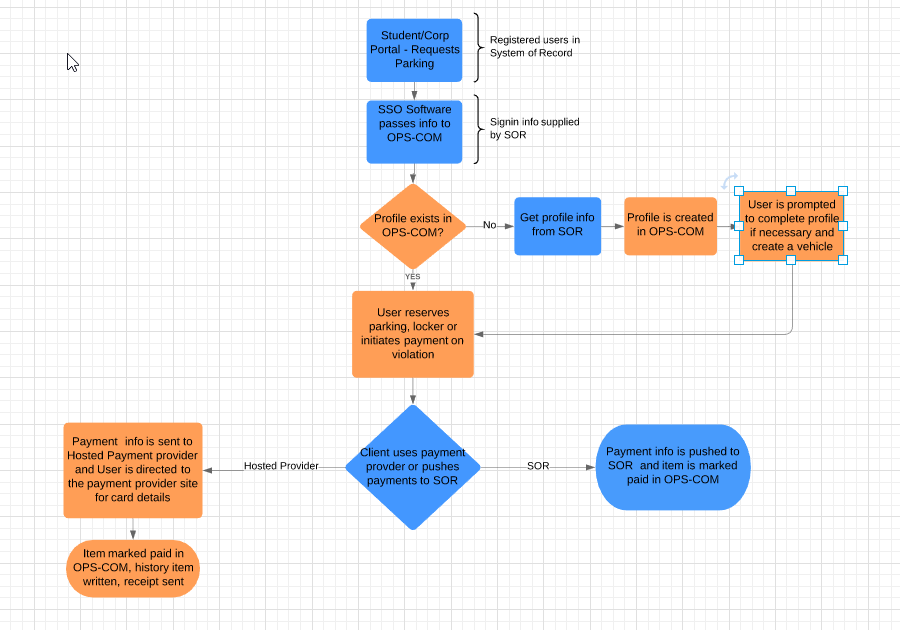
## through OPSCOM
This example shows the flow of information through the integrated system of record and OPSCOM.
[](https://opscom.wiki/uploads/images/gallery/2024-06/bfhimage.png)
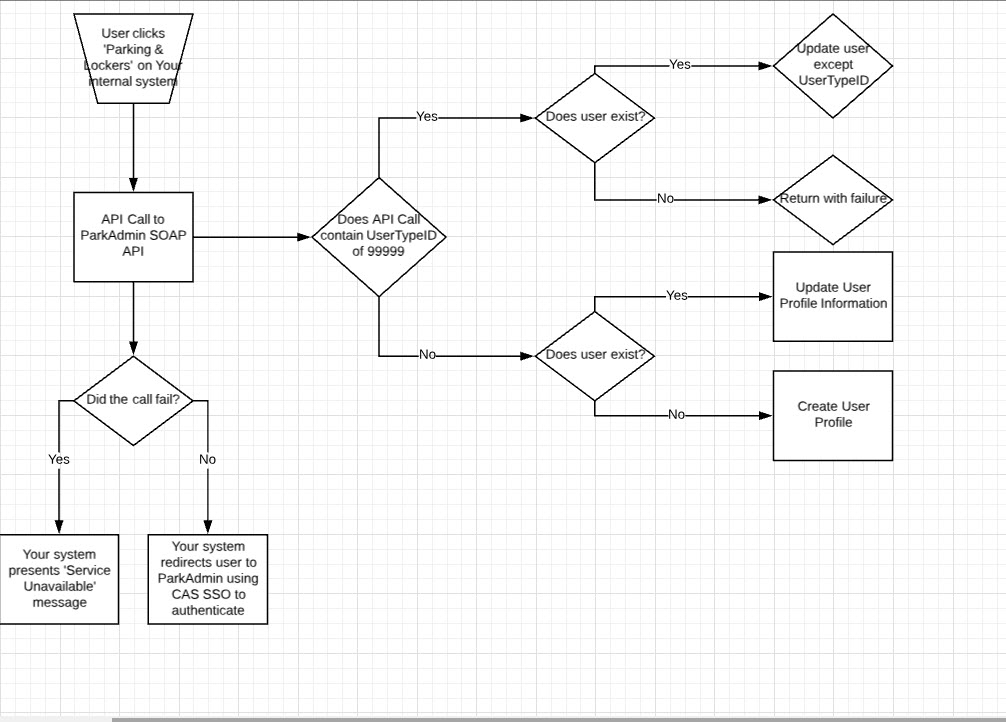
### Sample: SSO Integration
This example shows the flow of a user through the system, and at what points the client wanted us to apply business logic.
Notice that in their implementation they also described the flag that would be used to designate special users in the system.
[](https://opscom.wiki/uploads/images/gallery/2024-06/D7Eimage.png)
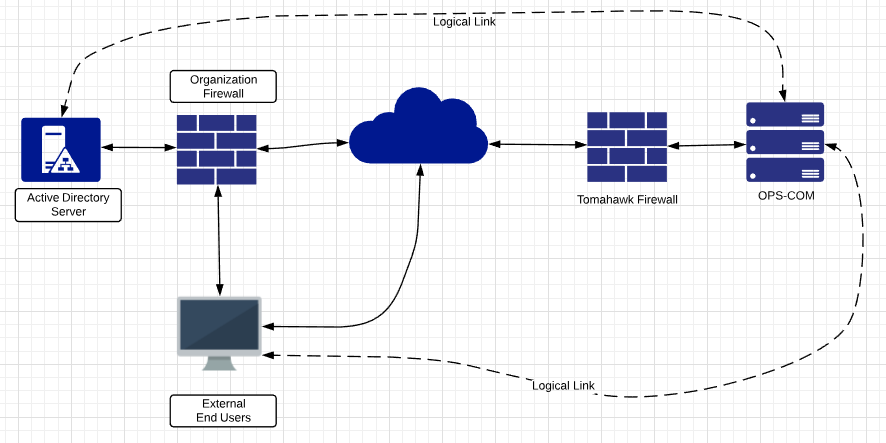
### Sample: LDAP/Active Directory Integration
This represents a standard flow of information to support LDAP/AD user validation.
[](https://opscom.wiki/uploads/images/gallery/2024-06/eJ9image.png)
## Current APIs Available
**Operations**Commander (OPSCOM) has made APIs (Application Programming Interface) available that allow for third-parties with proper authentication to interact and manipulate data in OPSCOM as needed to accomplish specific functions, for example adding valid permits from pay and display machines.
## Other Integrations Available
OPSCOM has integrations with third-parties. Your Sales Rep can discuss how you can make use of these integrations.
- T2 Luke II Meters
- CALE Meters
- MacKay Meters
- Tattile Cameras
- Vaxtor Cameras
- gTechna Cameras
- HotSpot Temporary Permits