The Static Camera Chalking feature provides OPSCOM administrators and enforcement officers with a digital record of vehicles entering and exiting monitored lots. This information acts like a 24 x 7 Patrol Officer and serves as proof during disputes or appeals, as the time-stamped image is acceptable in a court of law if the date/time stamp is clear.
If your camera hardware supports it, a static camera chalk includes the chalk image associated with the vehicle entry, which shows both the license plate and the entire car with a visible date/time stamp. This creates a digital trail that replaces manual tire marking. When reviewing past chalks, you can see a map location of where the vehicle was chalked, a date and time stamp for the chalk event, and an image taken at the time (accessible via a camera icon). There may also be comments added by the officer at the time of chalking, and a distance reading indicating the distance from the first chalk record to the present position. [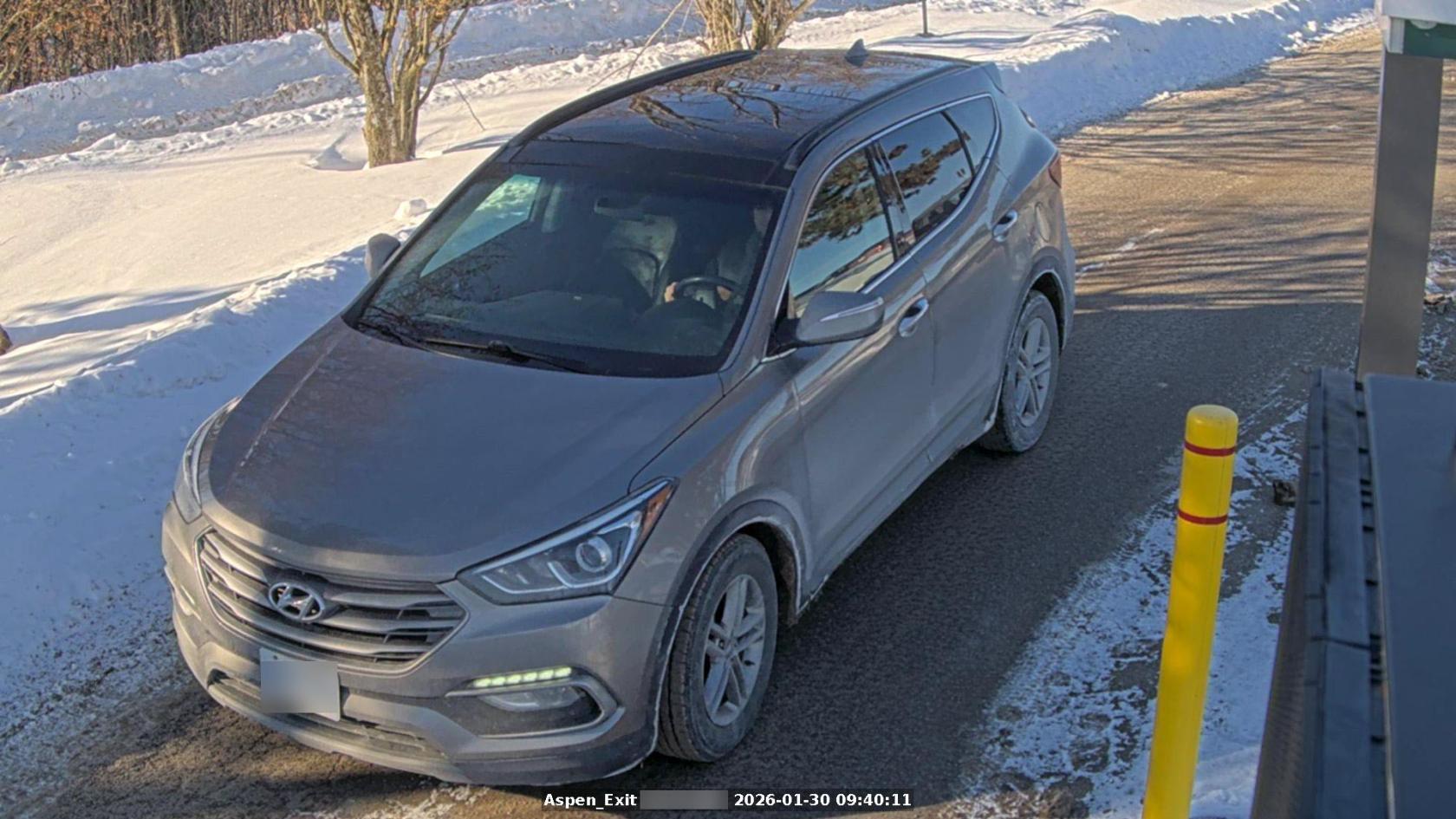](https://opscom.wiki/uploads/images/gallery/2026-03/chalk-example-with-static-cameras.jpg) ### Best Practices and Considerations - **Audit Camera Accuracy:** Regularly check that the camera is pointed correctly and that the images are clearly showing the vehicle in frame. - **Dispute Resolution:** When handling an appeal, always provide the **Chalk Image** as it shows both the plate and the vehicle context, which is typically acceptable in a court of law.