# Static LPR Checklist - Tattile
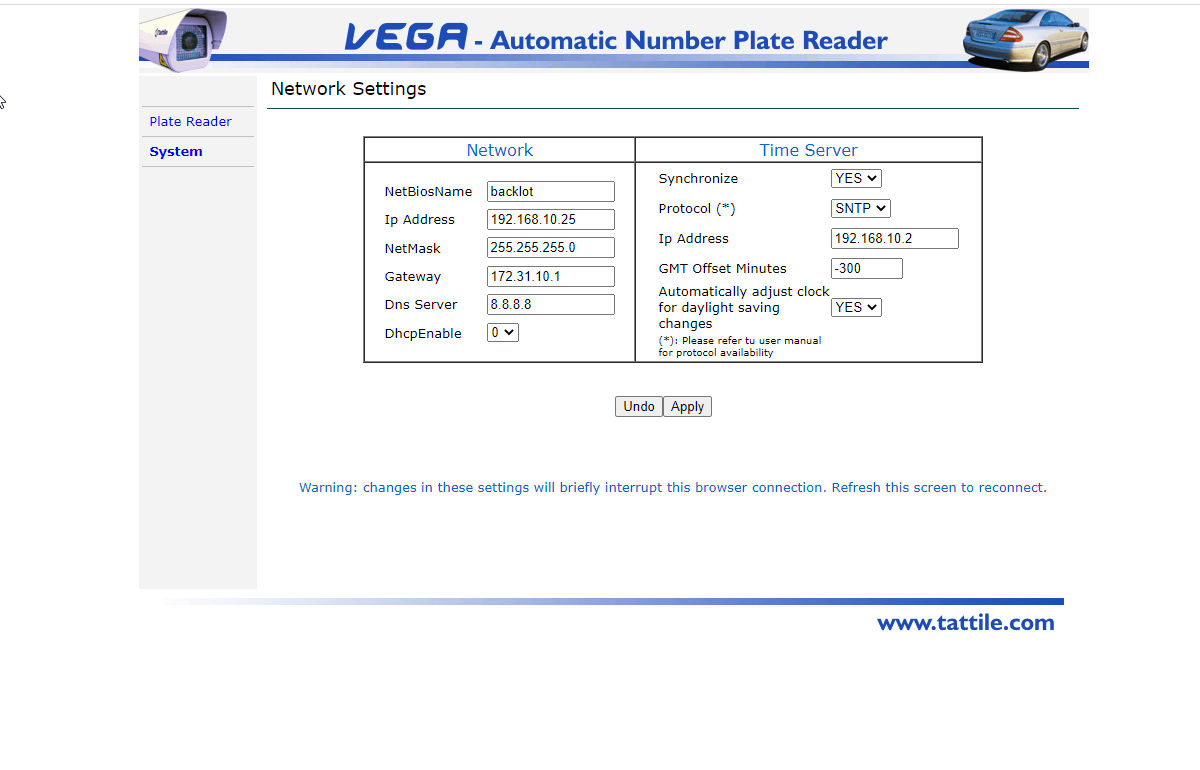
Required fields are:
- IP Address
- NetMask
- Gateway
- DNS Server (8.8.8.8 can be used)
Time Server (use your own or one of these)
- 0.us.pool.ntp.org
- 1.us.pool.ntp.org
- 2.us.pool.ntp.org
- 3.us.pool.ntp.org
[](https://opscom.wiki/uploads/images/gallery/2024-06/WmCimage.png)
## System - Time Sync
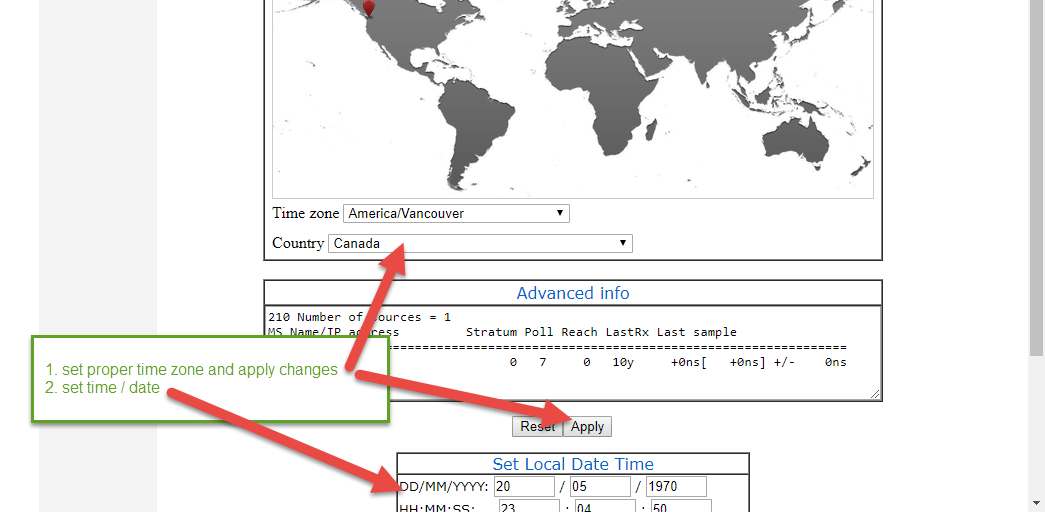
*Changes on this panel will reboot the device.*
[](https://opscom.wiki/uploads/images/gallery/2024-06/V8Pimage.png)
## Plate Reader
### General Settings
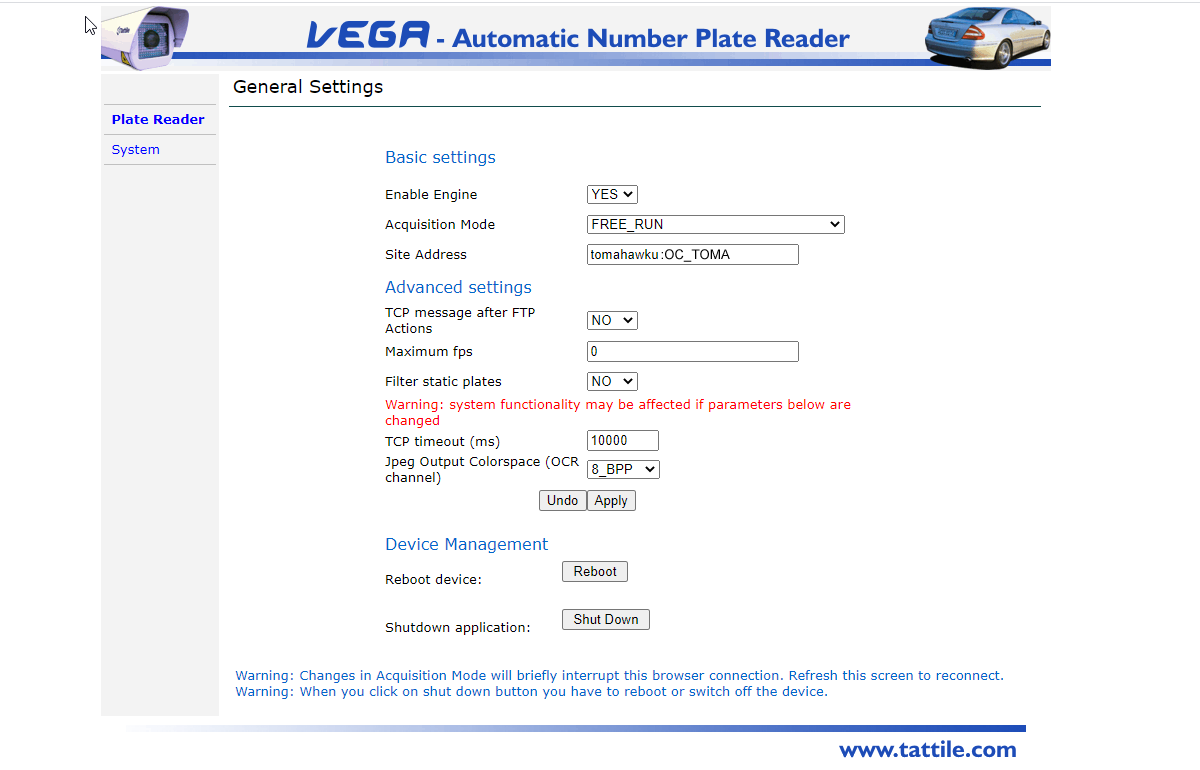
Configure the site address which should be **client\_subdomain : CLIENT\_ID** (no spaces)
Your subdomain is the first part of your OPSCOM.com web portal address.
As an example, the demo Tomahawk University is located on the web at **tomahawku***.OPSCOM.com* and the entry here would be tomahawku:OC\_TOMA
*If you are unsure of the client\_subdomain or CLIENT\_ID please contact [OPSCOM support](mailto:support@ops-com.comcom)*
[](https://opscom.wiki/uploads/images/gallery/2024-06/SLpimage.png)
### Frame Grabber Settings
### Iris Bounding Region
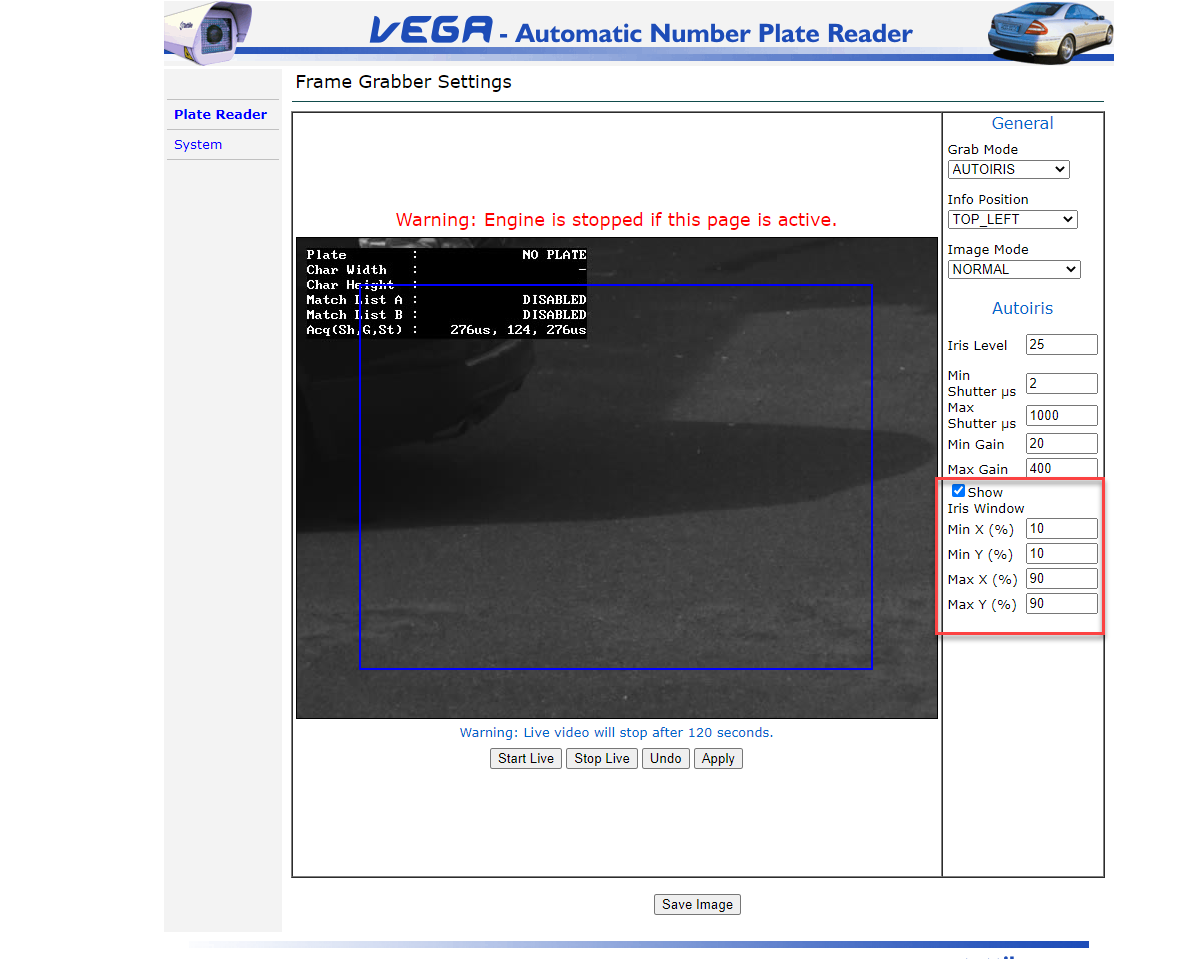
- For faster plate reads you can adjust the capture area
- Typically factory defaults to full frame
- For PL8RDR, it is necessary to create padding around the capture area (*minimum 30 pixels*)
- In this example we have modified the factory defaults by 10% all around
- Click on **Show Iris Window** to see the bounding box
[](https://opscom.wiki/uploads/images/gallery/2024-06/vbbimage.png)
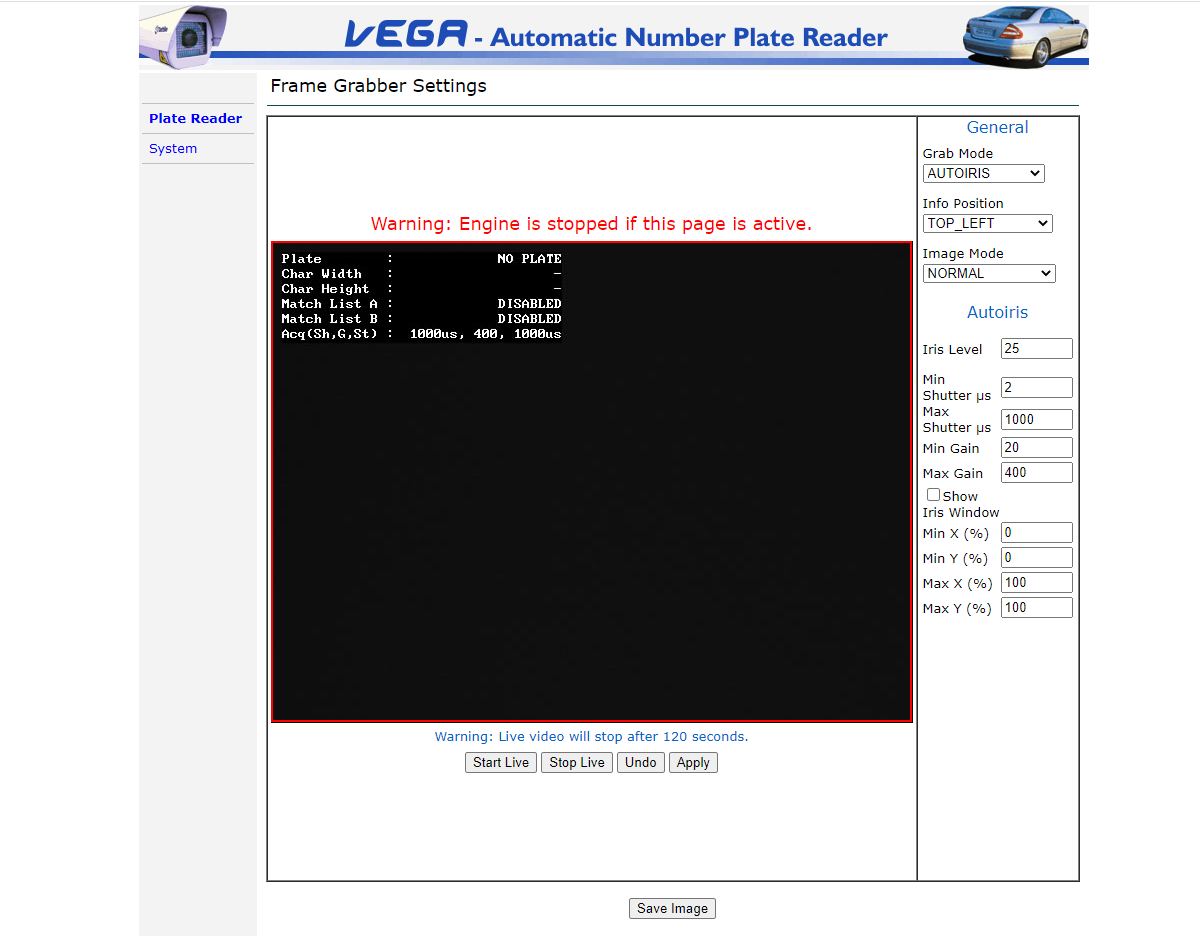
### Camera Auto Iris *(advanced)*
As directed by OPSCOM support staff adjustments may be made to specific camera properties.
- iris
- gain
- shutter speed
[](https://opscom.wiki/uploads/images/gallery/2024-06/M0Cimage.png)
## Events Actions
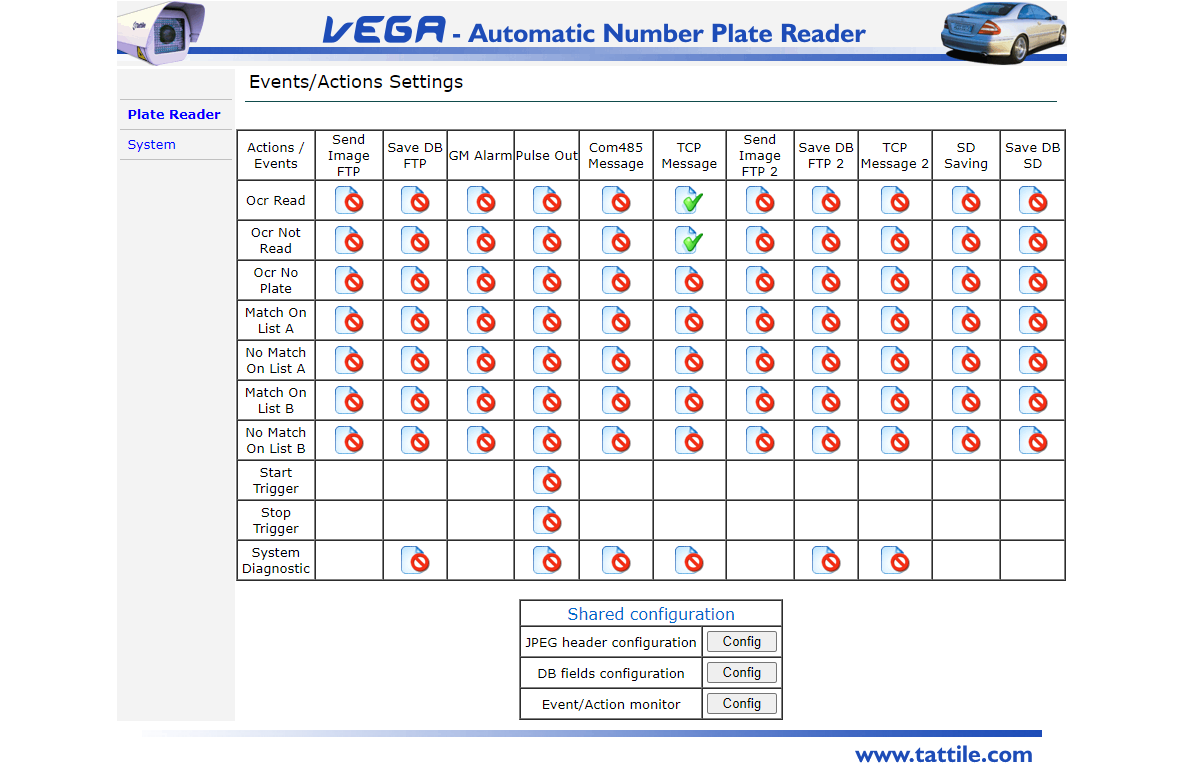
- There are 2 TCP Message options:
- Ocr Read
- Ocr Not Read (vanity plates)
[](https://opscom.wiki/uploads/images/gallery/2024-06/2mkimage.png)
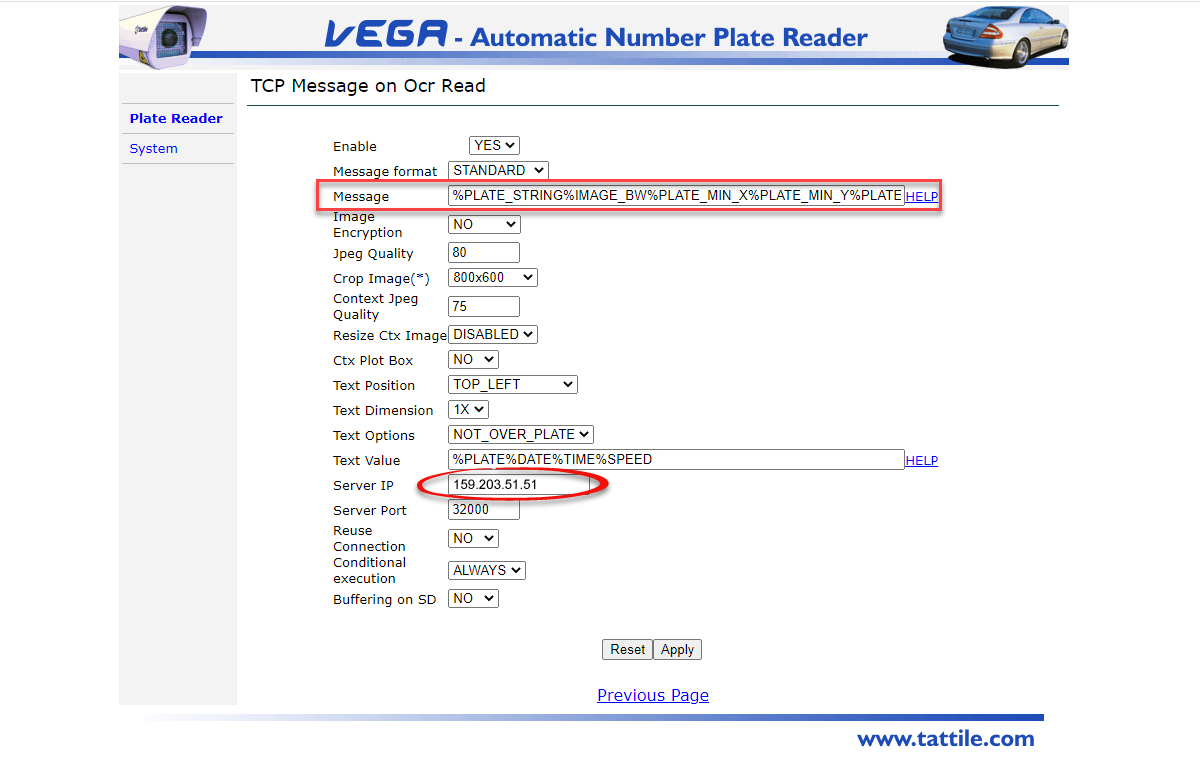
### Ocr Read Events
- **READ*** (key fields)*
- Enabled = Yes
- Server IP = 159.203.51.51
- Server Port = 32000
- Message = %PLATE\_STRING%IMAGE\_BW%IMAGE\_COL%PLATE\_MIN\_X%PLATE\_MIN\_Y%PLATE\_MAX\_X%PLATE\_MAX\_Y
[](https://opscom.wiki/uploads/images/gallery/2024-06/RdHimage.png)
|
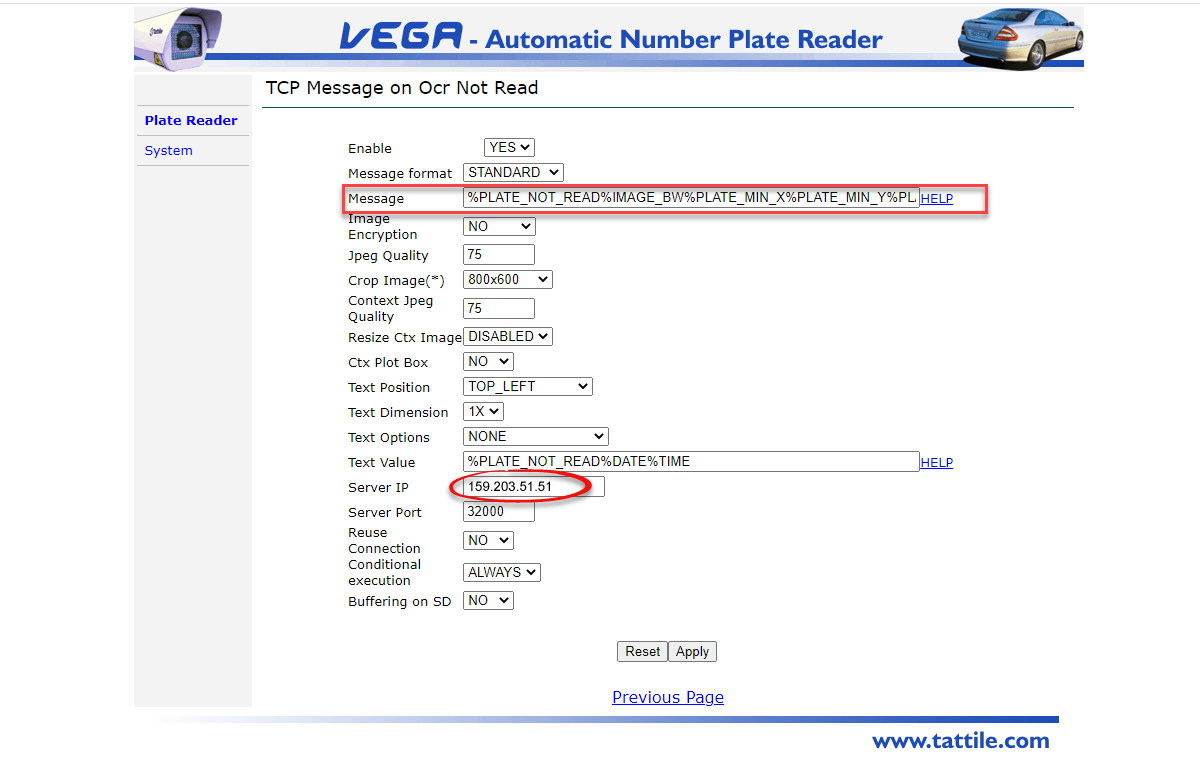
### Ocr No Read Events
- **NO\_READ*** (key fields)*
- Enabled = Yes
- Server IP = 159.203.51.51
- Server Port = 32000
- Message = %PLATE\_NOT\_READ%IMAGE\_BW%IMAGE\_COL%PLATE\_MIN\_X%PLATE\_MIN\_Y%PLATE\_MAX\_X%PLATE\_MAX\_Y
[](https://opscom.wiki/uploads/images/gallery/2024-06/A1kimage.png)
### JPEG Image Header
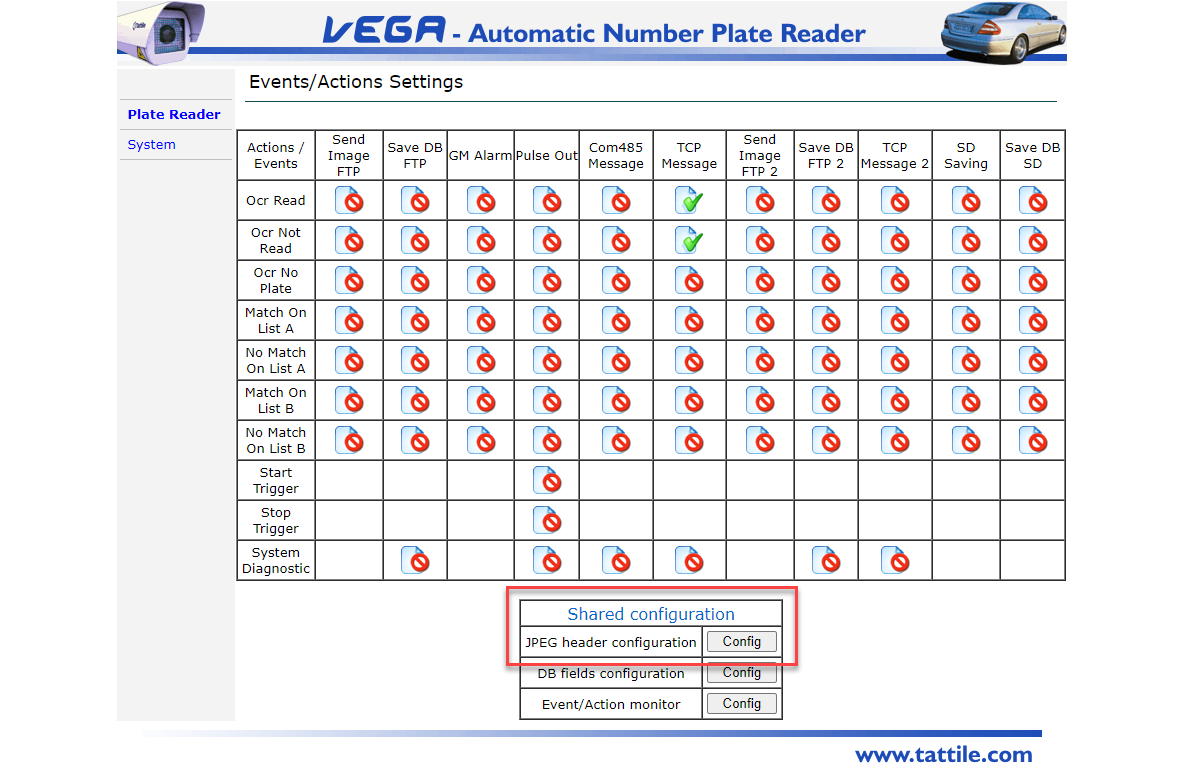
Select to edit the configuration by selecting the Config button
[](https://opscom.wiki/uploads/images/gallery/2024-06/xTgimage.png)
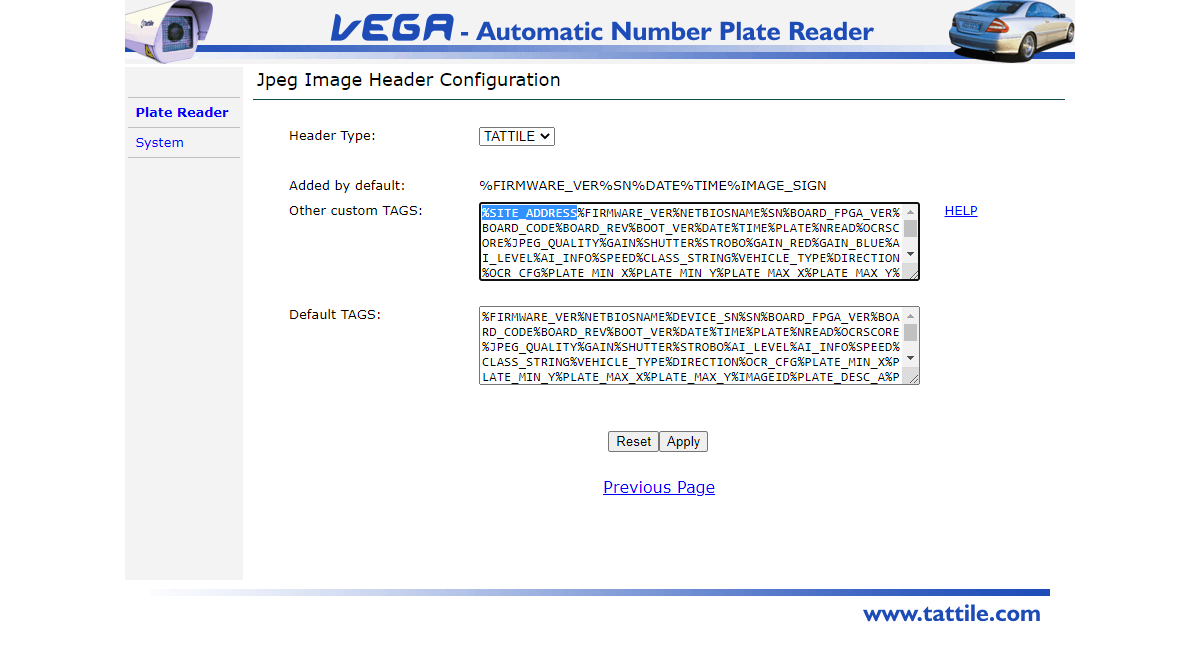
Add %SITE\_ADDRESS to the field **Other custom TAGS**
[](https://opscom.wiki/uploads/images/gallery/2024-06/XrYimage.png)