Part 1: Getting an Installer & Cable Modifications (Optional)
First things first, find an installer to setup all the cabling you need in your vehicle to power the cameras and the PL8RDR. Verify with your installer how you want your setup to function. They will be able to decide how your new equipment gets powered and how everything gets cabled.
Please note: Your installer may have to modify the provided cables. The Survision Camera cable has a car adapter which could need to be cut off, and the 12V 5.5x2.5 Male-Female Power Plug put in its place.
Survision Camera Cable
- Your installer may need to refer to the pin/cable specification document available here:
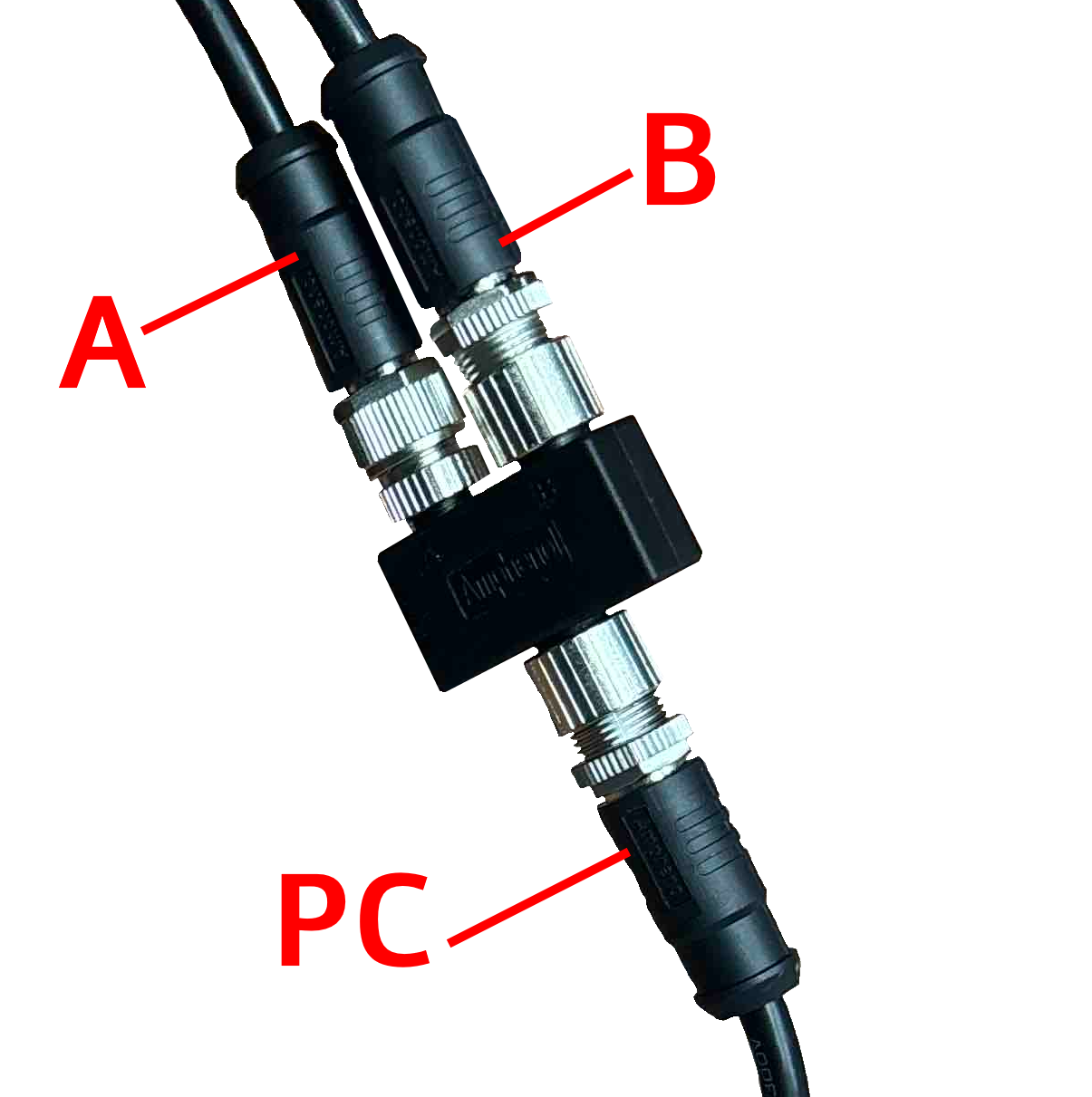
PICOPAK3 PINOUT & CONNECTIONS_English.pdf - If you have the Survision cable and the M12 Y-Splitter shown below, please ensure these are the connections:
|
|
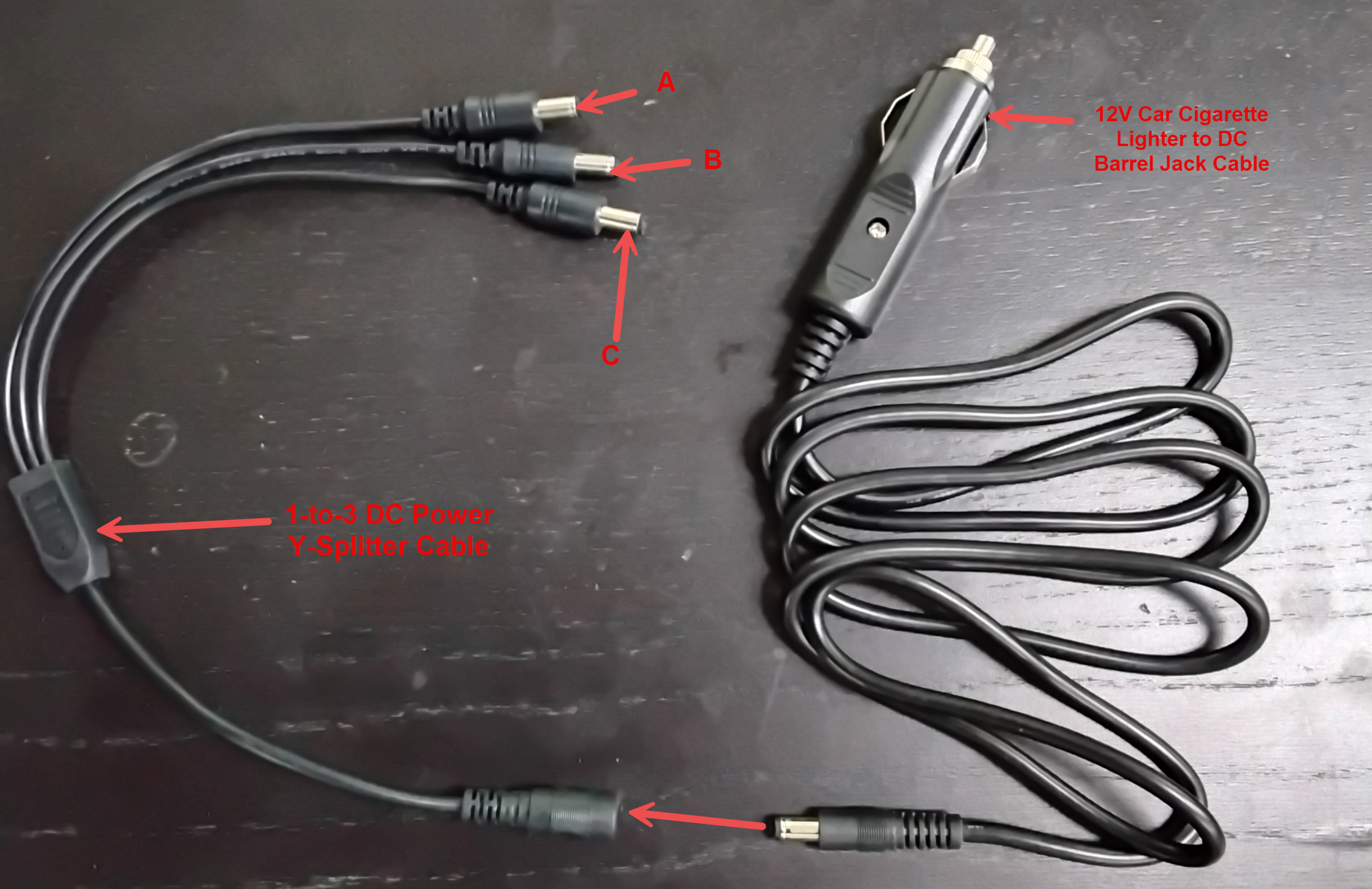
Cable Configuration:A - Power Input B - LPR Camera PC - Direct to PL8RDR |
- If you have 12V Car Cigarette Lighter to DC Barrel Jack and 1-to3 DC Y-Splitter cables as shown below the connectivity is easy and simple.
|
|
Cable Configuration: A - LPR Camera 1 B - LPR Camera 2 C - PL8RDR 12V Car Cigarette Lighter Jack - Connector Vehicle 12V auxiliary power outlet |