The **Setup Checklist** is a central tool designed to guide new OPSCOM administrators through the critical process of configuring a new site. This article helps administrators prioritize essential configuration tasks and system messaging updates required for a successful launch.
### Understanding the Setup Checklist The **Setup Checklist** categorizes necessary tasks by priority to help you focus your efforts efficiently. - **Important**: Critical configurations that must be completed for system functionality. - **Moderate**: Recommended configurations to optimize your system setup. - **Minor**: Optional adjustments to further refine your site's design and user messaging. The checklist can be expanded to display all configuration and page update tasks that a new user should consider during the onboarding process. 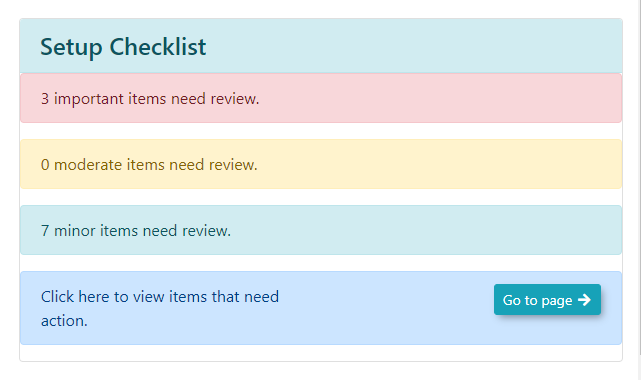 ### Using this Feature Administrators can use the checklist to navigate directly to the areas requiring attention, streamlining the setup workflow. 1\. Click on any section within the **Setup Checklist** to expand the list and view specific tasks. 2\. Click the **Edit** button associated with a task to be brought directly to the relevant configuration or page update screen.The **Edit** button functionality applies to both general system configurations and **System Messaging** updates, ensuring you can quickly access the page that requires your input.
--- ### Best Practices and Considerations - **Prioritize Tasks**: **Focus on completing items labeled as Important first** to ensure your production system is functional before moving on to moderate or minor refinements. - **System Messaging**: Use the **Edit** button within the messaging sections to ensure your portal communications, disclaimers, and email templates are tailored to your organization’s needs. - **Regular Review**: As you progress through your onboarding, revisit the **Setup Checklist** to track your completion status and identify any remaining configuration gaps.