Preventing Permit Rollover after Cancellation
This article outlines how to stop an active permit from automatically renewing during the rollover process. Its primary purpose is to allow administrators and end users to cancel future recurrences of a permit while maintaining the current active status until expiration. This guide is intended for OPSCOM administrators.
Setup and Configuration
There is no specific configuration required to use this feature. The ability to prevent permit rollovers is a standard function available to both administrators and end users within their respective portals.
Using this Feature
The process for preventing a permit from rolling over can be completed by an administrator on behalf of a user, or by the end user directly through their portal.
Administrator Side
2. Click the permit button associated with the active permit to reveal the Parking Permit Information window.
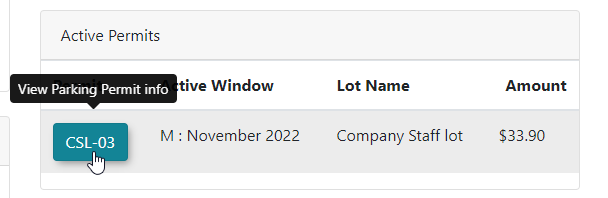
3. Click the Rollover State drop-down menu and choose Prevent Rollover.
4. Enter a comment to explain why the state is being changed. This field is mandatory.
5. Click the Update Permit button to apply the changes.
6. Review the confirmation message that appears, verifying the flag has been changed.
User Side
1. Locate the active permit on the User Dashboard.
2. Click the permit button to open the permit details.
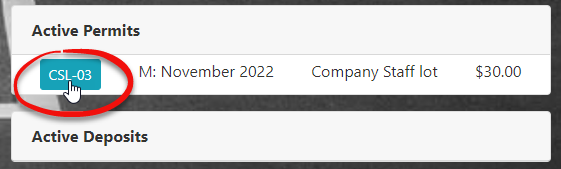
3. Click the drop-down menu in the Permit Information window and choose Not Renewing.
Feature Results
When administrators process permit rollovers for the upcoming season or month, permits that have had their state altered will be excluded from the main processing queue. Instead, these permits will appear in a separate list titled Permits that will not be rolled over.
Best Practices and Considerations
-
Mandatory Comments: Always provide a clear and detailed comment when changing the rollover state. Because this action is mandatory for administrators, using it to accurately document the reason for cancellation (e.g., user request, account closure) ensures a reliable audit trail.
-
Additional Notes: In addition to the mandatory comment on the permit state, it is best practice to add a general note to the user's profile detailing the cancellation for quick administrative reference.
-
Processing Awareness: When running batch rollovers, always review the Permits that will not be rolled over list to ensure no permits were flagged for cancellation by mistake.