Collections - Flag as Sent to Collections
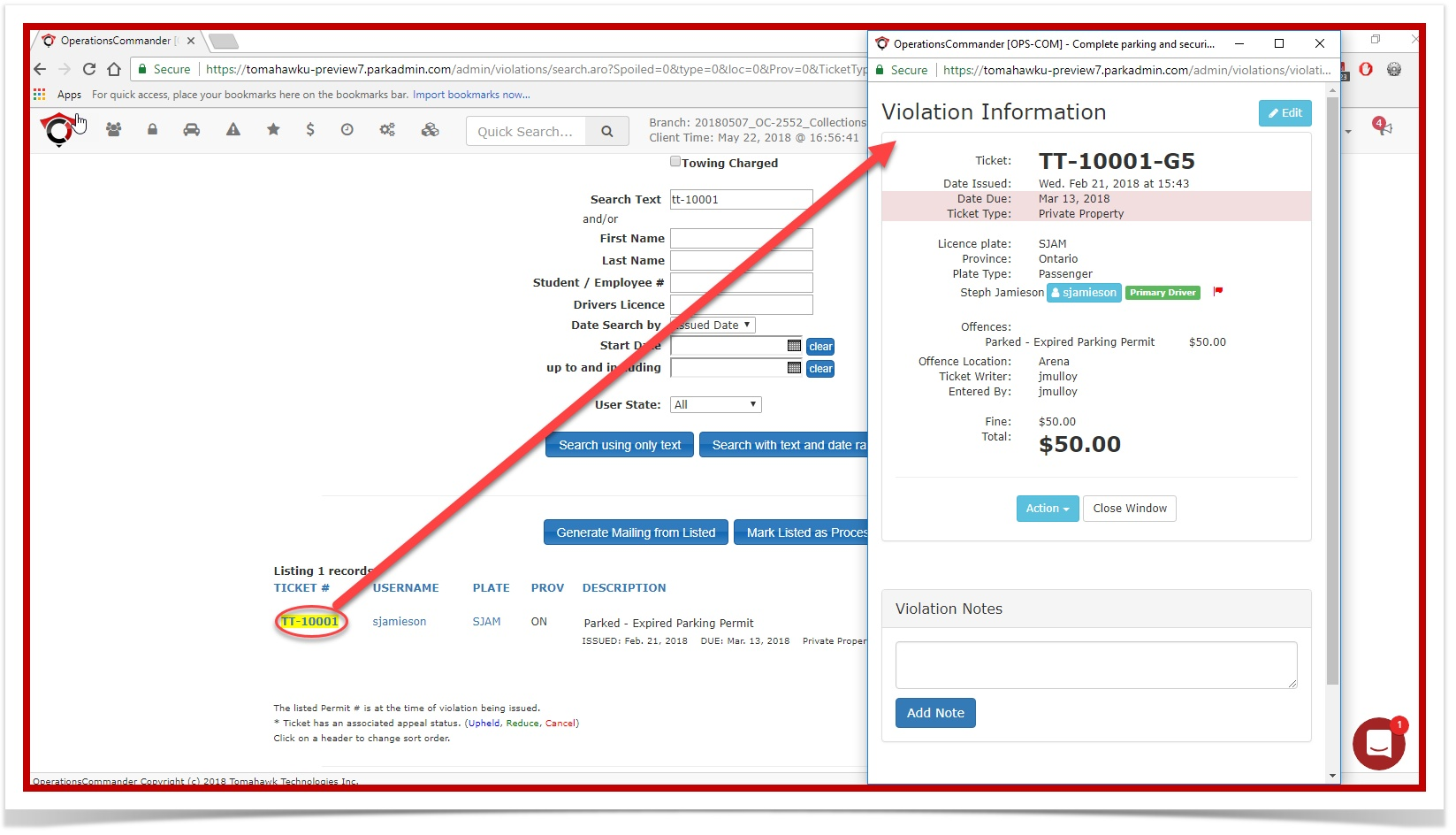
To"Flagsetas Sent to Collections" feature is used to bypass theflag,standardopennotificationtheprocessesviolationforsearch page.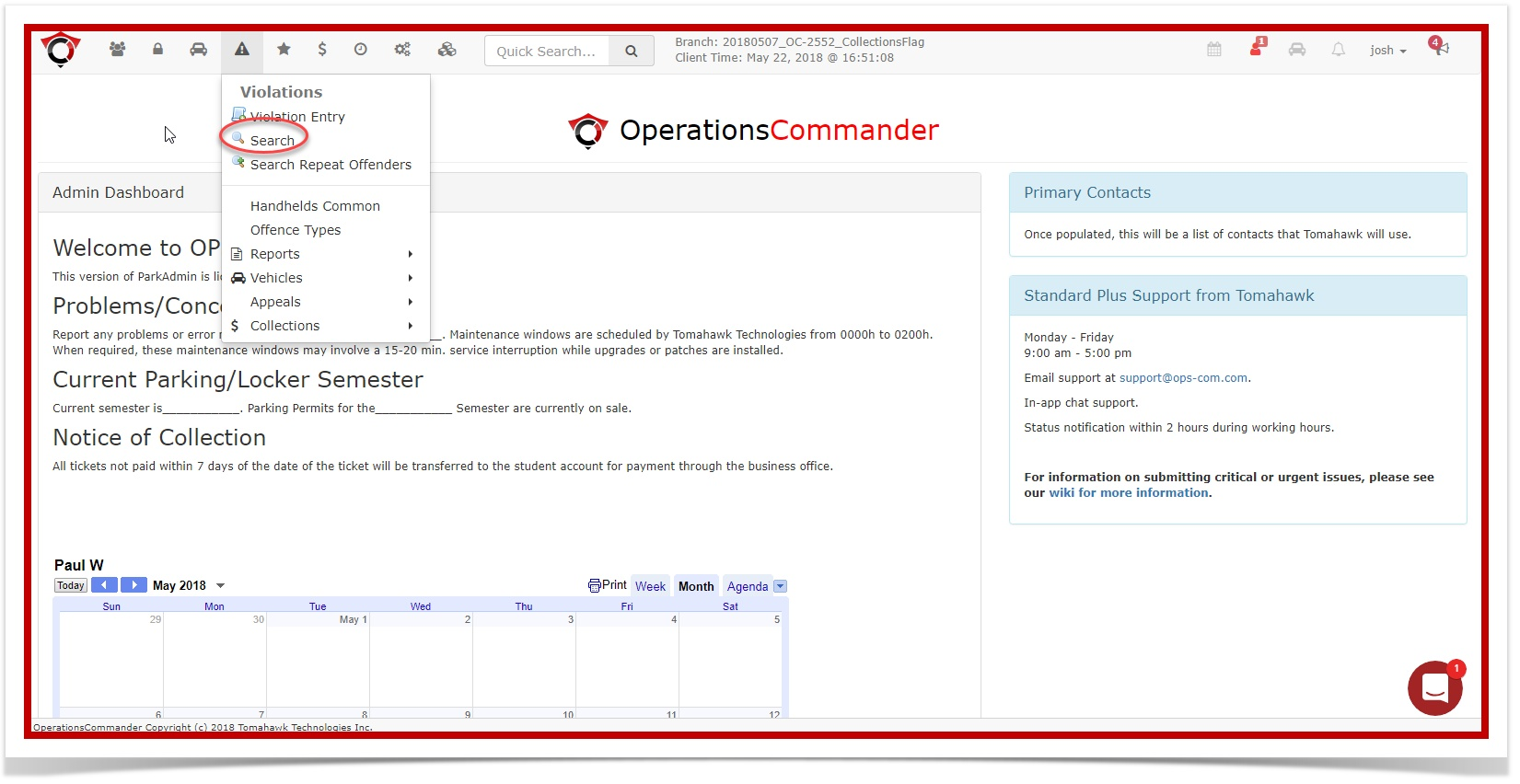
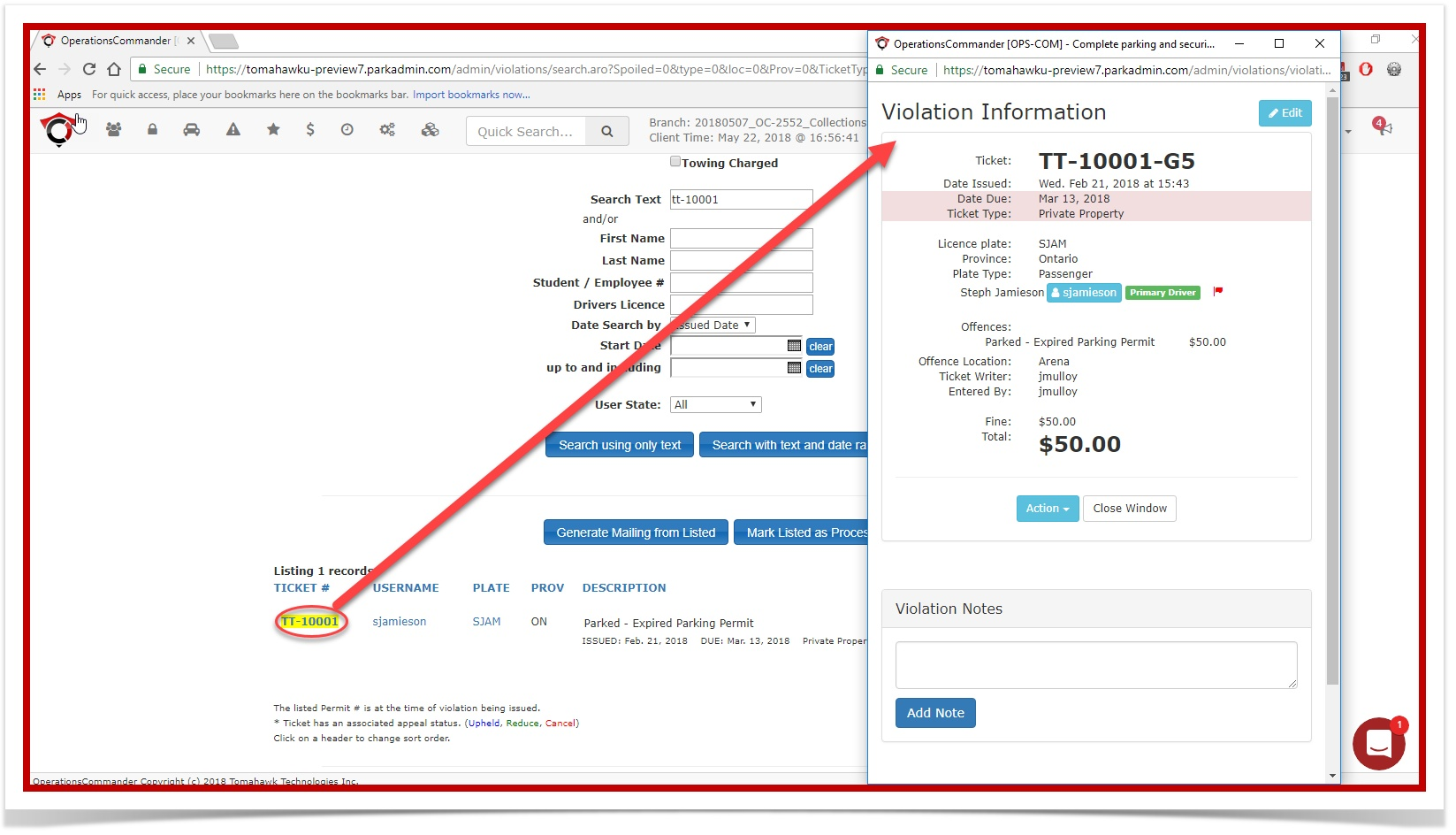
Enter thea violation that is beingflagged.handledInexternally by a collections agency. Once thiscase itflag isTT-10001.enabled,Selectthe violation will bypass the existing NIC (Notice of Impending Charge) letter and the CRC (Certificate of Request for Court) process.Setup & Configuration
You must have the Manage Collections permission to do this. This permission can be added to your profile by your Primary Admin.
To enable this permission:
- Go to System Configuration, then Admin Management, and Manage Roles.
- Locate the Role you want to edit and click the Permissions button.
- Click the Violations tab and enable the Manage Collections permission.
- Click Save Settings.
Using this Feature
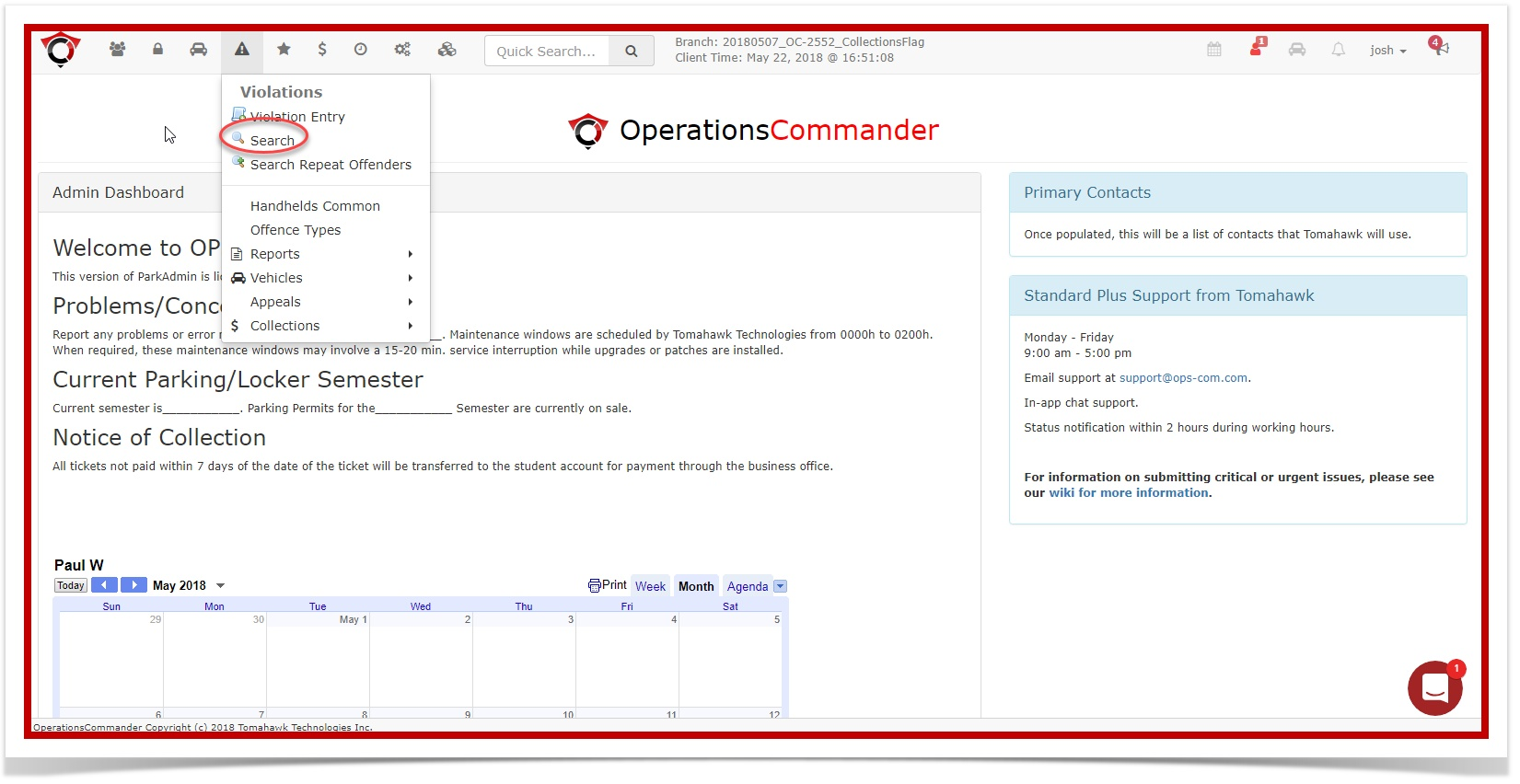
- Go to Violations and click Search.
- Search for the violation you want to flag.
- Click the ticket # to open the Violation Information page.
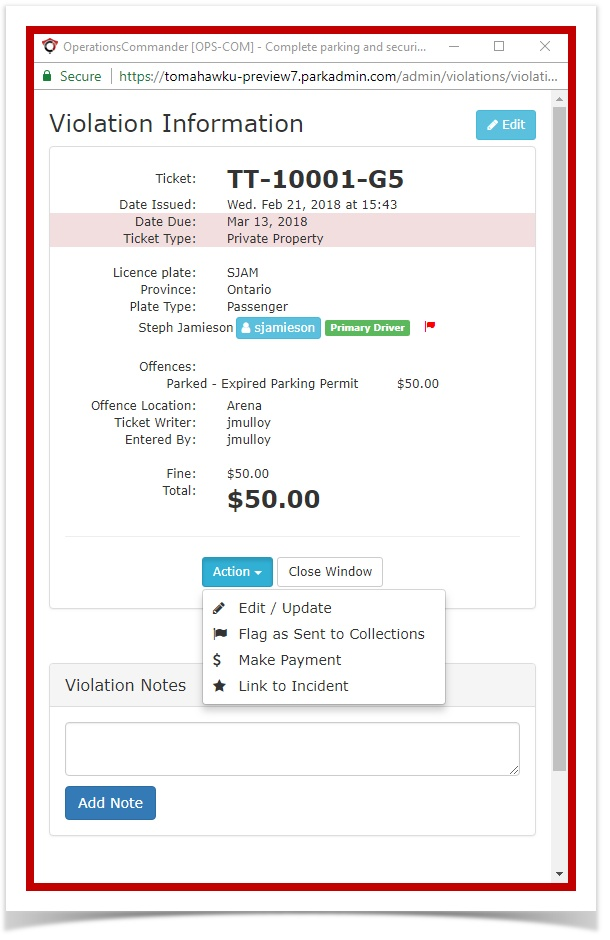
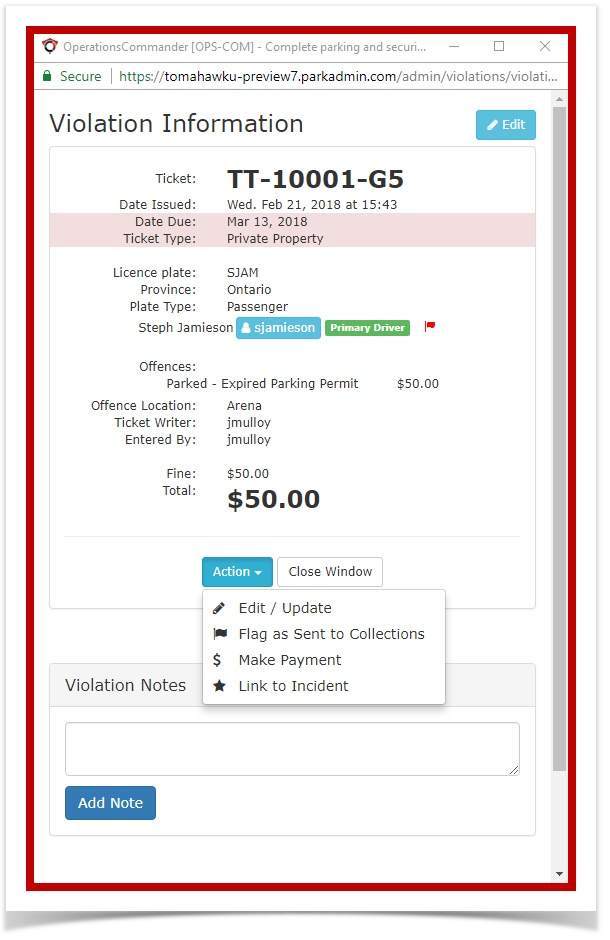
- Select the Action
boxdrop down andenableclick'Flag as Sent toCollections'Collections. - Click Ok.
Best Practices & Considerations
-
Admins should use the existing Violations Notes feature to add detailed notes to the violation. This could include the customer's request and any necessary details explaining why the ticket was placed in the Collections state.
-
Admins with the appropriate permissions will still be able to pay or cancel the violation as necessary.
-
Once a violation has successfully gone through the collections process once, it is marked as such and cannot re-enter the Collections process again.
The