Permit Misuse Notification
Setting
The up the Permit Misuse TimerNotification feature alerts parking enforcement officers when multiple vehicles sharing the exact same permit are scanned within a specified timeframe. Its primary purpose is to help identify and deter fraudulent permit sharing on-site, ensuring users are not abusing multi-vehicle permit privileges. This article is intended for OPS-COM administrators and field enforcement personnel using the Android handheld application.
Setup and Configuration
SelectThis feature is configured directly on the handheld enforcement device. Setting a timer dictates exactly how long the system "remembers" the first vehicle's capture before resetting the misuse window.
Admin Side:
-
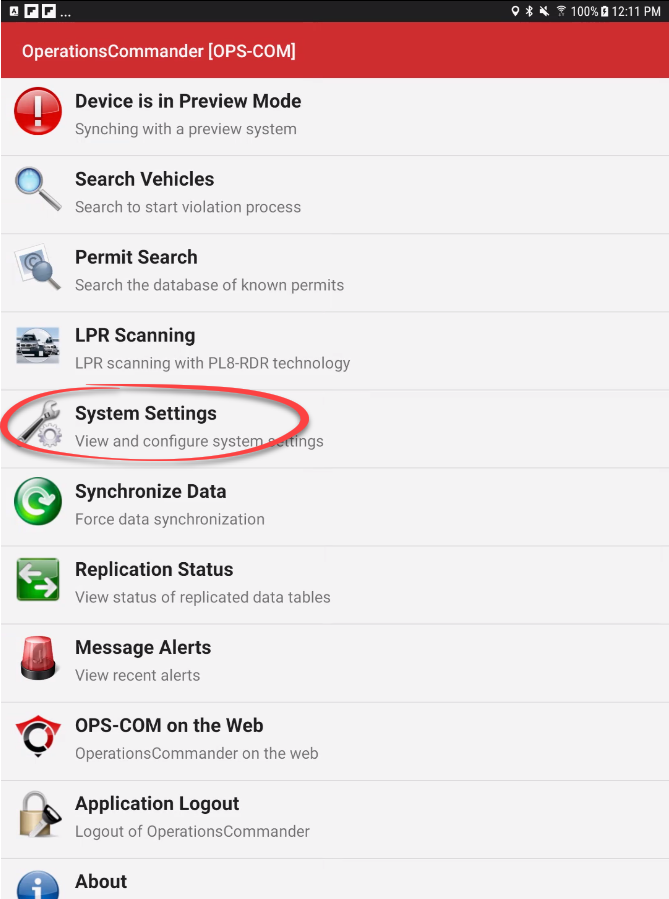
Tap System Settings from the main menu
itemof the handheld application. -
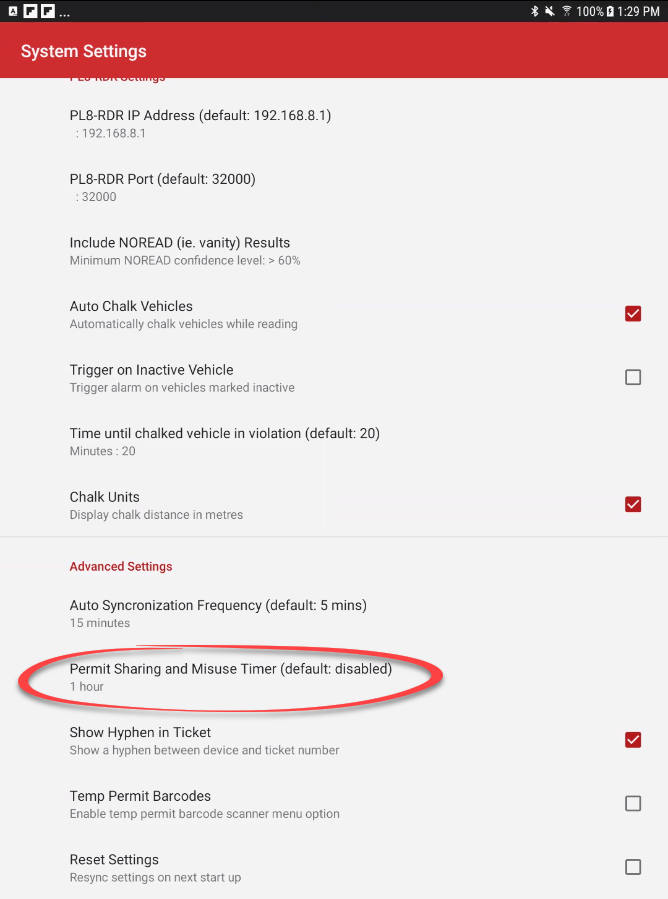
Scroll to the Advanced Settings section
ofand tap Permit Sharing and Misuse. -
Tap the
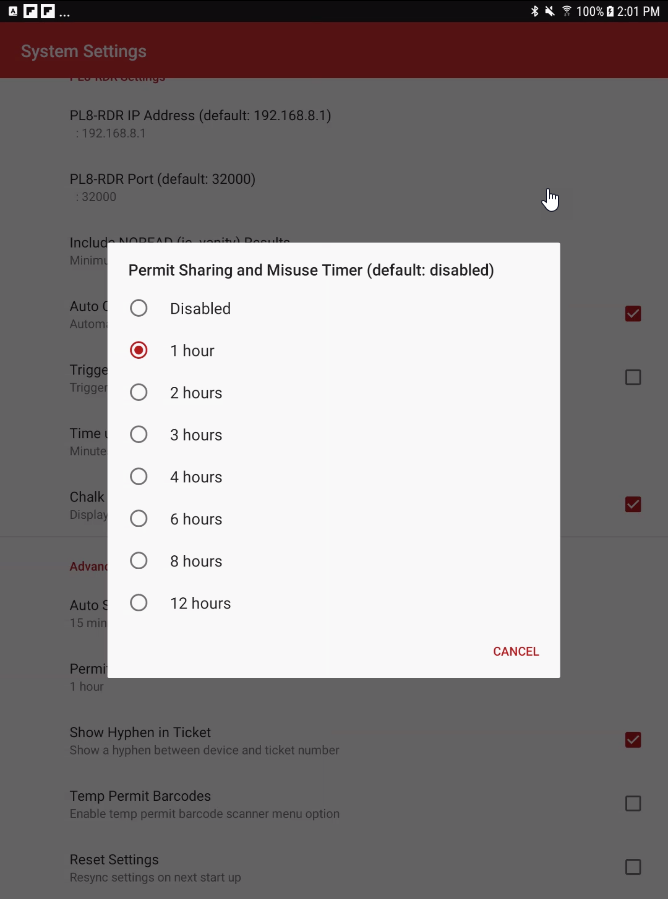
settings, selectPermit Sharing and Misuse Timer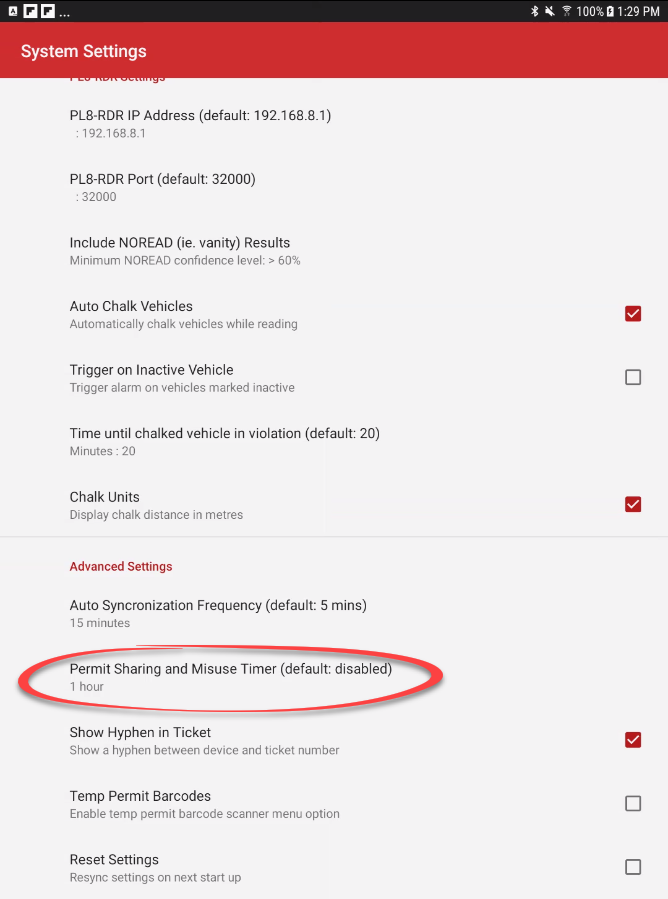
When you tap on Permit Sharing and Misuse Timer, amenuwillto openallowingtheyoudurationtooptions.chose -
Choose the desired length of time (e.g., 1 Hour). Setting this time immediately activates the
firstfunction.
Using this Feature
Enforcement personnel do not need to perform any special actions to use this feature; it operates seamlessly alongside standard vehicle capturesearches.
Triggering a Misuse Alert
-
Perform a standard plate or VIN query using the Search Vehicles function while on patrol.
-
Acknowledge any on-screen pop-ups before proceeding with standard enforcement actions.
Visual Cues and Status Indicators
-
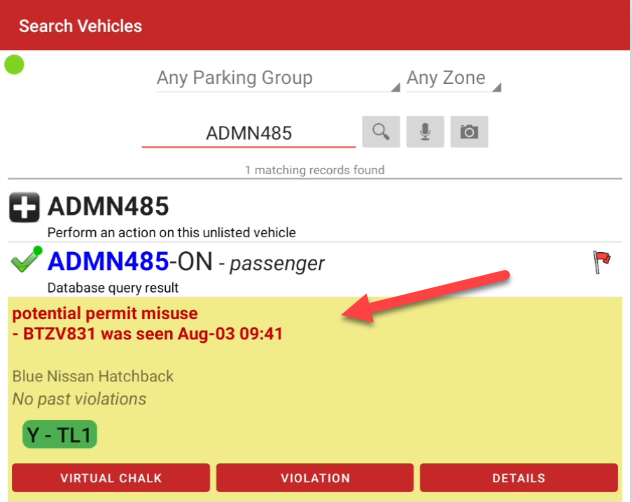
Permit Misuse Alert Popup: If you search for a vehicle that shares a permit with another vehicle that was recently scanned within the active timer window, a prominent alert will
beappear"remembered"directlybyon thesystem.deviceOncescreen.youThis immediately notifies the officer of possible permit misuse.
Understanding the Timer Cycle If your timer is set ato timeone the function is turned on.
In our examplehour, the system will present a warning if the second vehicle is scanned within an60 hourminutes of the first vehiclevehicle's scan. After that pointhour has passed, the first read is effectively forgotten soby tothe speakhandheld's local cache, and the monitoring process starts over again.over.
Best Practices and Considerations
-
Establish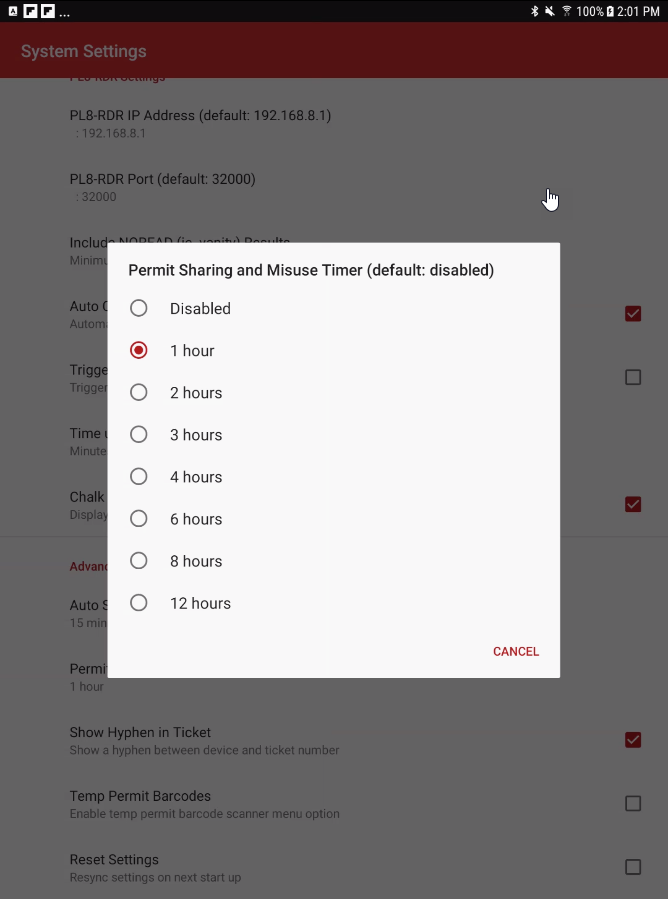
a
clearenforcement policy:
PermitOrganizationsMisuseshouldAlertdevelopWhenayoustrictsearchbusiness rule for how officers handle avehiclemisuse alert. Officers need clear directives on whether to issue a standard parking violation, write a specific "Permit Misuse/Fraud" citation, or attempt to verify the presence of both vehicles before ticketing. -
Tailor the timer to your environment: Carefully consider the length of your misuse timer based on your lot turnover and specific permit policies. A timer that
sharesis too short may miss abusers who stagger their arrival times, while apermit with anothertimer thatwasisrecentlyexcessivelyseen,longanmayalertcapturewilllegitimateappearinstancesonwhere family members swap parking spots halfway through thedevice to notify you of possible permit misuse.day.