Setting Device to Auto-Update
- Open Google Play Store.
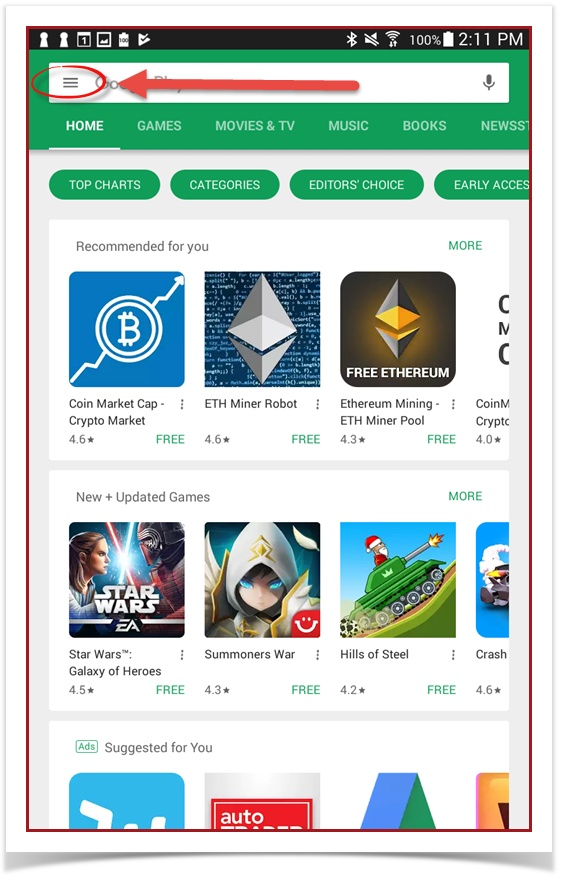
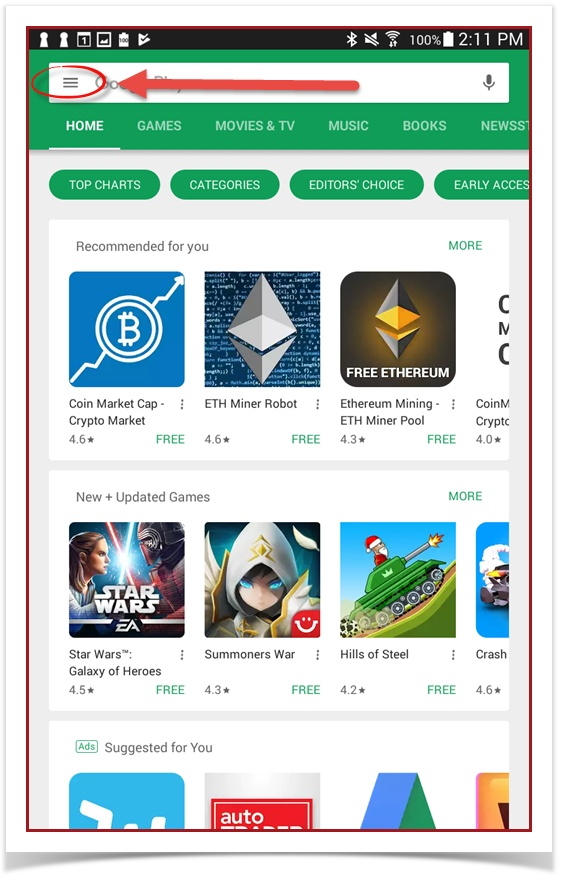
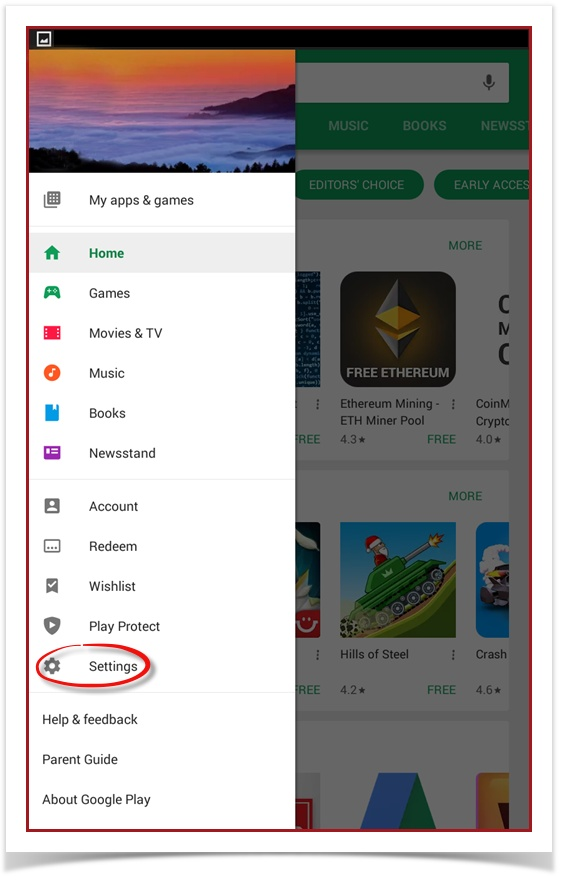
- Tap the hamburger icon (three horizontal lines) on the top-left.
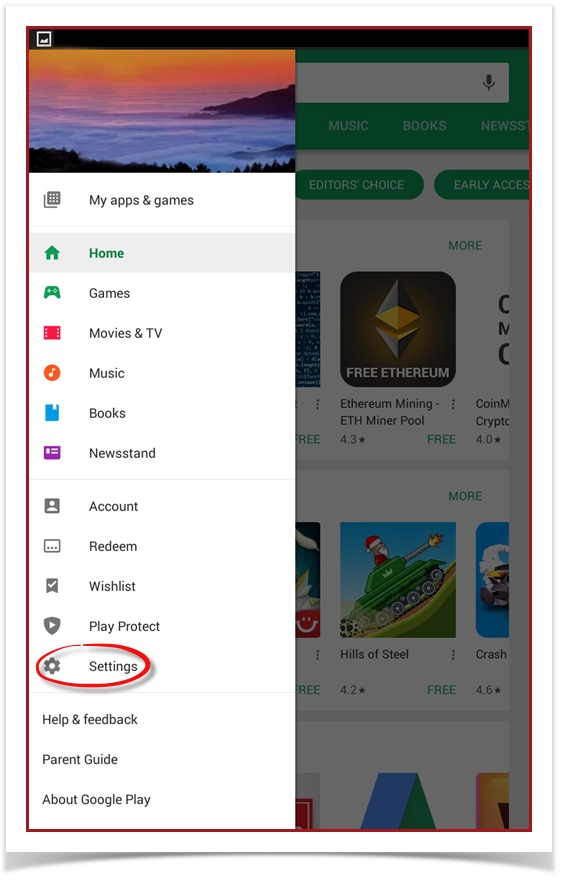
- Tap Settings.
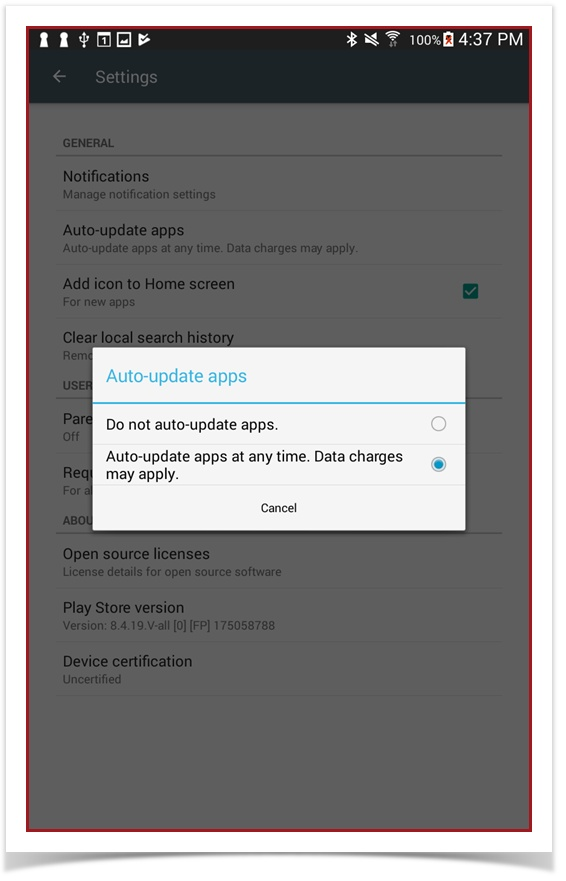
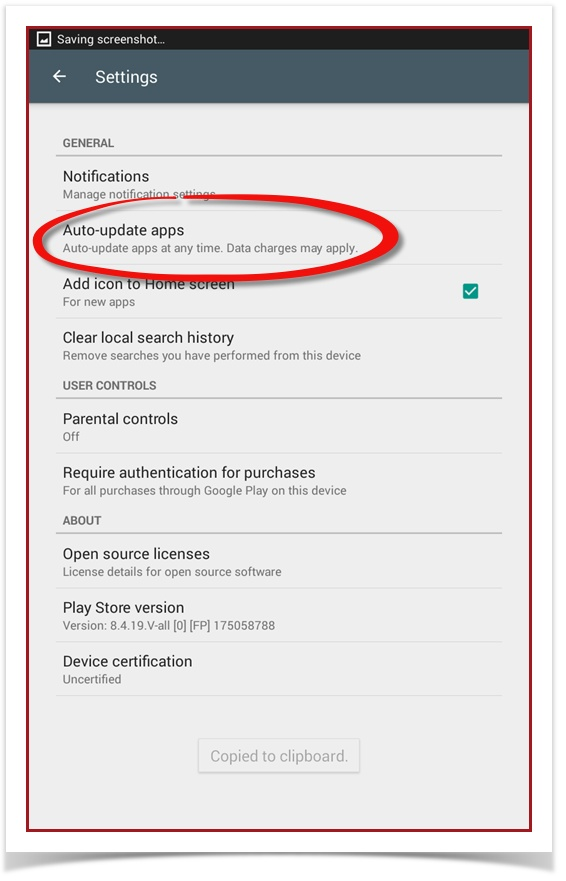
- Tap Auto-update apps.
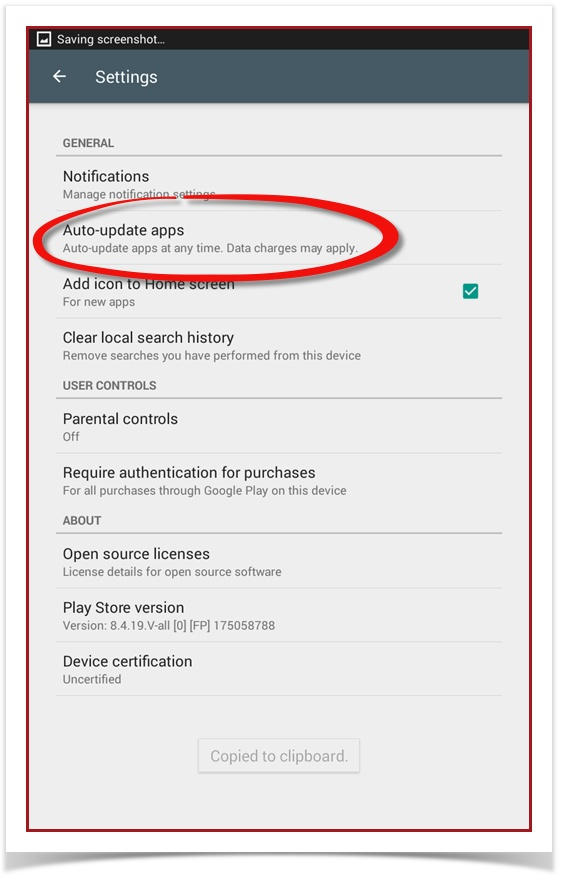
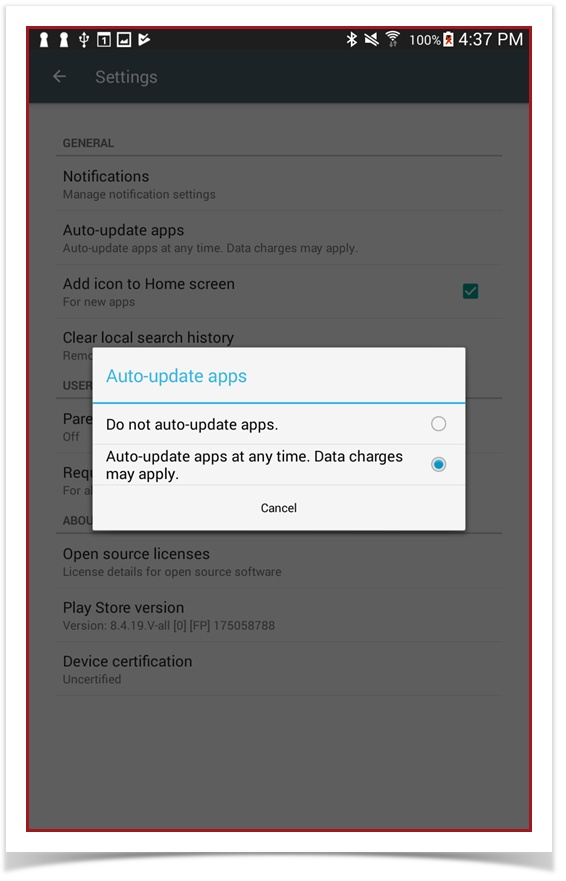
- To enable automatic app updates, select Auto-update apps at any time. Data charges may apply.
To disable automatic app updates, select Do not auto-update apps.