Static LPR Checklist - Tattile
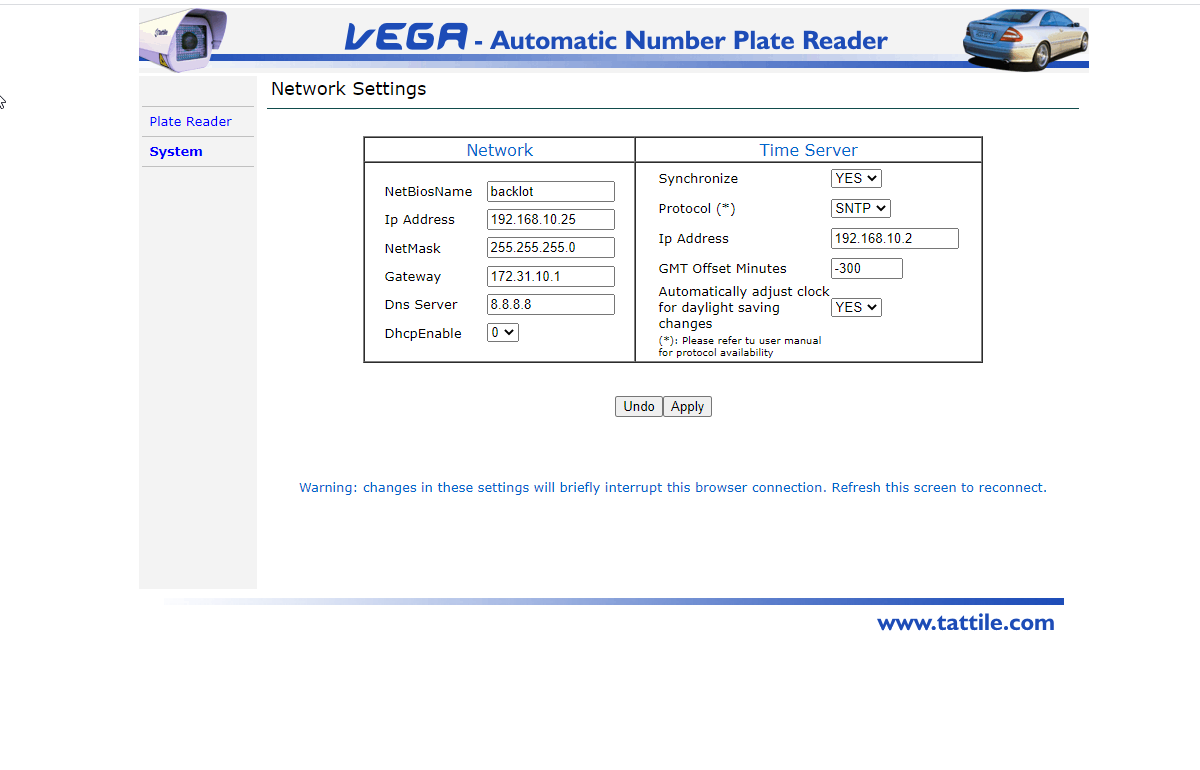
Required fields are:
- IP Address
- NetMask
- Gateway
- DNS Server (8.8.8.8 can be used)
Time Server (use your own or one of these)
- 0.us.pool.ntp.org
- 1.us.pool.ntp.org
- 2.us.pool.ntp.org
- 3.us.pool.ntp.org

System - Time Sync
Changes on this panel will reboot the device.

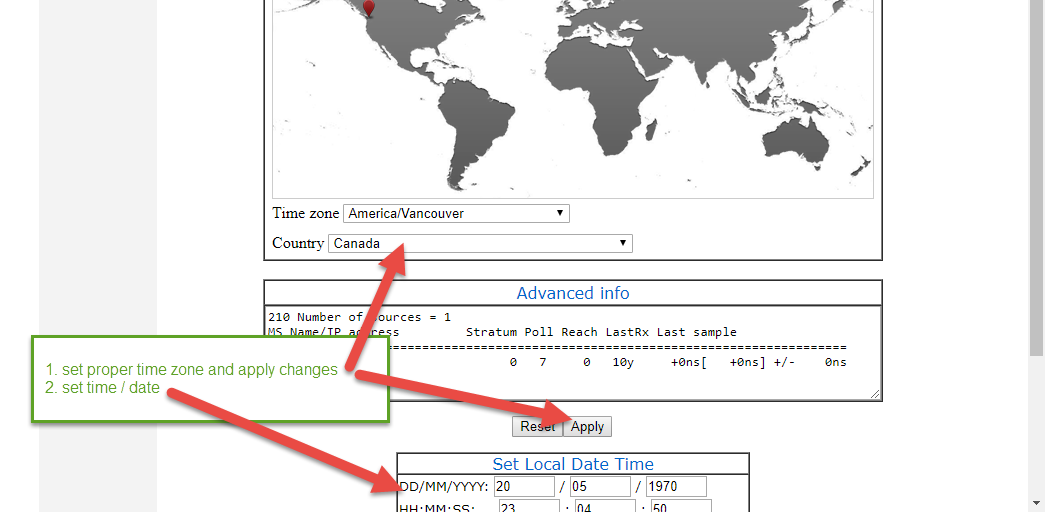
Plate Reader
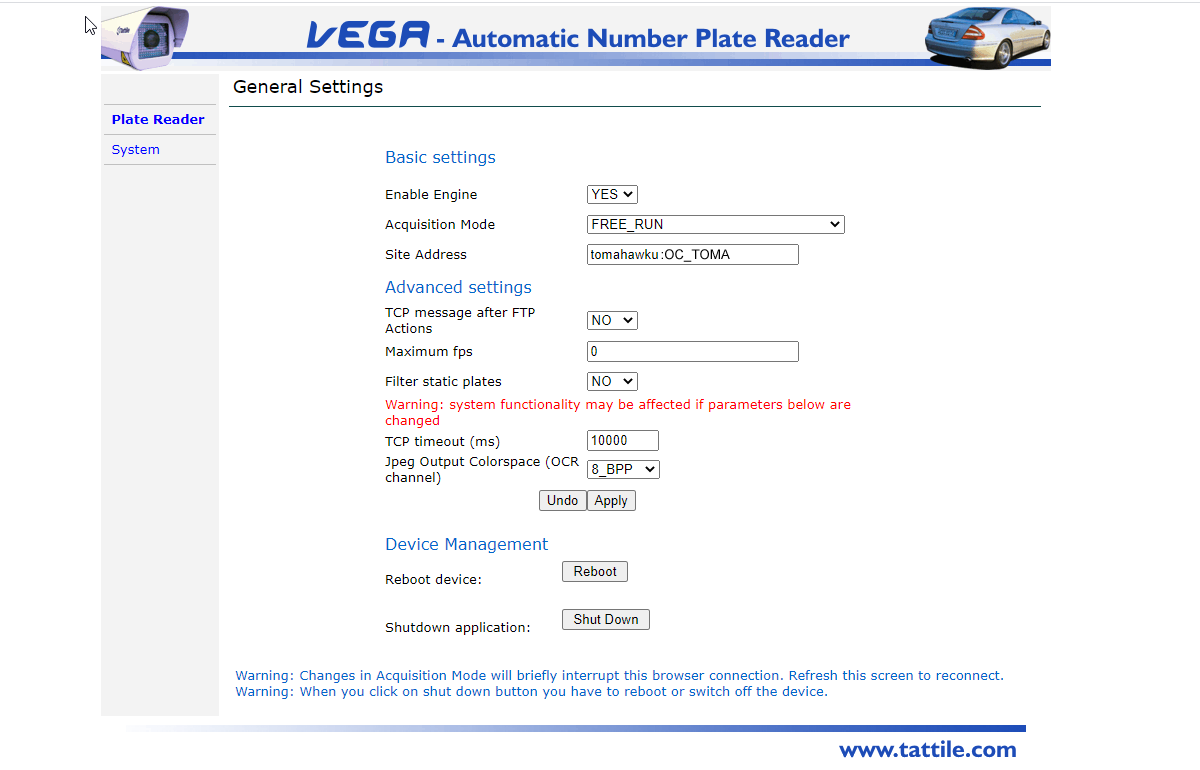
General Settings
Configure the site address which should be client_subdomain : CLIENT_ID (no spaces)
Your subdomain is the first part of your OPSCOM.com web portal address.
As an example, the demo Tomahawk University is located on the web at tomahawku.OPSCOM.com and the entry here would be tomahawku:OC_TOMA
If you are unsure of the client_subdomain or CLIENT_ID please contact OPSCOM support

Frame Grabber Settings
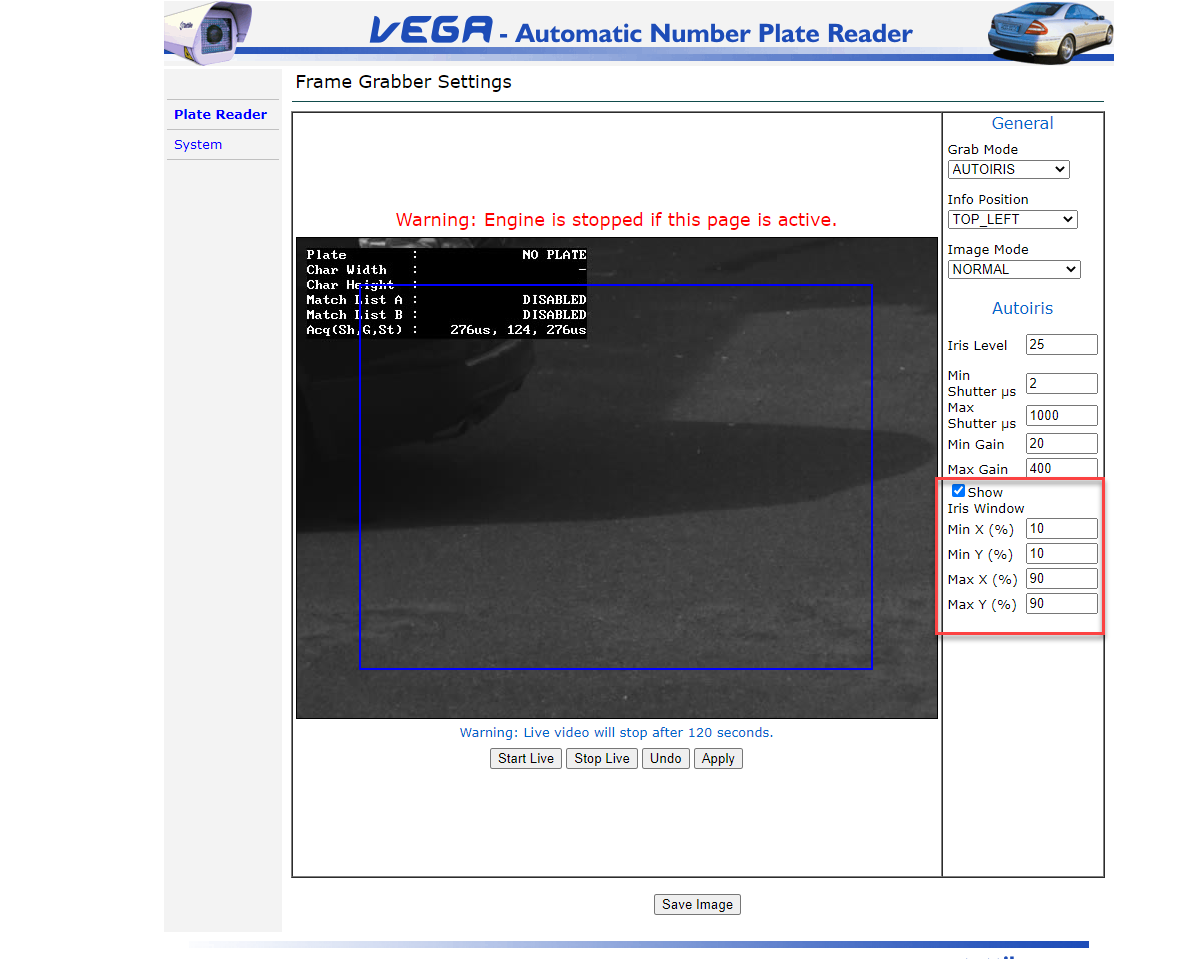
Iris Bounding Region
- For faster plate reads you can adjust the capture area
- Typically factory defaults to full frame
- For PL8RDR, it is necessary to create padding around the capture area (minimum 30 pixels)
- In this example we have modified the factory defaults by 10% all around
- Click on Show Iris Window to see the bounding box.

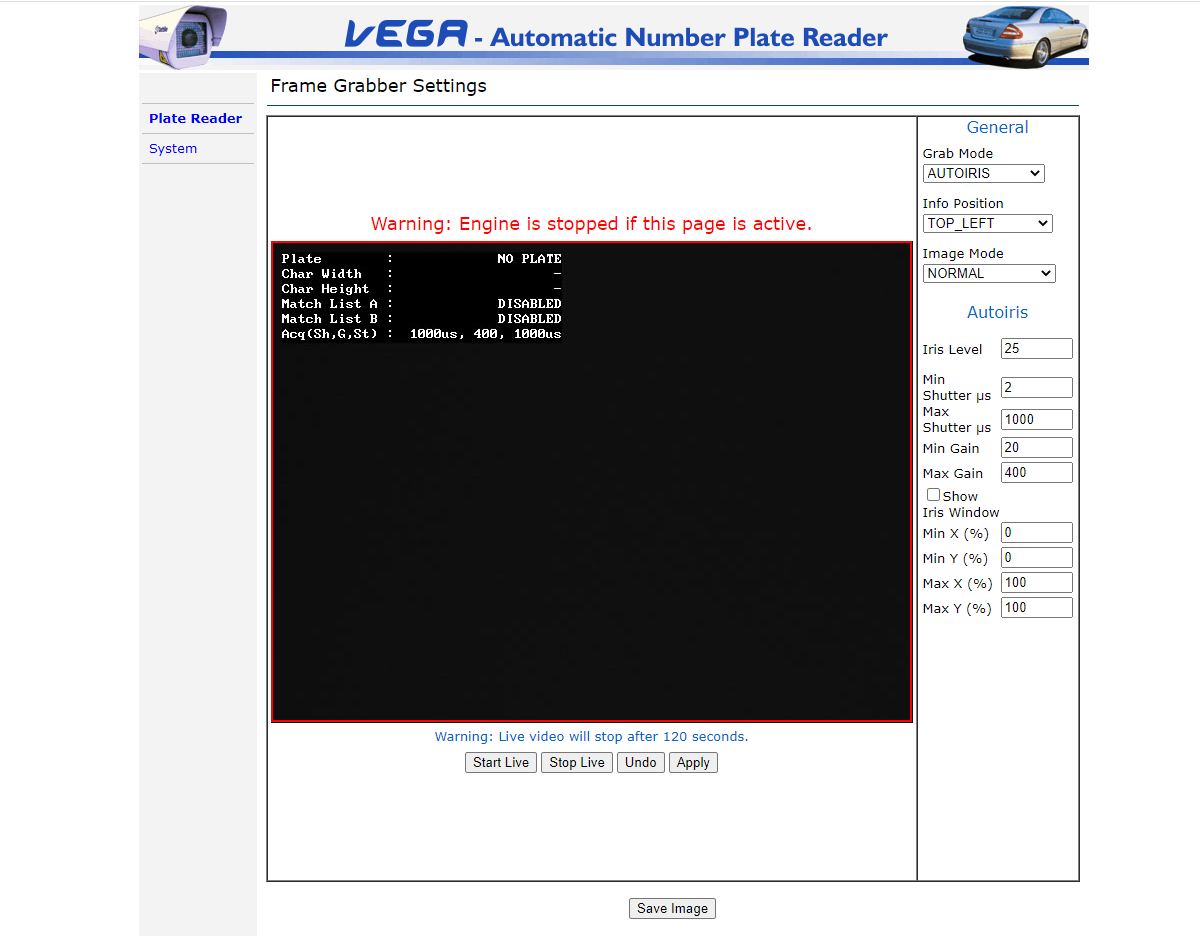
Camera Auto Iris (advanced)
As directed by OPSCOM support staff adjustments may be made to specific camera properties.
- iris
- gain
- shutter speed

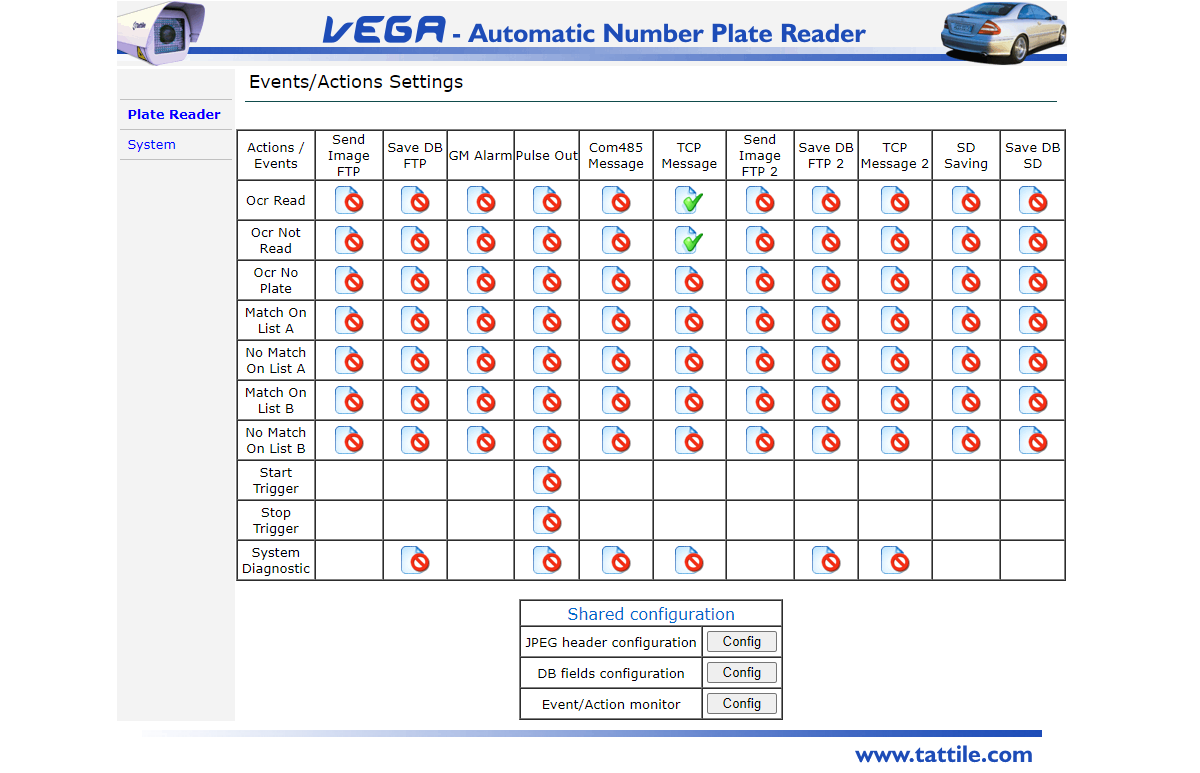
Events Actions
- There are 2 TCP Message options:
- Ocr Read
- Ocr Not Read (vanity plates)

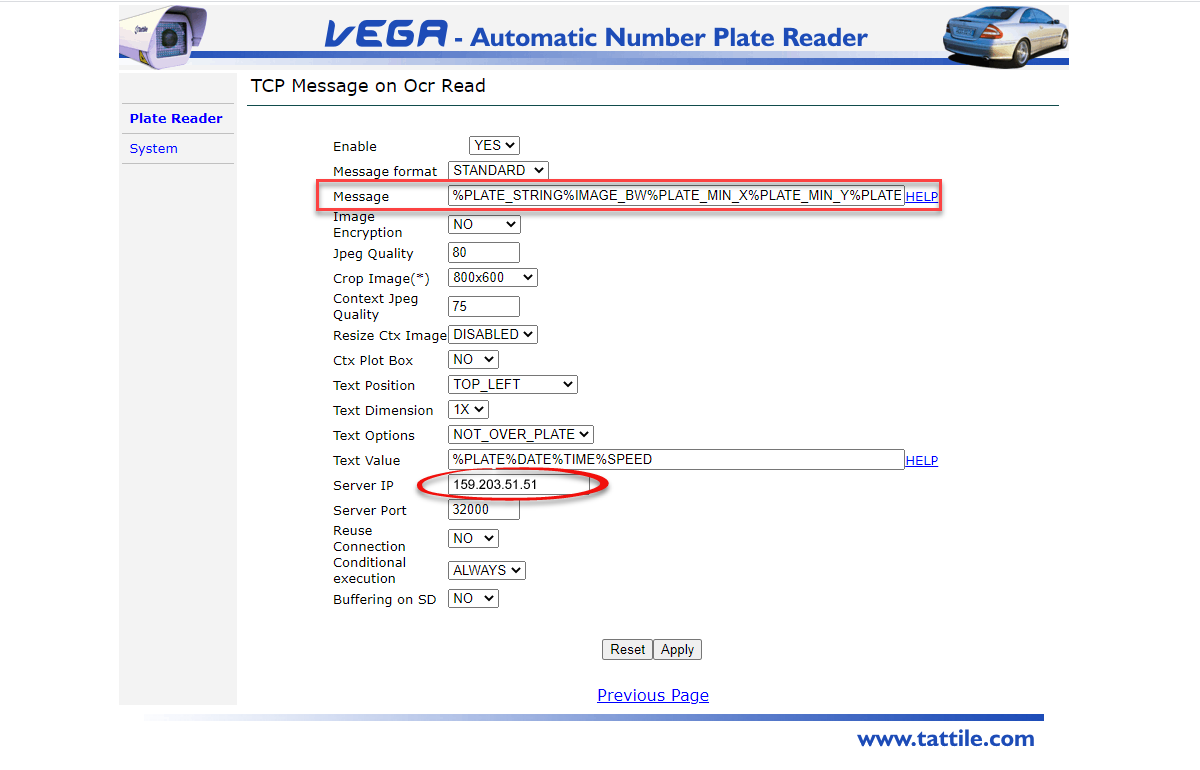
Ocr Read Events
-
READ (key fields)
- Enabled = Yes
-
Server IP = 159.203.51.51
- Server Port = 32000
-
Message = %PLATE_STRING%IMAGE_BW%IMAGE_COL%PLATE_MIN_X%PLATE_MIN_Y%PLATE_MAX_X%PLATE_MAX_Y

|
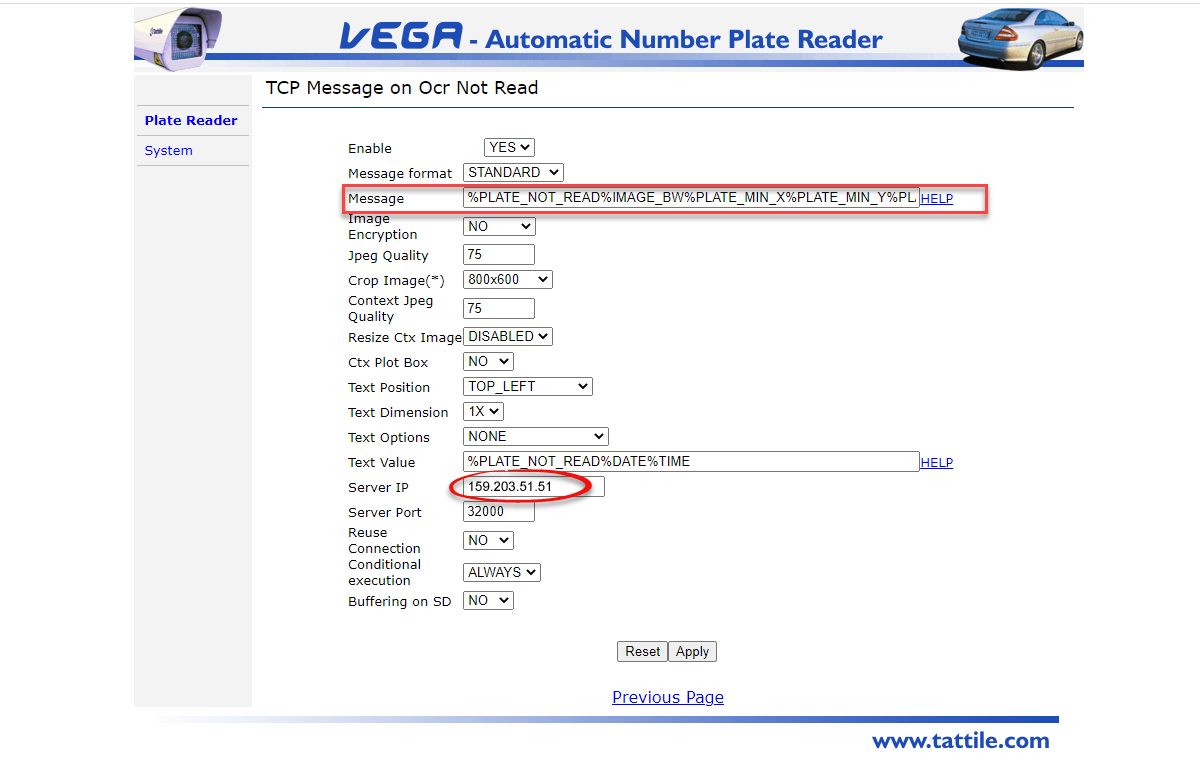
Ocr No Read Events
-
NO_READ (key fields)
- Enabled = Yes
-
Server IP = 159.203.51.51
- Server Port = 32000
-
Message = %PLATE_NOT_READ%IMAGE_BW%IMAGE_COL%PLATE_MIN_X%PLATE_MIN_Y%PLATE_MAX_X%PLATE_MAX_Y

JPEG Image Header
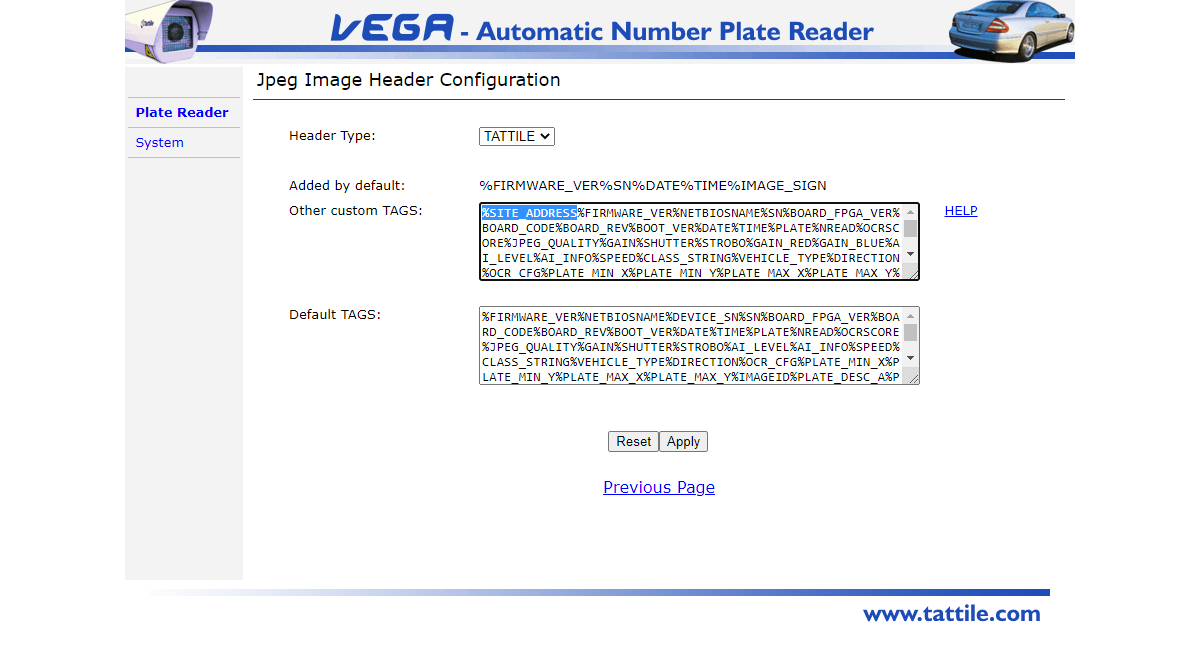
Select to edit the configuration by selecting the Config button

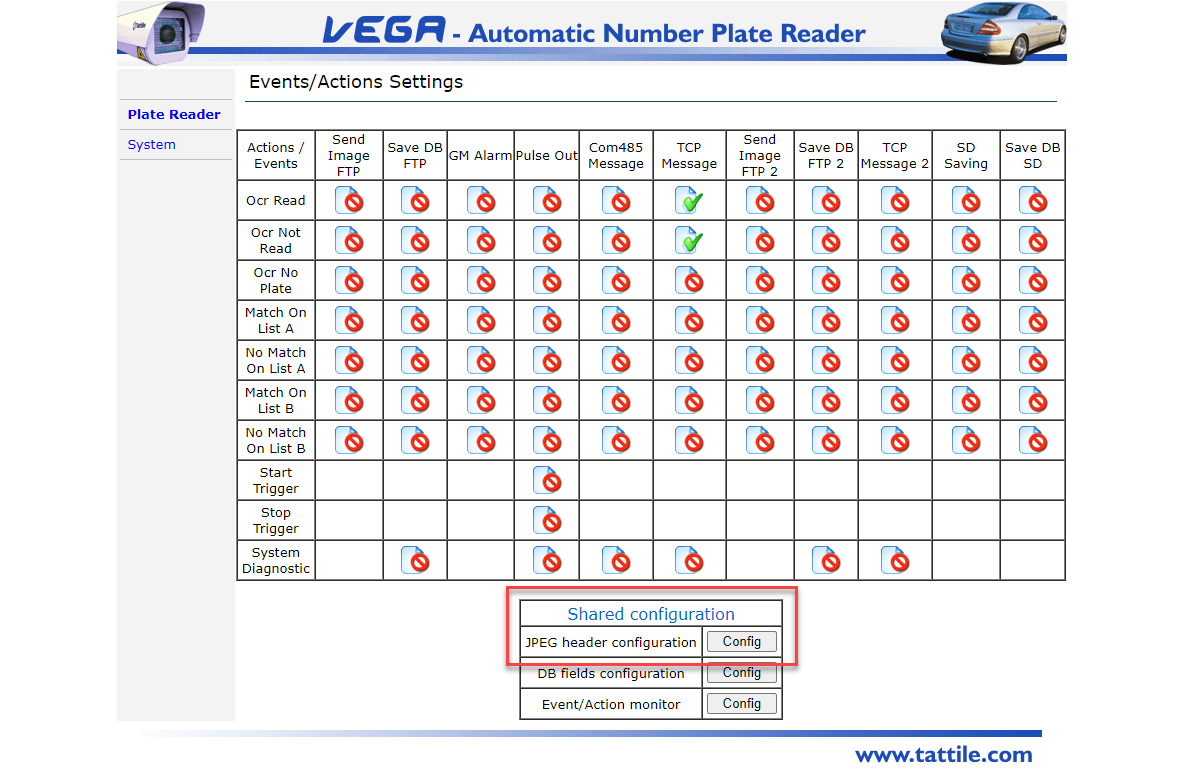
Add %SITE_ADDRESS to the field Other custom TAGS