
Setup Checklist
The Setup Checklist is a central tool designed to guide new OPS-COM administrators through the critical process of configuring a new site. This article helps administrators prioritize essential configuration tasks and system messaging updates required for a successful launch.
Understanding the Setup Checklist
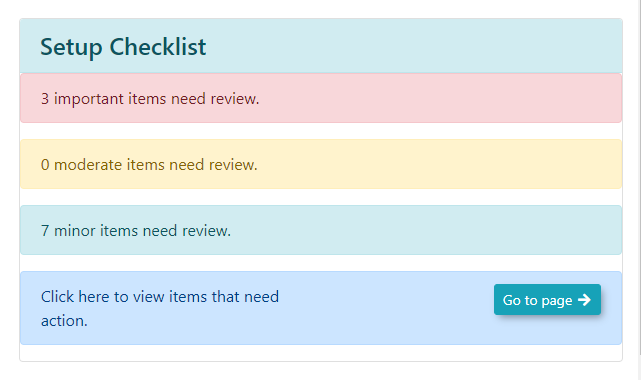
The Setup Checklist categorizes necessary tasks by priority to help you focus your efforts efficiently.
-
Important: Critical configurations that must be completed for system functionality.
-
Moderate: Recommended configurations to optimize your system setup.
-
Minor: Optional adjustments to further refine your site's design and user messaging.
The checklist can be expanded to display all configuration and page update tasks that a new user should consider during the onboarding process.
Using this Feature
Administrators can use the checklist to navigate directly to the areas requiring attention, streamlining the setup workflow.
1. Click on any section within the Setup Checklist to expand the list and view specific tasks.
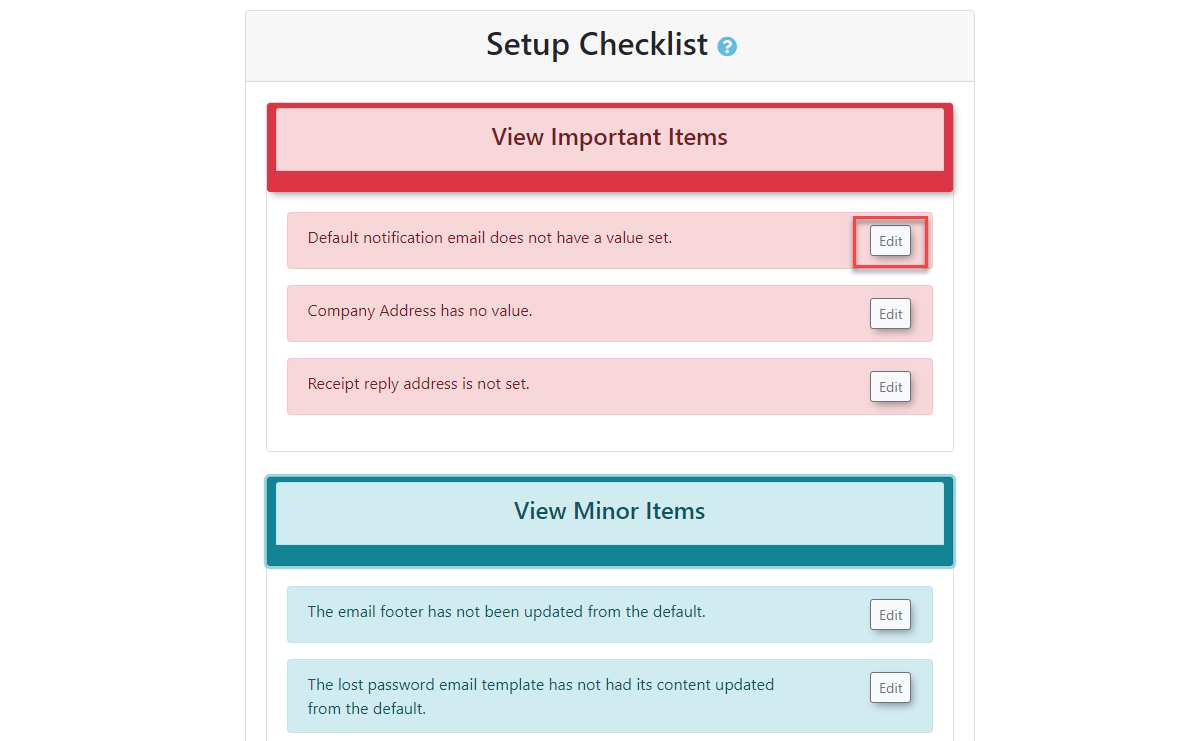
2. Click the Edit button associated with a task to be brought directly to the relevant configuration or page update screen.
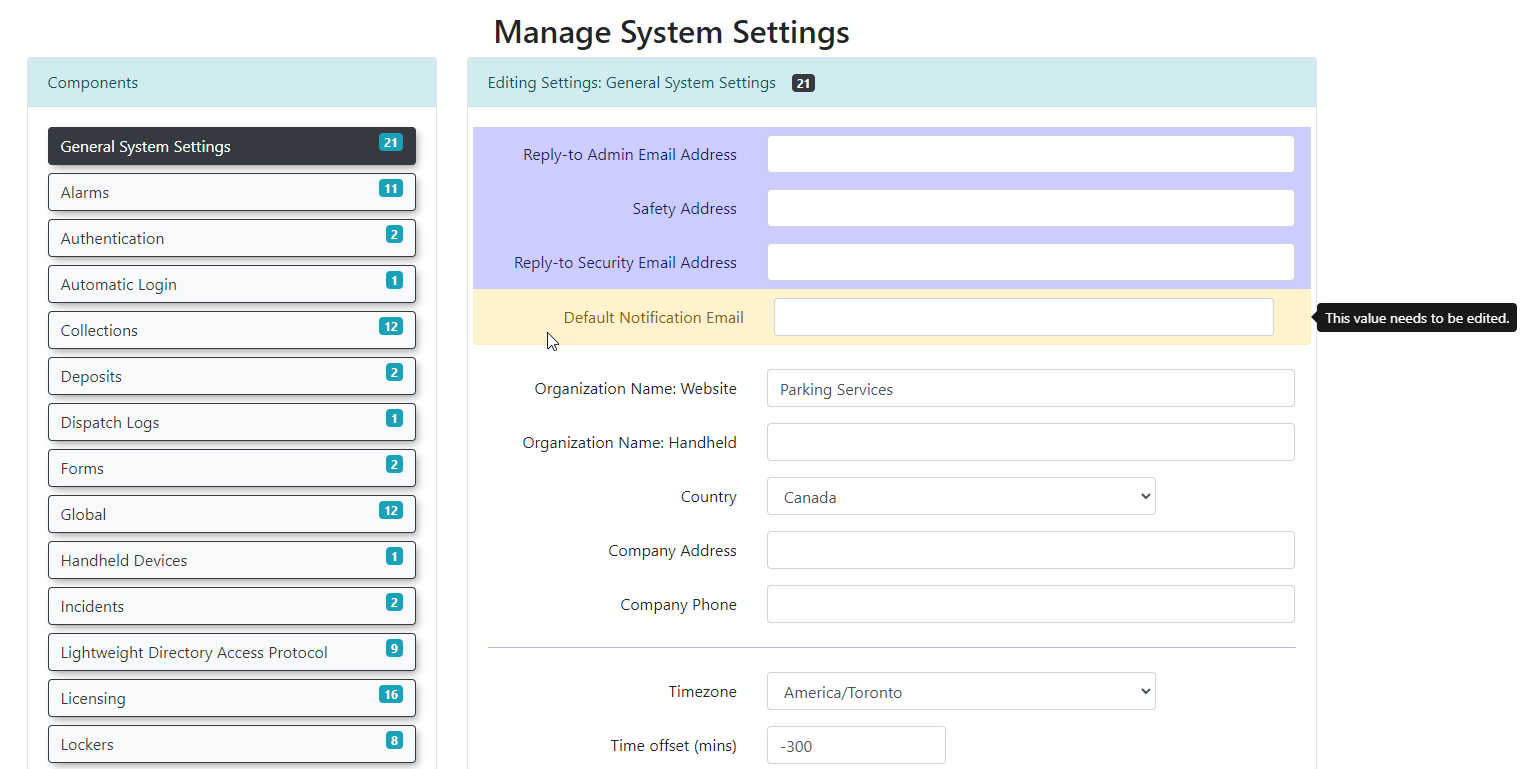
The Edit button functionality applies to both general system configurations and System Messaging updates, ensuring you can quickly access the page that requires your input.
Best Practices and Considerations
-
Prioritize Tasks: Focus on completing items labeled as Important first to ensure your production system is functional before moving on to moderate or minor refinements.
-
System Messaging: Use the Edit button within the messaging sections to ensure your portal communications, disclaimers, and email templates are tailored to your organization’s needs.
-
Regular Review: As you progress through your onboarding, revisit the Setup Checklist to track your completion status and identify any remaining configuration gaps.