
Setup Checklist
NewThe Setup Checklist is a central tool designed to OPSCOM and you need a little guidance as to what messaging needs your attention? This article explains the items to look at in order of importance.
The Setup Checklist
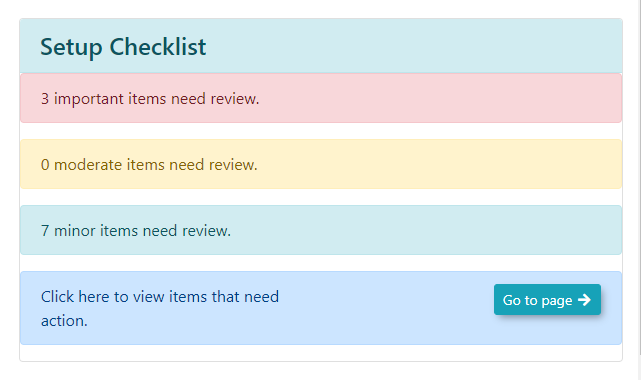
The setup checklist guidesguide new usersOPS-COM administrators through the importantcritical process of setting upconfiguring a new site. ItThis breaksarticle downhelps administrators prioritize essential configuration tasks and system messaging updates required for a successful launch.
Understanding the itemsSetup Checklist
The Setup Checklist categorizes necessary tasks by priority to help you focus your efforts efficiently.
-
Important: Critical configurations that
needmustattentionbeincompletedthreeforcategoriessystem(Important,functionality. -
Moderate: Recommended configurations to optimize your system setup.
-
Minor: Optional adjustments to further refine your site's design and
Minor)user messaging.
The checklist can be expanded to listdisplay all configuration and page updatesupdate tasks that a new user should consider.consider during the onboarding process.
TheUsing Editthis Button
Feature
Administrators can use the checklist to navigate directly to the areas requiring attention, streamlining the setup workflow.
1. Click on eachany section within the Setup Checklist to expand the list and view allspecific the tasks in prioritized sections.tasks.
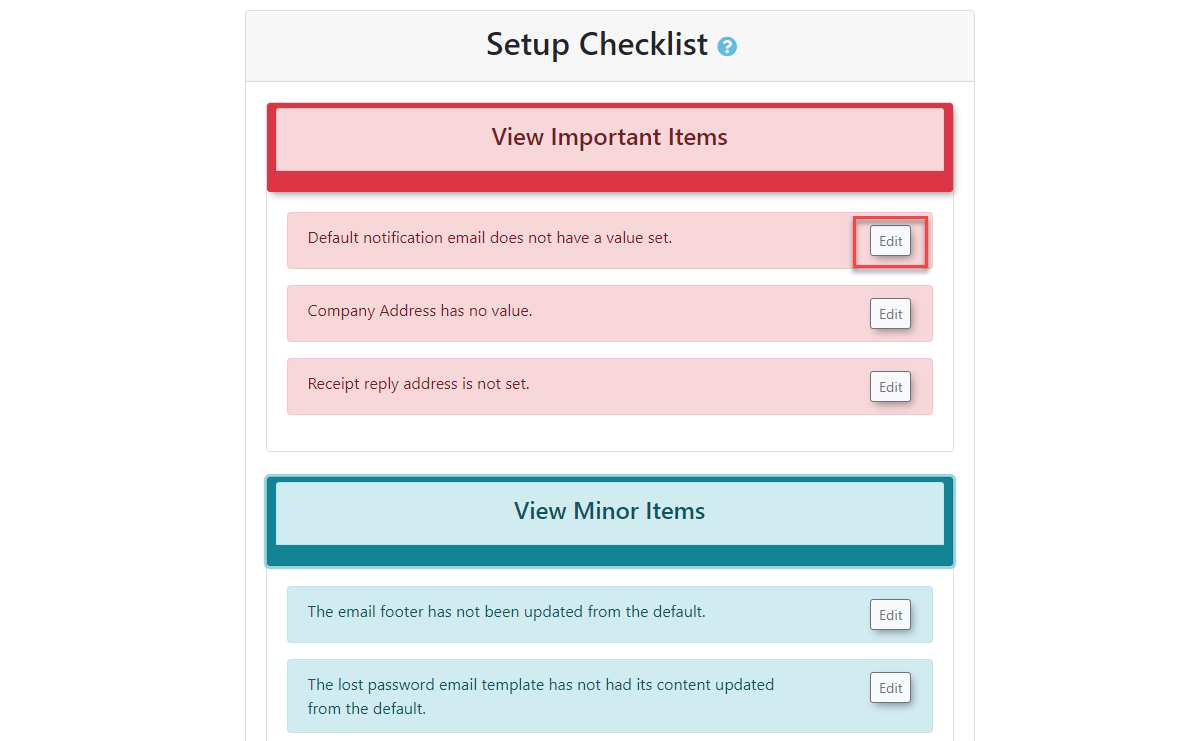
Clicking2. onClick the editEdit button andassociated itwith willa bringtask theto adminbe brought directly to the itemrelevant thatconfiguration needsor attention.page update screen.
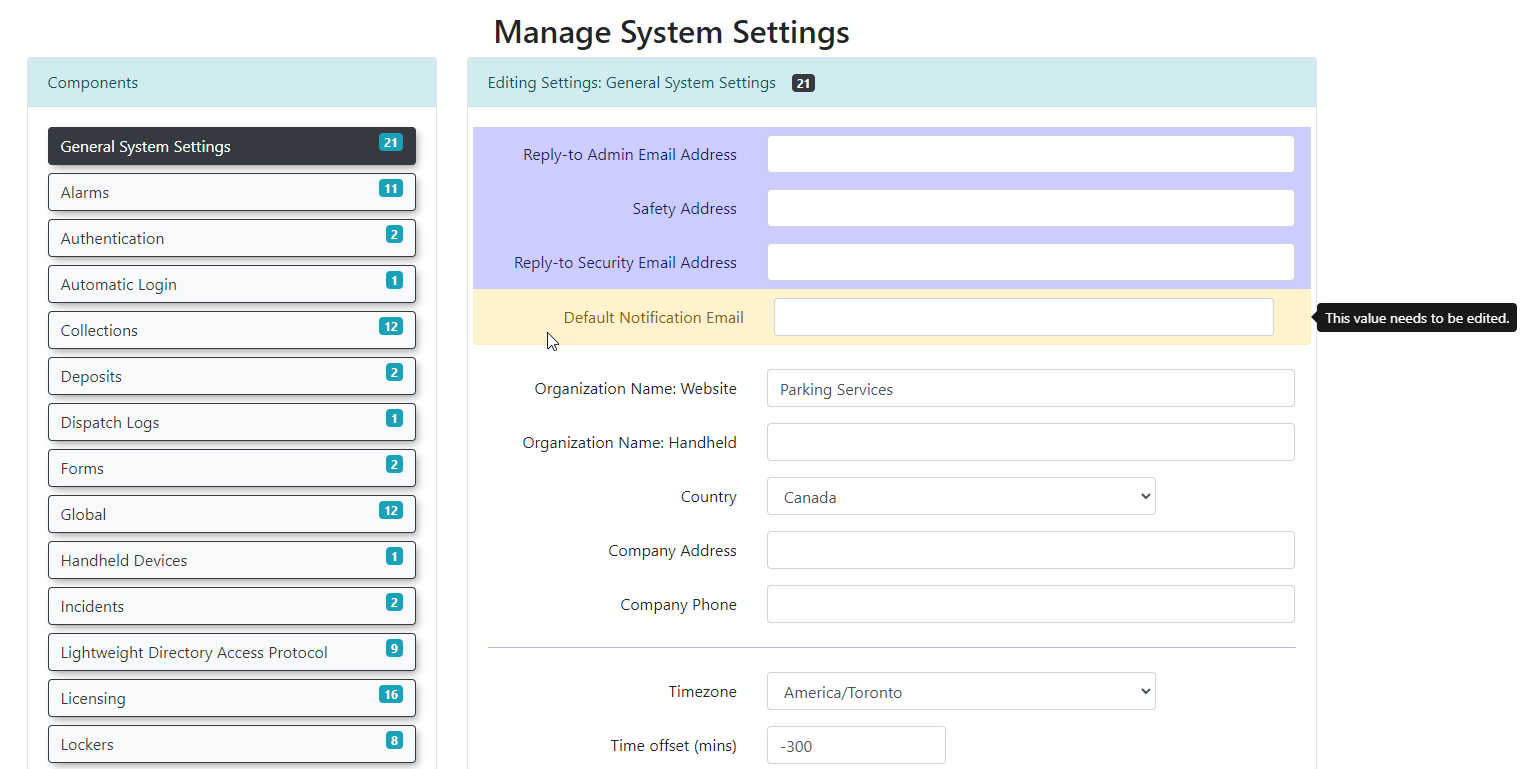
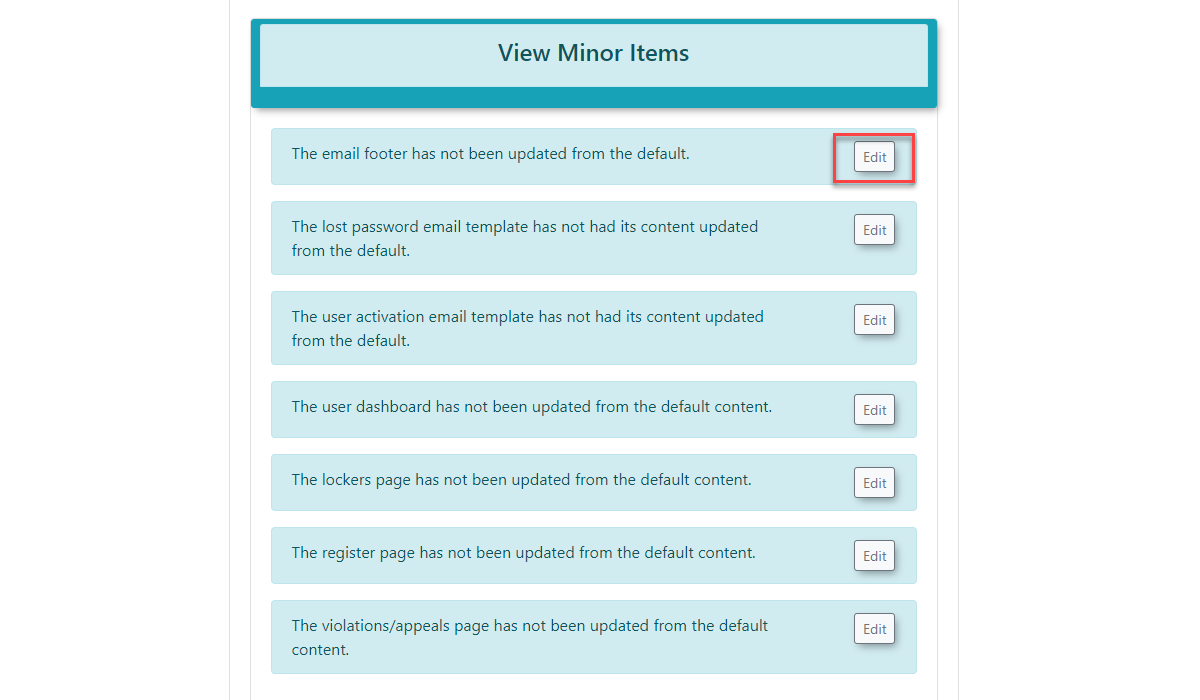
The sameEdit principalbutton existsfunctionality forapplies to both general system messaging.configurations Theand editSystem buttonMessaging willupdates, takeensuring theyou admincan toquickly access the page that needsrequires updating.your input.
Best Practices and Considerations
-
-
System Messaging: Use the Edit button within the messaging sections to ensure your portal communications, disclaimers, and email templates are tailored to your organization’s needs.
-
Regular Review: As you progress through your onboarding, revisit the Setup Checklist to track your completion status and identify any remaining configuration gaps.