Ticket Categories
The Ticket Categories infeature OPSCOM allowallows administrators to define and manage different types of violationsviolations, (e.g.,such Municipal,as Parking,municipal, Bicycle).parking, Thisor featurebicycle infractions. Its primary purpose is essentialto forensure accurate incident reporting, enforcingenforce specific rules, and tailoringtailor violation processes,processes includingby determining whether tickets apply to vehicles or users,users. This article is intended for OPS-COM administrators responsible for configuring violation types and theirenforcement visibilitysettings.
Setup and Configuration
This feature is a core administrative tool used to establish the types of violations available in the system.
Admin Side: Administrators must have the appropriate system role permissions enabled to access the violation configuration menus and manage ticket categories.
User Side: This feature is strictly a backend administrative configuration. End-users do not interact directly with ticket categories, though they will see the specific category name printed on handheldany devices.violation notices they receive.
Using this Feature
Administrators can use the following instructions to navigate the management interface to seamlessly add, edit, or archive ticket categories.
Accessing the Management Interface
The
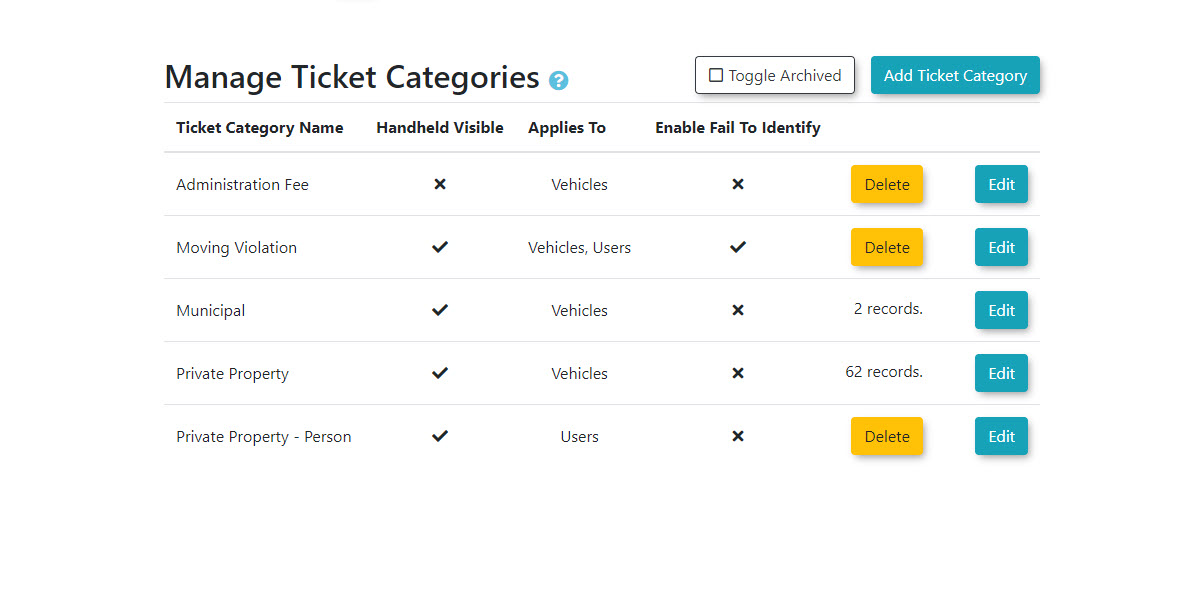
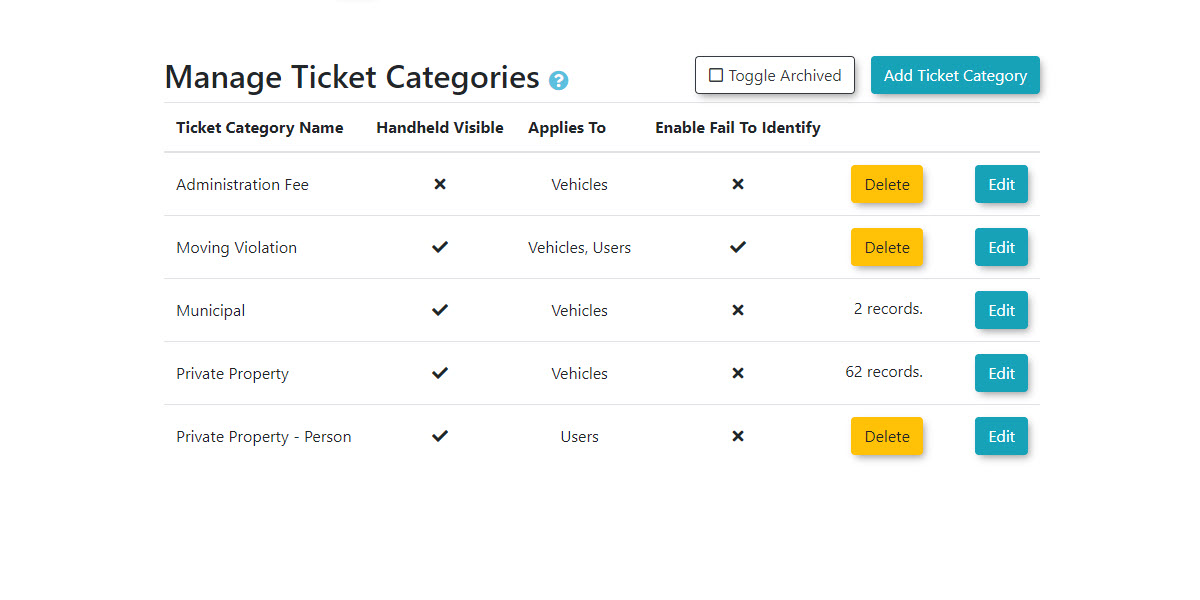
Manage Ticket Categories screen allows for comprehensive configuration of how different violations are classified and processed.-
1. Hover over System Configuration,Configuration, click Violations, and then Violations, and click Manage Ticket Categories.
Adding Ticket Categories
-
Click the Add Ticket Category. button.
-
Enter the descriptive name of the violation in the Ticket Category Name (e.g.,field.
Moving Violation).
Toggle
Enable the Handheld Visible toggle to Allowallow itthe category to be Visibleselected by enforcement officers on Handhelds.their mobile devices.
For
Select the appropriate options under Violation Applies To: to determine if the ticket can be issued to Vehicles, Users, or both.
-
Enable the Enable Fail To Identify toggle if this willticket applycategory applies to ticketsusers.
issued to vehicles and/or to Users.
If
thisClick is for Users, toggle if you wish to Enable Failed to Identify.
Clickthe Save Changes. Thebutton to add the new ticket typecategory will now be included into the list.
Editing
Ticket Categories
-
Locate the specific ticket typecategory you wish to edit in the listlist.
and
click-
Click the Edit button button next to it. the category.
-
Make yourthe changes.necessary updates to the configuration fields.
-
Click the Save Changes.Changes button to apply your updates.
Archiving
Ticket Categories
-
TicketLocate Typesthe canspecific beticket deleted,category however,you theywish to remove from the active list.
-
Click the Delete button next to the category.
-
Confirm the action when prompted.
While the interface uses a delete button, ticket categories are not actually permanently removed from the system's database. Instead, they are archivedarchived. toThis preservepreserves the integrity of any historical data associated with that Ticketticket Typetype (e.g.,so that past violations thatand usedreports thisremain type).accurate.
Locate the ticket type you wish to delete.
Click the Delete button and confirm.
Best Practices &and Considerations
-
ClarityEstablish clarity and Specificityspecificity:: Create ticket types that are clear, specific, and easily understood by both enforcement officers and usersusers. (e.g.,Utilizing "distinct names like No Permit," "Fire Lane," "or Smoking Violation").Violation reduces confusion in the field and on the user portal.
-
HandheldManage Visibilityhandheld visibility carefully:: Carefully manage the "Handheld Visible on Handhelds" setting. Only enable ticket types that your field officers actively enforce.enforce to prevent device clutter and streamline the ticket issuance process.
-
Utilize flexible application options: Leverage the ability to apply tickets to Vehicles,vehicles, Usersusers, or both toboth. accommodateThis accommodates a broader range of enforcement scenarios beyond traditional parking infractions.infractions, such as issuing a direct behavioral violation to a specific user profile.
-
DataAcknowledge Integritydata (Archiving)integrity archiving:: Understand that "deleting"deleting a ticket type archives it. This means historicalHistorical reports will still accurately reflect past violations, even if the category is no longer actively used.used by your organization.
-
TrainingTrain enforcement staff:: Ensure enforcement staff are thoroughly trained on the proper use and selection of ticket categories,categories. Proper training, especially for "Appliesviolations to:applied Users" violations,directly to ensureusers, ensures accurate data capture.capture and reduces appeal requests.