
Towed Vehicles Report
The Towed Vehicles Report allows administrators to generate a detailed list of all parking violations that resulted in a vehicle being towed within a specific date range. Its primary purpose is to help management track towing activities, review associated fees, and audit enforcement locations where tows frequently occur. This article is intended for OPS-COM administrators.
Setup and Configuration
This report is a standard feature within the violations module and requires no specialized system setup to run. However, administrators must have the appropriate reporting and violations management permissions assigned to their user role to access this page. Ensure that your field staff are trained to properly enable the vehicle towed flag when issuing citations so the data accurately populates in this report.
Using this Feature
Administrators can use this tool to filter violation data to isolate towing incidents, view specific citation details, and export the results for external reconciliation.
Accessing and Generating the Report
-
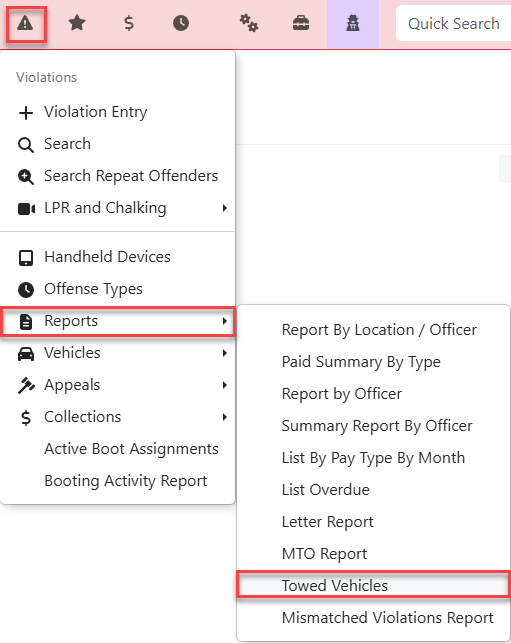
Hover over Violations and
thenclickReports,Reports thenclickTowed Vehicles.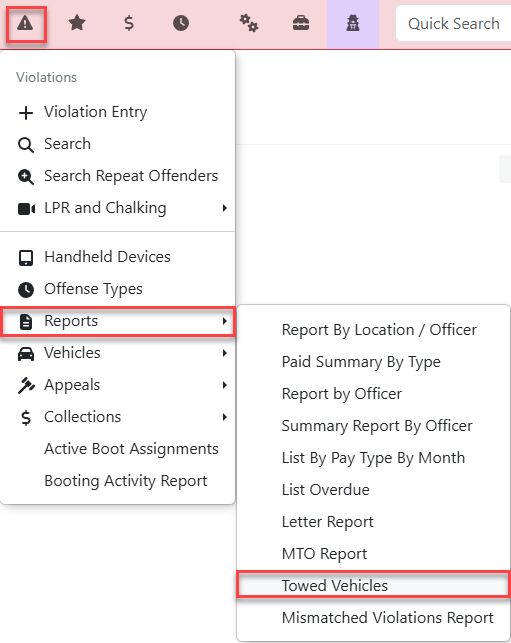
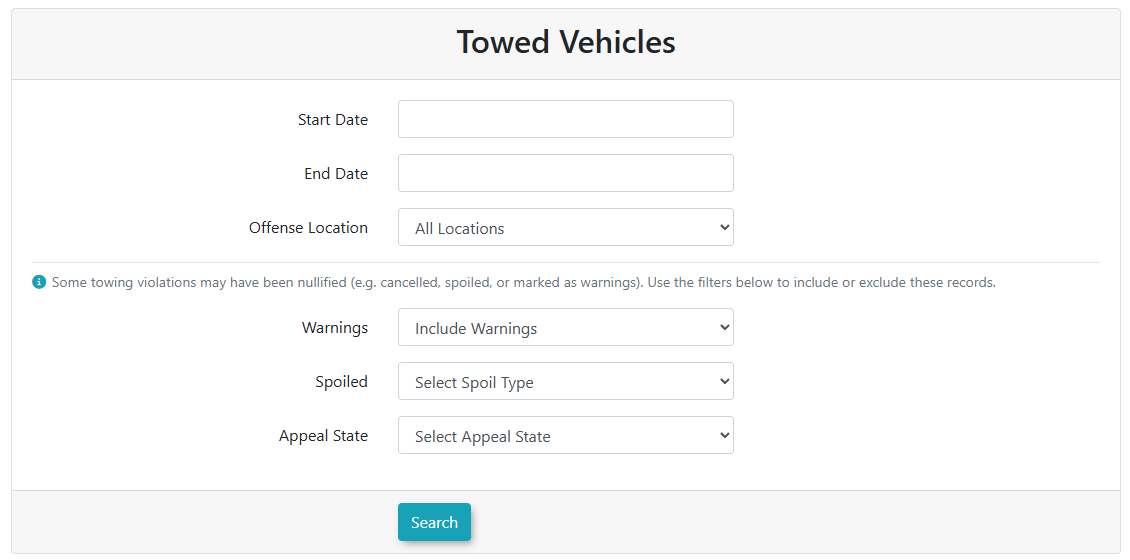
TheTowed Vehiclesscreen is displayed. Select your parameters for the search.Search Criteria include: -
Set the desired reporting timeframe using the Start Date and End
Date:DateSetcalendarthe date range you wish to report on (up to and including the end date).fields. -
Offense Location:Filter the results toSelect a specific lot orarea,area from the Offense Location drop-down menu, orselectchoose"AllLocations".Locations to run a system-wide search. -
Choose the appropriate option from the
Warnings:WarningsChoosedrop-down menu to hide, include, or strictly showonlywarningwarningstickets that resulted in a tow. -
Spoiled:SelectFilter bya specific"SpoilstatusTypes"from the Spoiled drop-down menu to include or exclude nullifiedrecords.records from your search. -
Select a specific status from the Appeal
State:StateFilterdrop-down menu to filter the report based onthe current status ofwhether theviolationticketappealis(e.g.,pending,Pending,upheld,Upheld,orCanceled).canceled. -
Click the Search button to view the report results
onscreen.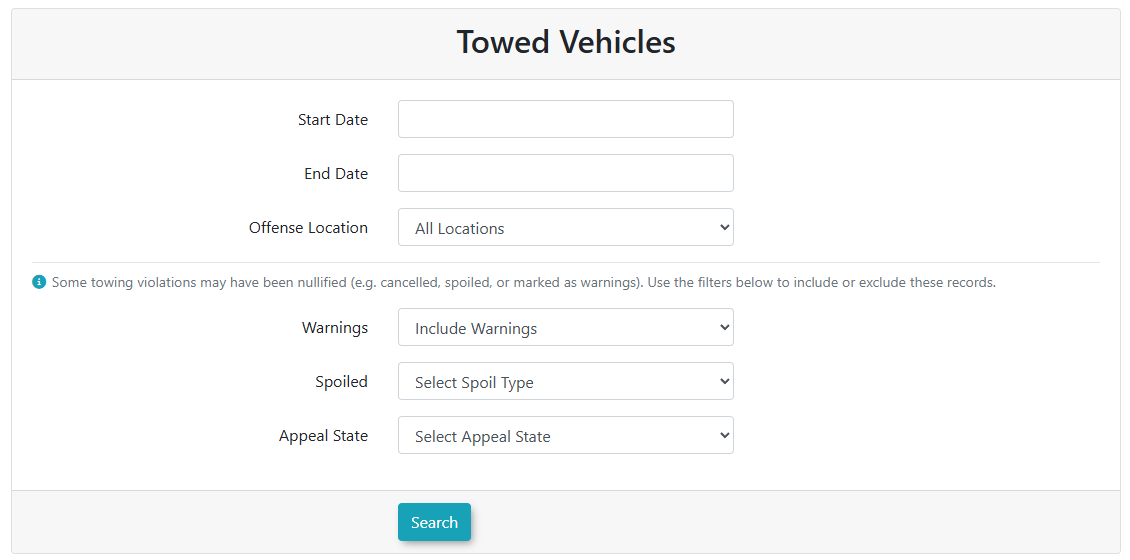
The report will appearat the bottom of the screen.The
This onlyreport includeexclusively filters and displays violations where the "Vehiclevehicle Towed"towed flag iswas set.
explicitly set by the issuing officer. Tickets without this flag enabled will not appear in these search results, even if a physical tow occurred.
Key Information Displayed
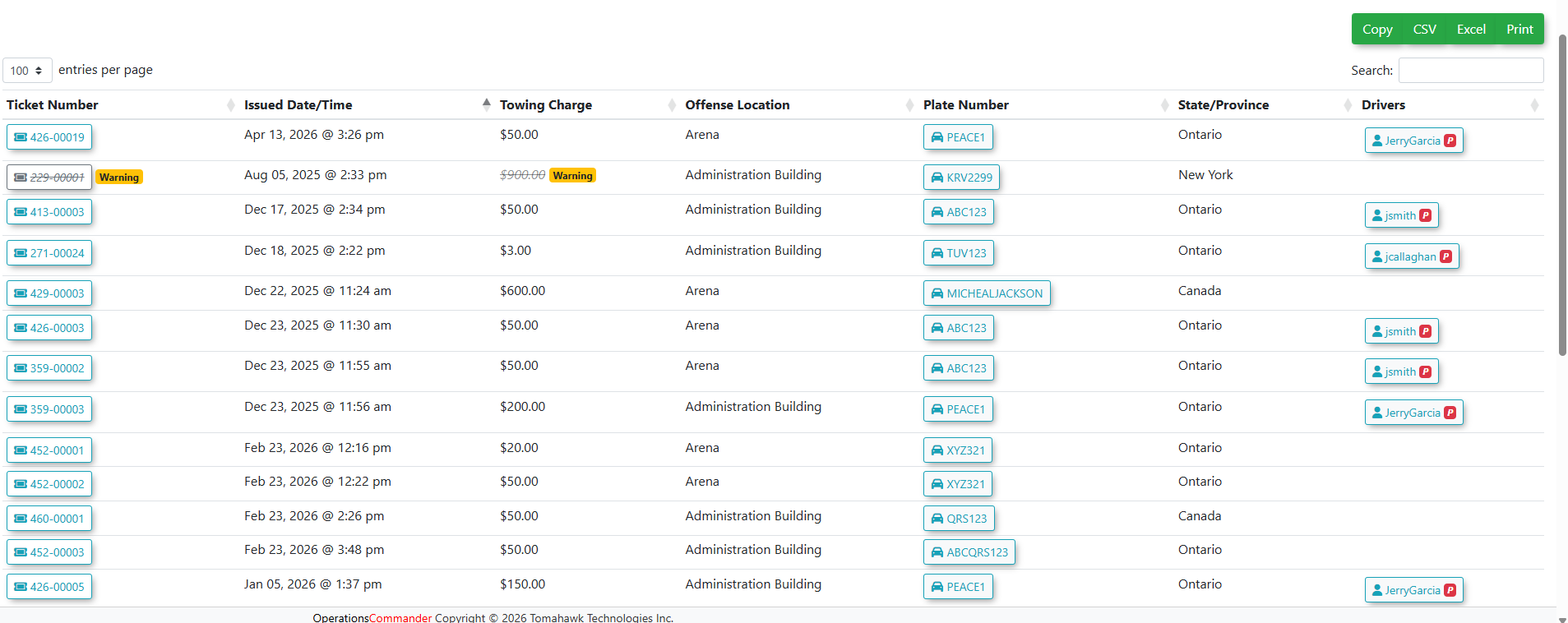
TheOnce generated, the report displays:displays a data table containing the following details for each towed vehicle:
-
Ticket Number: The unique system identifier for the citation. Click the ticket number to open and view the full violation details.
-
Issued Date/Time: The exact timestamp the violation was
recorded.recorded by the officer. -
Towing Charge: The specific financial fee associated with the tow.
-
Offense Location: The parking zone or lot where the vehicle was towed from.
-
Plate Number: The license plate of the towed vehicle.
-
State/Province: The registered region or jurisdiction of the vehicle.
-
Drivers:
Displays theThe name of the user associated with the vehicleplateplate,(ifprovided an active account exists in thesystem).
system.
Available Exporting the Report
As this report uses the standard data-tables template, you have several options to exportActions and manage the data. Use the buttons located at the top right of the results table:
-
Copy:
CopiesClick this button to copy the raw table data directly to your computer's clipboard. -
CSV:
DownloadsClick this button to download the results as a comma-separated values file. -
Excel:
DownloadsClick this button to download the results as a formatted Excelspreadsheet.spreadsheet for offline analysis. -
Print:
OpensClick this button to open a clean, printer-friendly version of the generated report.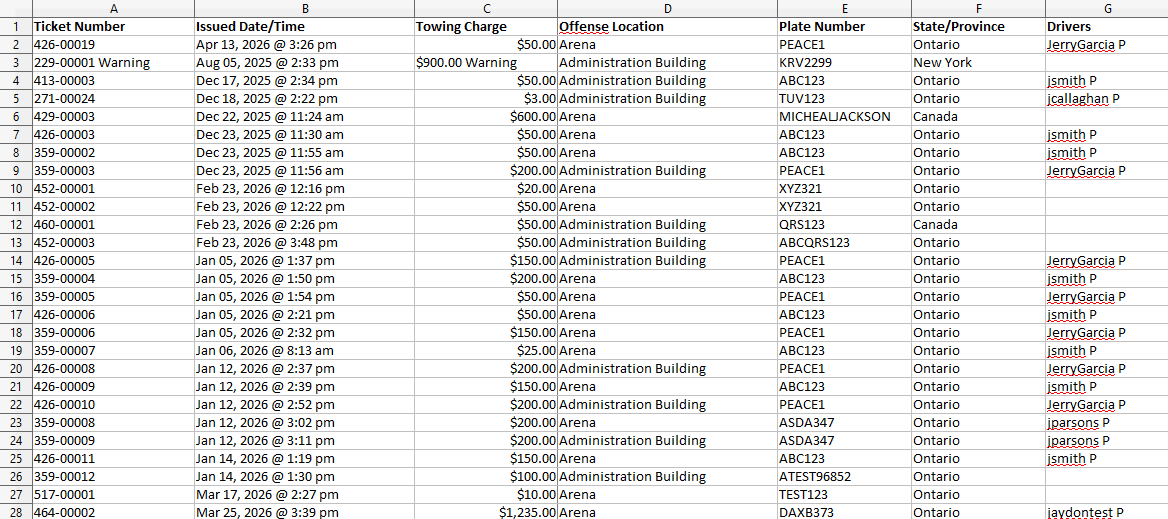
Best Practices and Considerations
-
Reconcile towing invoices: Organizations should regularly export this report to Excel to reconcile external towing company invoices against the towing charges recorded in the system. This ensures financial accuracy and helps identify any undocumented tows.
-
Audit field enforcement: Use the Offense Location data to identify high-frequency towing zones. If specific lots consistently generate a large volume of tows, management may need to evaluate the clarity of signage in those areas or adjust patrol routes.