
Configuring Incidents
HereThe Incident Configuration feature provides the foundational settings required before your organization can effectively utilize the incident management module. Its primary purpose is to allow administrators to define standardized categories, identification flags, and descriptive drop-down lists, ensuring consistent data entry across all incident reports. This article is intended for OPS-COM administrators responsible for system setup and maintenance.
Setup and Configuration
Before dispatchers and officers can begin logging events, administrators must pre-configure several standardized data lists.
Configuration Categories
-
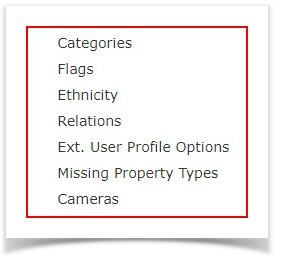
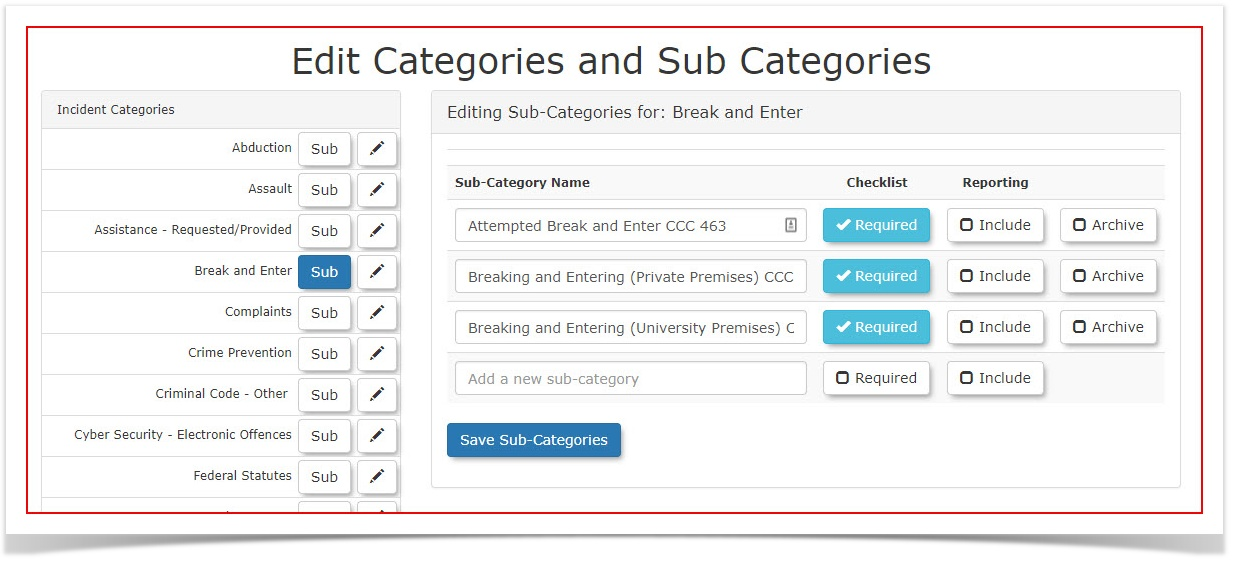
Categories: Define the primary types of incidents that occur on your property. Each main category (e.g., Break and Enter) can host multiple sub-categories to allow for precise classification during reporting.
-
Flags: Create custom tags to highlight critical information or flag the severity of an incident (e.g., violence involved, weapons involved). Detailed setup instructions can be found on the Incident Flags page.
-
Ethnicity: Populate a standardized drop-down list of
itemsethnicthat would havedescriptors tobeassistset up in the system prior to using the incident module.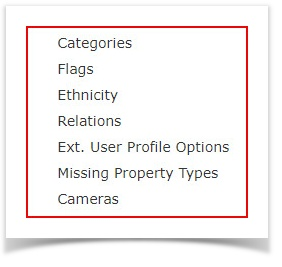
Categories: Incident Categories are a listings of the types of Incidents that occur. EachCategorycan have multiplesub categories.Here's an example of a category and it's sub-category items. In this case the category isBreak and Enter. The subcategories appear on the right.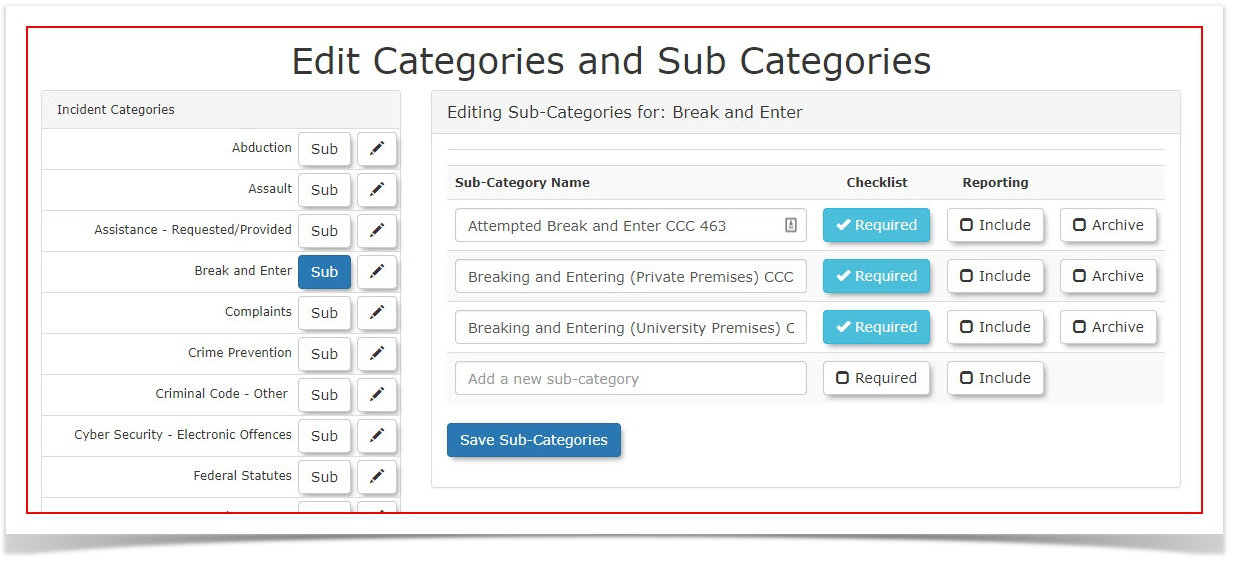
Flags:Incidents may beflaggedfor information, and/or importance.An example would be: "Was violence involved?" or "Were there weapons involved?"For more information Refer to this Article.Ethnicity: Within incident reporting you have the ability to enter a description of people associated with the incident, whether it be the victim, a related person, the suspect or person who committed the incident.Ethnicity is one of the descriptors typically usedofficers in identifyinga personindividuals related to anincident.
incident, whether they are a victim, suspect, or witness.-
Prime Suspect).RelationsRelations::In this area you can defineDefine therelationship/exact terminology used to describe an individual's relationship or involvementthe individual haswiththeaparticularspecific incident.Examplescould be:(e.g., Complainant, Witness,VictimVictim,etc. -
Ext. User Profile Options: Create extended value fields used for describing the physical characteristics of an individual involved in an incident (e.g., hair color, hair style, body build type, clothing style).
-
Missing Property Types: Build targeted pick lists that officers can use to describe property involved, damaged, or stolen during an incident (e.g., vehicles, jewelry, computers, electronics, money).
-
Cameras: Configure the required input settings for any integrated surveillance cameras that may capture footage of an incident on your property.
The descriptive data entered into the Ext. User Profile Options: These items are extended values used in describing an individual within incident reporting.Examples could be: Physical descriptors such as hair colour, hair style, Body Build Type, Clothing Style etc.(Note: These descriptionsfields will only be seenvisible inwithin the incidents module andto assist with investigations. These specific physical descriptions will not inappear theon a user's standard parking or general system profile.)
Best Practices and Considerations
-
Standardize your categories: Organizations should establish a clear business rule for incident categorization prior to system launch. Creating too many overlapping sub-categories can confuse dispatchers, lead to inconsistent data entry, and skew your statistical summary reports.
-
MissingKeepPropertydescriptorsTypesobjective::AnEnsureincidentthatmayallincludeoptionstheftconfigured under Ext. User Profile Options and Ethnicity rely on professional and objective terminology. This ensures your organization maintains compliance and accuracy when standardizing suspect and witness descriptions for legal ordamageinvestigativetouse.property. This item allows you to createpick liststhat can describe property involved in an incident.Examples could be: Vehicles, personal property such as jewelry, computers, electronic devices, money, etc. Cameras: In this section admins can configure input from surveillance cameras that may have captured the incident.