
Hiding Zero Dollar Violations
The Hiding Zero Dollar Violations setting allows administrators to automatically filter out violations that carry no financial penalty from standard views and searches. Its primary purpose is to declutter the system interface and streamline reporting by only displaying actionable, fine-bearing tickets. This article is intended for OPS-COM administrators responsible for system configuration.
Setup and Configuration
Administrators can enable this global filter directly within the core system settings.
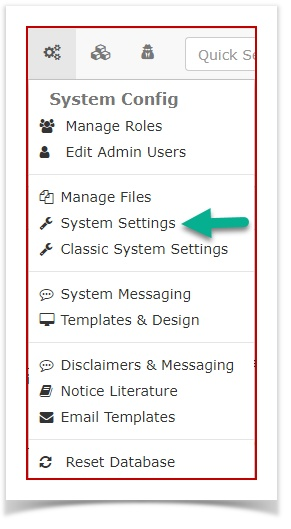
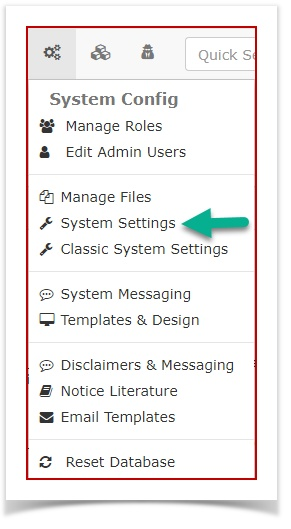
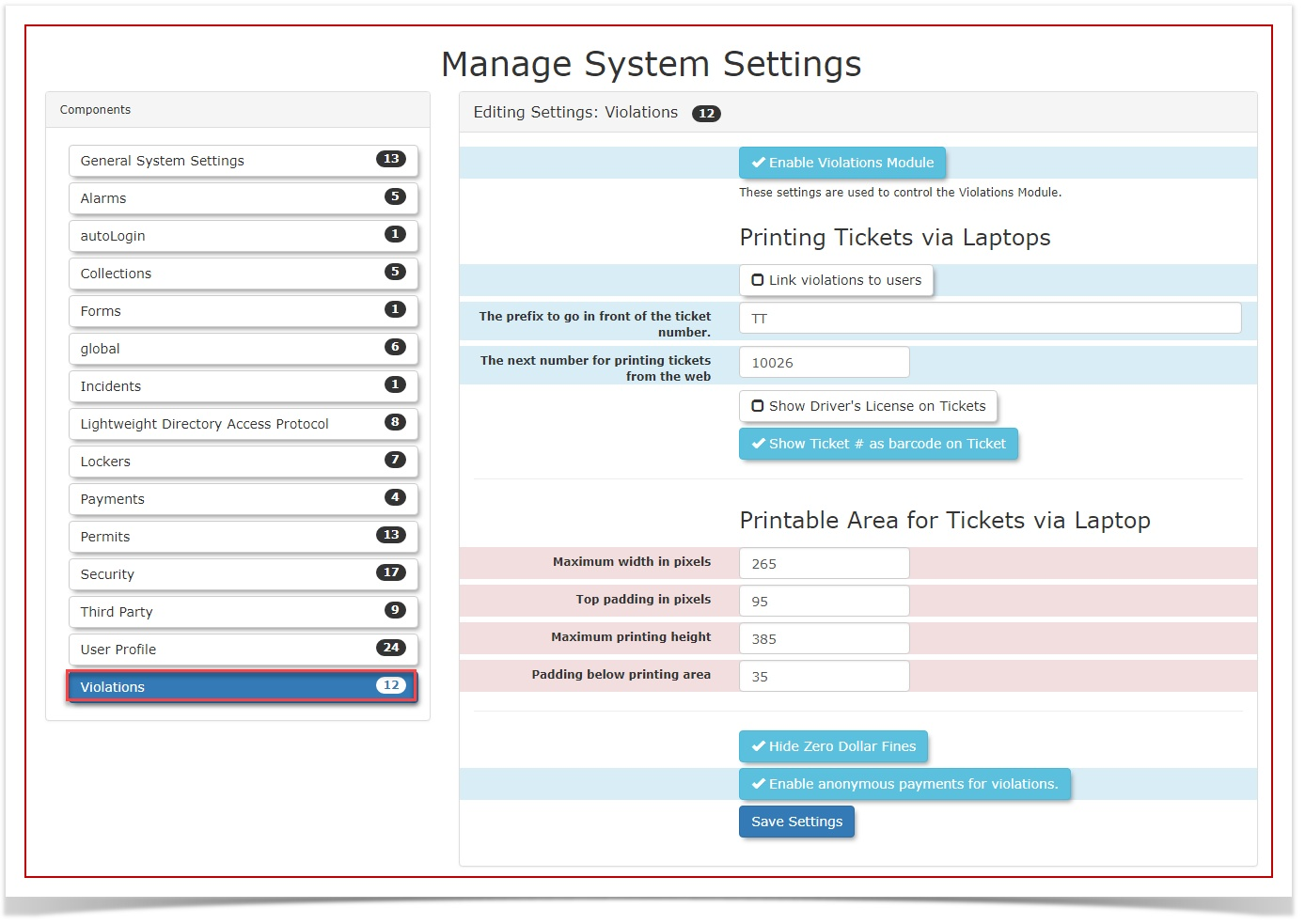
- Hover over 'System Config' and click 'System Settings'
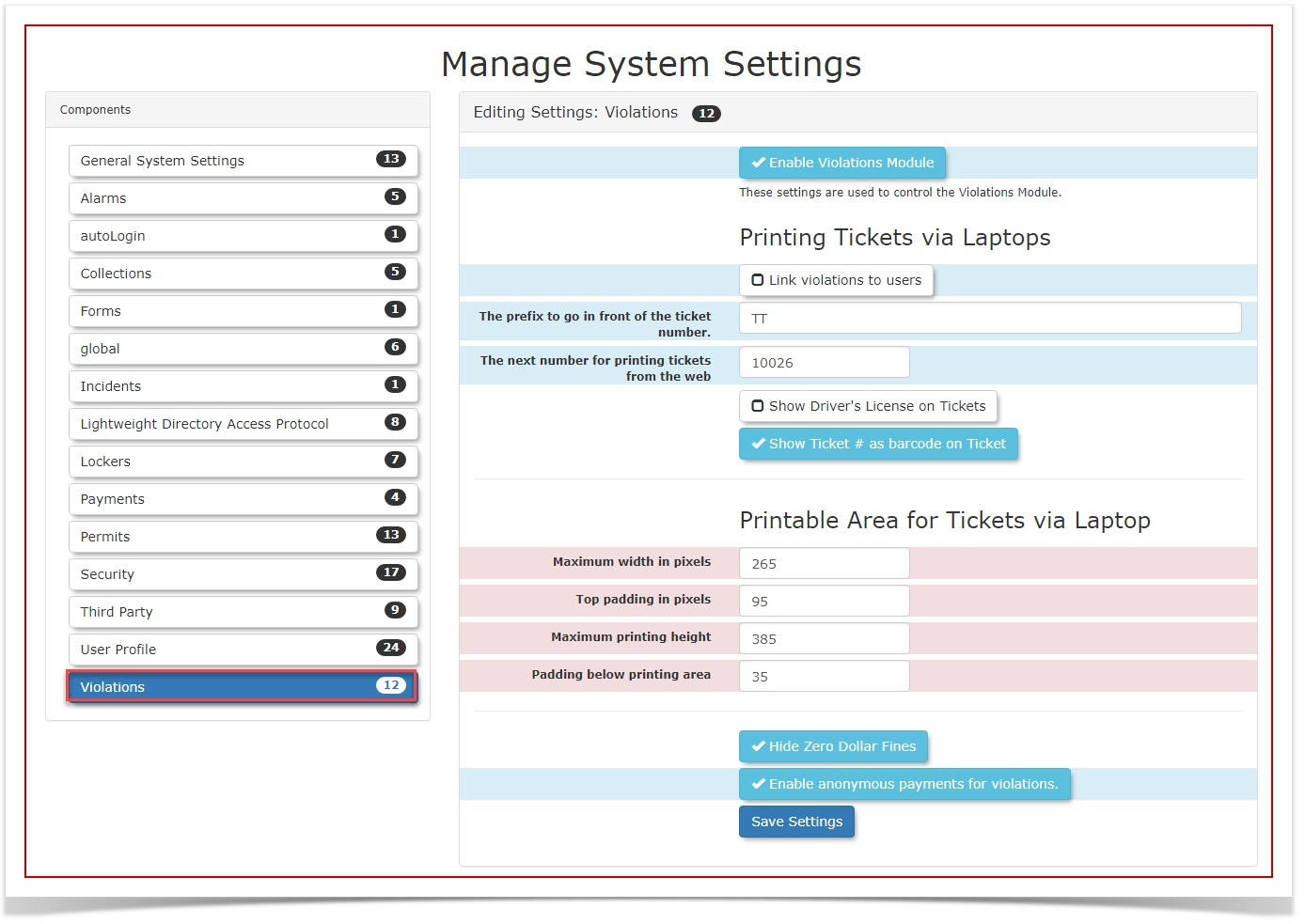
- Click 'Violations' to open the specific Violations settings menu.
-
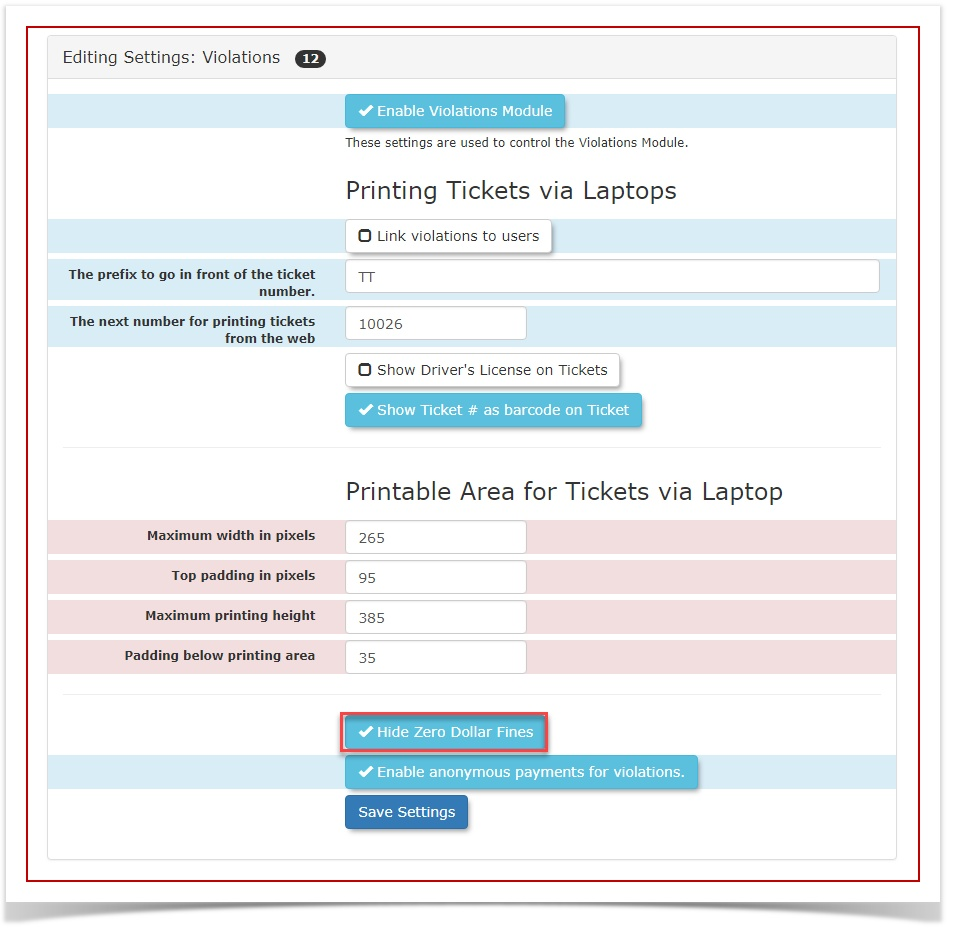
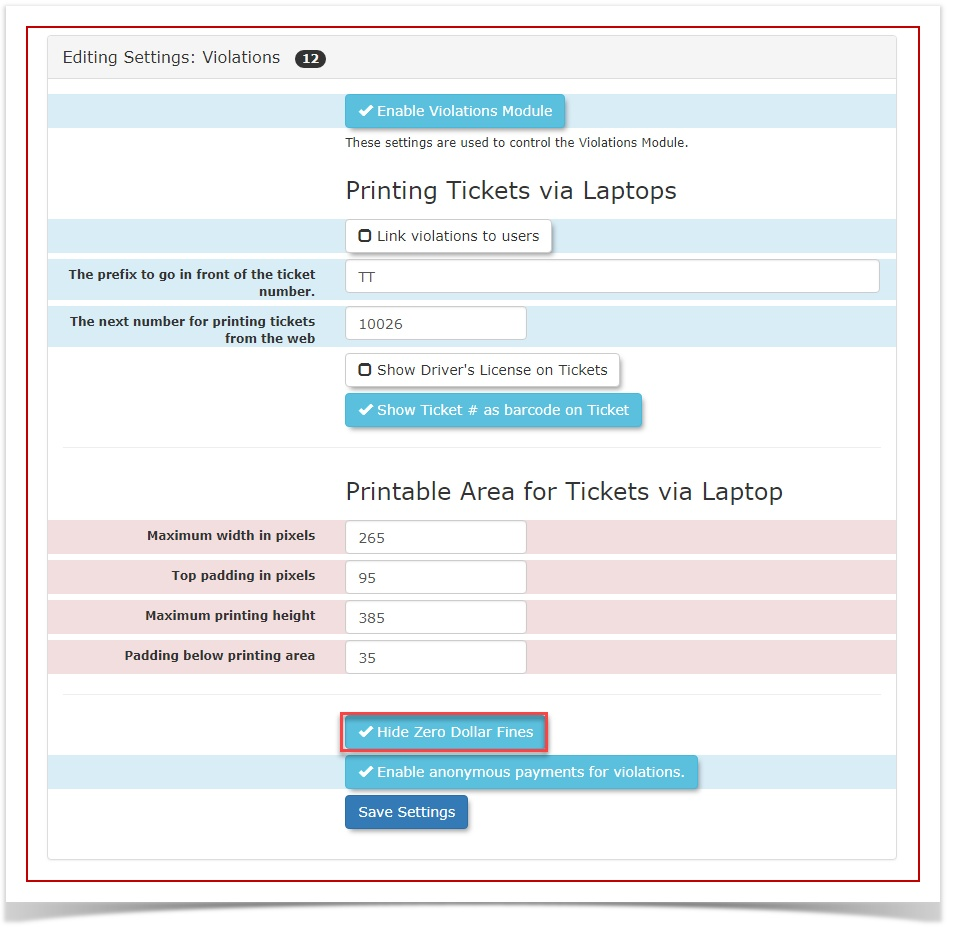
Enable the Hide Zero Dollar Fines checkbox to automatically hide zero-dollar violations across the system.
Save your changes to apply the new configuration.
Using this Feature
Once this setting is enabled, no further daily interaction is required. Zero-dollar violations will automatically be excluded from standard administrative searches, ticket lists, and general reports, allowing your team to focus exclusively on violations requiring payment or active follow-up.
Best Practices and Considerations
Data Retention: Keep in mind that while zero-dollar violations are hidden from general administrative views, they are not deleted. They remain permanently recorded in the system backend for auditing purposes and are still factored into automated repeat offender tracking logic.
-
Warning Workflows: Carefully consider your organization's warning workflows before enabling this setting. If your enforcement team frequently issues zero-dollar tickets as formal warnings and requires administrative staff to actively review, process, or appeal these specific records, it is best practice to leave this setting disabled to ensure complete visibility.