Incident Summary Report by Sub-Location
1.The Incident Summary Report by Sub-Location allows administrators to filter and view incident records based on specific physical areas within their organization. Its primary purpose is to help security and administrative teams quickly analyze incident trends in targeted zones over a specified timeframe. This article is intended for OPS-COM administrators handling security and incident management.
Setup and Configuration
There is no specific module setup required to run this report, as it is a core feature of the incident management system. However, administrators must have the appropriate reporting and incident viewing permissions assigned to their user role. Ensure that your organization's sub-locations are accurately defined within your system settings for the most effective reporting.
Using this Feature
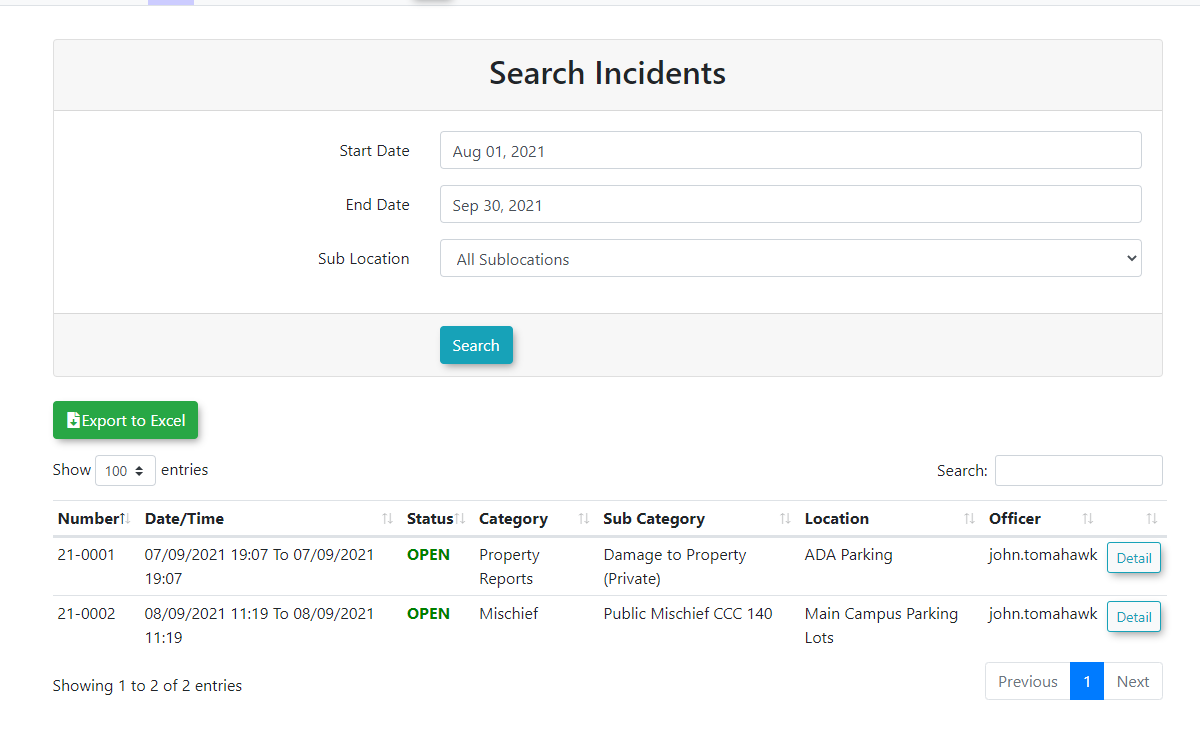
Administrators can use this report to generate an overview table of incidents that occurred within a selected area and timeframe, with the ability to drill down into specific case details.
Running the Report
-
Hover over the Incidents
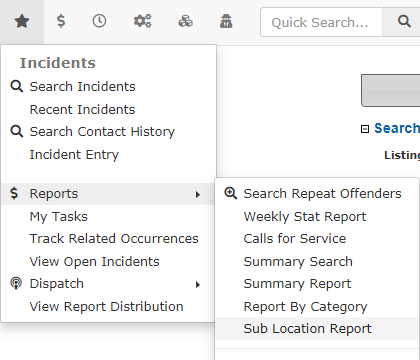
Incidents icon,icon, clickRReportseports, and select Sub-Location Report.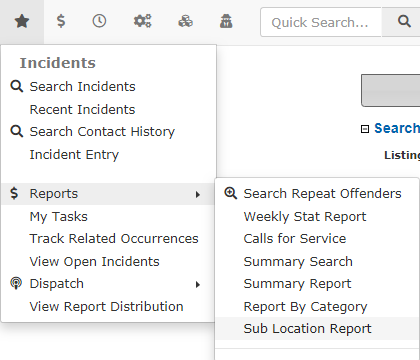
-
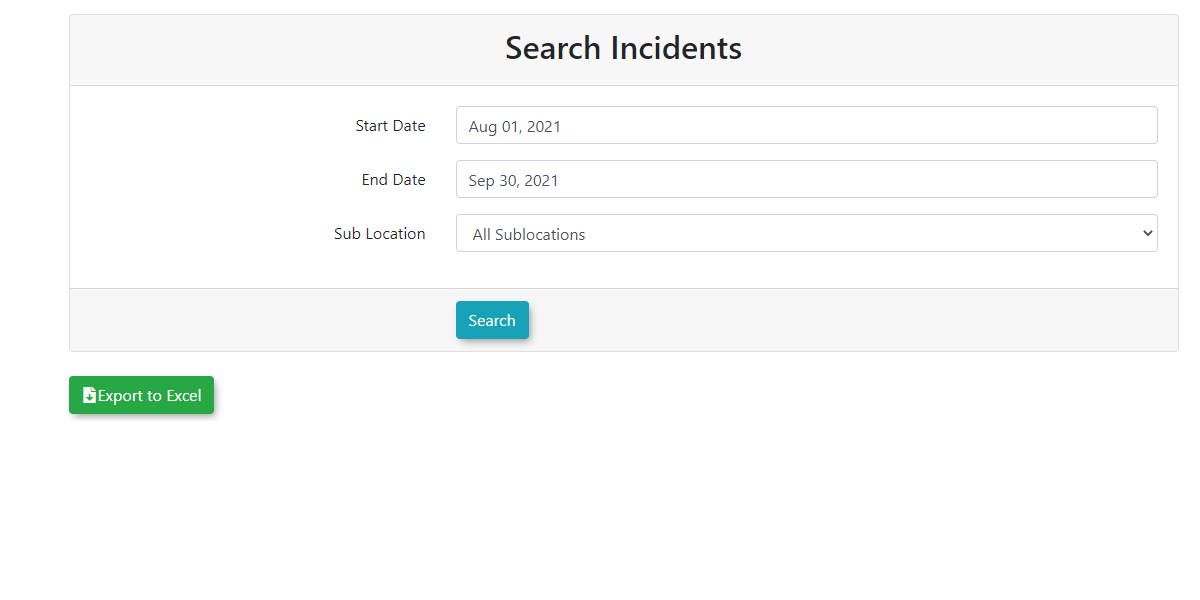
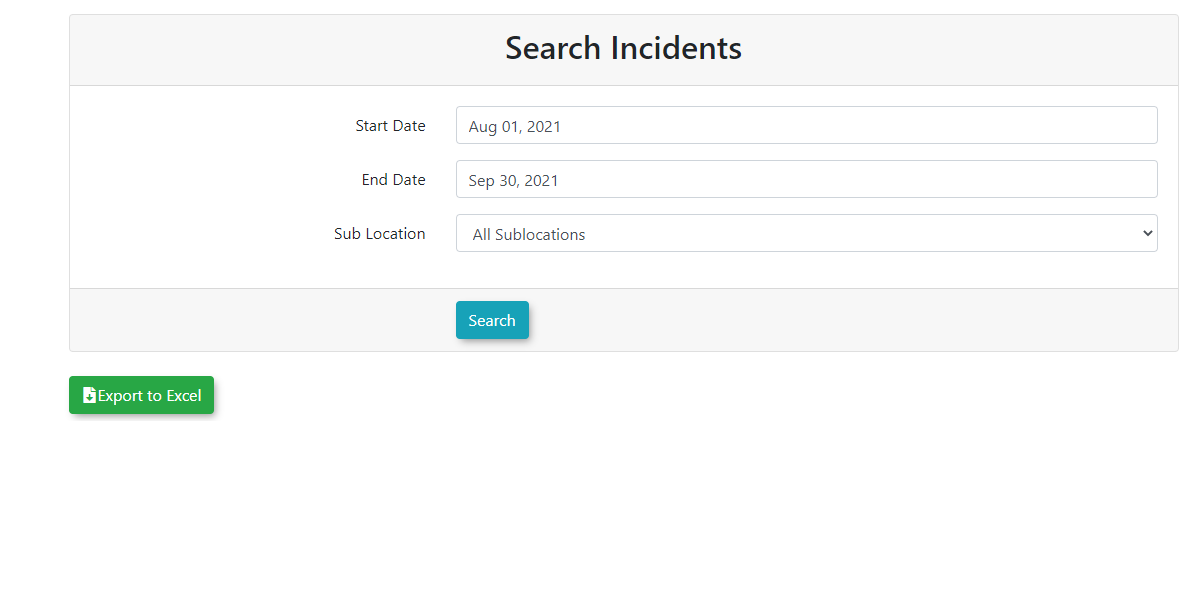
2. This will bring up theSearch Incidentspage.Select the specific datesthat theyyou want to searchasinwelltheasdate range fields on the Search Incidents page. -
Select the specific sub-location
thatyouthey wantwish tosearch.analyzeSelectfrom the provided drop-down menu. -
Click the
"Search"Search buttonwhenonce all criteria have been entered. -
Key Information Displayed
-
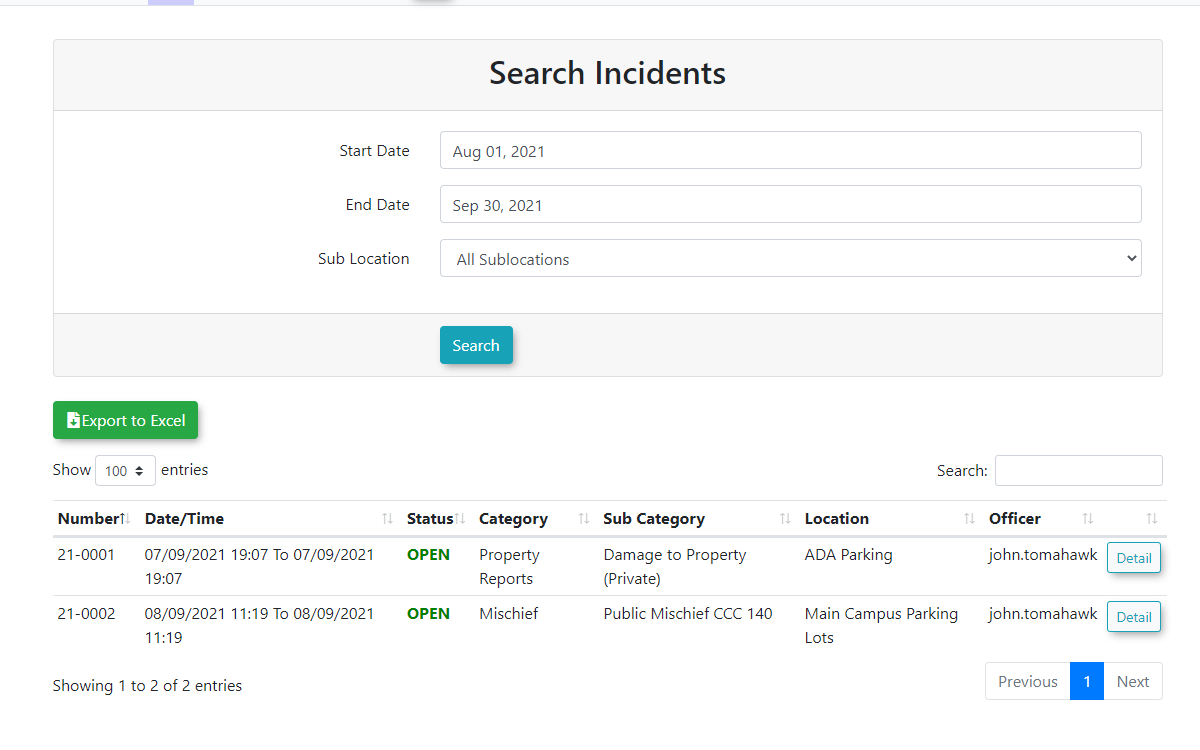
3.Sub-LocationThisOverviewwillTable:bringOnceupthe search is executed, a table appears at the top of the pagethat providesproviding an aggregated overview oftheall incidents thathaveoccurred ineachthe selected sub-location during your specified time frame.
Available Actions and Buttons
-
Search: Click this button to execute the query based on your selected date range and sub-location parameters.
-
Details: Click this link to open the
timefullframeincidentspecifiedprofile,(sampleallowingbelow).youAdministratorstocanreviewalsotheselectnarrative, dispatch logs, or make necessary edits to the record.
If you click the Details link and cannot edit the resulting incident record, verify that your administrative user role has the required permissions to edit incidents, or check if the rightincident has already been locked or closed.
Best Practices and Considerations
-
Standardize Location Data: Organizations should establish a clear business rule regarding how sub-locations are selected by staff during initial incident entry. If field officers are inconsistent with how they tag locations, this report will not provide an accurate reflection of localized security trends.
-
Targeted Audits: Use this report on a
particularmonthlyincidentor quarterly basis toview/editidentify specific sub-locations thatparticularexperienceincident.high volumes of incidents, allowing you to strategically deploy additional resources or security personnel to those exact areas.