MTO Annual Report
Running
The MTO Annual Report allows administrators to generate a summary of Ministry of Transportation (MTO) related violation data over a specified timeframe. Its primary purpose is to help compile the Reportnecessary yearly statistics and compliance metrics required for official external reporting. This article is intended for OPS-COM administrators.
Setup and Configuration
ToThere beginis gono specific system setup or configuration required to use this feature. The MTO Annual Report is a standard administrative tool available to users with the appropriate violation reporting permissions enabled on their account.
Using this Feature
Administrators can use this reporting tool to pull required MTO data for any given date range, such as a full calendar year.
-
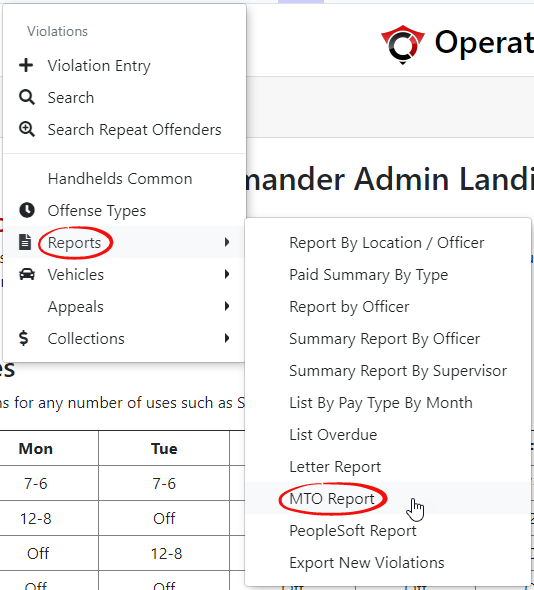
Hover over Violations
menuandhover overclick Reports.Selectthen MTO Report.from -
Enter the
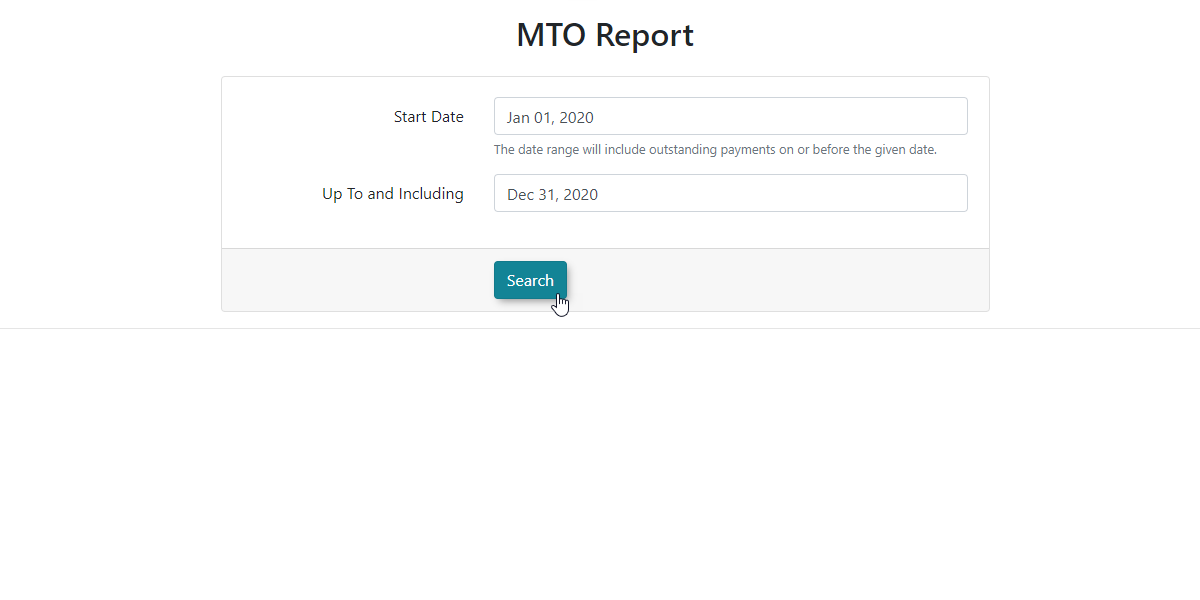
dropdesireddownstartingmenu.date into the Start Date field.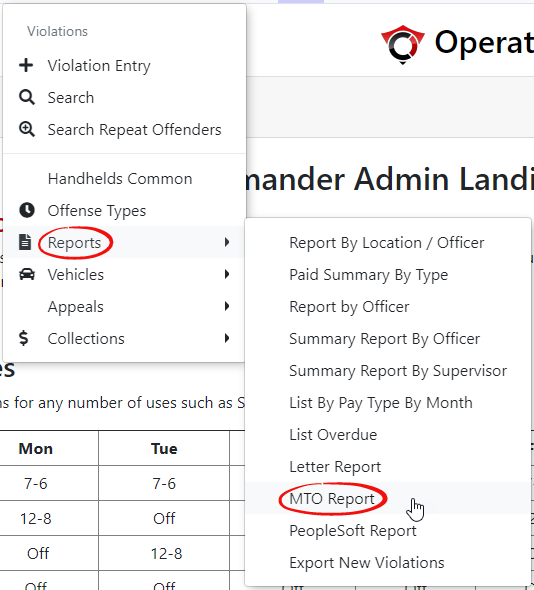
-
Enter the desired end date into the Up To and Including field (e.g., January 1, 2020, to December 31, 2020, for a full year-end report).
-
Click the Search button to generate the report.
Key Information Displayed
-
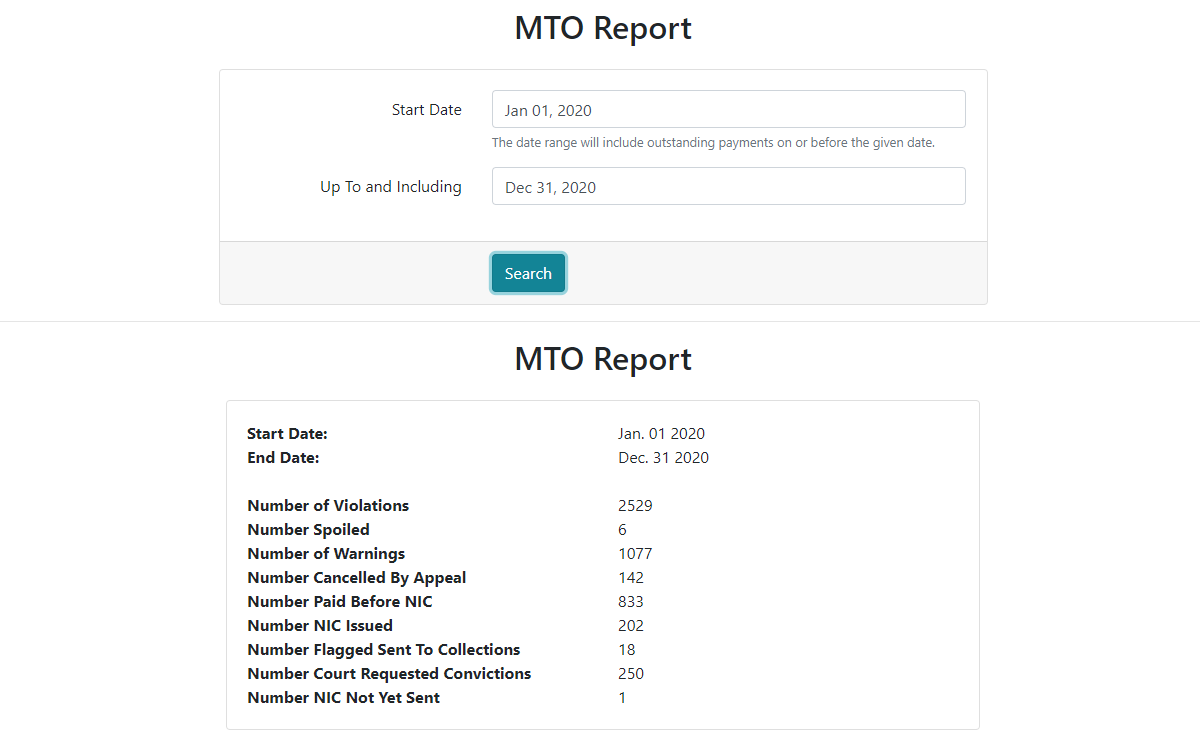
MTO Requirements: Once the search is executed, the screen will refresh to display a comprehensive list of items and statistical data explicitly required for the Annual MTO Report based on the date range selected.
Best Practices and Considerations
Reporting Periods: While typically used for year-end reporting, you wishcan adjust the date range to reportpull on.data Infor thisspecific casequarters weor aremonths lookingif atyou need to perform internal audits throughout the fullyear.
-
Data Verification: Always verify your date range before finalizing the report to ensure the data accurately reflects the specific fiscal or calendar year
end report (January 1st 2020 - December 31st 2020).ClickSearchto continue.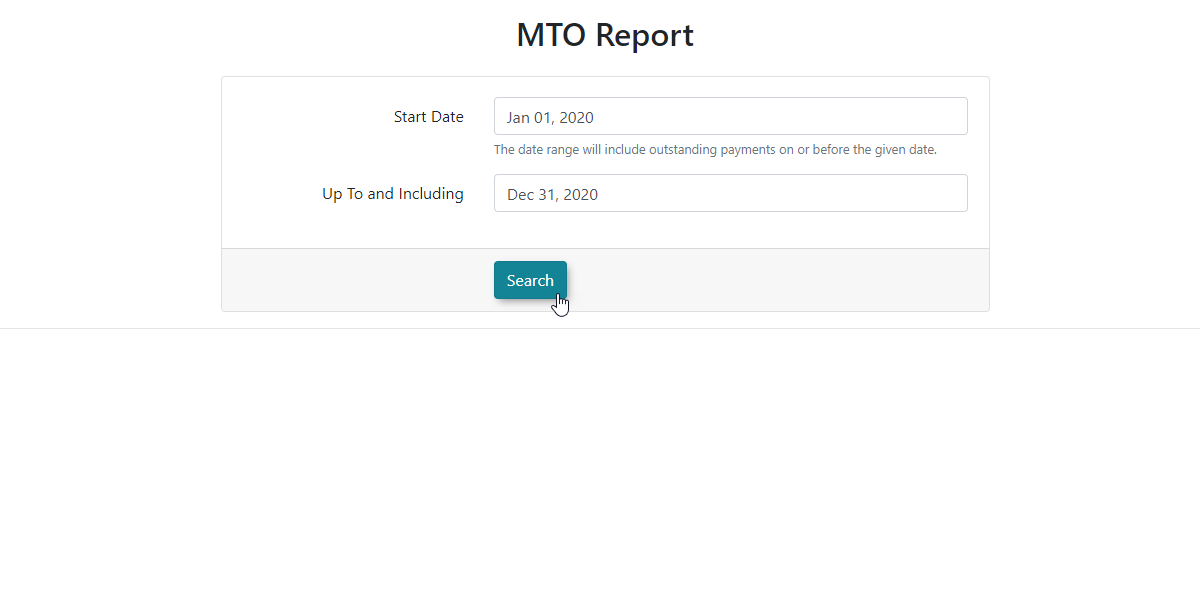
The screen will refresh with a list of itemsrequiredinfortheyourAnnualorganization's official MTOReport.submission.