Skip to main content
Releasing a Permit
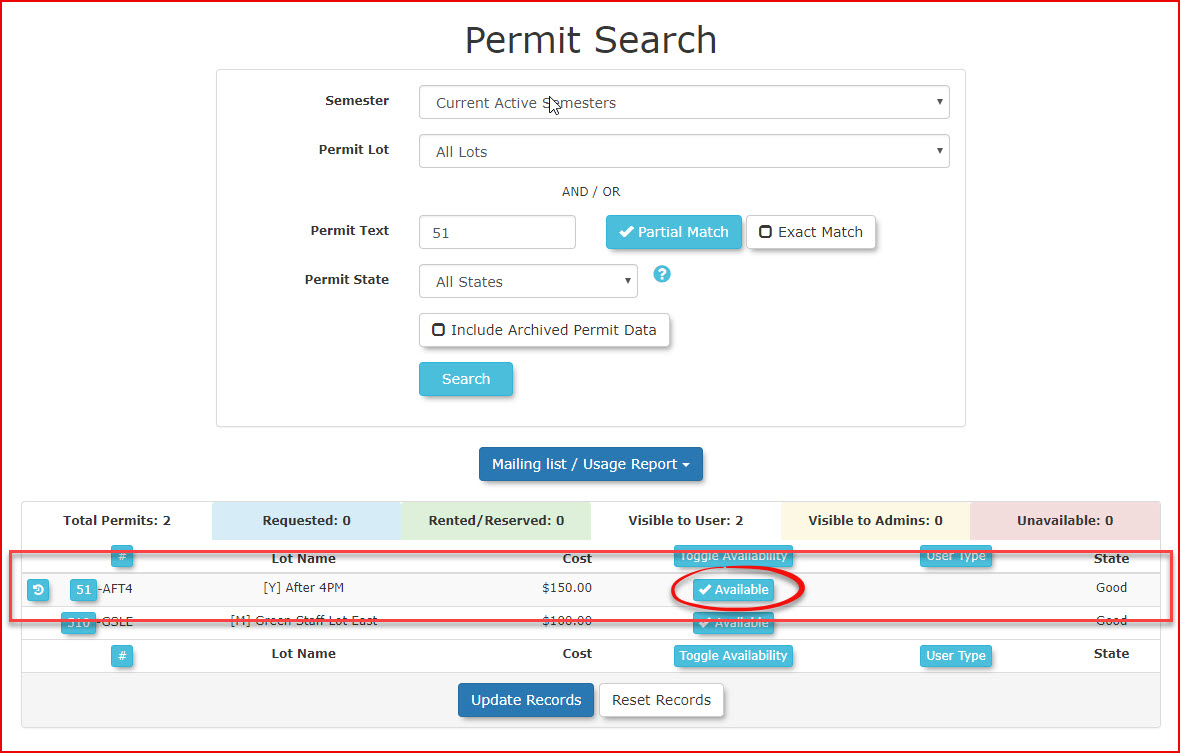
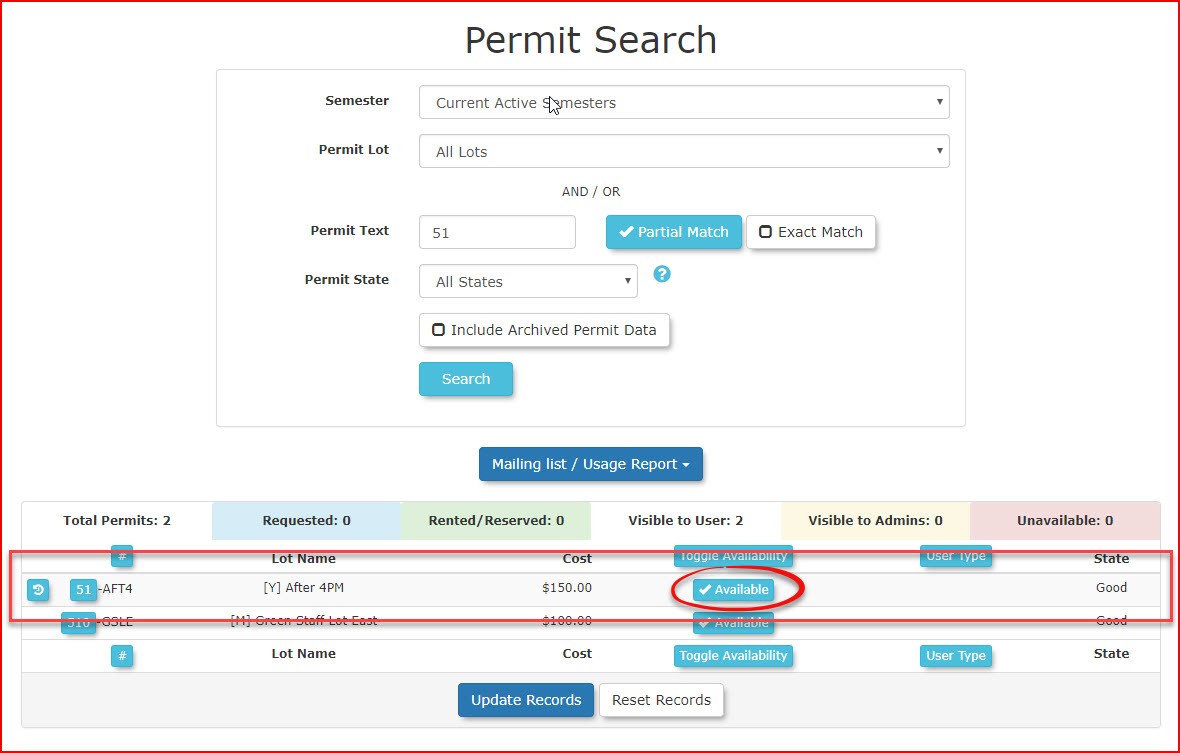
- If you know the permit number perform a permit search. If you do not know the permit number, go to the user profile for whom you wish to release a permit.
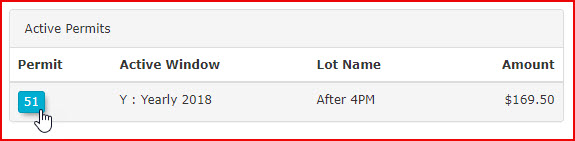
Click on the permit number on the user dashboard.
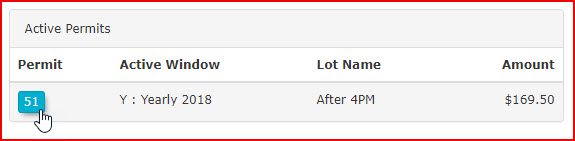
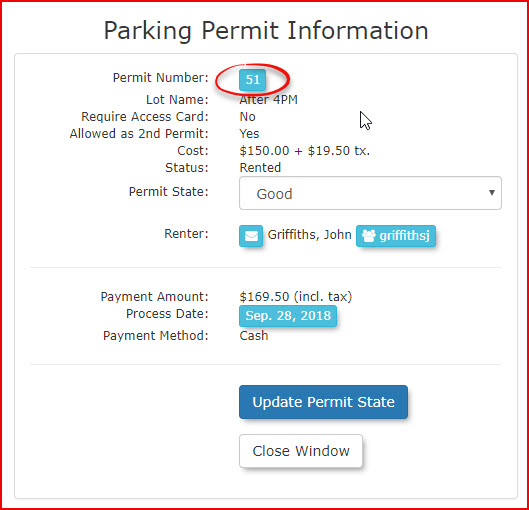
- From the permit detail click on the permit number.
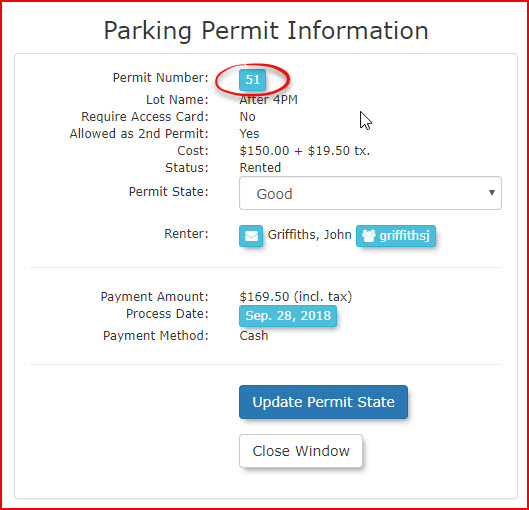
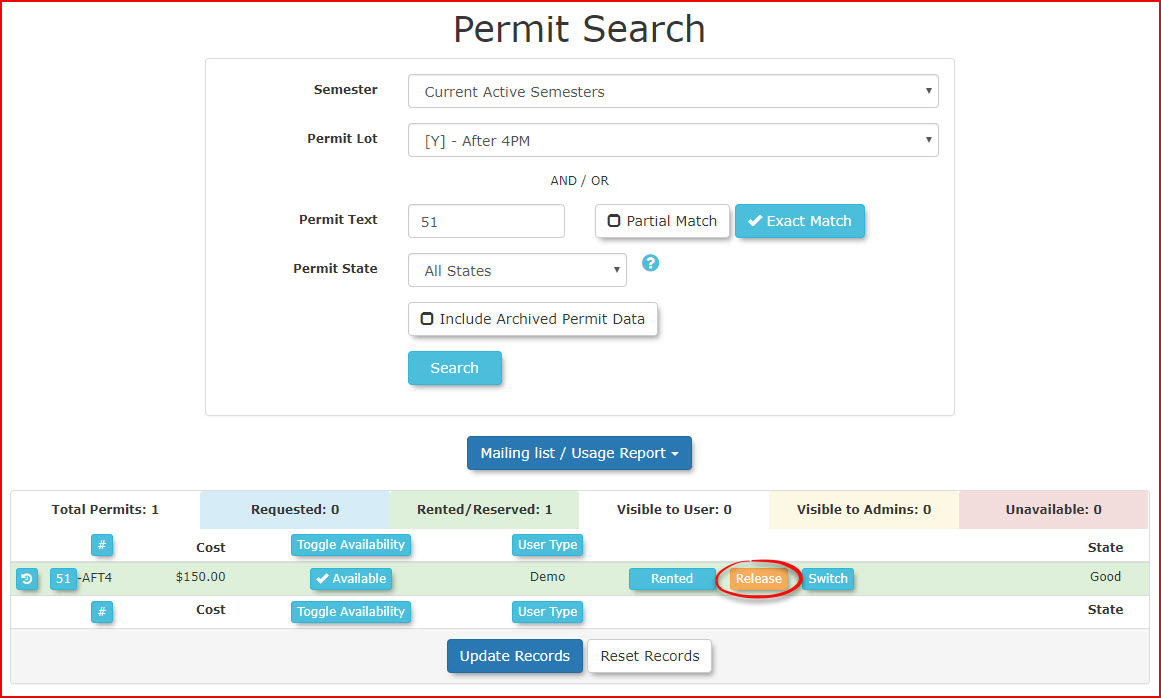
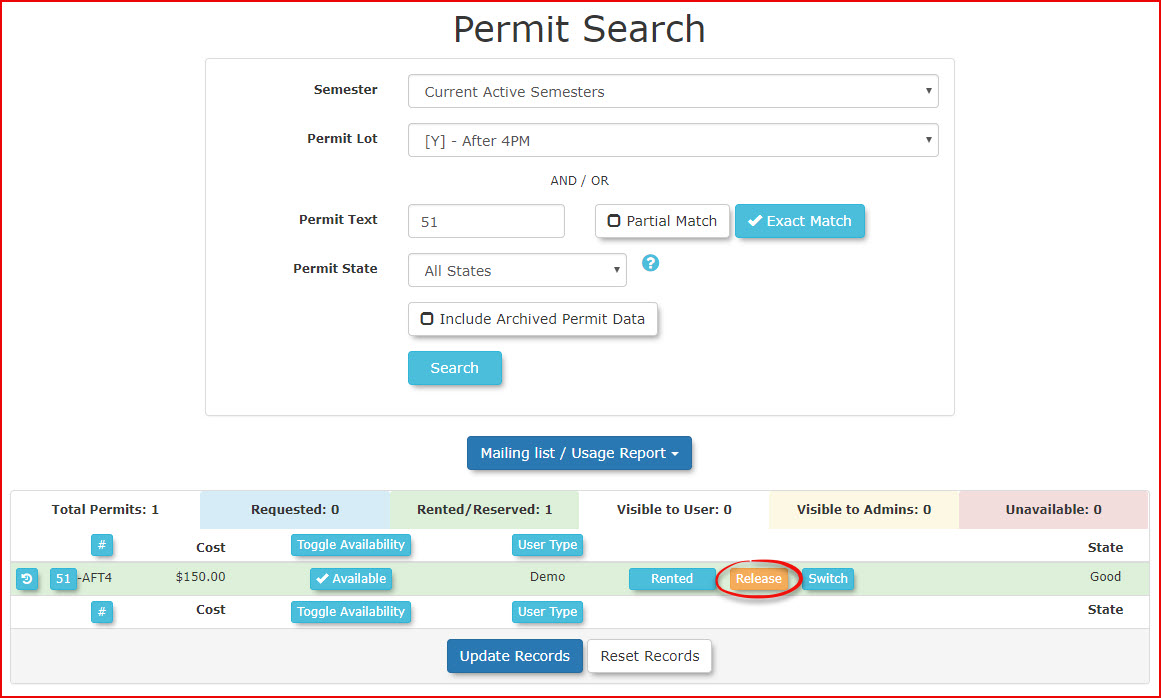
- You will be taken to permit search where you can release the permit
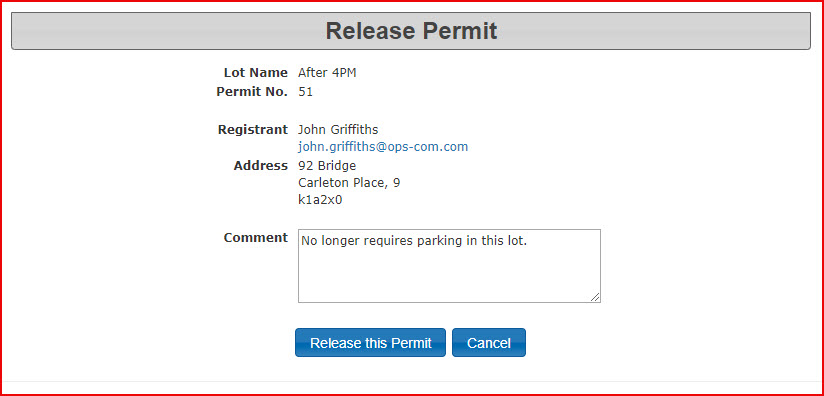
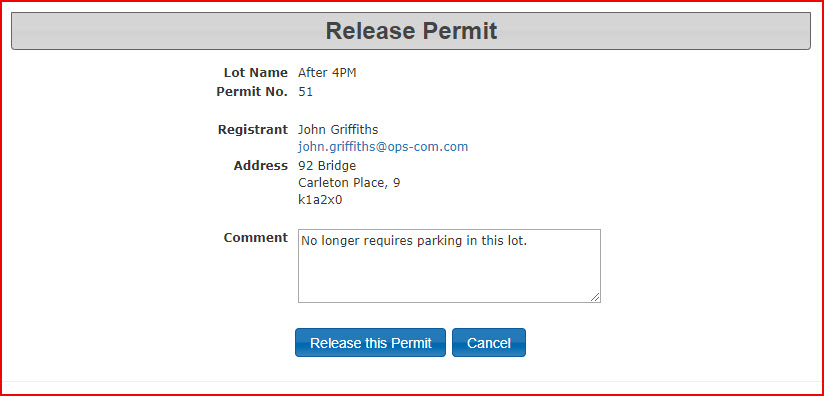
- It is advisable to leave a comment in order to track the reason the permit was released. Click Release This Permit.
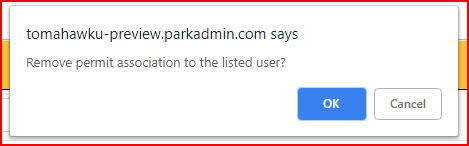
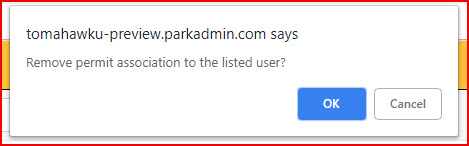
- A pop up window will appear. Click OK to confirm the release of the permit.
- A confirmation message will appear.

- Now when you search the permit it will appear as available.