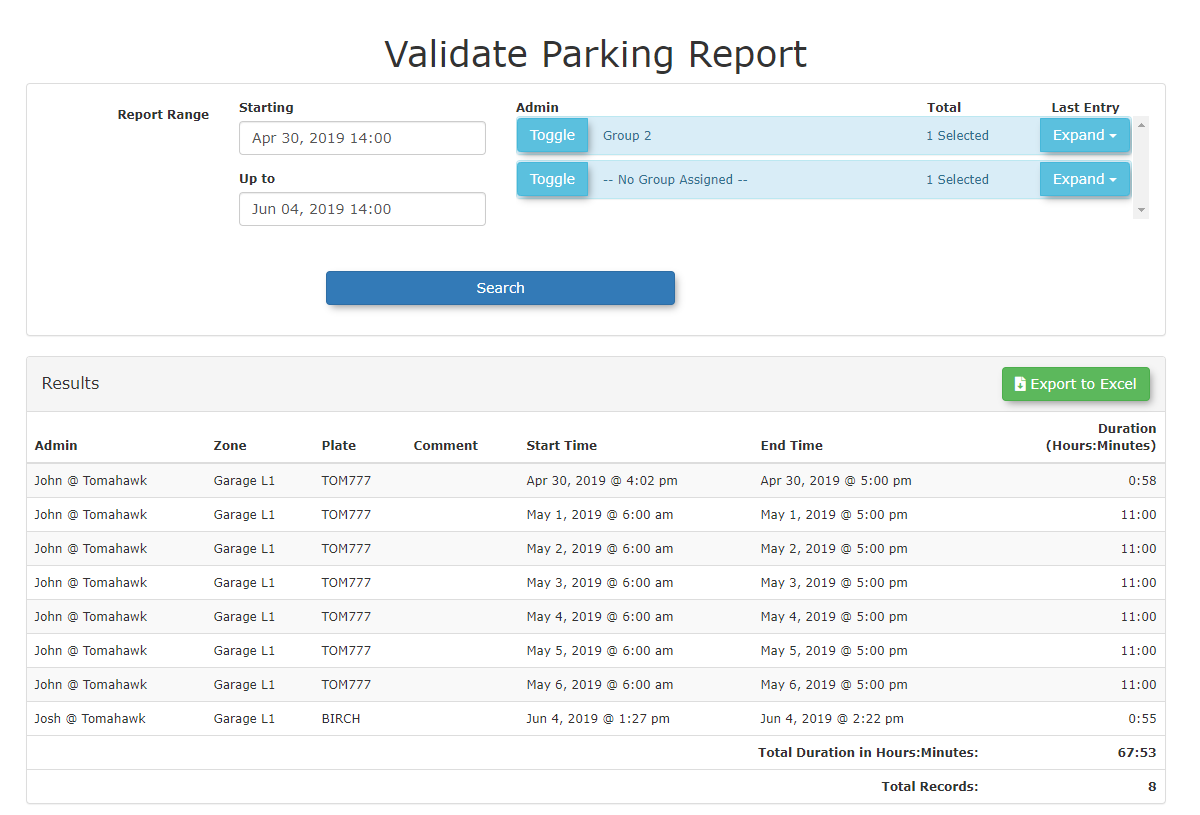
Validate Parking Report
ToValidateaccessParkingtheReportreport,allowstheadministratorsadminto view and export historical records of parking validations within a specified timeframe. Its primary purpose is to help track, review, and audit validation activity across your system. This article is intended for OPS-COM administrators responsible forparkermanagingvalidationandwouldauditingneedparking"validations.Setup and Configuration
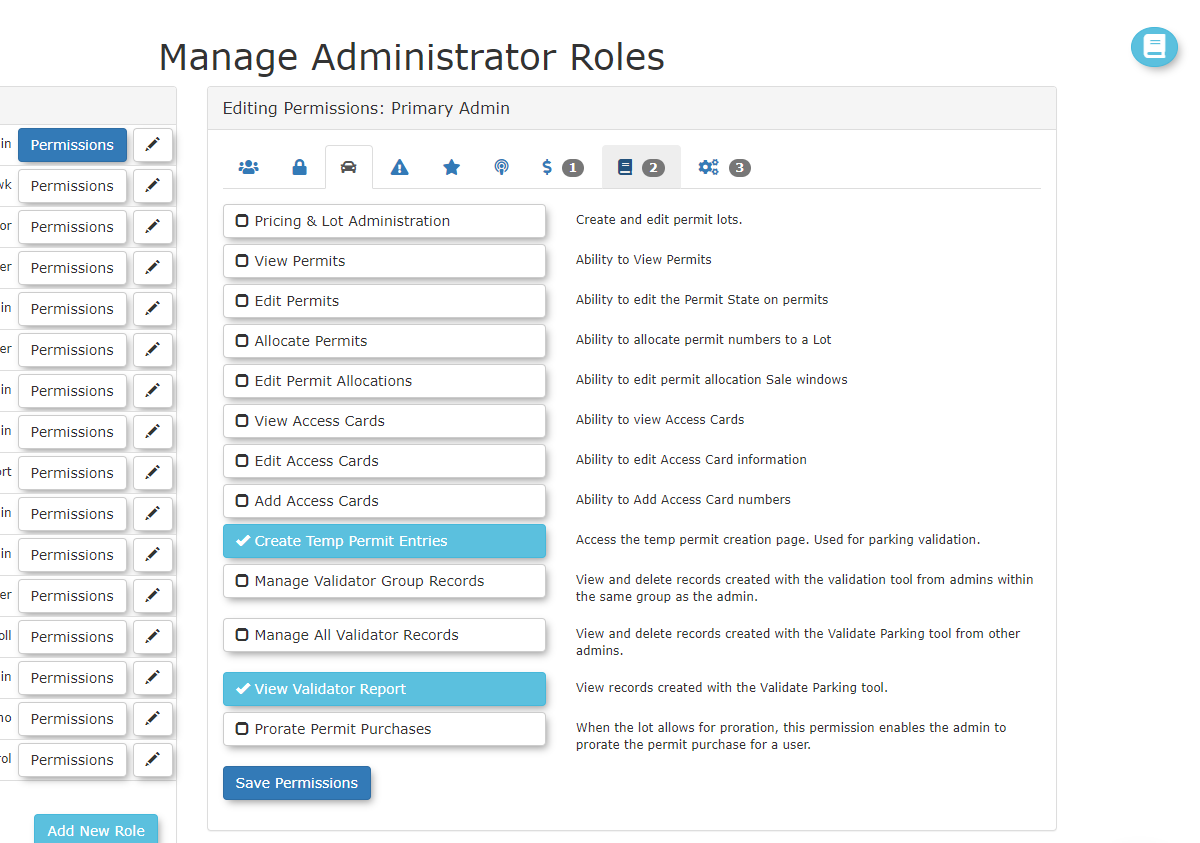
Before an administrator can access this report, they must have the correct permissions assigned to their user role.
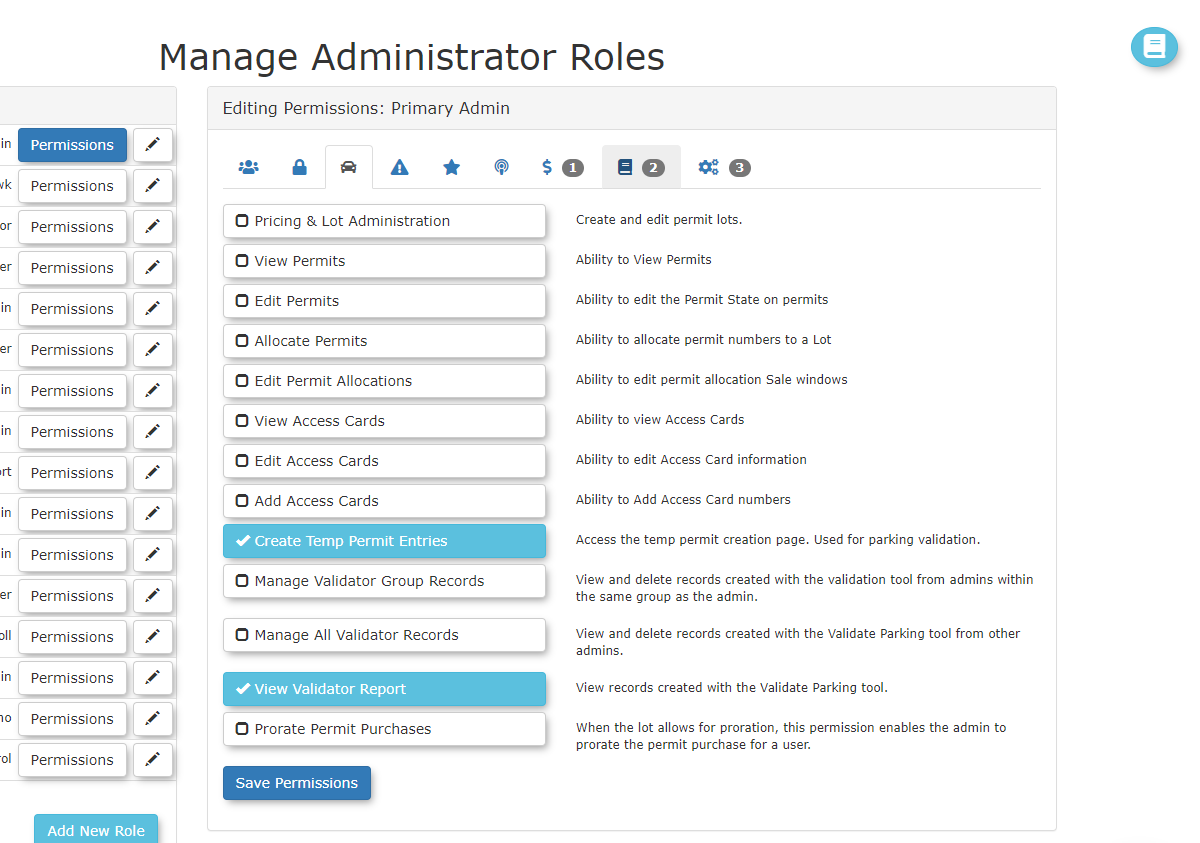
- this
ToFeaturerunFollow these steps to generate and view the
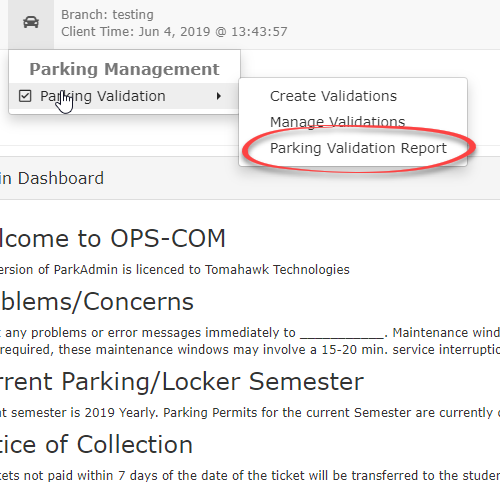
report,ValidategoParkingintoReport.the- Hover over Parking Management
menuandselectclickReport.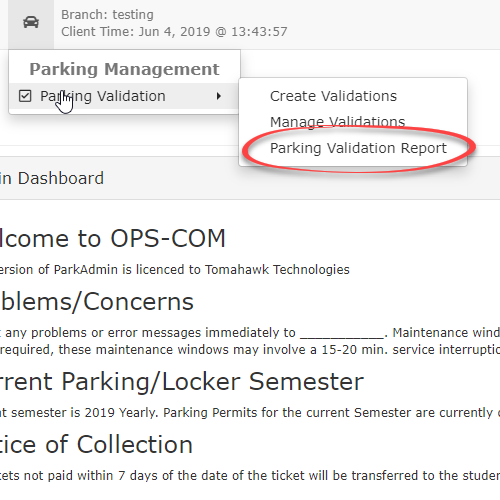
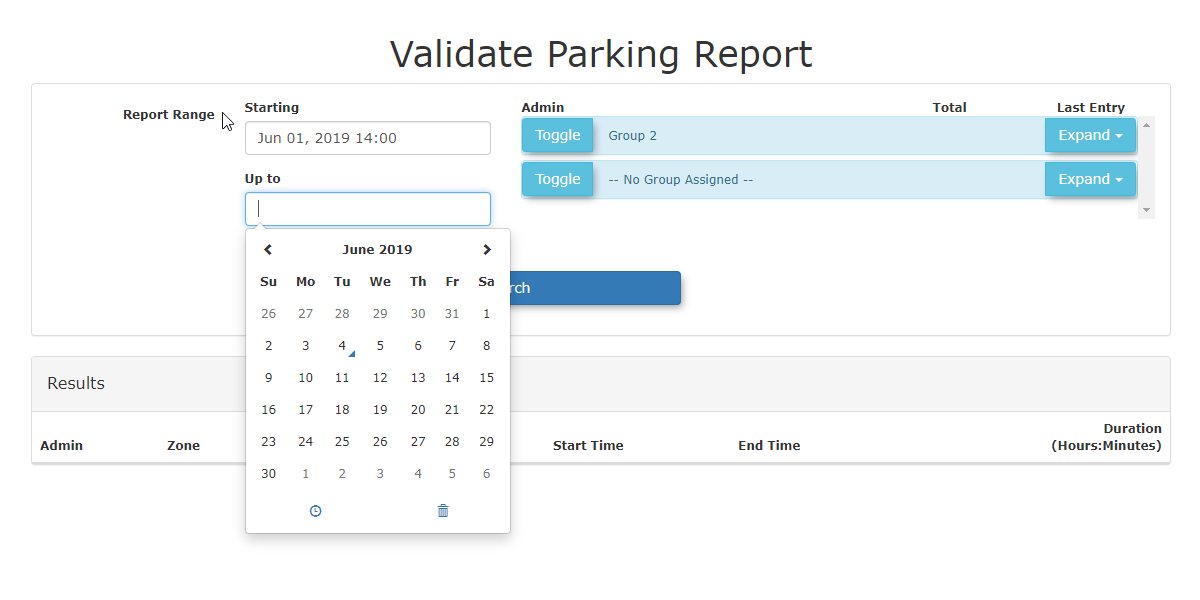
TheValidate ParkingReportsearch tool opens..
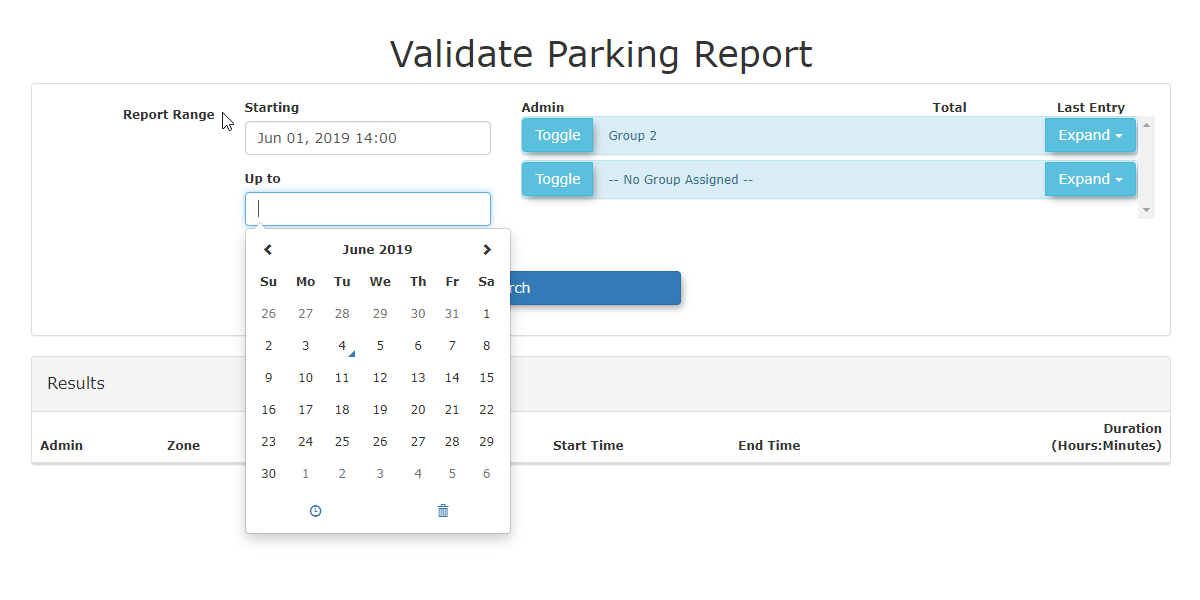
Here,you enterEnter the desired date range
youintowishthe search fields toreportdefineon.yourInreportingthisperiod.case we are looking atMarch 1st through to March 14, 2018.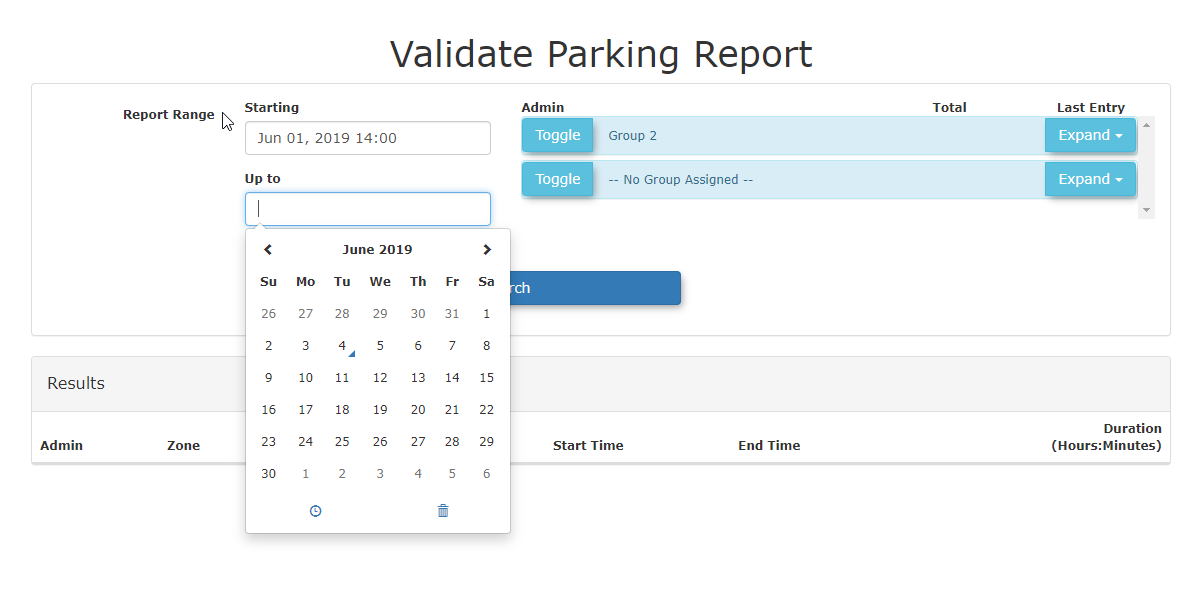
- Click
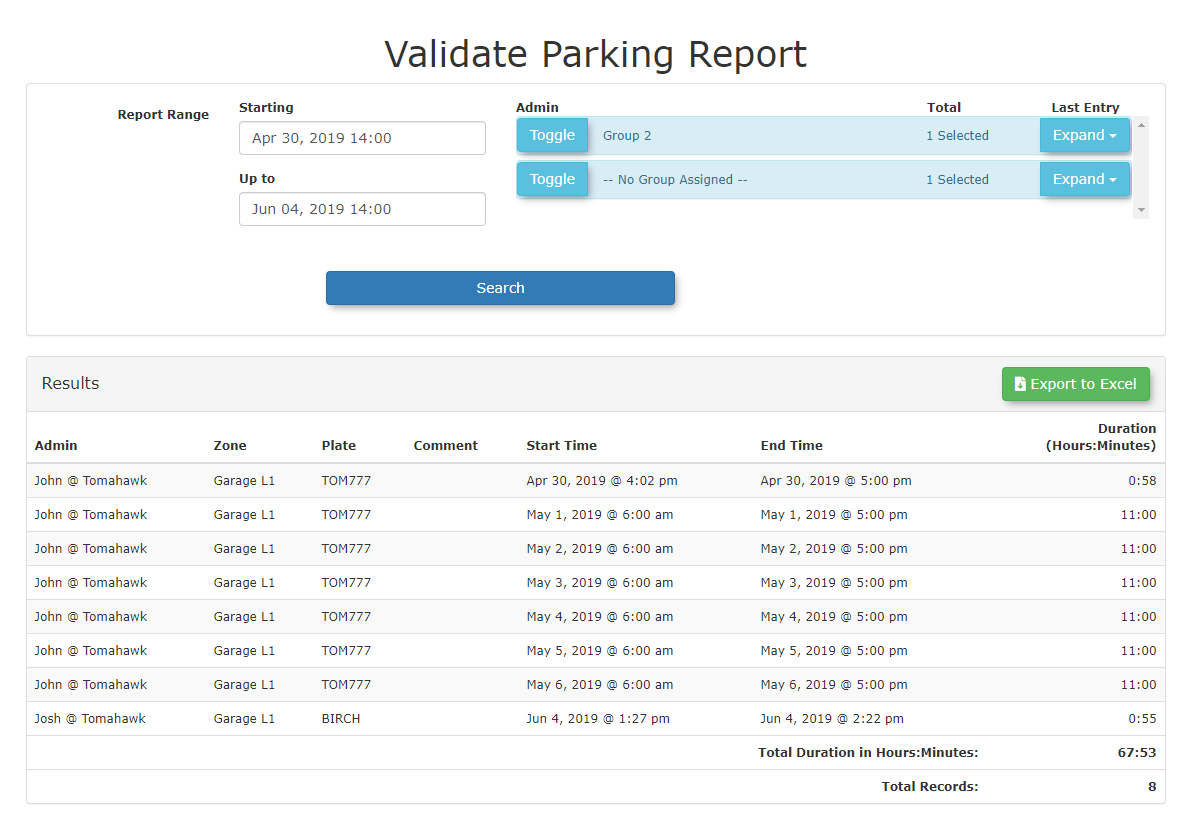
onthesearchSearch button tobring upgenerate the recordlisting that can be viewed onscreen or exported as an Excel file.listing.
Available Actions
-
Onscreen Viewing: Once generated, the validation records will be displayed directly onscreen for quick review.
-
Data Export: You can export the generated record listing as an Excel file for deeper data analysis and external record-keeping.
Best Practices and Considerations
Excel Exports: Exporting your report data to Excel is highly recommended if you need to filter, sort, or share validation records with external stakeholders or accounting departments.
-
Regular Auditing: Regularly export and review the Validate Parking Report to monitor validation usage, spot any anomalies, and ensure that validation privileges are being used appropriately by your staff.
-
Targeted Searches: When investigating specific validation events, use narrow date ranges to reduce the report generation time and make the onscreen data easier to navigate.
- Hover over Parking Management
The