
Detailed Permit Sales Report by Lot
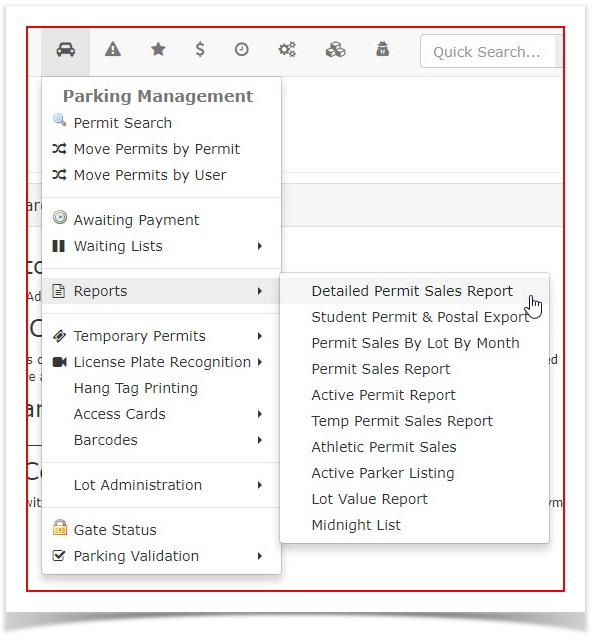
Hover overParking Management,Reportsand clickDetailed Permit Sales Report.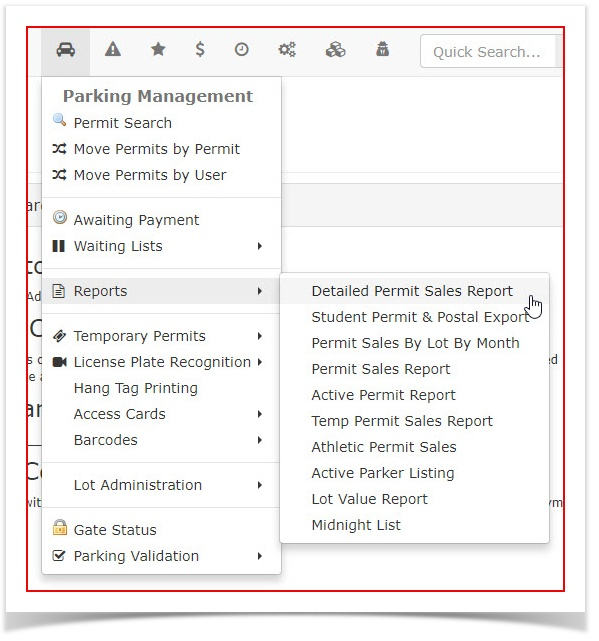
- The Detailed Permit Sales Report by Lot
searchprovidesscreenadministratorswillwithdisplay.a granular view of permit transactions categorized by specific parking areas. This report is essential for understanding sales volume per lot and allows for the export of individual permit records for external data analysis.Using this Feature
Administrators use this report to audit permit distributions and financial intake across different physical locations.
Generating the Report
-
Hover over Parking Management, select Reports, and click Detailed Permit Sales Report.
-
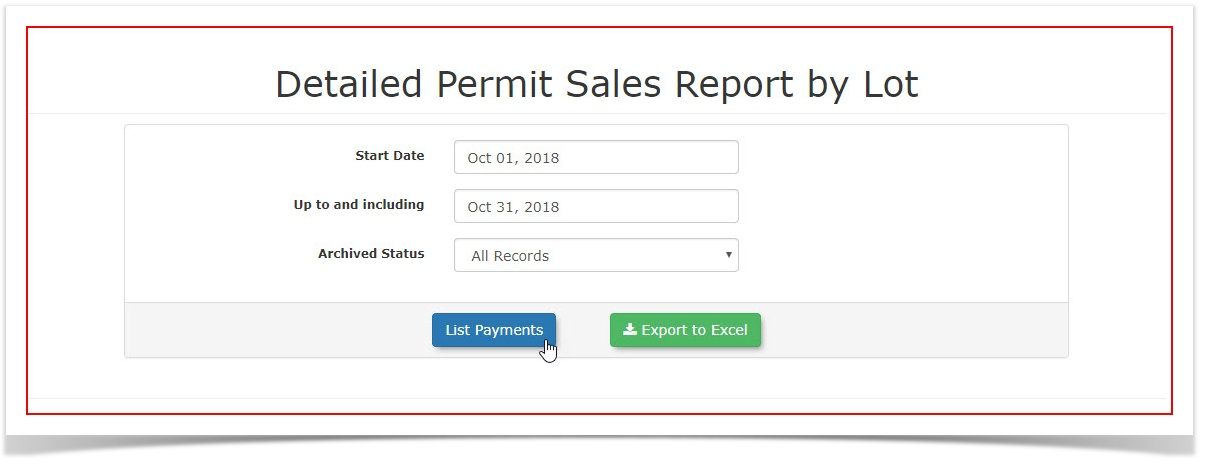
Enter the desired date range
youinwishthe search fields toreport on. In this example we are looking atdefine themonthreportingofperiod.October -
Click the List Payments
report.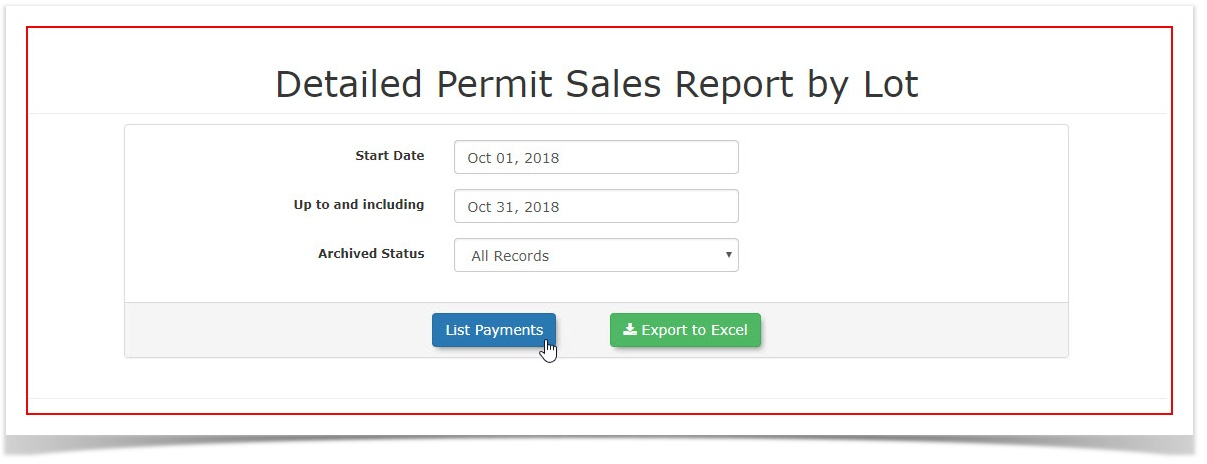
2018.Key Information Displayed
The
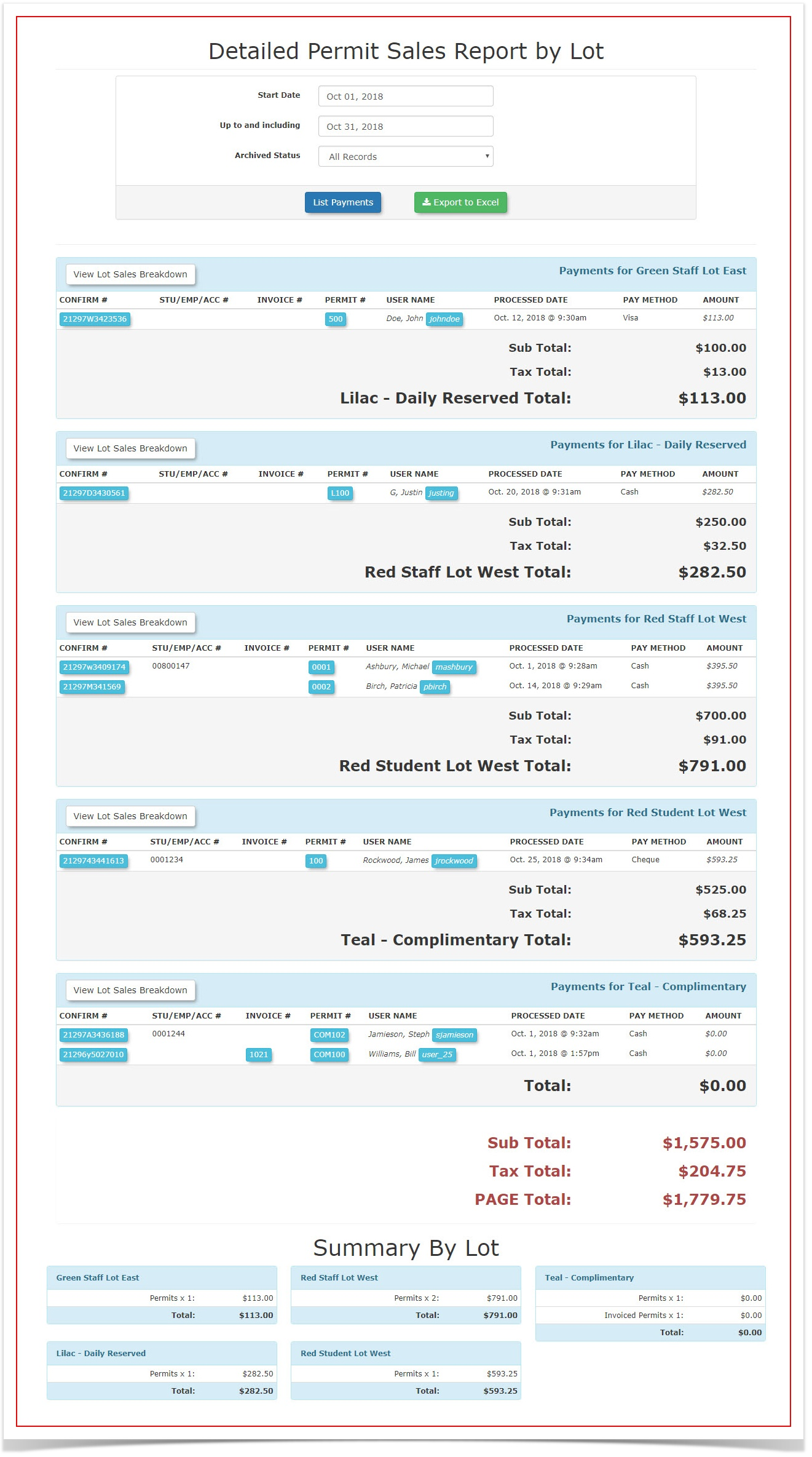
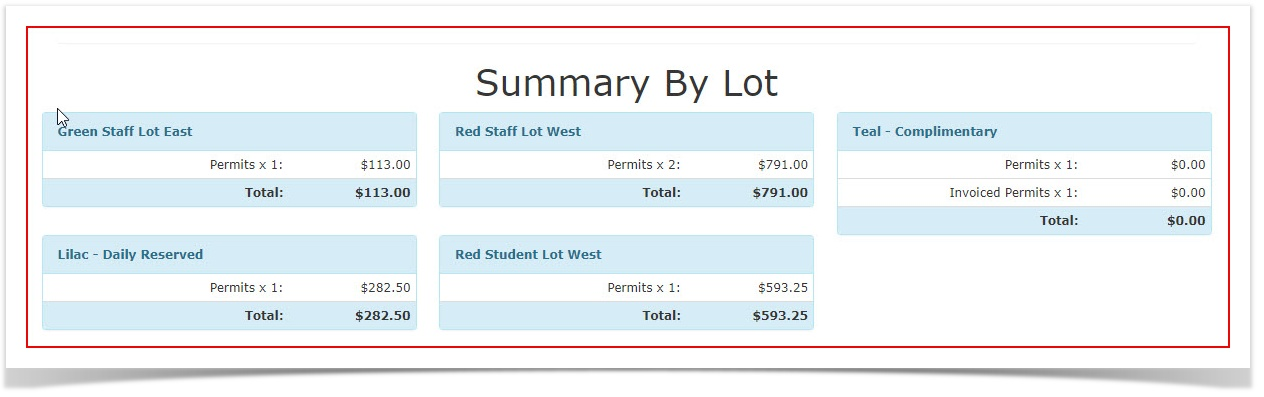
screenreportwilldisplaysrefreshdata in two primary sections to help balance granular detail withthehigh-levelreport listed below the search fields.The first section of the report is grouped by lot and displays the payment details for permits in each specific lot.The second section of the report shows a summary of all lots.
overviews:TherewillLot
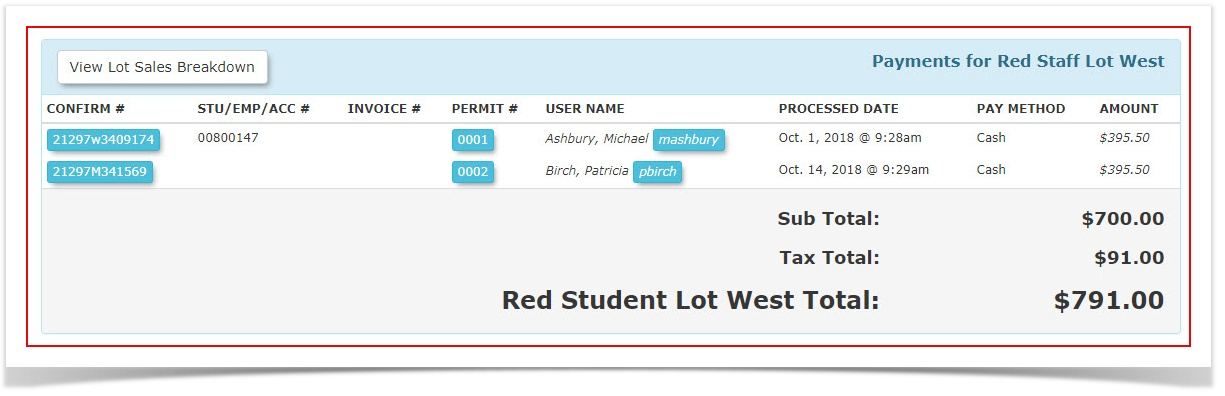
beSpecificonePaymentlineDetails:itemGroupsfortransactionseachbypermit included on an invoice.lot. If an invoiceis only for a single item, it will have a single line. If an invoice hascontains multiple permits,theneach permit is displayed as an individual line item to ensure accurate lot-level tracking.-
Summary by Lot: Located at the
report will display a line for each.
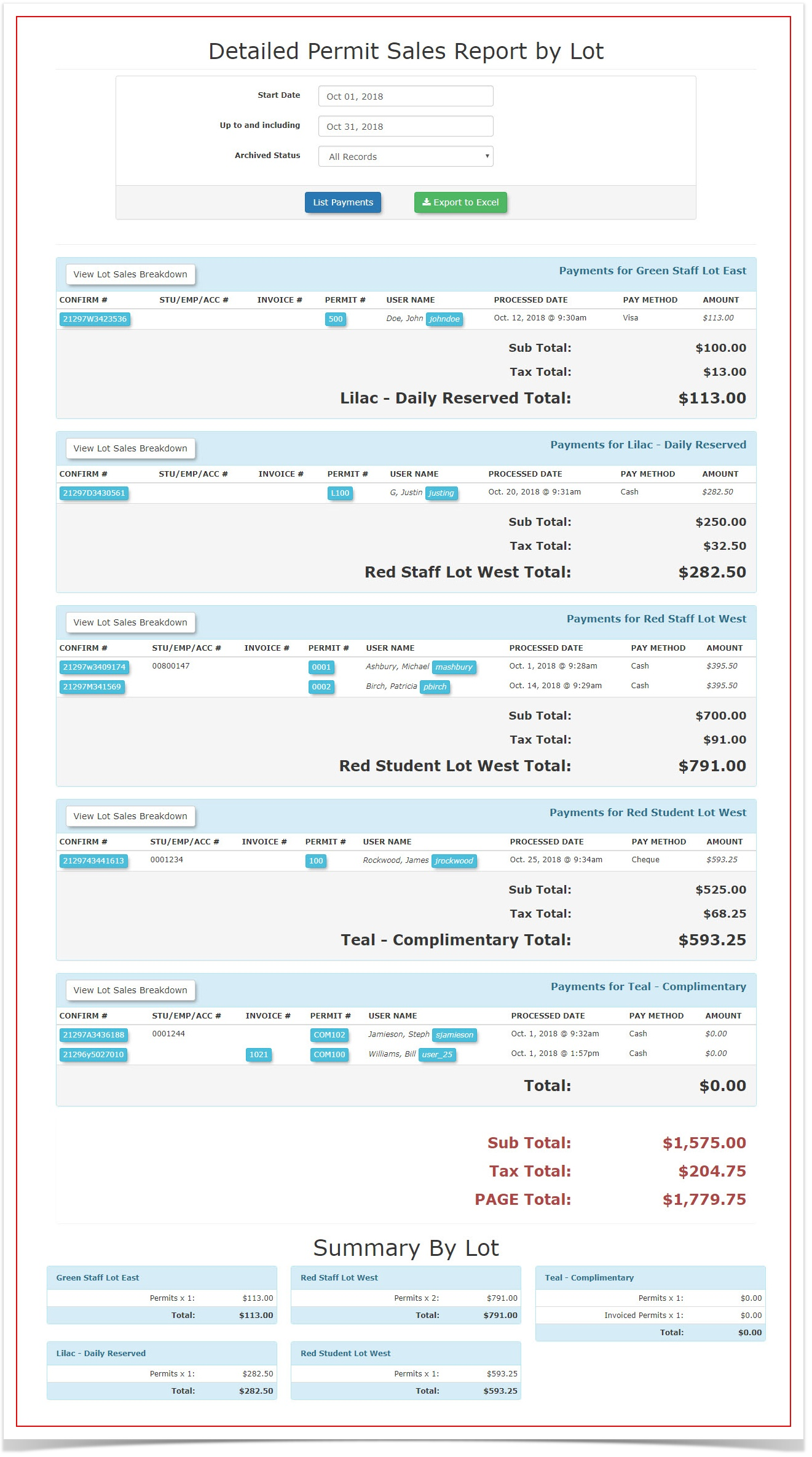
Here is a samplebottom of theinformation presented for each lot. Inreport, thiscasesectionwe are looking ataggregates thePayments for Red Staff Lot West.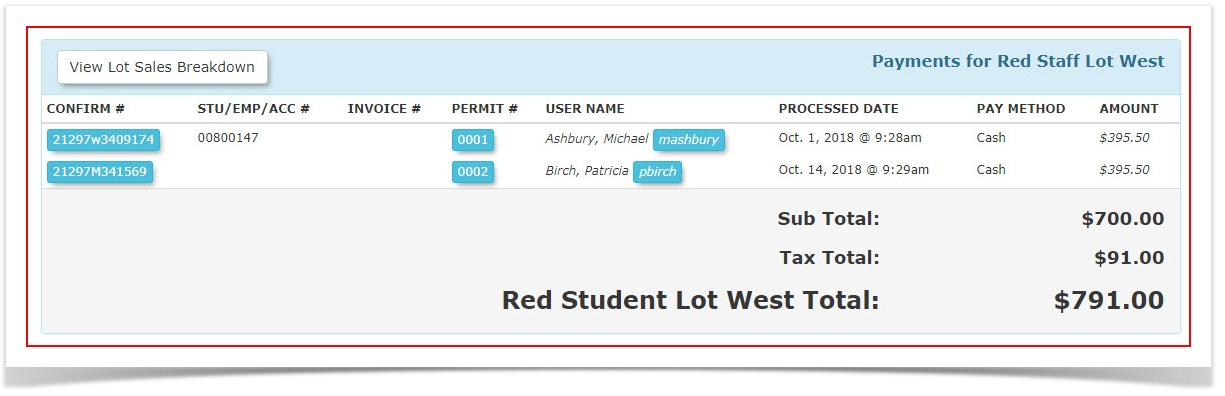
TheSummary by Lotsection appears as follows, listing each lot withtotal sales amounts for eachlot.
lot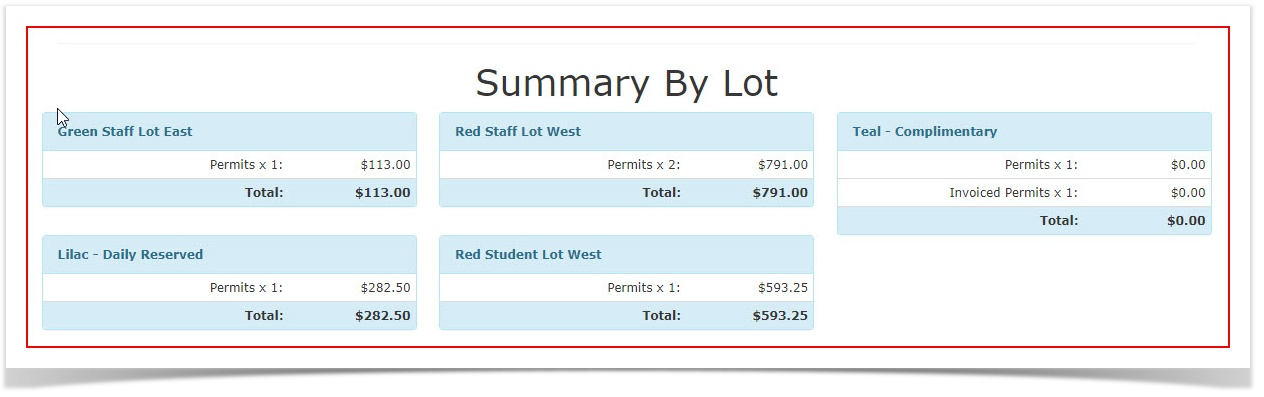
-
TheData Columns: Includes specific payment details, permit types, and invoice associations for every transaction.
-
Excel Export: Click the Excel icon (or Export to Excel button) to download the raw data. This is useful for performing complex summations or creating custom pivot tables outside of the OPS-COM environment.
-
Accurate Quantity Tracking: To determine the exact number of permits sold within a specific timeframe, export the report
cantoalsoExcelbeandexporteduse the Sum function on the permit line items. -
Invoice Transparency: Keep in mind that one line item represents one permit. If a user purchased three permits on a single invoice, they will appear as three separate lines in this report to
excel.ensureThetheexcellot-specific data remains accurate. -
Reconciliation: Use the Summary by Lot section as a quick reference to cross-check total revenue against your financial deposits for specific parking zones.
Available Actions
Best Practices & Considerations
This report looksis likethe this:
recommended
