
List Overdue Report
The List Overdue Report allows administrators to identify and track unpaid parking violations within a specific date range. Its primary purpose is to assist in the collection of outstanding fines by providing quick access to offender details and built-in bulk email capabilities. This article is intended for OPS-COM administrators.
Setup and Configuration
This feature is a standard reporting tool within the violations module and requires no specialized system setup to run. However, administrators must have the appropriate reporting and violations management permissions assigned to their user role to access this page.
To fully utilize the integrated emailing functions, ensure that your user profiles mandate valid email addresses during registration.
Using this Feature
Administrators can use this tool to search for overdue records, directly contact offenders, and export financial data for reconciliation.
Accessing and Generating the Report
-
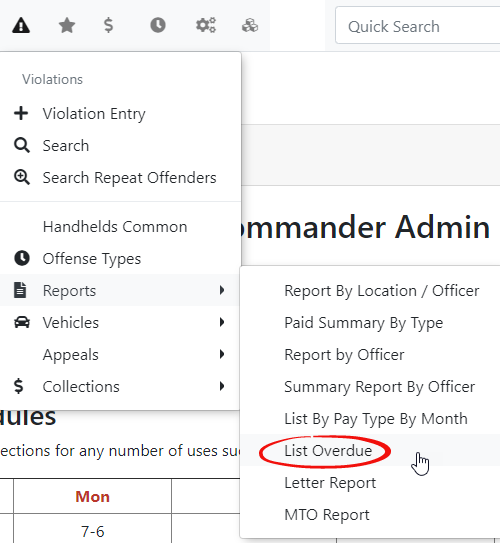
FromHovertheover ViolationsmenuandhoverclickoverandthenclickList Overdue. -
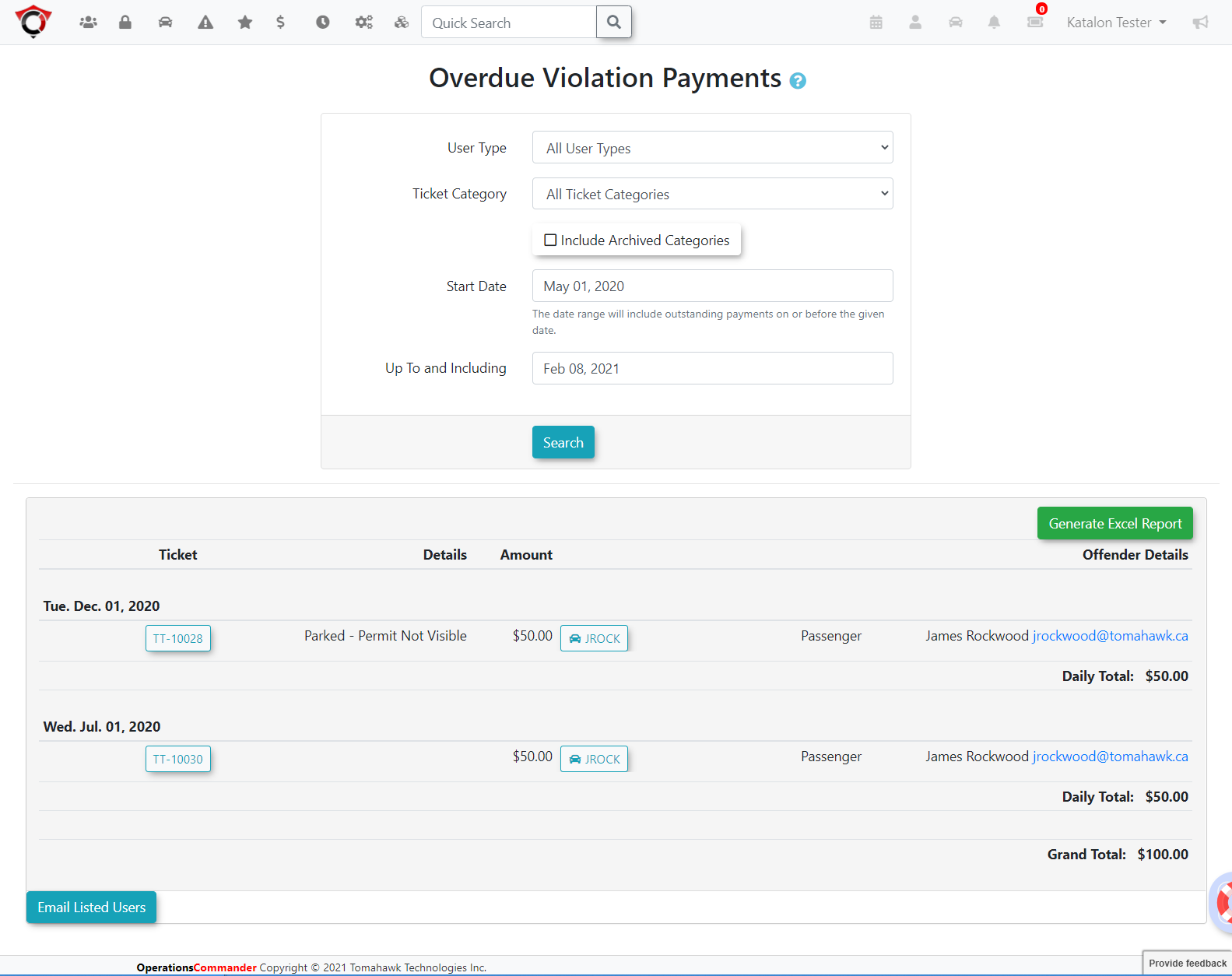
Enter your desired date range into the search criteria fields on the Overdue Violation Payments screen.
-
Click the List Overdue Records
menuitembutton toaccessgenerate theOverdue Violation Paymentsreport.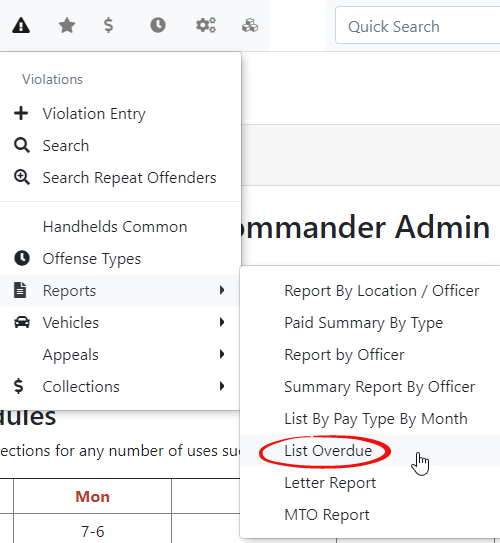
TheOverdue Violation Paymentsscreen is displayed.Enter your search criteria and clickList Overdue Records.In this case we are looking at violations betweenMay1st 2020andFebruary 8th 2021Thereportwill appearat the bottom of thescreenscreen.
Key Information Displayed
Once generated, the report provides a detailed table containing the following data points:
-
Violation Number: The unique, system-generated identifier for the ticket.
-
Details: Specific information regarding the nature and location of the offense.
-
Amount: The outstanding financial balance owed for the violation.
-
Offender Details: Identifying information for the user or vehicle associated with the
violationoverduenumber,ticket.details,
Available Actions and offenderButtons
-
User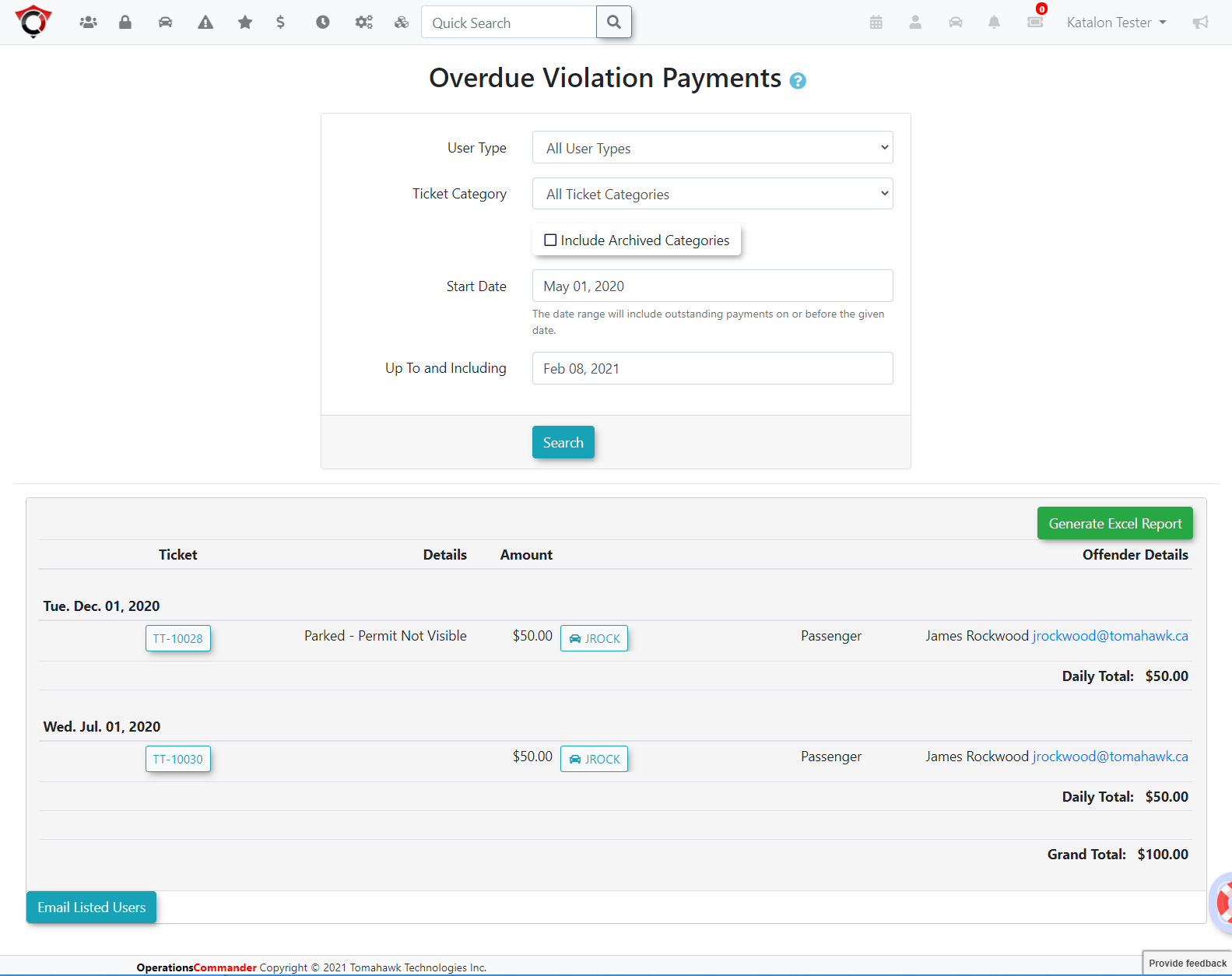
Address:EmailingEmailUsersYouClickcananclickindividualonuser'sthe userhyperlinked email addresstowithinemailtheusersreportdirectly relatedtable to send a direct message regarding their specific overdueviolations.Youviolation.can -
selectEmail Listed
UsersUsers: Click this button at the bottom of the report to automatically sendana mass email to all users currently displayed in your search results. -
Generate Excel Report:
toonClickthethisreport.buttonGeneratingcreate and download an ExcelReportdocument containing the on-screen data.
When you click an individual user's email address, the system will open your default email client (e.g., Outlook, Gmail) to compose the message, allowing you to manually tailor the communication to that specific offender.
Best Practices and Considerations
-
ClickVerify search results before bulk emailing: Organizations should establish a clear business rule regarding mass communications. Before clicking the Email Listed Users button, carefully review your date range and search results to ensure you are not accidentally contacting users whose violations are actively in the appeals process or pending manual payment clearance. -
Utilize exports for external collections: Use the Generate Excel Report function to
createexportandataexcelwhendocumentworking with external collections agencies or performing financial audits. This provides a clean, easily manipulated spreadsheet of all outstanding debts foryourtherecordsselectedortimeframe.further