Lot Value Report
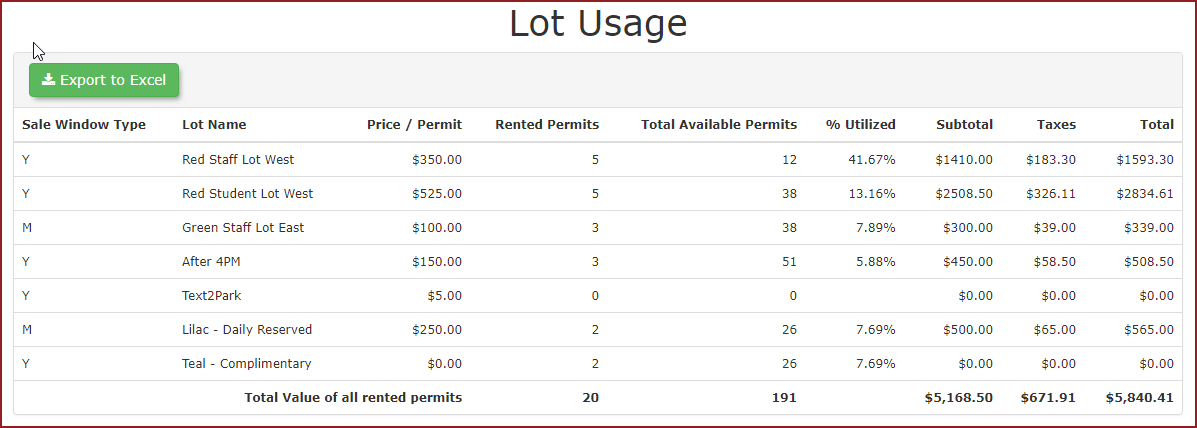
InThe Parking Management, click 'Reports' then 'Lot Value Report'. provides a real-time snapshot of permit utilization across all parking lots. This report helps OPSCOM administrators understand current lot occupancy and the total value of all active permits currently assigned to their facilities.
Using this Feature
The 'Lot Value Report displays data reflecting the exact moment the report is generated. Because it tracks currently active permits rather than historical sales transactions, the figures will fluctuate as permits expire or are issued.
To access and use this report:
-
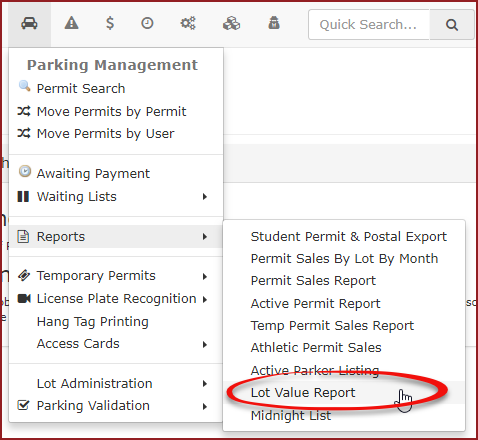
Hover over Permit Management, then over Reports, and click Lot Value Report.
-
Review the Lot Usage
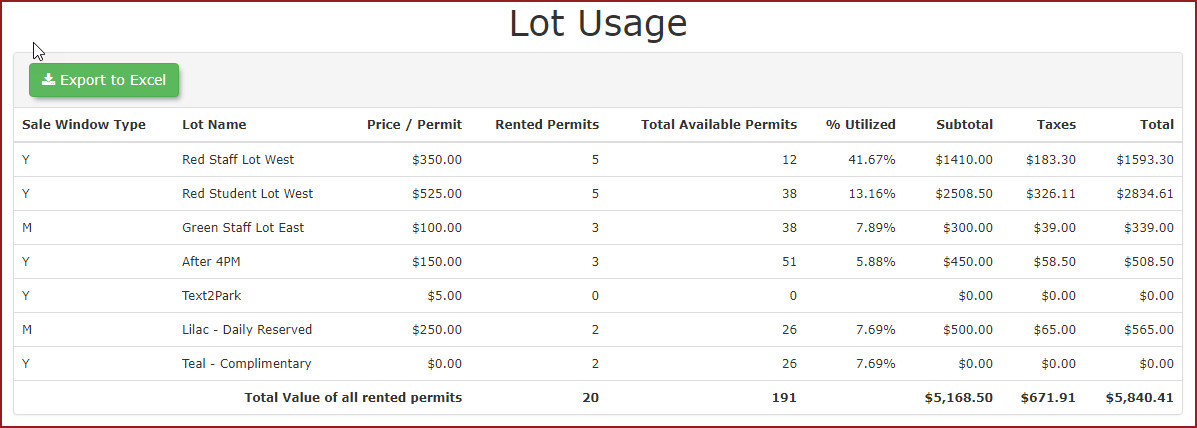
'screenwillwhichdisplay.displaysYouawillbreakdownseeof permit distribution. -
Click the Export to Excel button if you require the data for further manipulation or external reporting.
Key Information Displayed
-
Rented: The number of
Rentedpermits currently assigned to users within that lot. This includes all active permits, such as administrative, internal, complimentary, or temporary permits, regardless of whether a financial transaction occurred. -
Total Available: The maximum capacity or total number of permits
vsallocatedtheforTotalthatAvailablespecific lot. -
Utilization: The relationship between rented permits and total capacity, expressed as a
percentagepercentage.under -
Total Value: The
TotalcumulativeValuevalue oftheallrentedactive permits currently assigned to the lot.
Best Practices & Considerations
-
Understand that this is a snapshot-in-time report. Unlike sales reports that allow for selectable time periods, this report reflects current occupancy. It includes permits sold in prior months that are still active today.
-
Do not use this report for financial auditing of monthly sales. Because this report counts non-revenue permits (like internal or special access permits), the Rented count will
alsooften bedisplayed.higher than the totals found in revenue-specific reports. -
Use this report to answer capacity questions. This
reportiscanthealsoprimarybetoolexportedfor administrators toexcelanswerforthefurtherquestion: How many permits are currently assigned to this lot? -
Export data
manipulation.
regularly if you need to track utilization trends over time, as the system does not store historical "snapshots" of this specific utilization screen.