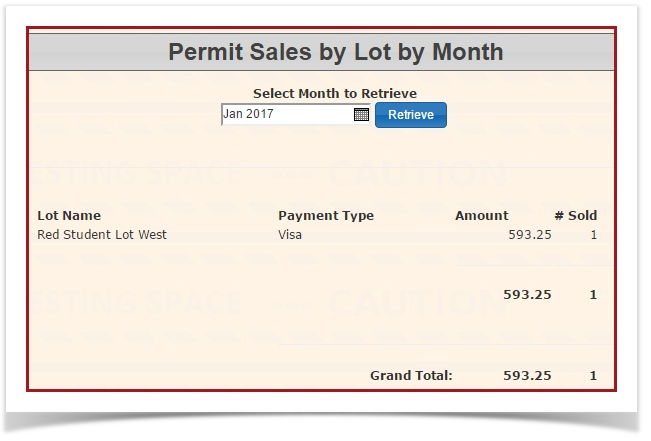
Permit Sales by Lot by Month
1. In Parking Management, hover over the 'Permit Management' icon and click 'Reports' then 'Permit Sales by Lot by Month'.

2. The 'Permit Sales by Lot by Month' screen will display. The current month will automatically be displayed, but you can choose the month you wish to report on. Use the drop-down menus to select the month and year and click the 'Retrieve' button to get the new report.
What does it do?
- When accessed, it displays a form allowing you to select a month and year.
- The report retrieves statistics about parking permit sales, grouping results by parking lot and further breaking them down by payment type.
- For each lot, it shows:
- Lot Name
- Payment Type (e.g., credit card, payroll deduction, etc.)
- Amount (total value of permits sold, formatted as currency)
- Sold (number of permits sold)
- The returned data is suitable for display in a table with options to copy, export as CSV/Excel/PDF, or print.