
Admin Portal Permit Purchase with Credit Card
The Admin Portal Permit Purchase with Credit Card process allows administrators to manually purchase and assign a parking permit on behalf of a user. Its primary purpose is to seamlessly facilitate over-the-phone or in-person permit sales while securely processing payments through your integrated payment provider. This article is intended for OPS-COM administrators.
Setup and Configuration
WeThere beginis byno goingspecific system configuration required to use this feature, provided your third-party payment provider and permit inventory are already established. Processing a permit purchase is a standard administrative action available to users with the appropriate user management and payment processing permissions enabled on their account profile.
Using this Feature
Administrators can navigate the assignment and checkout process for a permit using a credit card in just a few steps.
-
Navigate to the specific user's dashboard on the admin
portalportal.and -
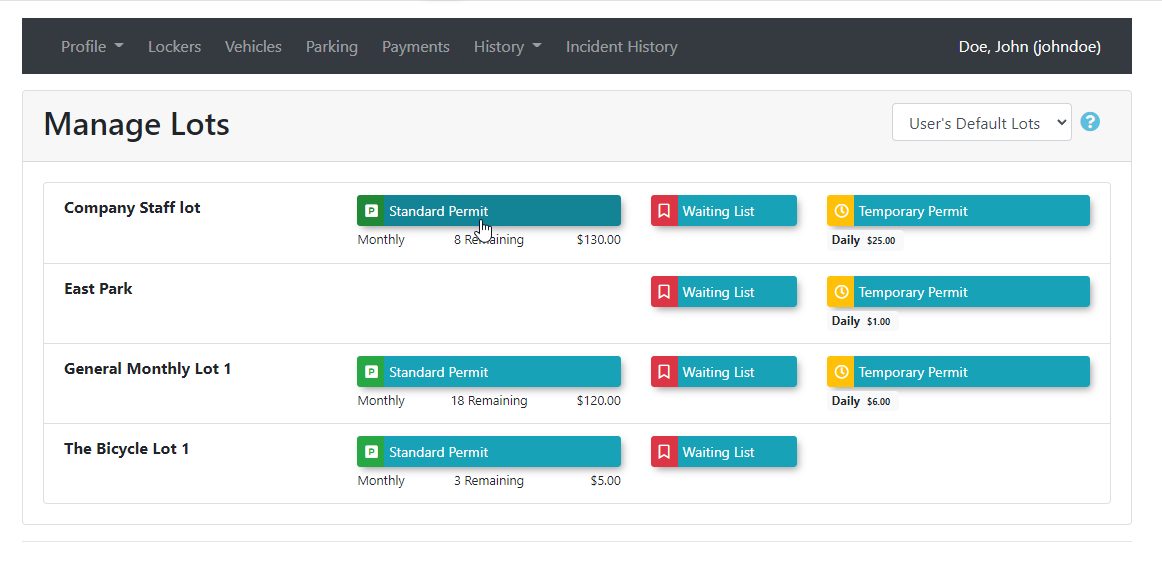
Click the Parking tab to
the Parking tab.In our example we are issuing and paying for a permit on behalf of user overbegin thephone.assignment process.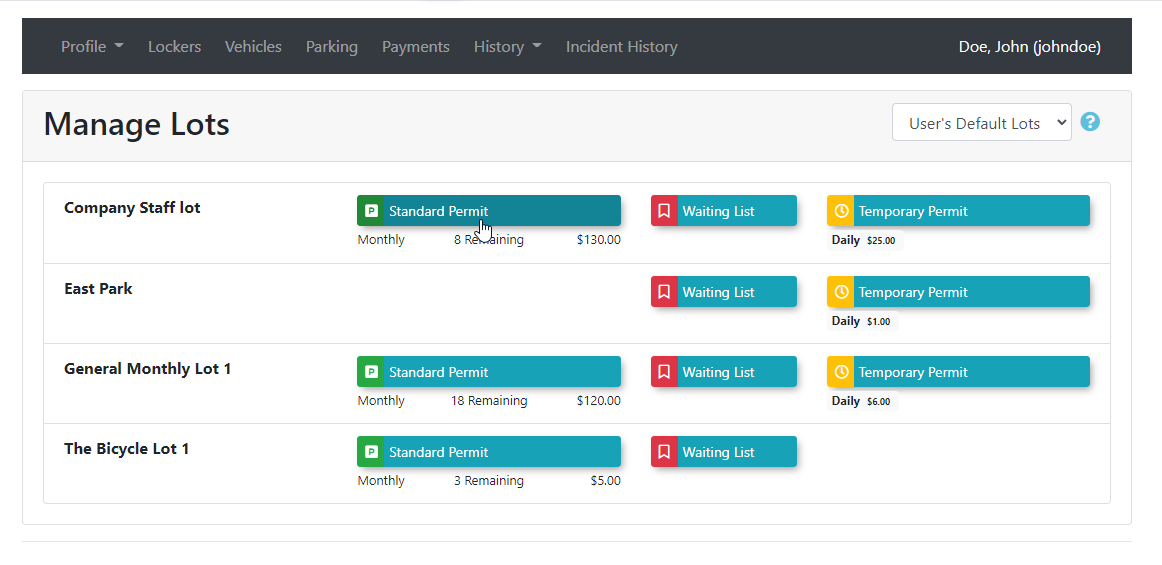
-
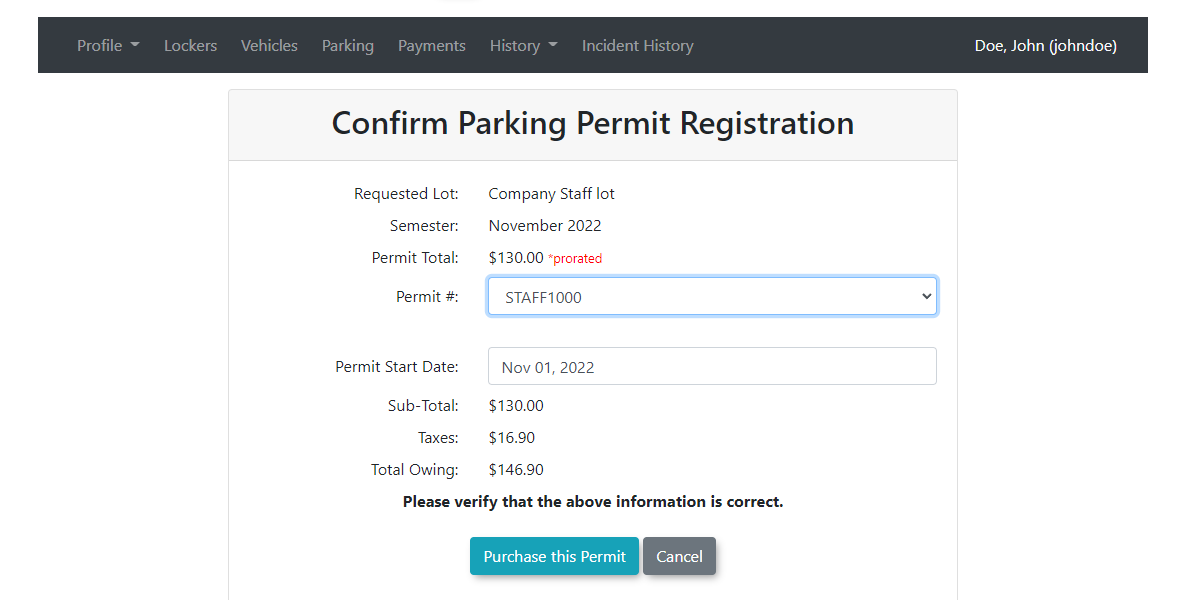
We then get taken to the Confirm Parking Permit Registration page where the admin can chooseChoose either the next permit available or select a specific permitnumber.Clicknumber on the Confirm Parking Permit Registration page. -
Click the Purchase this Permit
to Continue.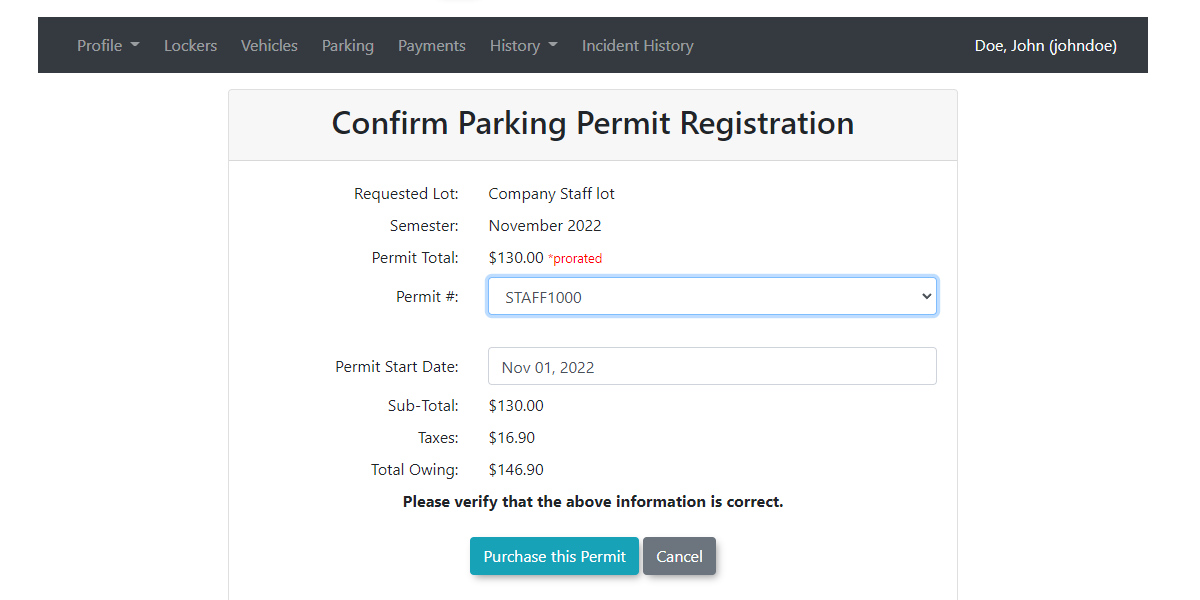
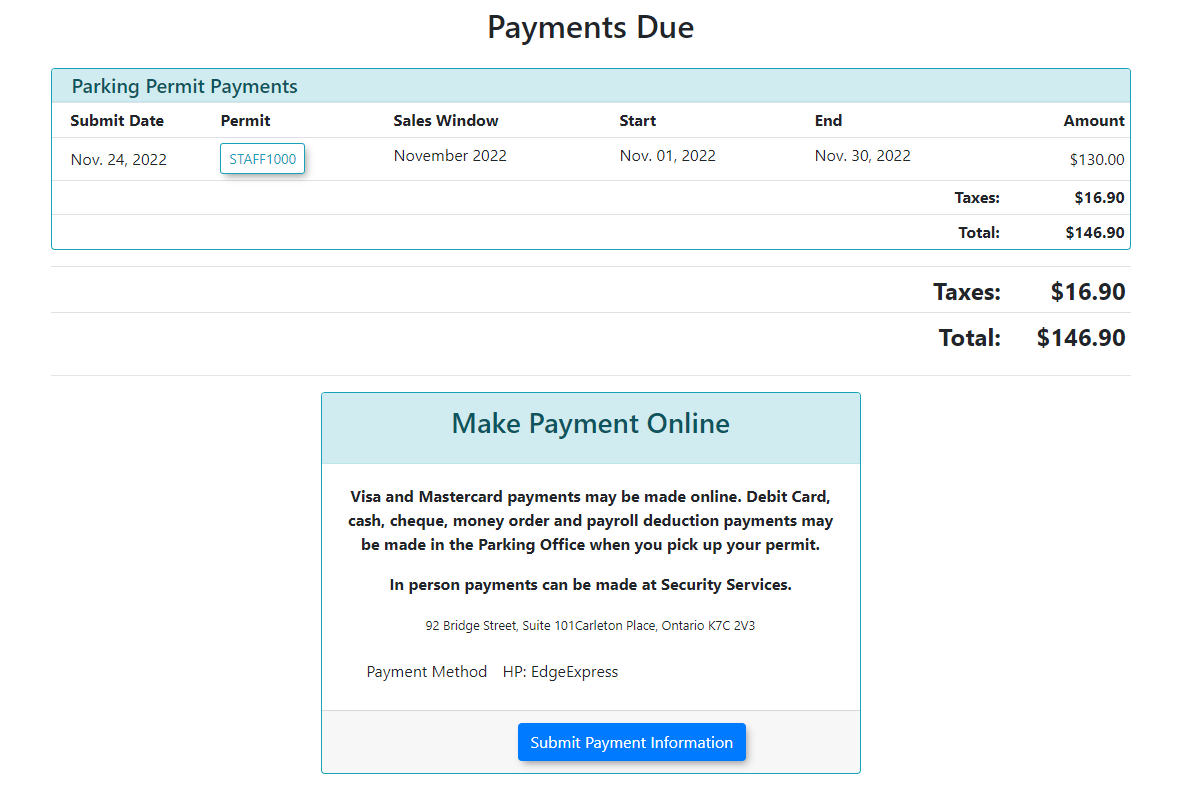
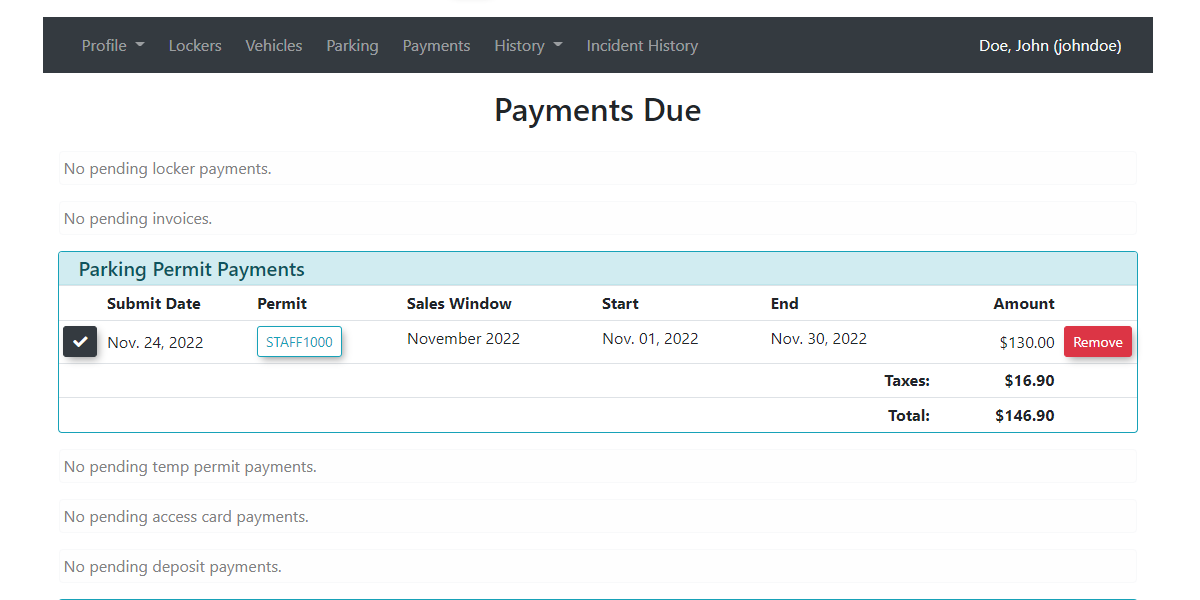
The Payments Due screen will open listing items that require payment.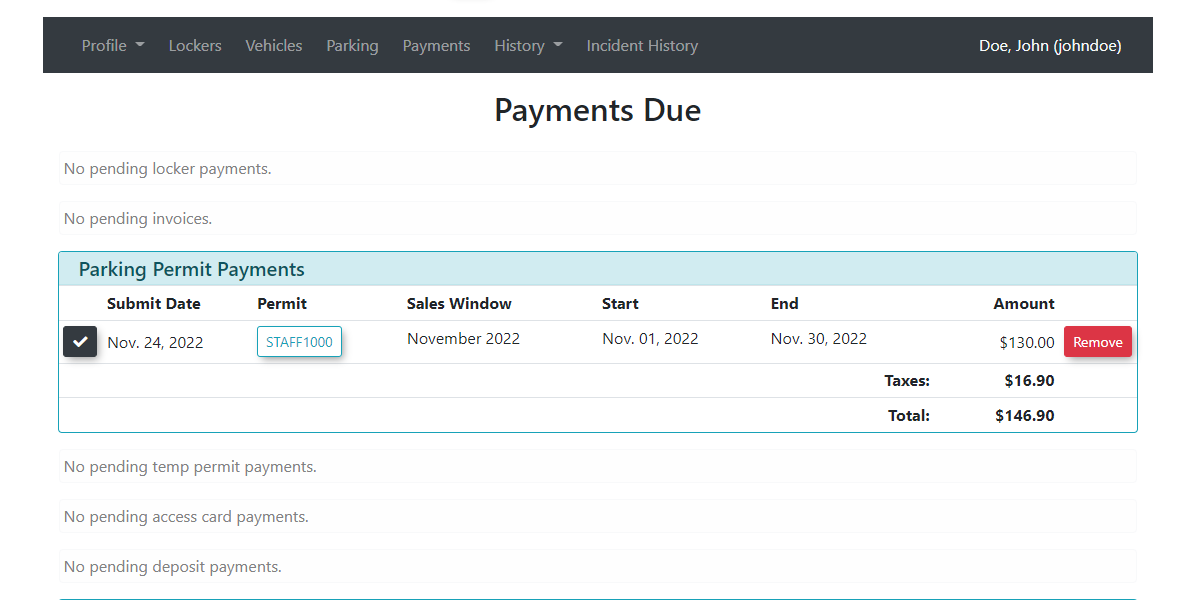
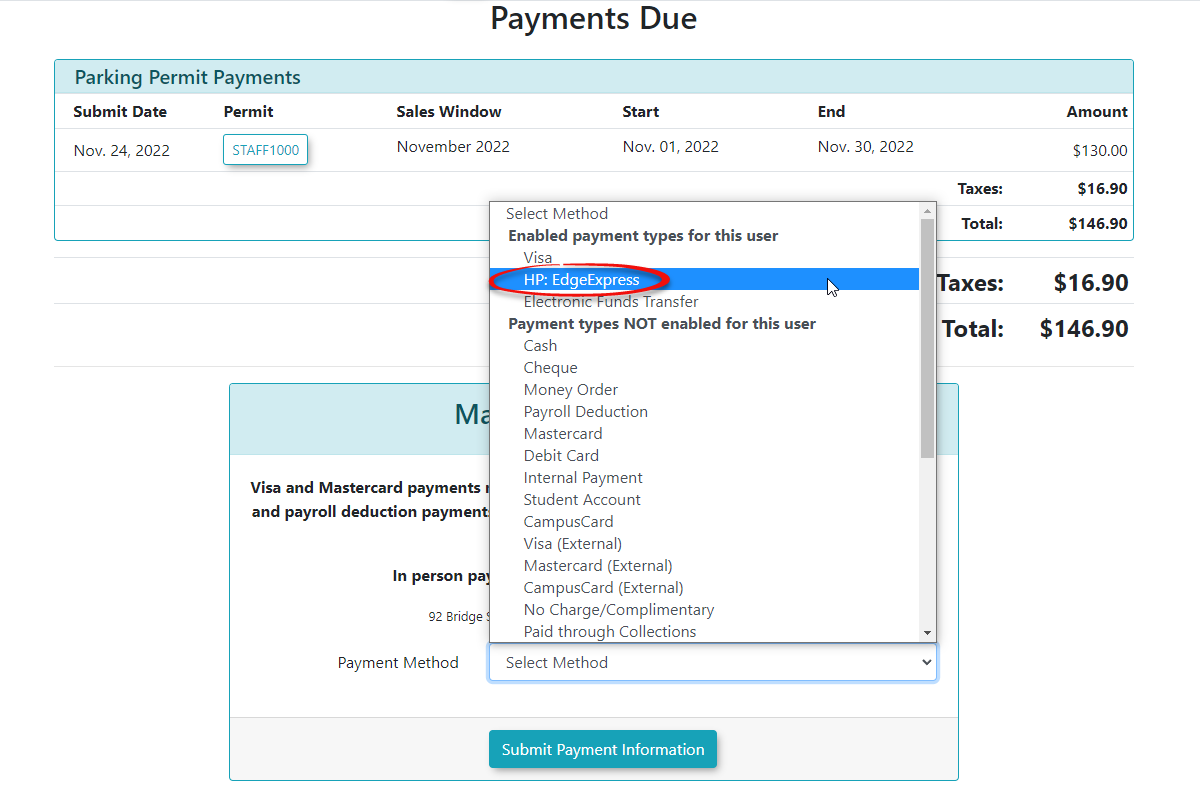
The Payment TypeFrom the payment Due screen the admin can choose a payment method to be used for this purchase. In our example we choose a payment provider.Click on Submit Payment Informationbutton to continue.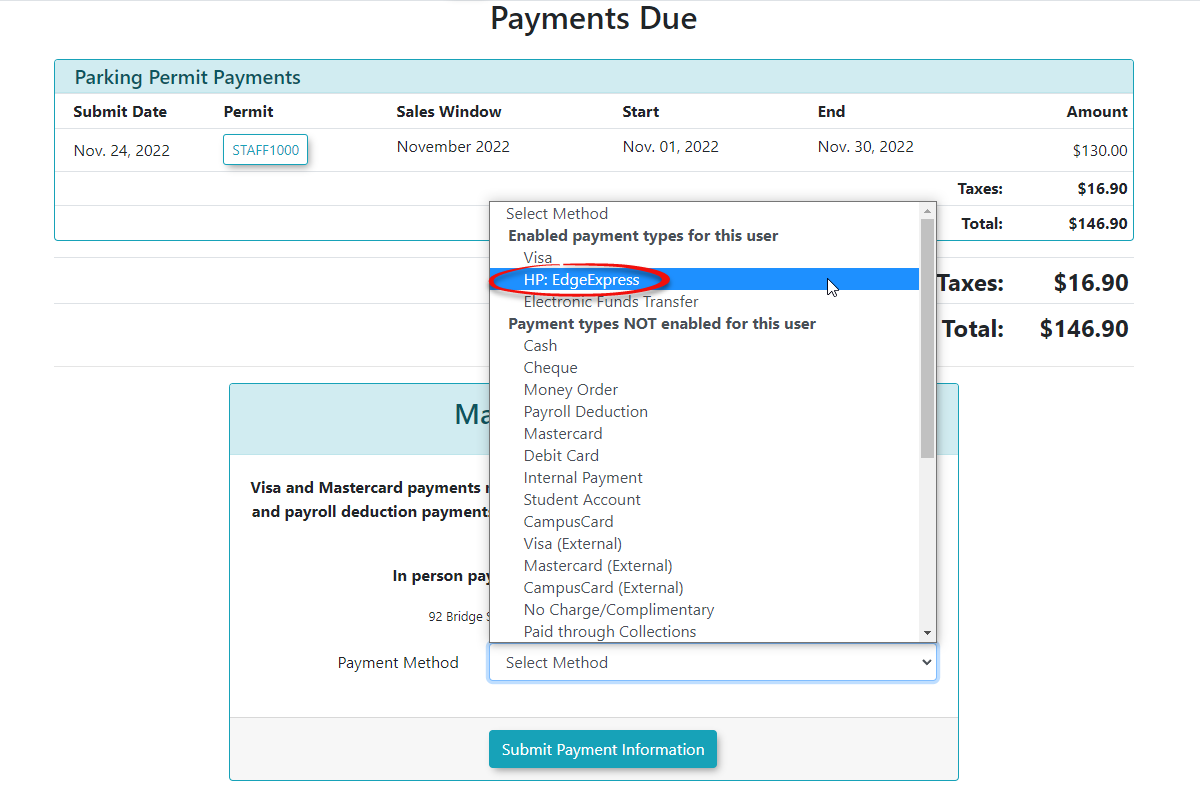
-
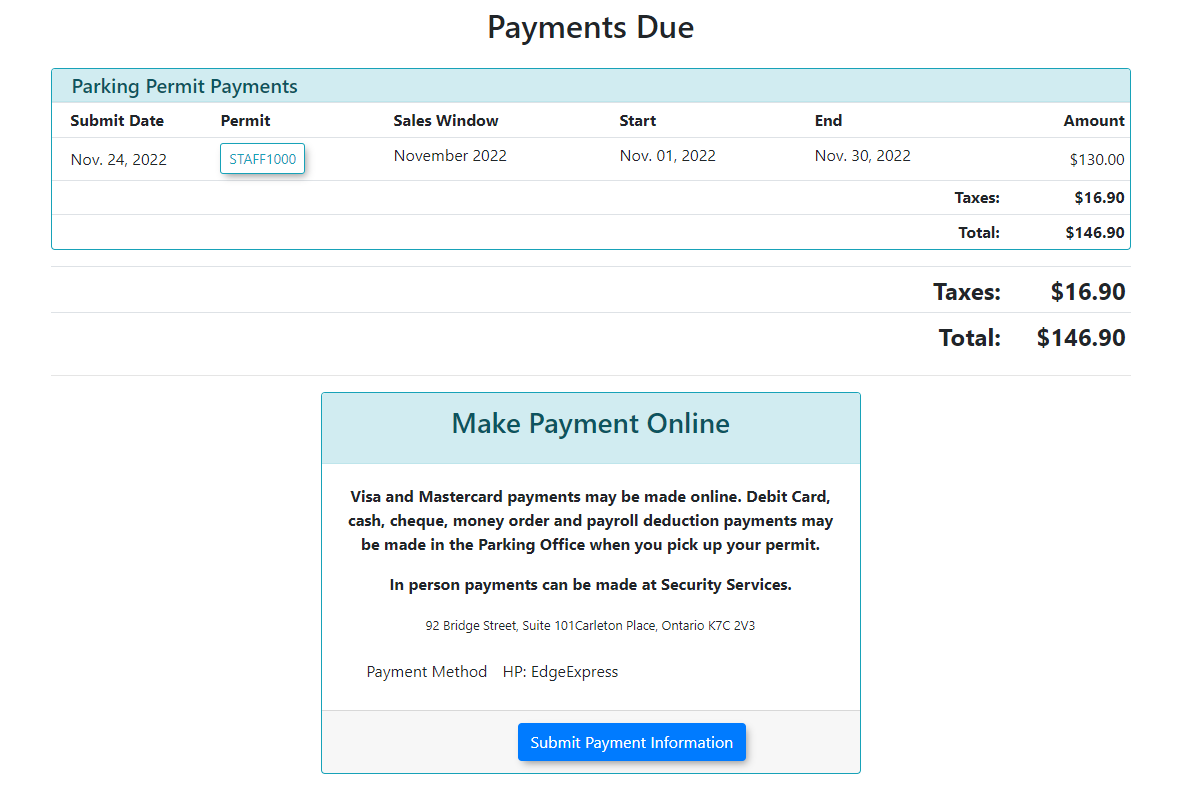
A confirmation Screen will appear listingReview thepaymentitemstype. Clicklisted on the Payments Due screen. -
Choose the appropriate credit card payment provider from the available payment methods.
-
Click the Submit Payment Information button.
-
Click the Submit Payment Information button again on the confirmation screen to proceed to the external payment gateway.
-
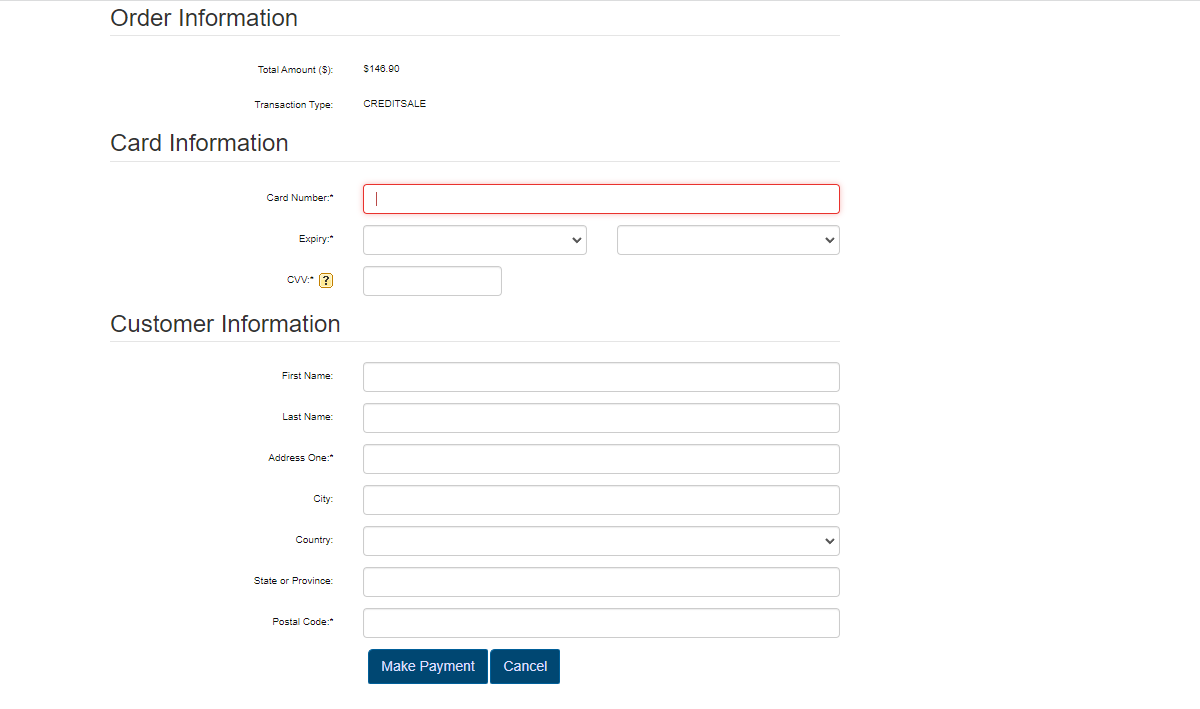
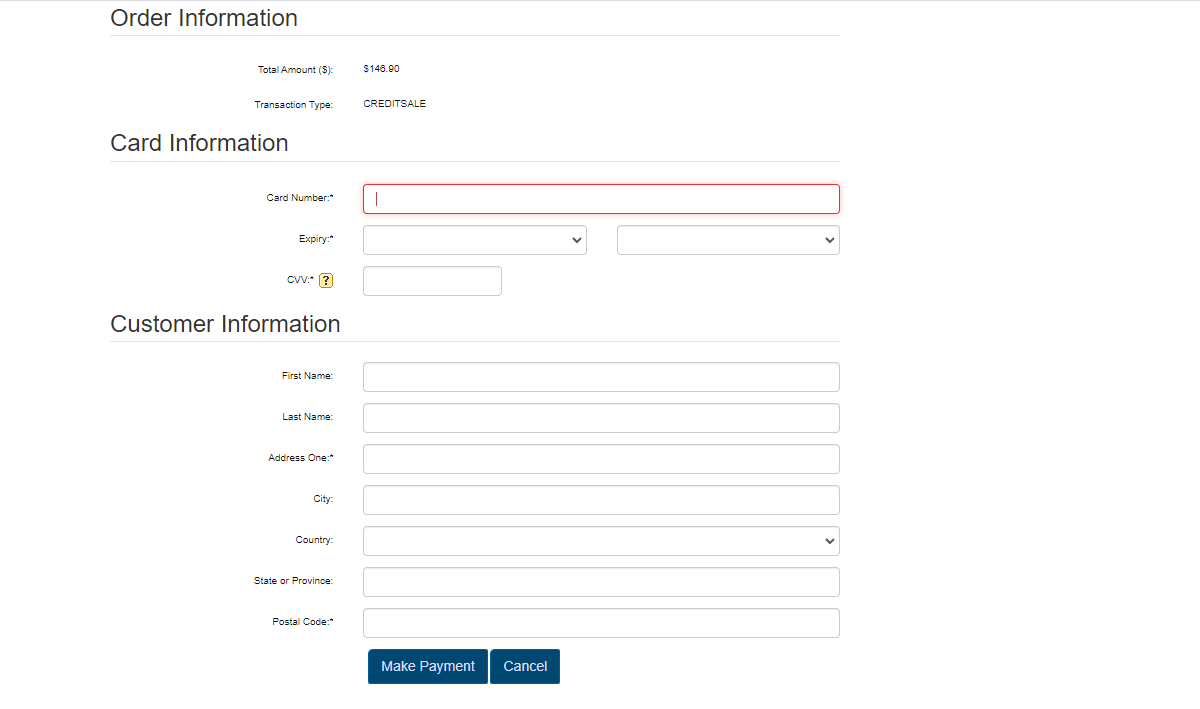
YouFillwill be directed toout the payment provider's inputform.formFill outwith theformcreditandcardclickdetails. -
Click the Make Payment button to complete the purchase.
Key Information Displayed
-
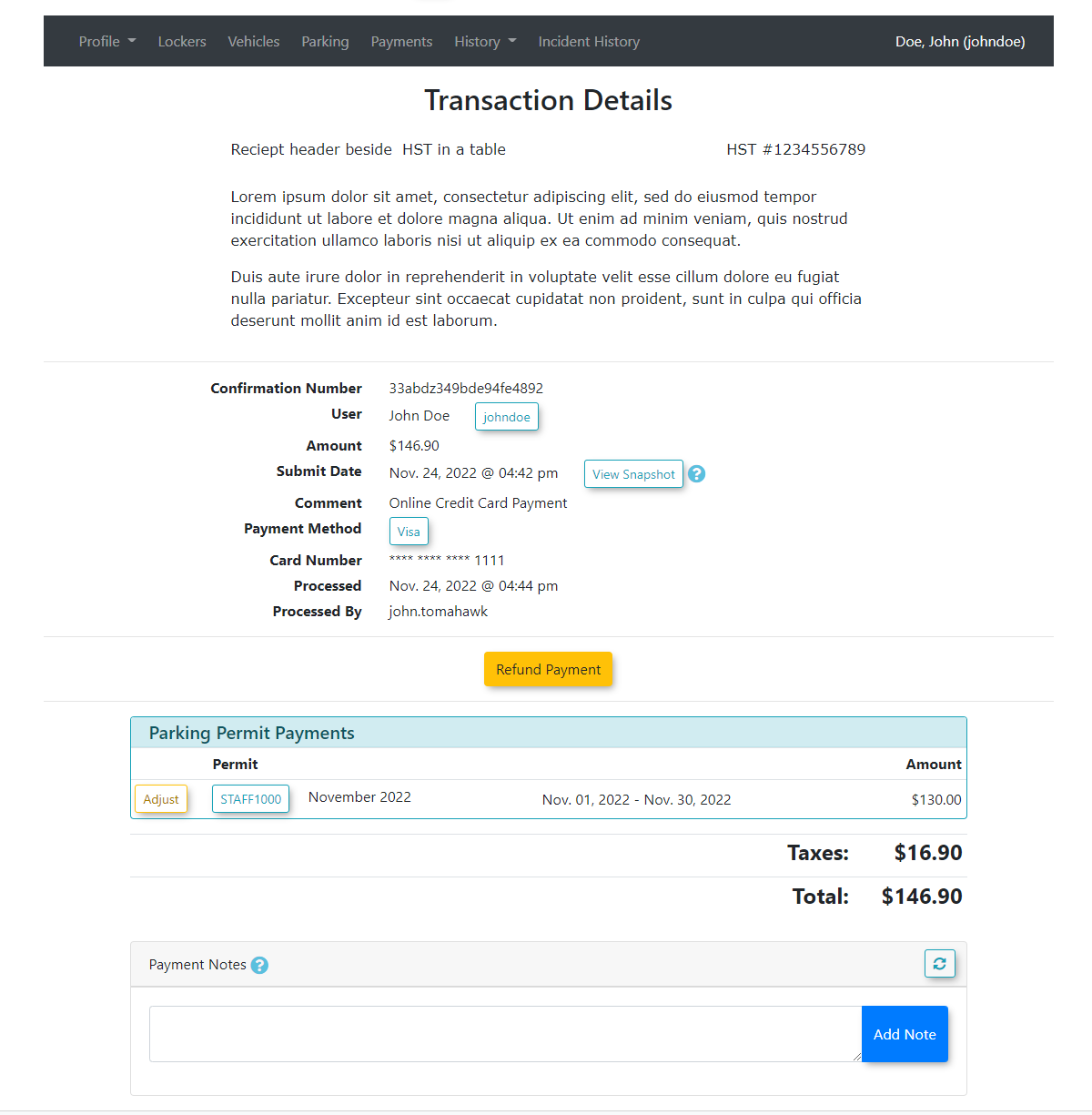
ATransaction Record: Once the payment is successfully processed, the screen will display a detailed transactionrecord will appear.record. Thisinformationincludes the unique confirmation number, which is permanently storedand can be accessed formin the user's payment historyor youand cansearchbeforeasilytheretrievedConfirmationusingNumber in varioussystem search tools.
Best Practices and Considerations
-
Verify User Profiles: Always verify you are processing the transaction on the correct user profile before proceeding to the payment gateway. Charging the wrong account can create administrative complications and require manual refunds.
-
Searchable Transactions: Encourage staff to provide the user with the generated confirmation number before ending the call, as this number can be used later to quickly locate the transaction if the user has any future inquiries.