Automatic Violation Notice
The Automatic Violation Notice Scriptscript sendsautomates Newthe delivery of new and Past Duepast-due violation notice emails to ParkAdminsystem users.
Forfeature ahelps LucidOPS-COM Chartadministrators Diagramstreamline See:the Technicalcollections Schematicprocess -by Stepensuring #1timely communication regarding outstanding citations, whether via email or printed letters. This article is intended for OPS-COM administrators responsible for managing violation notices, appeals, and collections.
OPSCOMSetup and Configuration
Administrators must configure the system settings and notice literature before the automated scripts can accurately process and send emails.
Configuring Notice Settings
-
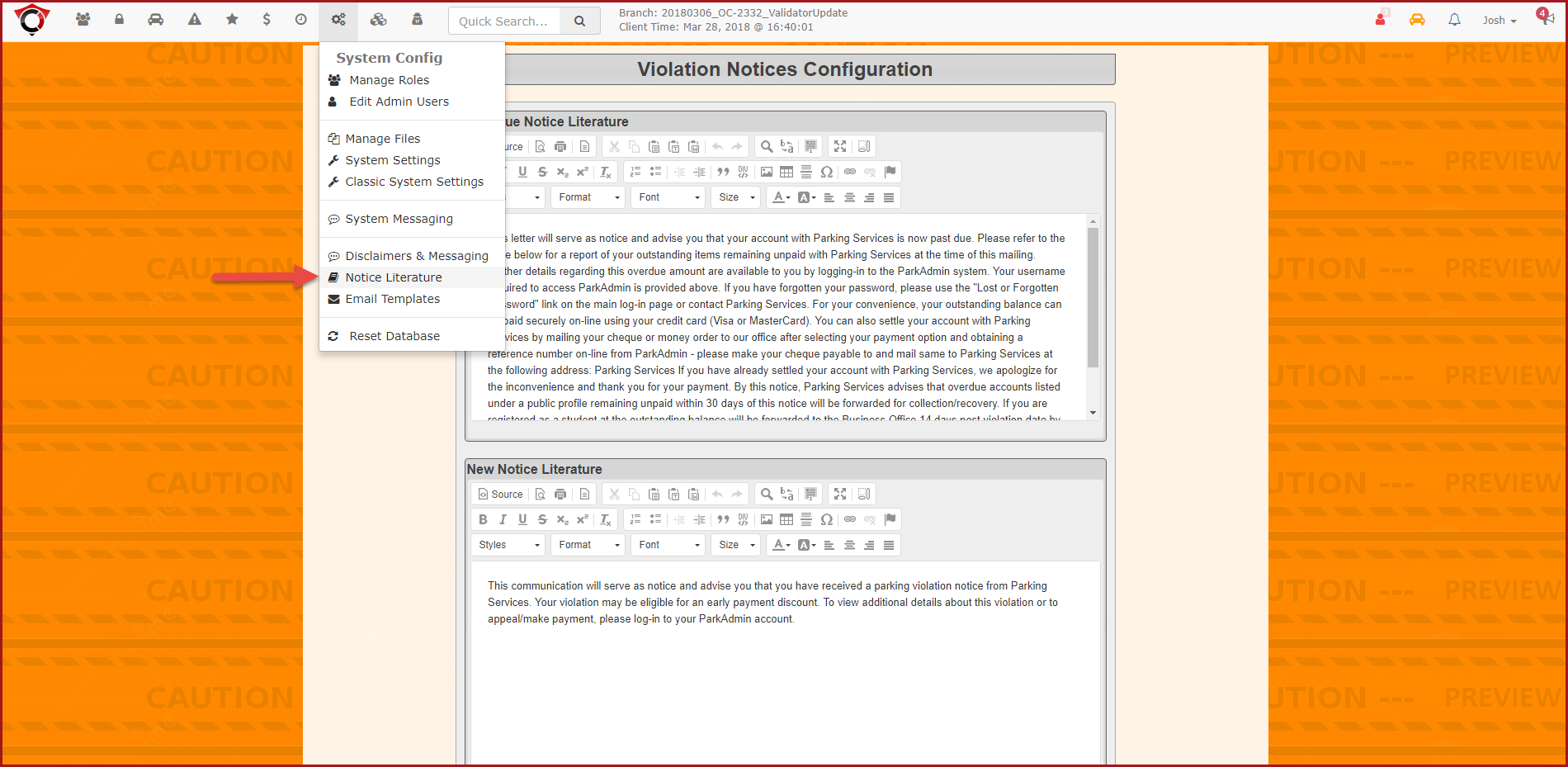
Hover over System Config and click Notice Literature to
beconfigureConfirmed:thetexttemplatesforyourNoticeHover
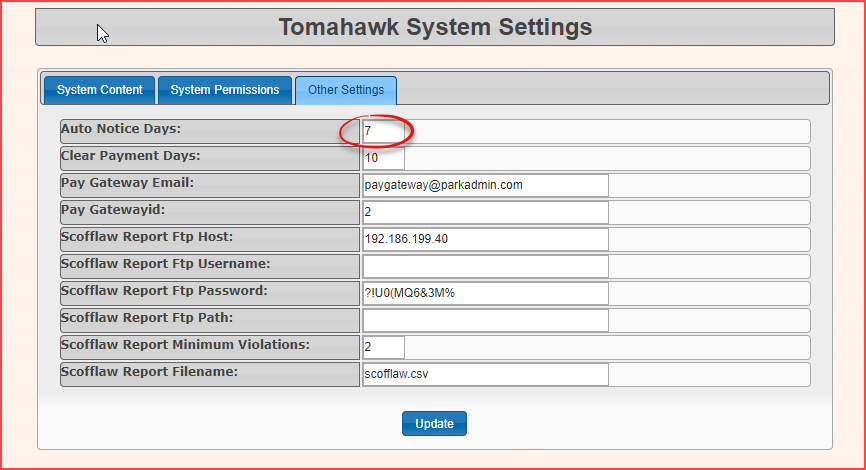
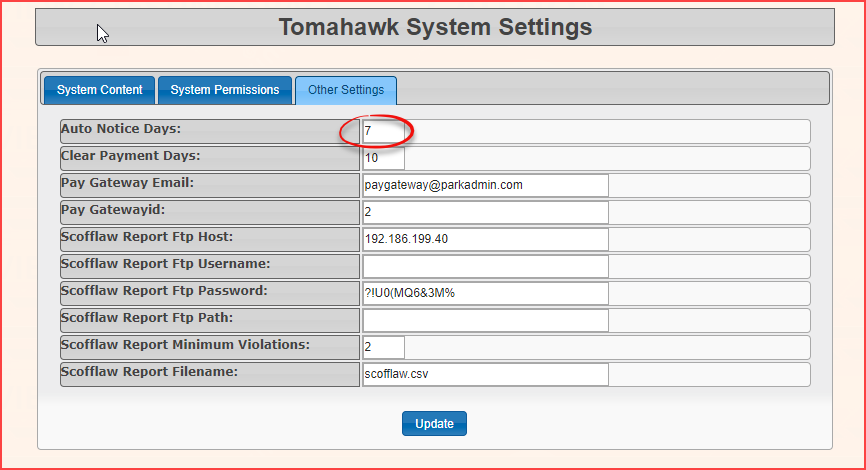
relatedoversettingsTomahawkareOptions and click System Settings to setundertheSystem Config >Auto NoticeLiterature:which Violationdictates the number of days untilduea violation issetconsideredin Tomahawk Options > System Settings:due.
Hover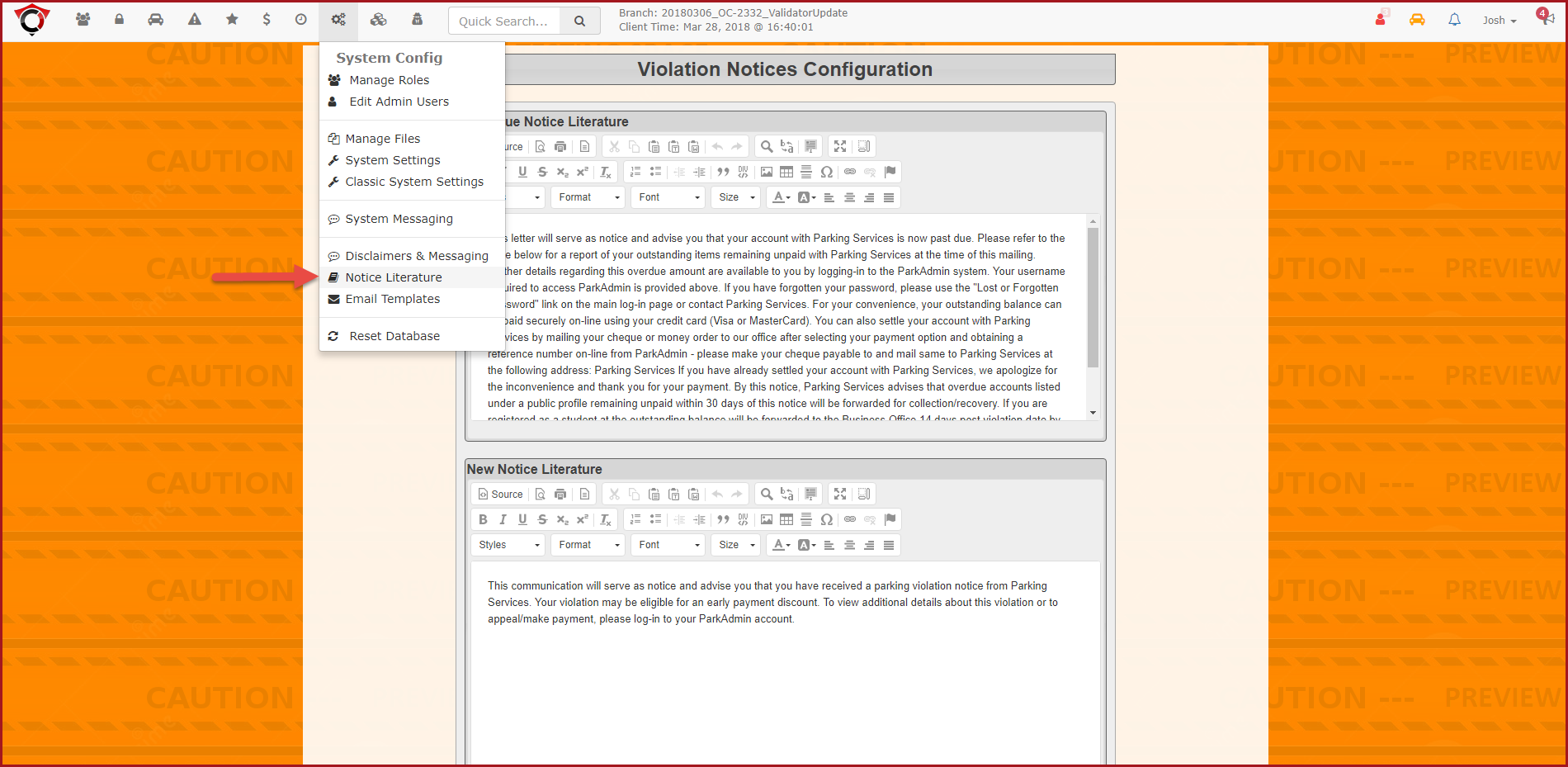
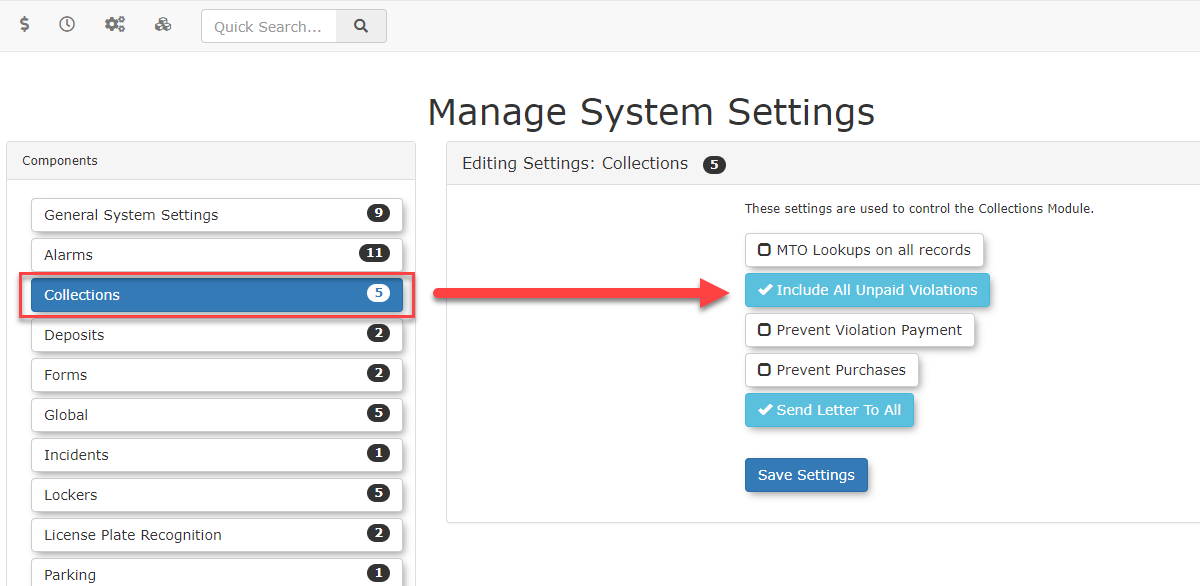
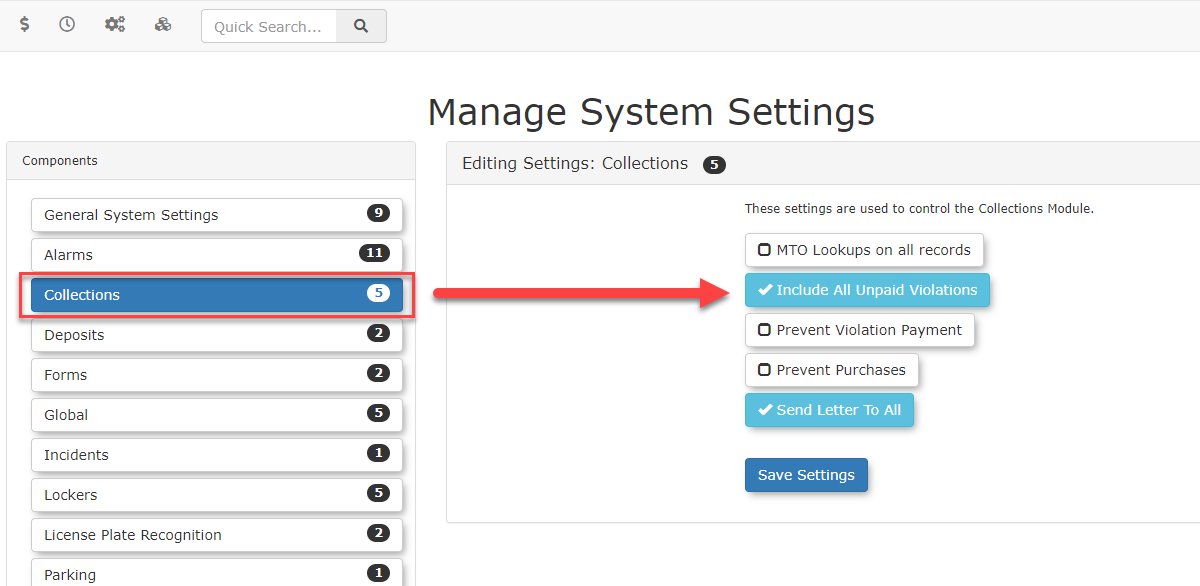
There are additional settings that will affect whether or not all unpaid violations will be added to the letter or if the selected violations will only be included when it comes time to create the letter report. These settings are found underover System Settings→and click Collections.→ -
Enable the Include All Unpaid
Violations.ViolationsAscheckboxmentioned this willto allowyouthe system toselectgroup all violations associated with a user into a single report.
Enabling the Include All Unpaid Violations checkbox means that selecting a single violation in the list andwill generate a report for all violations associated with that user. KeepThis in mind that means itaction will alsosubsequently remove theall of their associated violations from the pick-list on the Printable Violation Notice Report pagepage.
Configuring ifthe youNIC onlyLetter have(Ontario oneMTO)
For organizations processing a Notice of Impending Conviction (NIC) for Ontario courts, a specific letter format must be established.
-
Hover over System Messaging and click the
violationsMessagesselected.
tab. -
Notice/EmailUsing Summary:This Feature
InOnce totalconfigured, therethe areAutomatic 4Violation differentNotice script runs automatically. The primary administrative interaction involves reviewing system emails and managing physical letters for users who cannot be reached digitally.
Notice Email Summary
The system will automatically send four distinct types of emails that will be sent once the above is setup:emails:
-
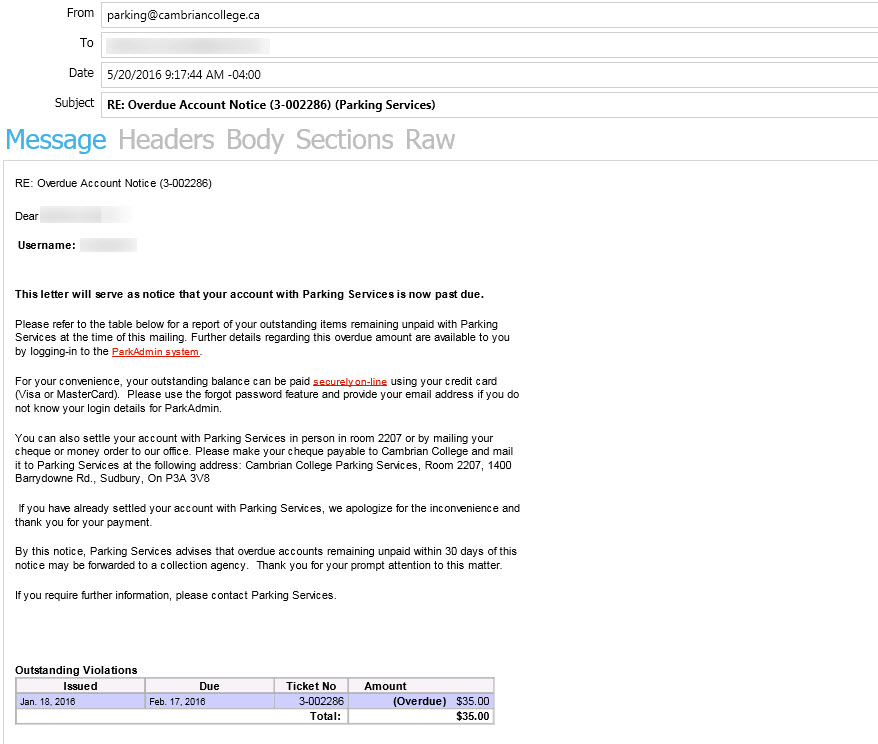
User overdue account
noticenotice:(letsInformsnormalstandard usersknowthat they haveaoneviolation(s)orpastmore past-duein OPSCOM).violations.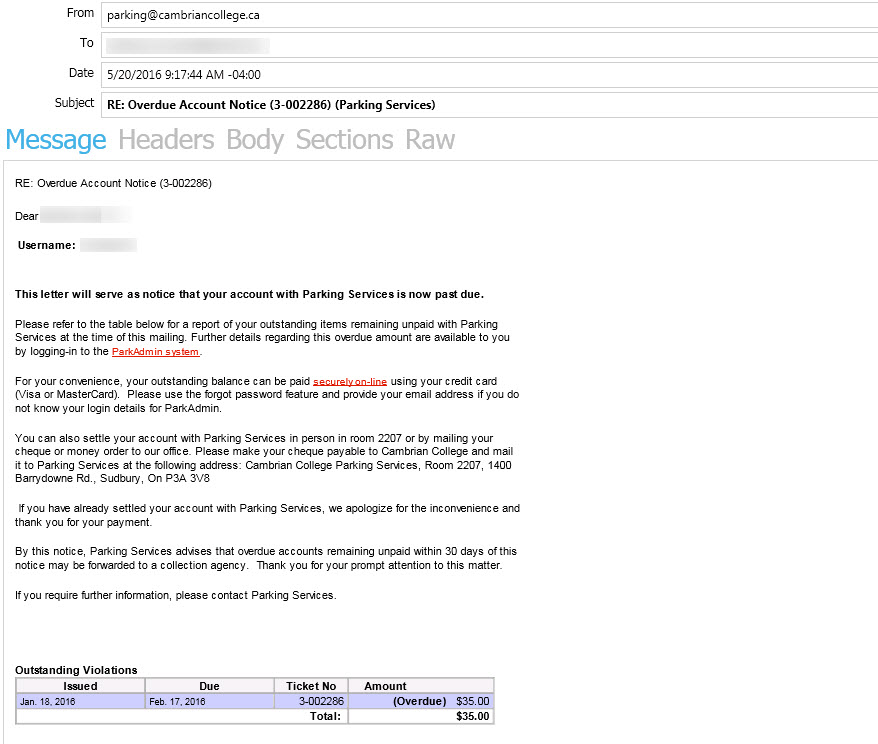
-
User new violation
noticenotice:(letsAlertsnormalausersuserknow they havethat a new violation was issued to themthe day of, *note: it seems this will NOT notify older violations once enabled, e.g. violationthatissame3 days old vs 1 day old, would only notify the 1 day old user since it's "new").day.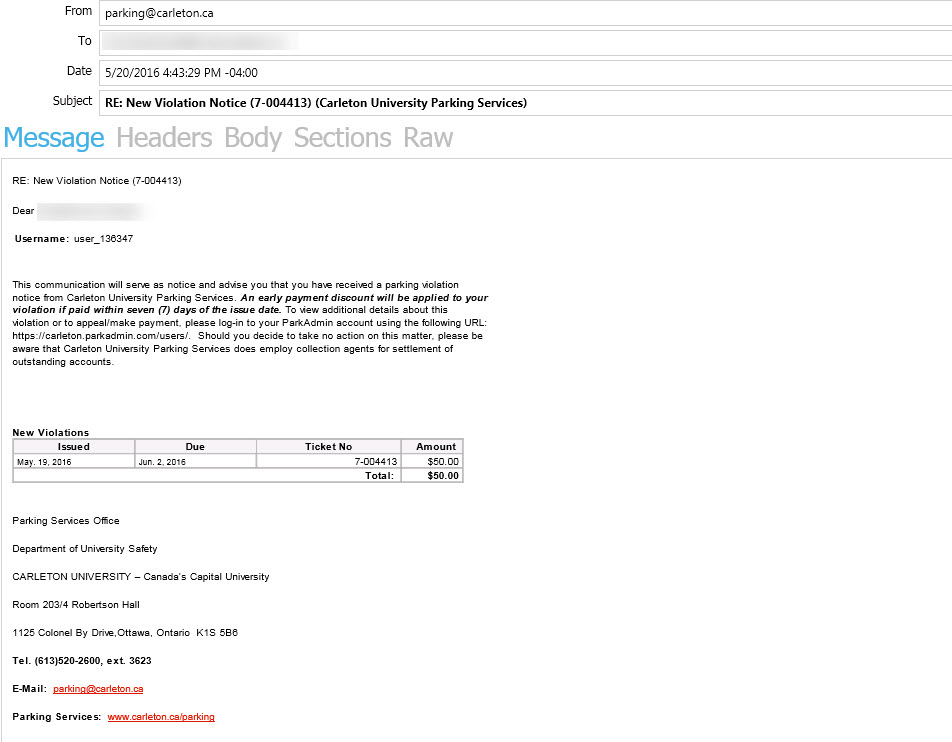
-
Admin new violation report
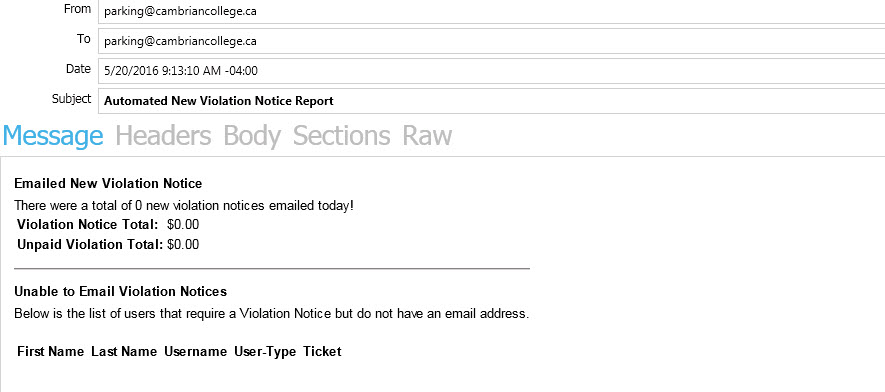
noticenotice:(emailsEmails theOPSCOMOPS-COM administratortellingwiththema summary of how many new violation emails weresent).sent to users.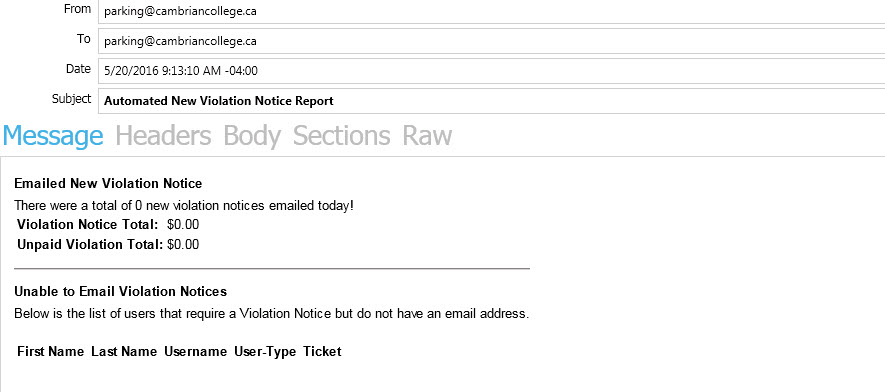
-
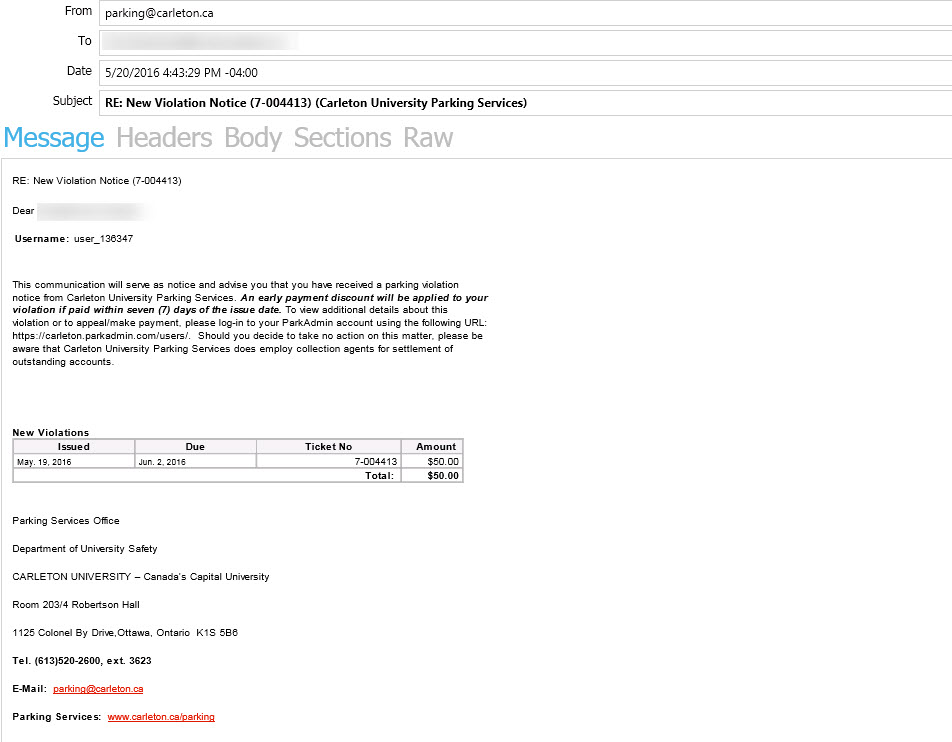
Admin past due violation report
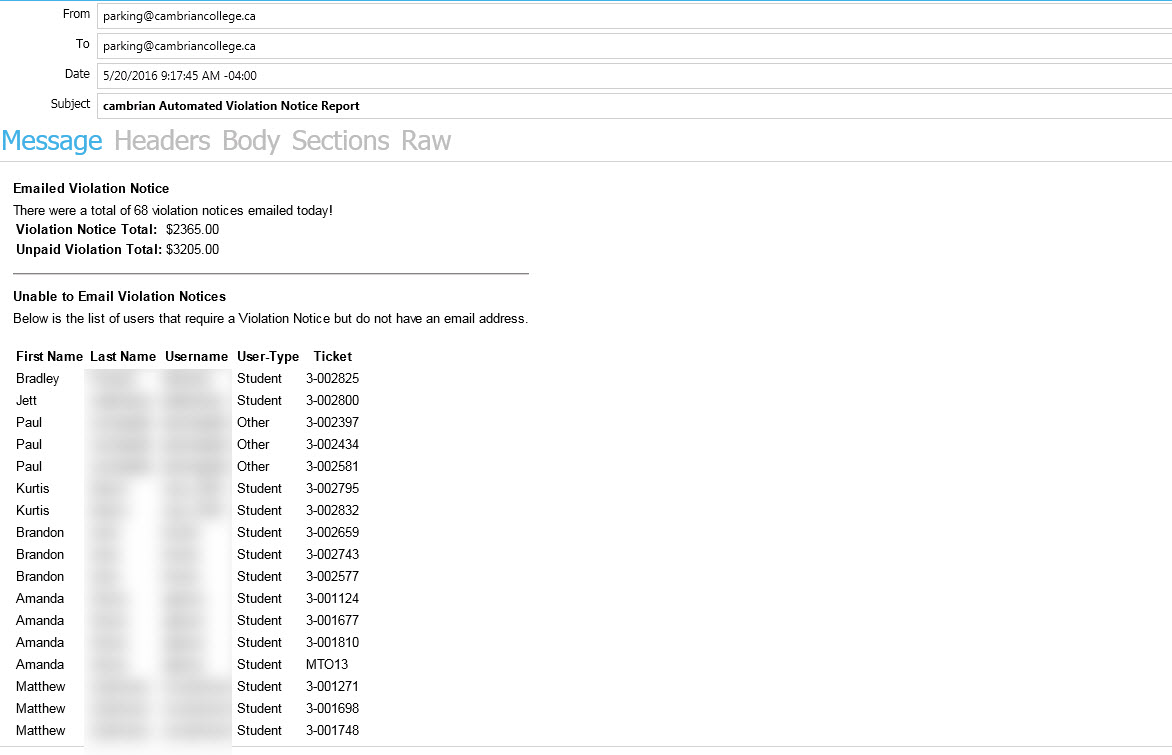
noticenotice:(emailsEmails theOPSCOMOPS-COM administratortelling themdetailing how manyuserspast-due emails wereemailedsent,pastanddue violation emails AND also how manylists userscouldn'twho could not be emailedbecauseduetheytodidn'tmissinghaveemail addresses.
Managing the Letter Report
Users without an email address inon the system. These usersfile are automatically added to the "letter report", more info below).
The NIC Letter
As part of the MTO process an admin can set up a Notice of Impending Conviction (NIC) letter that can be sent to users who have outstanding violations that will be collected through Ontario courts.To configure this letter go to System Messaging and edit the Notice Letter found in the Messages tab.
You can read more about Notice Letters/NIC on this page.
Letter Report:
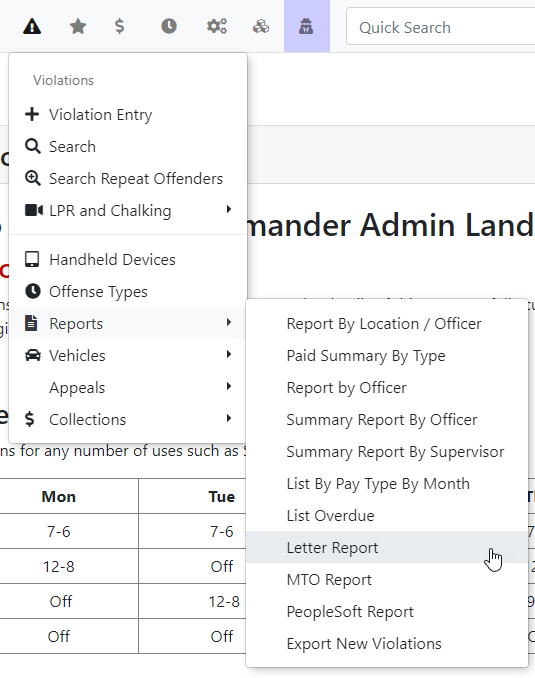
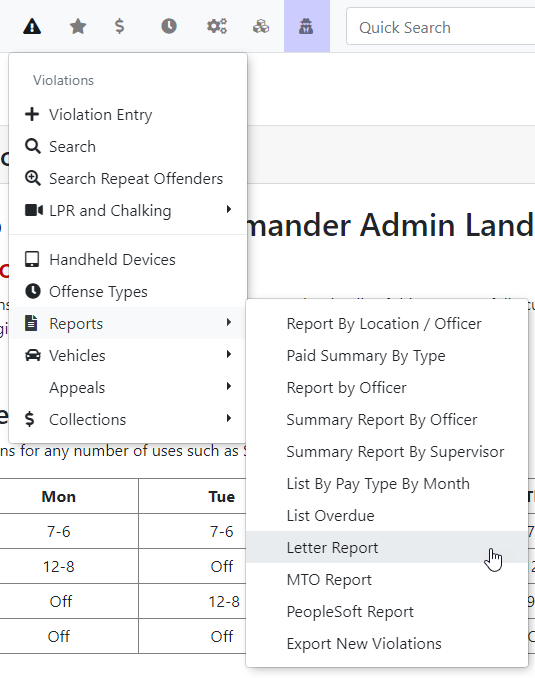
Users who couldn't be emailed their overdue violations are added to the letter report, which is accessible under Violations > Letter report on the OPSCOM Website. The letter report was created so that OPSCOM administrators can print and physically mail outtheir overdue violations if they so choose.
notices.
-
-
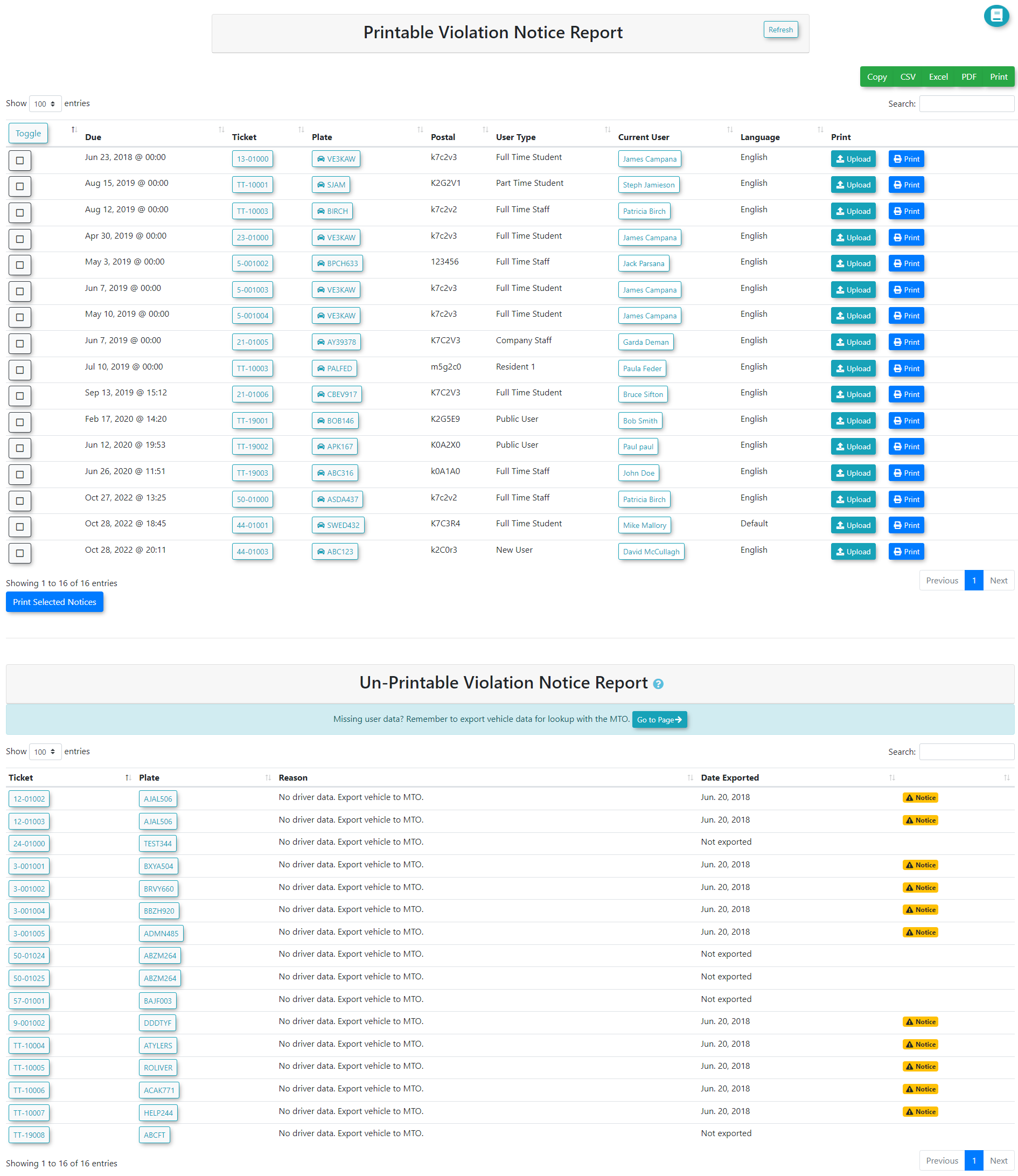
Note: When arriving at this pageReview the list of users. The resultscanwillfallbe divided into two categories:-
Printable Violation Notices: Notices ready to be printed and
Unprintable.mailed.The -
meansUnprintable: Notices that
therecannotisbe processed due to an incomplete or missing mailing address.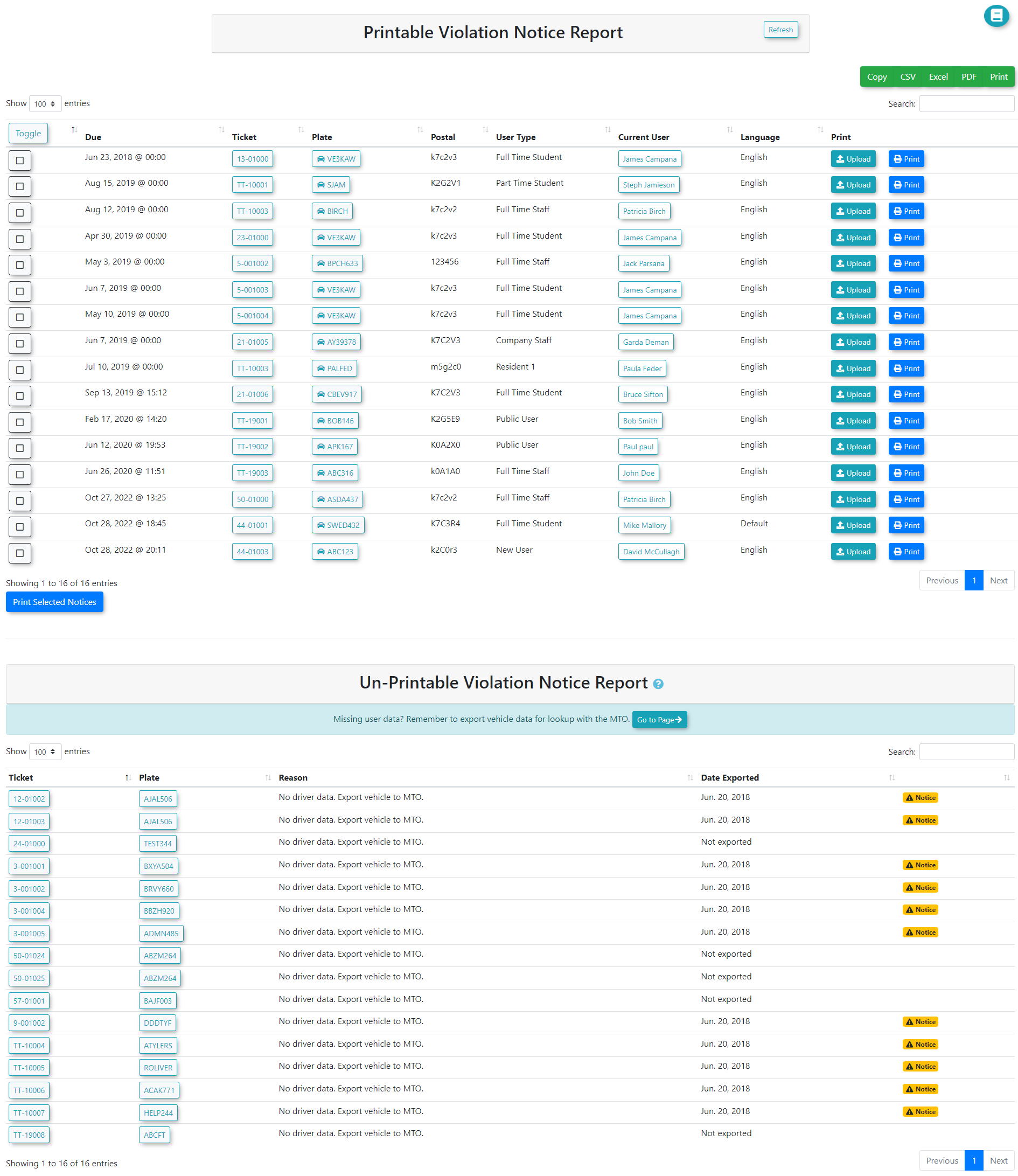
Unprintable -
Resending a NIC Letter
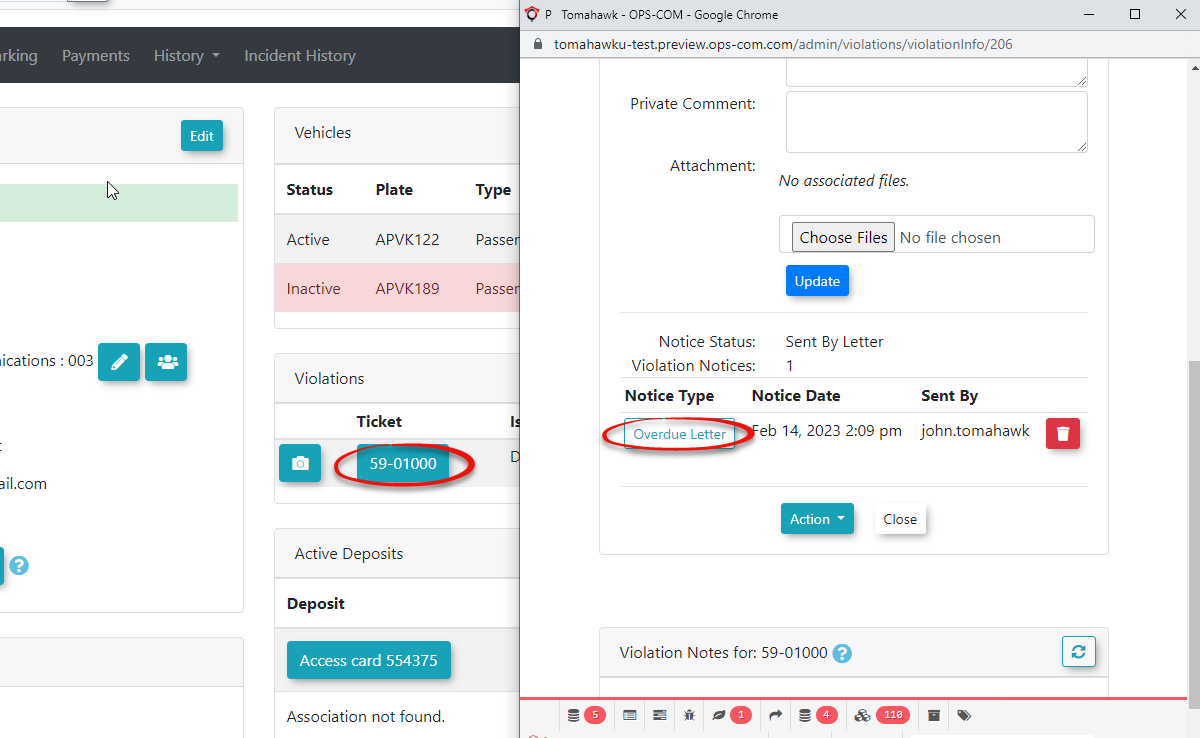
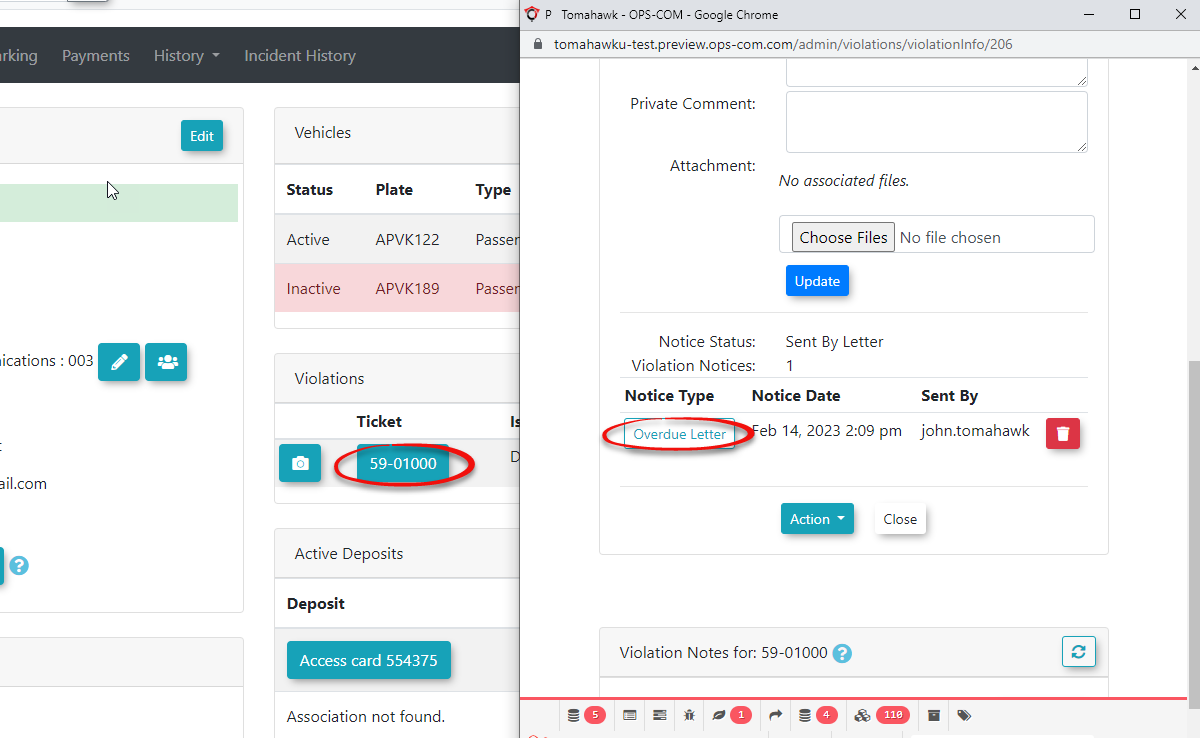
Once a NIC letter has been sentgenerated itand sent, a copy is stored withwithin the associated violation.violation Ifrecord.
-
reason you wish to resend or re-output the letter you can do so from the ticket detail.Search for the specific violation ticket or locate it on the user's
profileprofile.then -
onClick the ticket number to
viewopen the detailed ticketdetail.view.From -
you will seeClick the Overdue Letter
button. By clicking on thisbuttonyou will be ableto view and resend the notice.
Best Practices and Considerations
-
-
Be aware that the user new violation notice only triggers for violations issued on the current day. It will not retroactively notify users of older "new" violations (e.g., a 3-day-old violation) once the feature is turned on.