Collections Module
Accessing the
The Collections Module
ThereOPS-COM areadministrators severalwith stepsa leadingstreamlined upprocess for managing and recovering overdue violation funds. Its primary purpose is to aidentify collectionunknown sinceusers oftenthrough notificationregional vehicle lookups and compile reports of a user is all that may be needed to collect on overdue funds.
The collections module is currently tied to the Violations menu, but may in the future workaccounts with alloutstanding modulesbalances in the system. Originally the implementation worked around the idea that people parking on campus may be unknown users. By having a collection module (and the MTO lookup functionality) unknown user details can be determined from a vehicle tag (plate, province, etc.). Students and staff users can be dealt with in a different manner but can alsoto be sent to external collection agencies. This article is intended for OPS-COM administrators responsible for financial enforcement and collections.
Setup and Configuration
Before fully utilizing the caseCollections Module, administrators should verify that the automated system processes are active.
-
Verify that your system is configured to send overdue notices each night.
-
If these automated emails are not being generated, contact Tomahawk Support to have the feature enabled on your system.
Using this Feature
The Collections Module is currently located within the Violations management area. It allows administrators to retrieve owner information from license plates and generate specific reports for collection agencies.
Accessing the Module
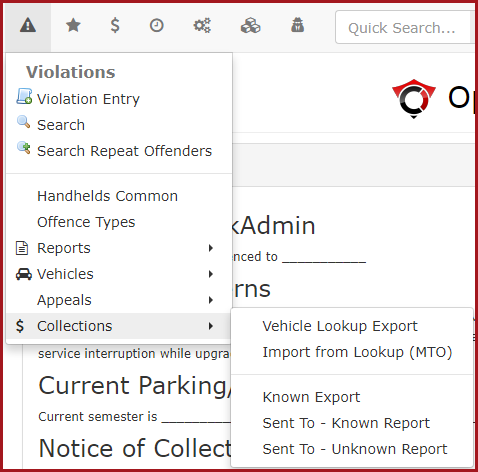
Hover over Violations and click Collections to access the module's drop-down menu of areporting student,and theyexport can be denied graduation if their account is not paid in full.tools.
CollectionAvailable ModuleActions Operation
and In this particular case, the items related to MTO lookup are based on a data format for the Ministry or Transportation Ontario, but could be adjusted to match requirement in any area.
-
Vehicle Lookup Export:
- Click
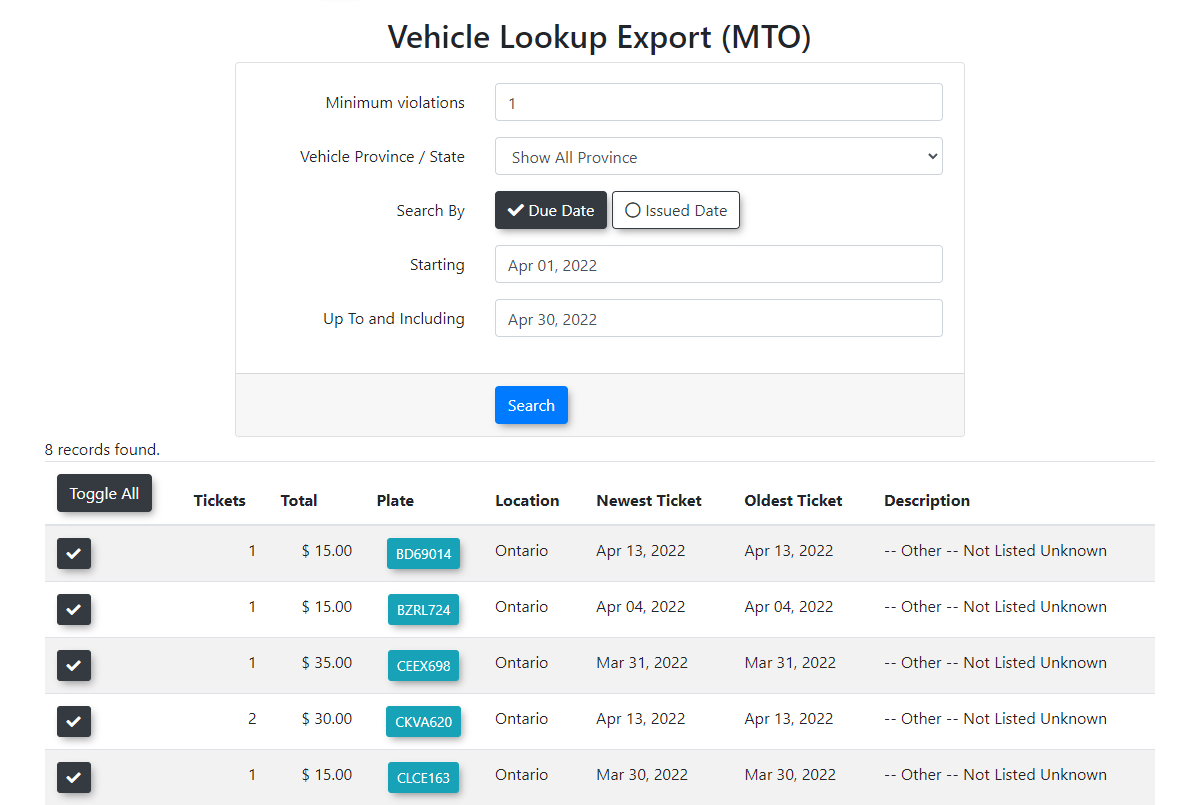
allowsthisan administratoroption to export vehicle data inaanMTOMTO-friendly format. Thisexportfile can be importedto theinto MTO terminals byMTOstaff(orautomation)automatedandsystemsthetoresult isperform an MTO Lookup Report.-
Import from Lookup MTO: Click this option to import the registered owner details back into OPS-COM. This action automatically populates the address and contact fields for previously unknown users.
-
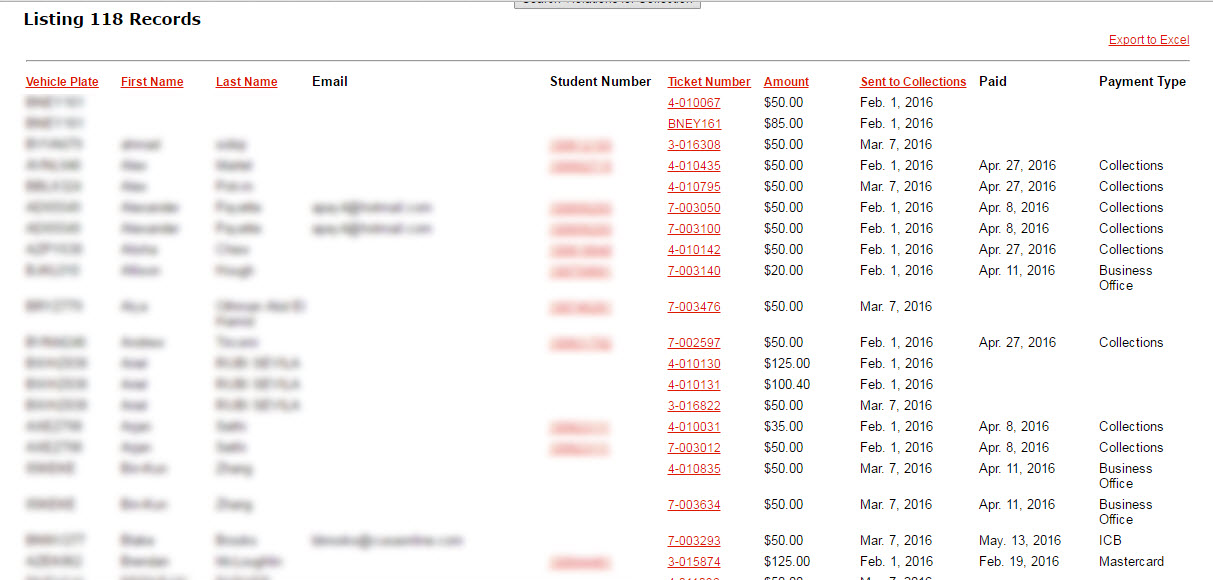
Known Report: Click this option to query and package specific user accounts into an Excel export intended for a collection service provider. Generating this report automatically sets an internal SentToCollections flag on the associated violations, ensuring future queries do not duplicate listings.
-
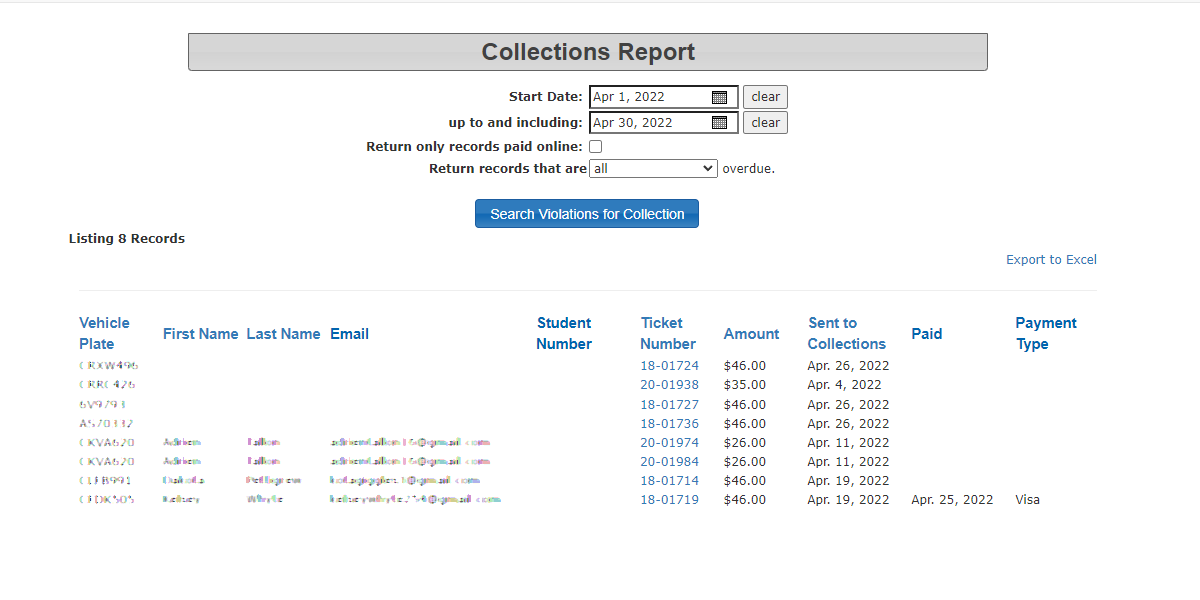
Sent To Known Report: Click this option to generate a report of known user accounts flagged as SentToCollections, filtered by date and user type. This report includes relevant payment details.
-
Sent To Unknown Report: Click this option to generate a report of unknown user accounts flagged as SentToCollections, filtered by date and user type.
Managing
-
Click Vehicle Lookup Export to download a formatted data file. This file is uploaded to your regional transportation authority (e.g., MTO terminals) to retrieve registered owner details.
-
Click Import from Lookup (MTO) to upload the results file back into OPS-COM. This# Collections Module
The Collections Module allows OPS-COM administrators to manage overdue violation funds, identify unknown users, and process accounts for external collection agencies. This module streamlines the collection workflow by automating overdue notices and facilitating data exchange with provincial transport ministries, such as the Ministry of Transportation Ontario (MTO).
System Logic and Workflows
Understanding the background automation is critical for managing the collections process.
Known Report Inclusion Logic
The system uses specific parameters to determine which accounts are packaged into the Known Report. A user is included based on the user type and days overdue if they meet either of the following conditions:
-
allows an administrator to import the unknown user details back into the system and populate address and contact fields.
Known Report
allows an administrator to query and package accounts (as an Excel export) that should be sent to a collection service providerInternally it sets the "SentToCollections" flag on the associated violations so that future queries will not duplicate listings
logic around this report is defined as follows:
If(theThe user has an emailandaddress AND an overdue notice(details below)thatwas sent to them more than 30 daysago)ago.-
OR(theThe user does not have an email
andaddress AND the violation is past its duedate)Thendate.include them on the report based on the supplied parameters (user type and days overdue)
Automated Overdue Notices Workflow
Each night, the system searches for overdue violations and cross-references the associated vehicles and users.
-
Send to Known & Unknown Reportgenerates a report of the accounts "SentToCollections" based on the date and user typethe report includes details related to payment where applicable
Overdue Notices
See also: Technical Schematic - Step #1
This document highlights the first steps leading to a collection.
As part of system automation, overdue notices on violations can be sent out each night. If this is not enabled on your system, please contact Tomahawk Support to have this feature enabled.
Each night the system will create an email list and send overdue notices to any known users that have emails on the system. Essentially the system looks up overdue violations, then looks up vehicles and users associated with those vehicles. From that information it may be able to obtain an email address andis found, the system formulates a message forand deliverydelivers the overdue notice to the user.
WhenThe theviolation's messageAutoNotice field is sent, the violation field "AutoNotice" isthen flagged in the database.
In the eventIf a user does not have an email address, or if the usersuser areis unknown,completely unknown to the system, a report is compiled containingwith thatthis information and isemailed sentdirectly to the system administrator.
Best Practices and Considerations
-
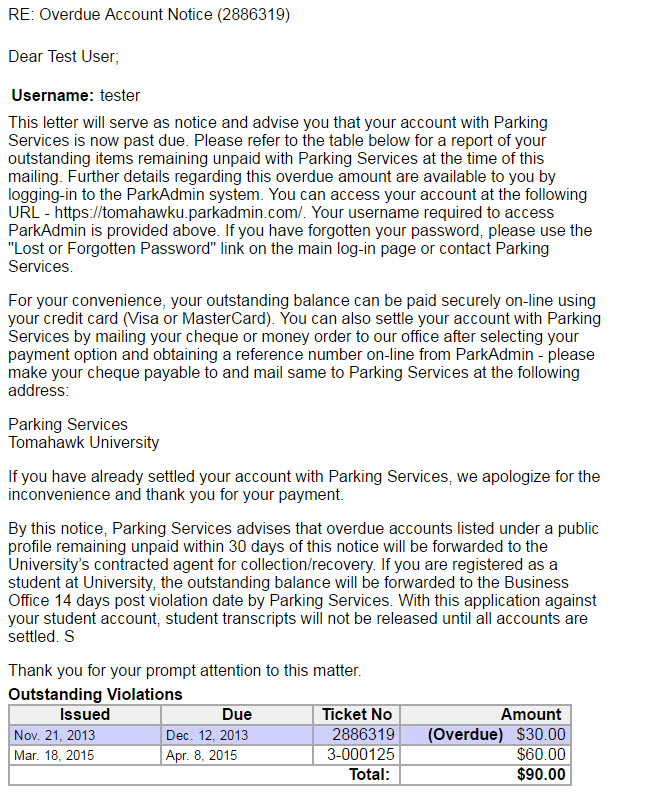
AnAdministratorsoverduemustsampleregularlymessagereviewfollows:the nightly report of unknown users or users without email addresses. This ensures that physical letters or manual lookup processes are initiated for individuals who cannot receive automated digital notices. -
Organizations should develop a business rule for managing student collections, such as tying unpaid account balances to graduation holds or registration blocks, before sending these accounts to third-party collection agencies.
For a visual representation of the preliminary steps and workflows leading up to a collection, please review the