Security PIN on Violations - How is it used
The TicketSecurity PIN on Violations feature appends a randomized, two-character code to the end of a printed parking ticket to act as a secure access password. Its primary purpose is to allow unregistered guest users to safely look up, pay, or appeal their citations online while preventing malicious users from searching sequential ticket numbers to view other people's data. This article is intended for OPS-COM administrators.
Setup and Configuration
By default, the system is configured to generate a random PIN on newly issued tickets. Administrators can disable or re-enable this feature directly within the core system settings.
-
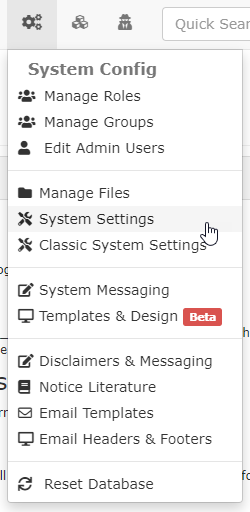
Hover over System Config and click System Settings.
-
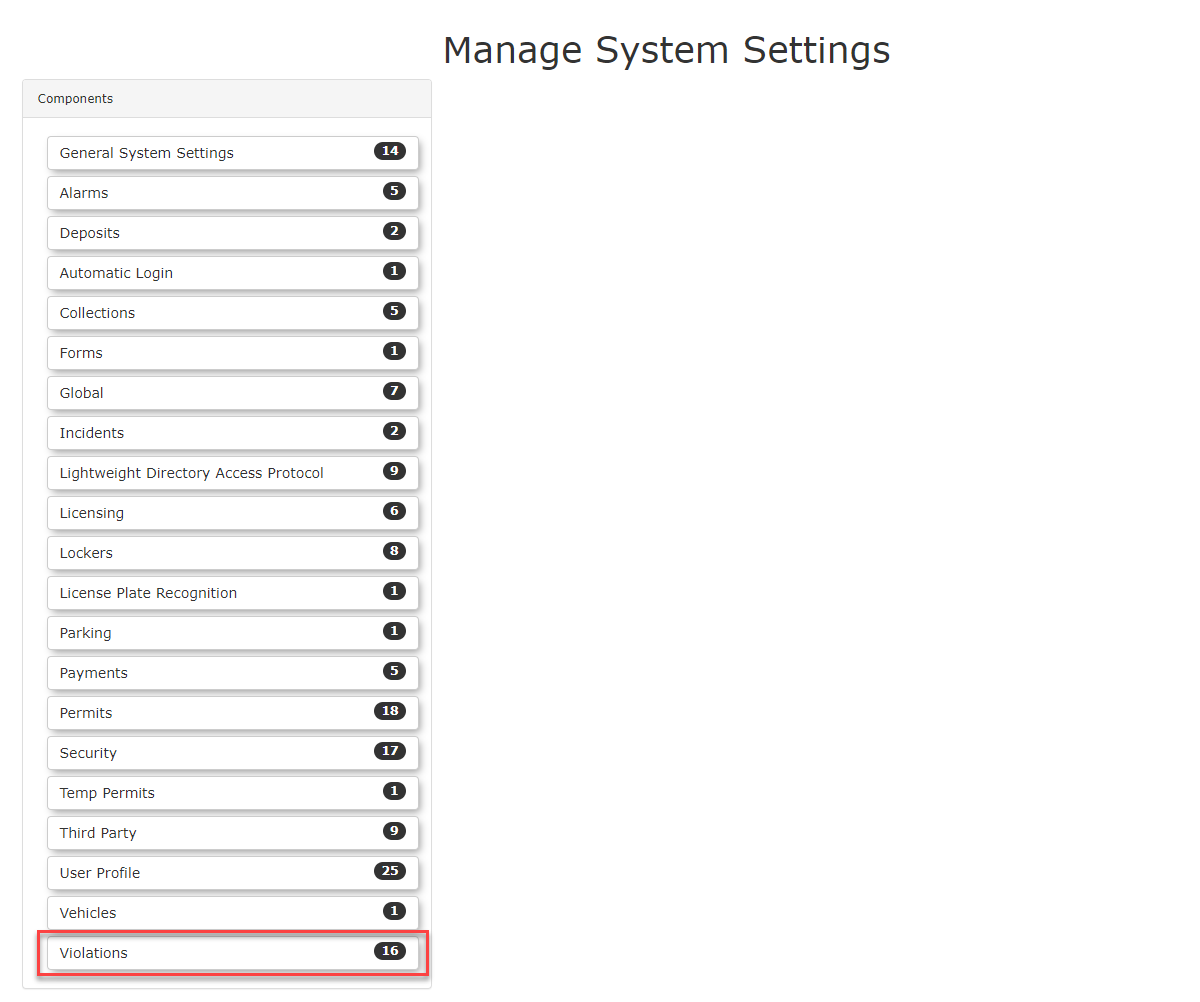
Click Violations to open the specific violation settings menu.
-
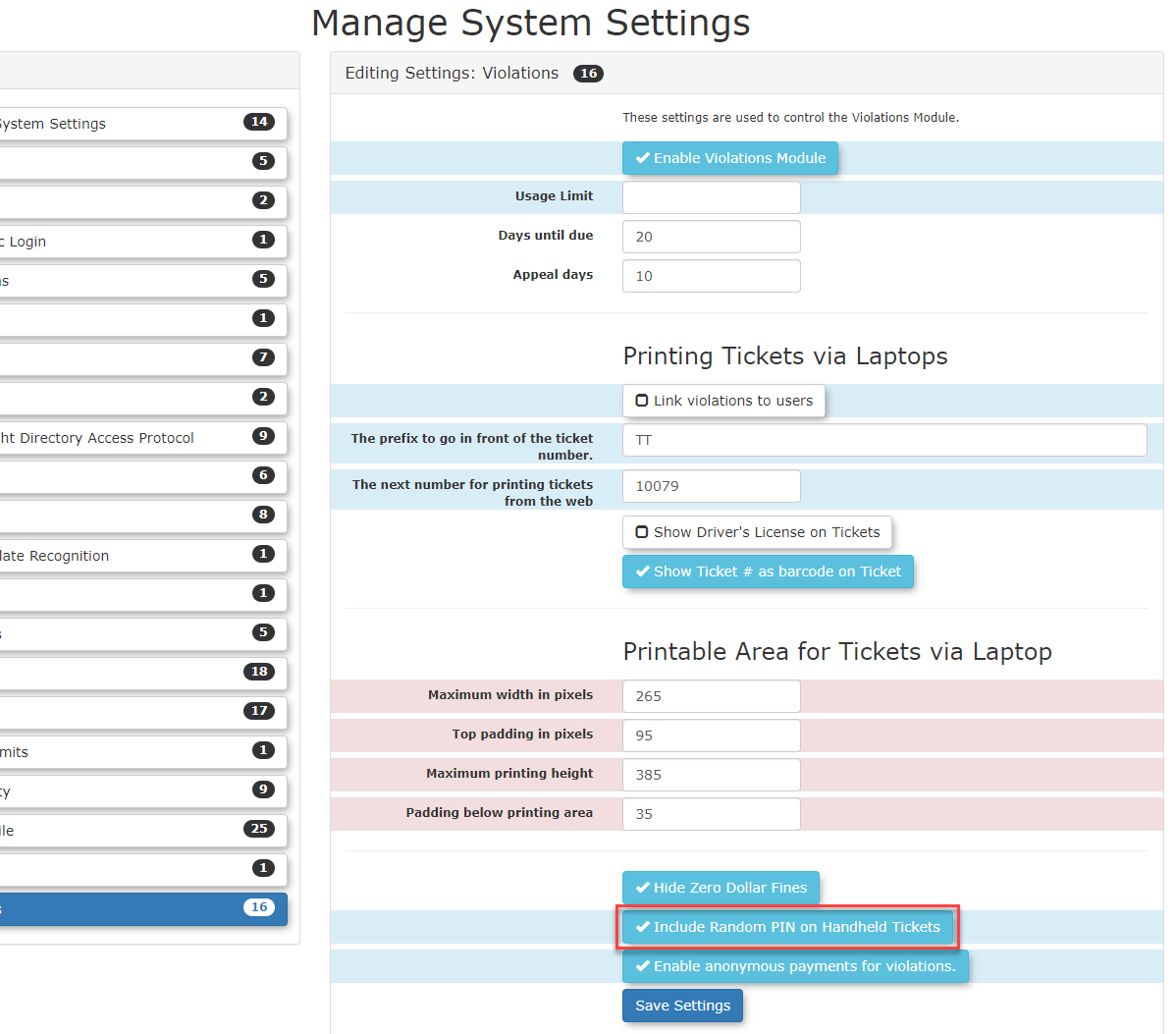
Disable the Include Random PIN on Handheld Tickets checkbox to stop generating PINs on newly printed tickets, or enable it to turn the feature on.
-
Save your configuration changes.
Using this Feature
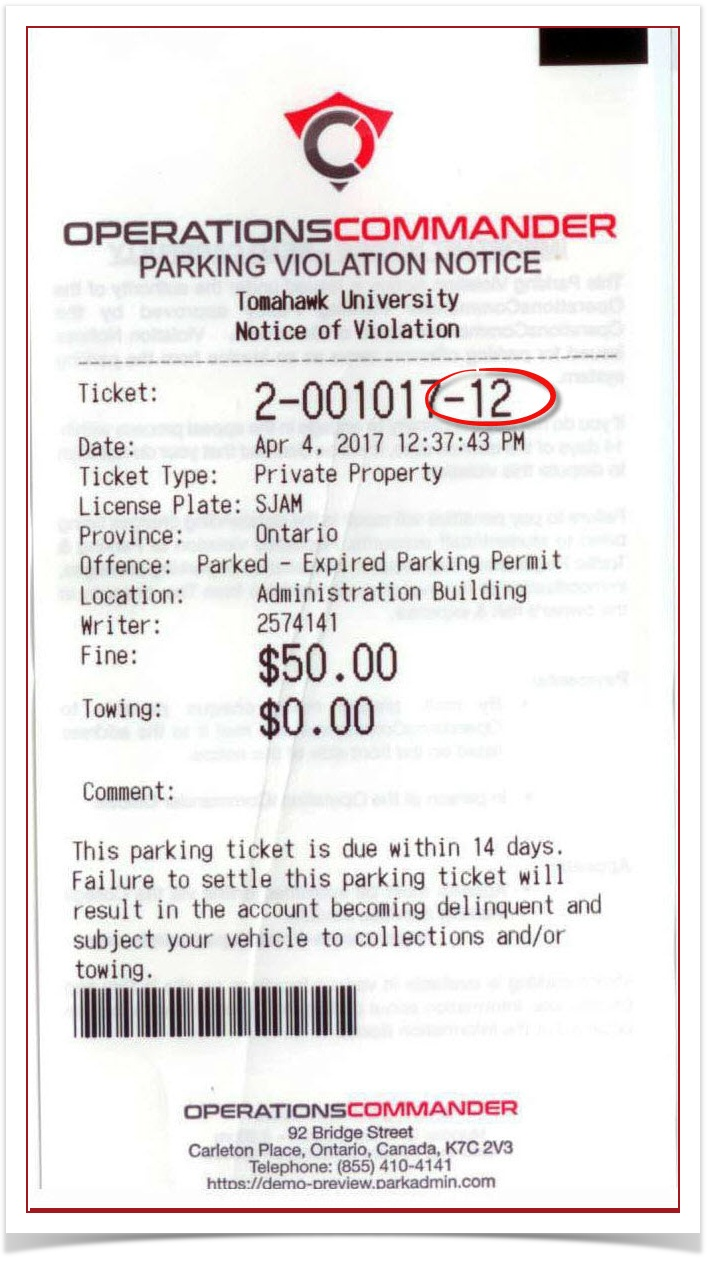
The ticket PIN primarily impacts how unregistered users access their violations on the public-facing portal. It's the additional dash and 2two digits at the end of thea violations areticket known as a "Ticket Security PIN".It may look like it's part of(e.g., the ticket-8T number,in butTT-10016-8T) it'sand not. It'sis only used as a password for the ticket when appealing it.
Guest User Access
Additionally,Once the code that generates the FTP files isn't going to change/add the pin.
FTP reports will remain unchanged by the addition of the violation PIN. No PIN will be shown in the mailed out the violation.
The PIN is only used when appealing tickets ifauthenticated, the user isn't logged in. As an example, you can see the "Lookup your Ticket" box on the login screen here. The PIN is used in that box to give some protection from public users just looking up sequential ticket numbers.
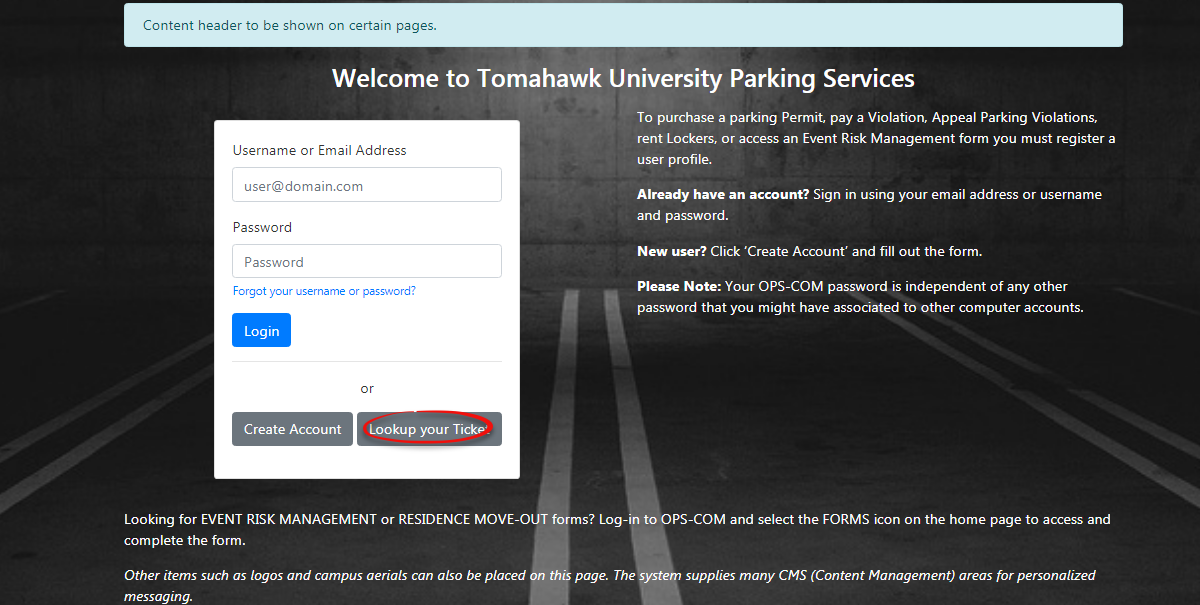
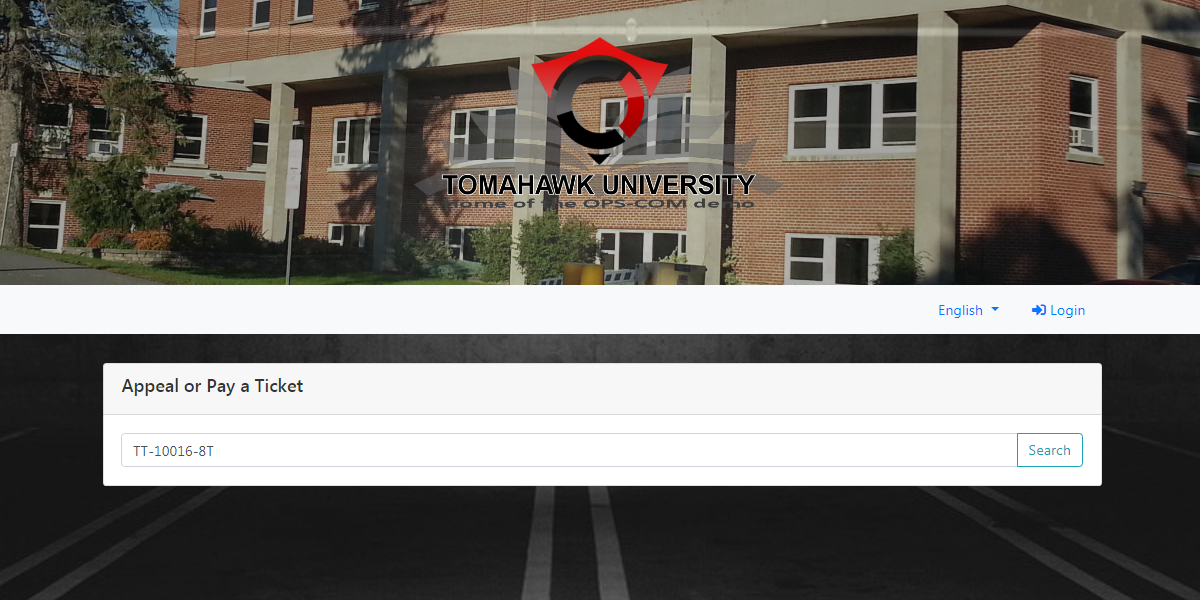
Click on the box that says "Lookup your Ticket". You should now see the following screen. Enter in the ticket number and PIN.
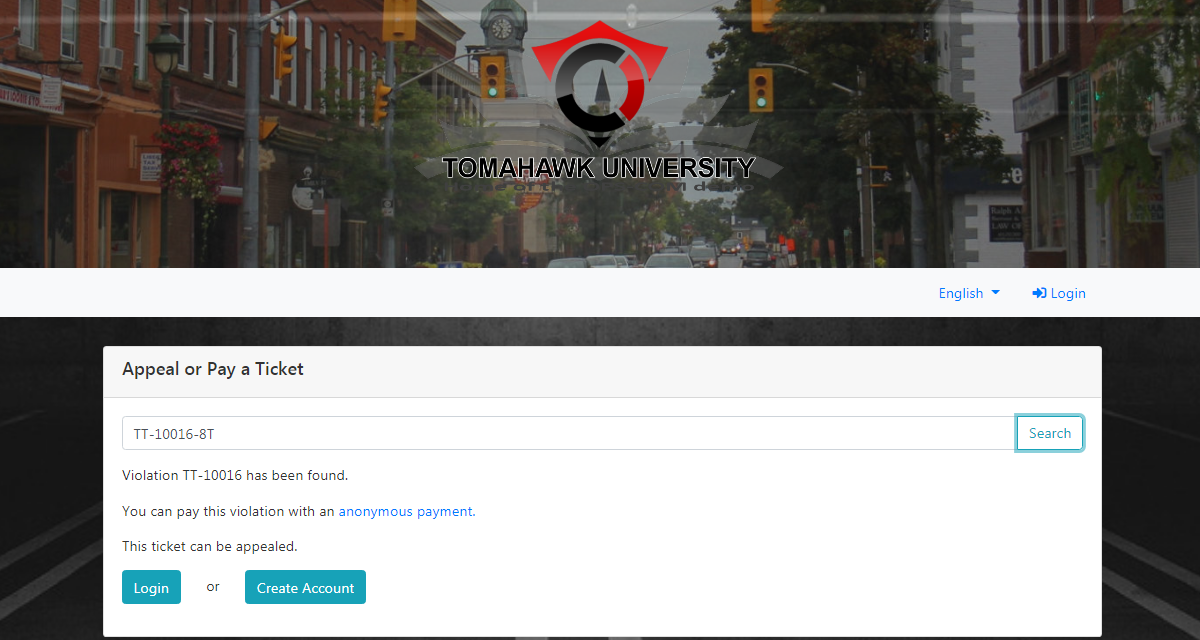
Once you click check you will be presented with a secure screen thatallowing allows youthem to appealpay or payappeal the ticket.Notice whenThe retrieved ticket record will automatically drop the record of the ticket is found it does not include the PIN.
Removing the Pin
If you wish to remove thePIN from theprintedvisualticket,displaythis can be done fromonce theSystemuserSettingsislocated underinside theSystempaymentConfigportal.tab.Administrator
Search Access
When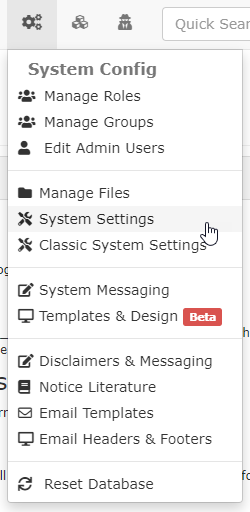 an
an Lookadministrator searches forViolationsainviolation internally via thelistsystemofsearchcomponents ontools, theleft:
PIN
is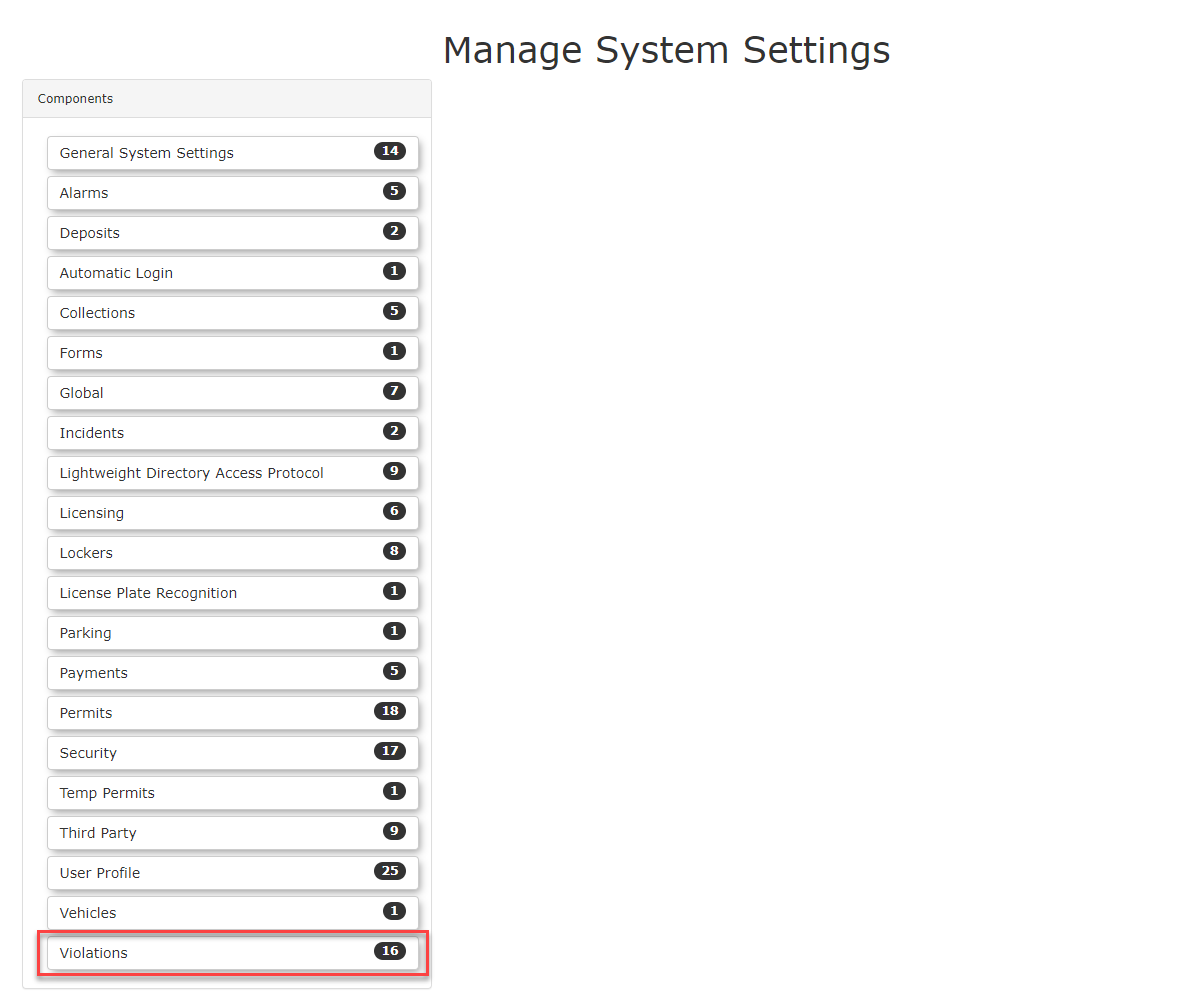 not
not Clickstrictlyonrequired.ViolationsSearchingto view and editfor thesettings. By default the setting for including a random PIN number to thecore ticket numberwhen(e.g.,printedTT-10016) will successfully return the violation. Searching for the full string including the PIN (e.g.,TT-10016-8T) will also return the exact same ticket record.
Best Practices and Considerations
Reporting and Mailouts: The Security PIN is
enabled.onlyToutilizedremovefor initial online lookup validation. It is intentionally excluded from backend data exports. Automated FTP reports, internal data exports, and physical mailed notice letters will exclusively display thePIN,coreensureticket number (e.g.,TT-10016) without the appended PIN.-
Security Awareness: Keep the PIN feature enabled if you allow guest payments or guest appeals. Disabling the PIN removes the password protection layer, potentially allowing individuals to type in sequential ticket numbers and view citation details that
thedoIncludenotRandombelongPINtoon Handheld Ticketsbox is toggled off.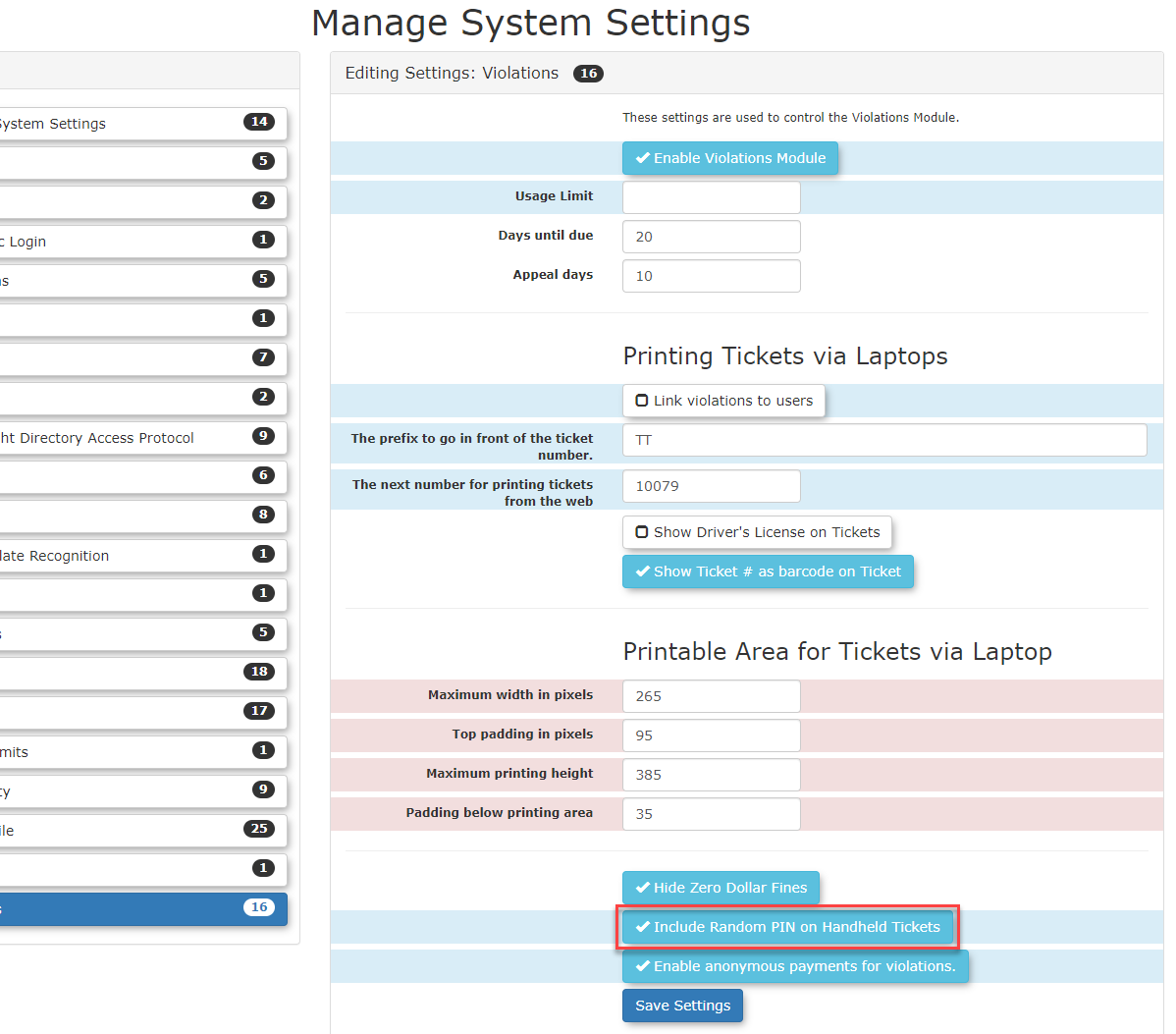
-