Viewing and Editing LPR Events
- Go to
Parking ManagementViolations, thenLicenseLPRPlateandRecognitionChalking, and click ViewLPREvents.
-
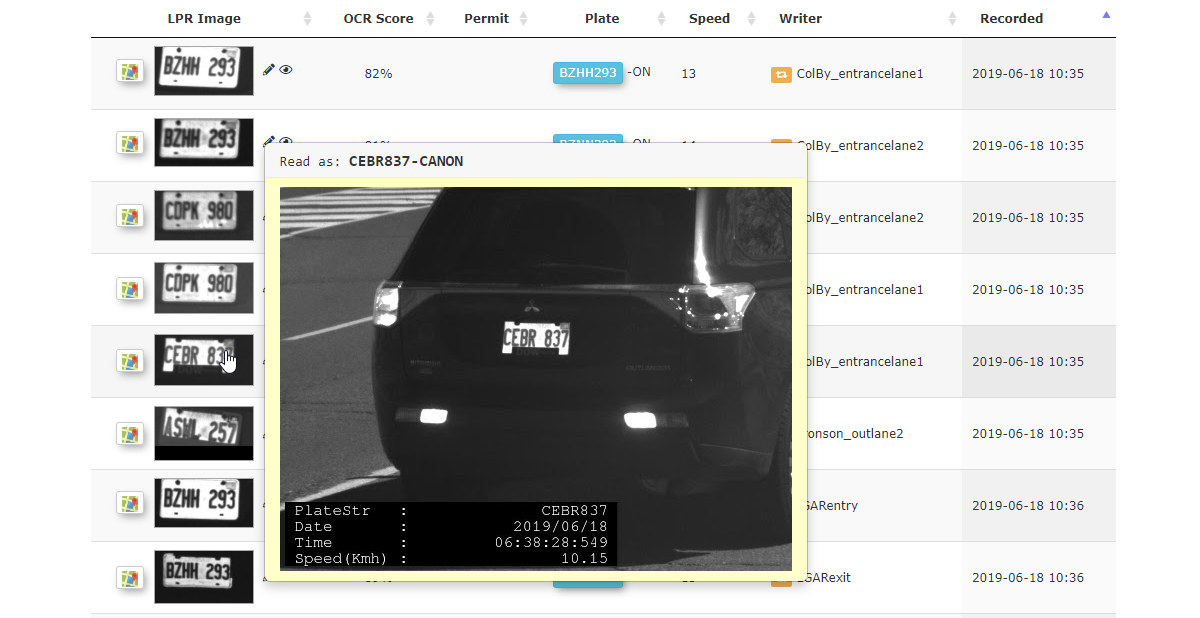
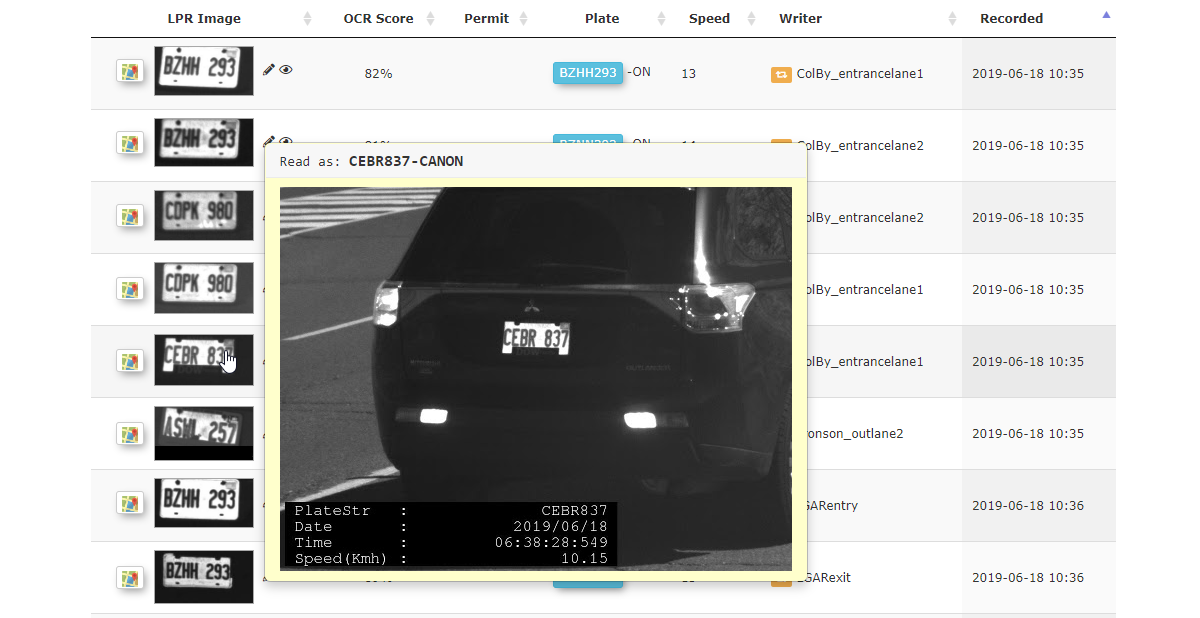
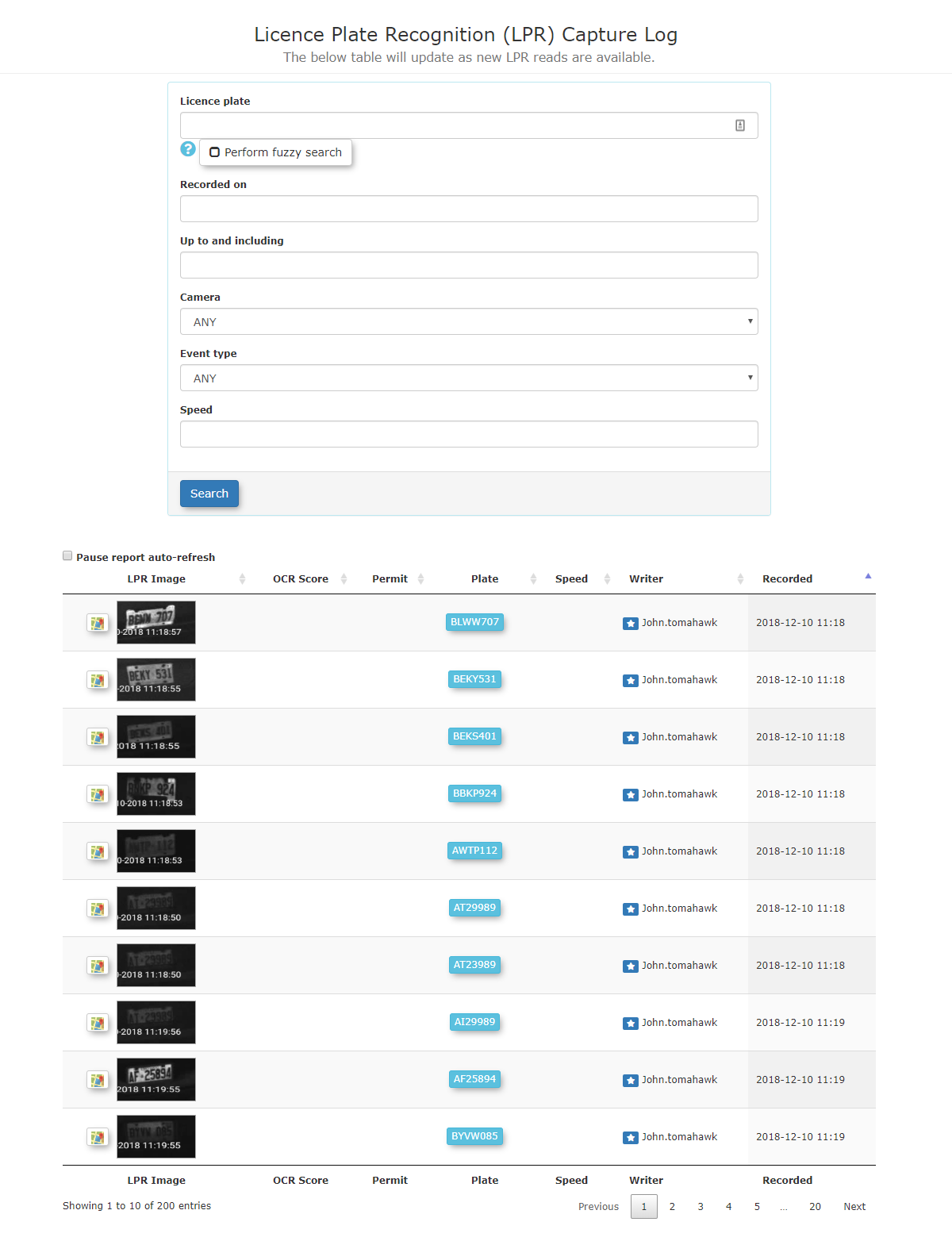
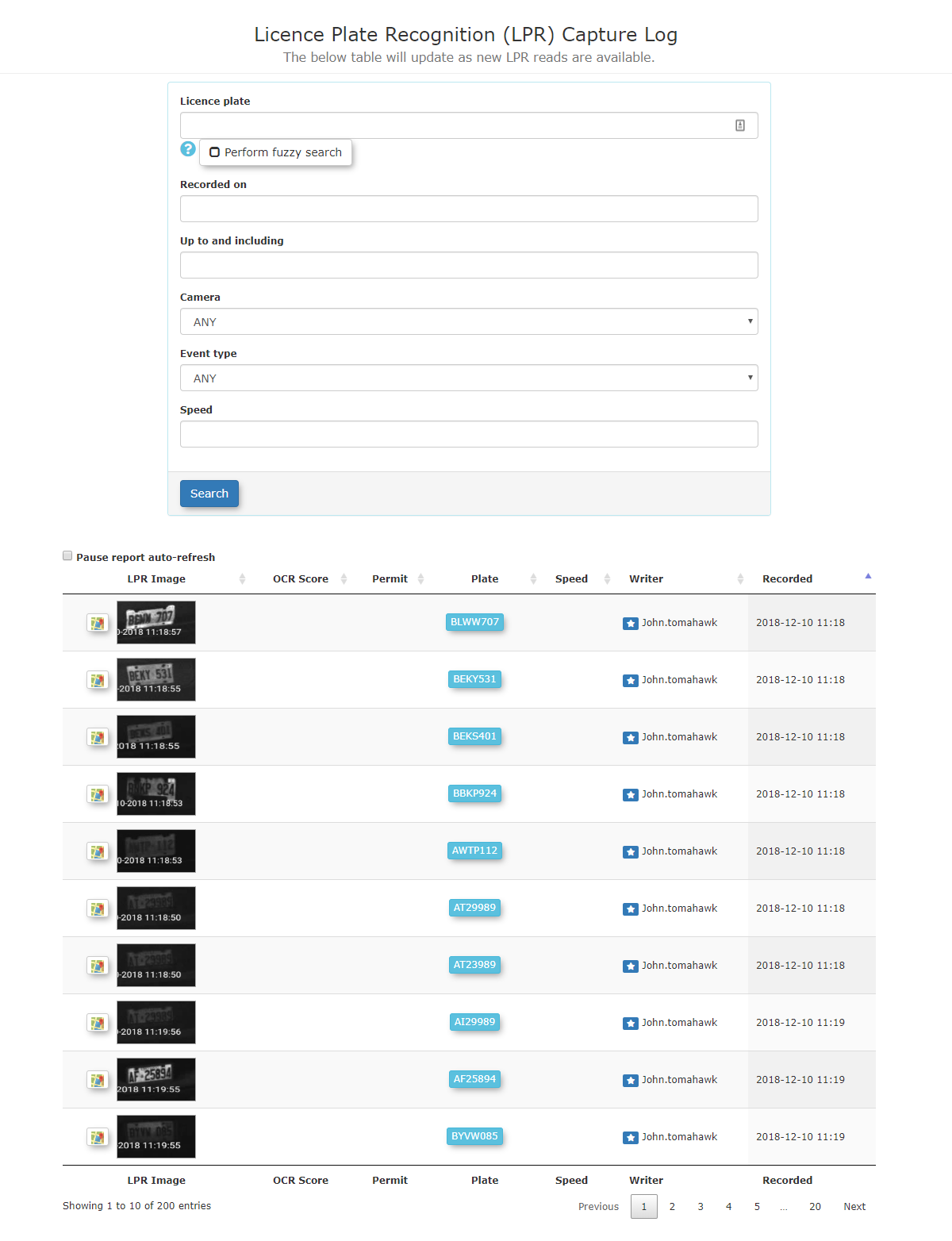
A list of Events will appear. The following information is displayed:
- Plate Image
- Plate Number
- Province
- Score (relates to how accurate the system analyzes the capture to be)
- Km/h (Speed, as well as direction - approaching or going away from the camera)
- Recorded (Date and Time of capture)
- Events (How many times this plate has been captured)
- Status (Valid or Invalid)
- Lot Group
- Violations
2.
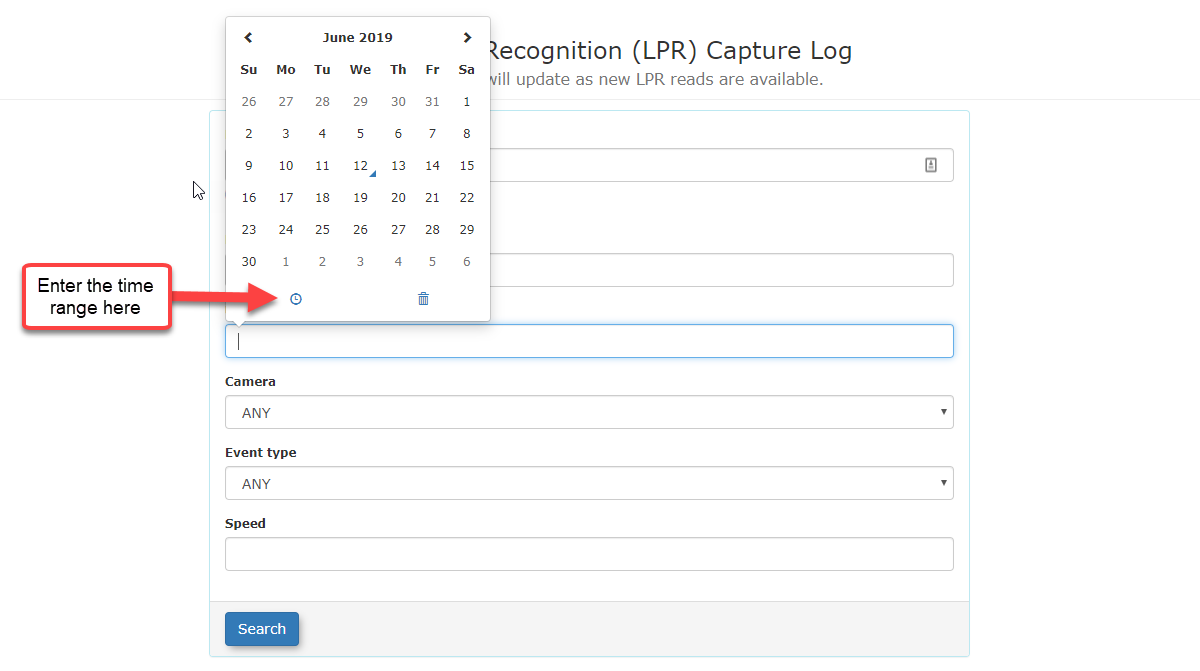
3.
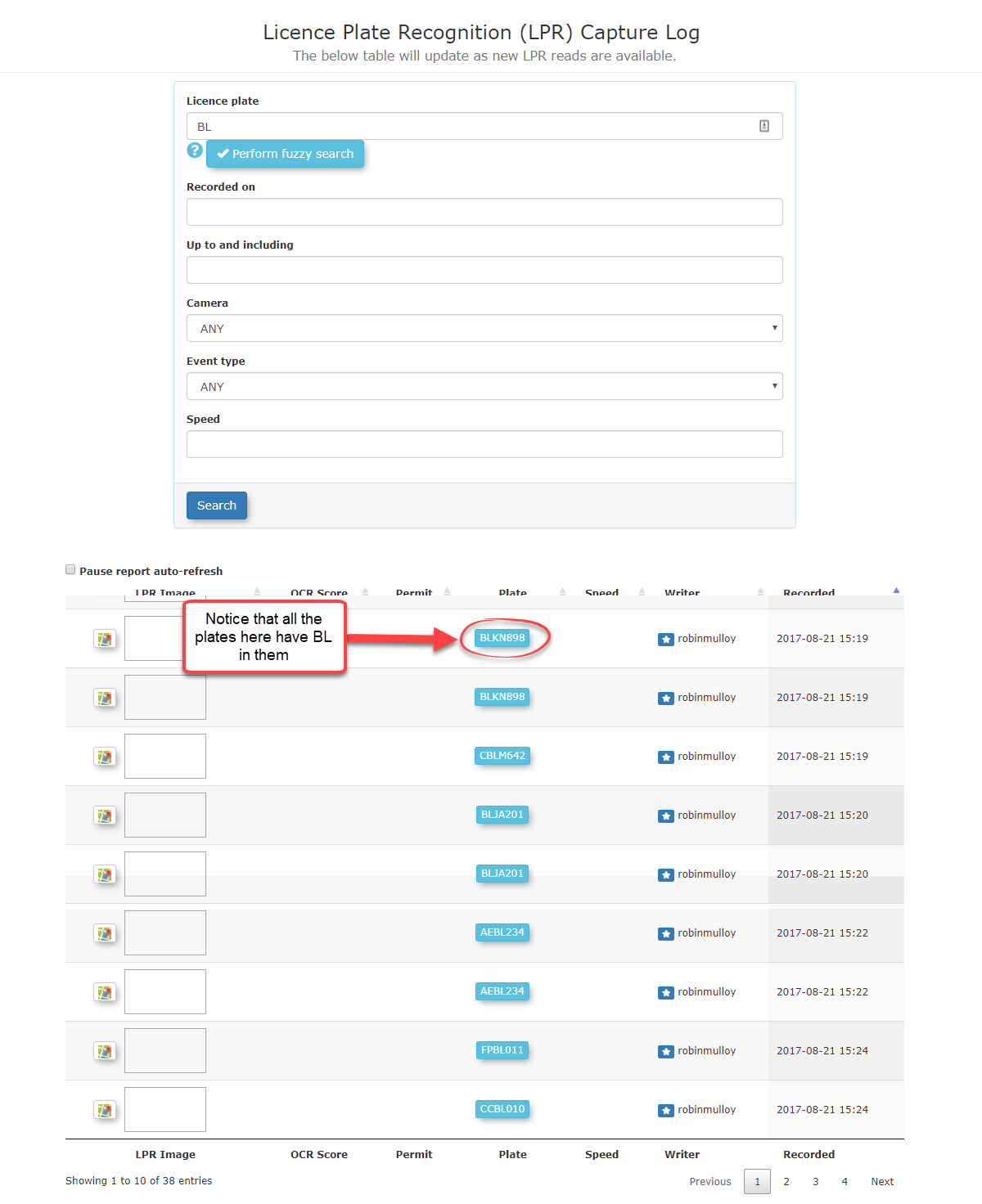
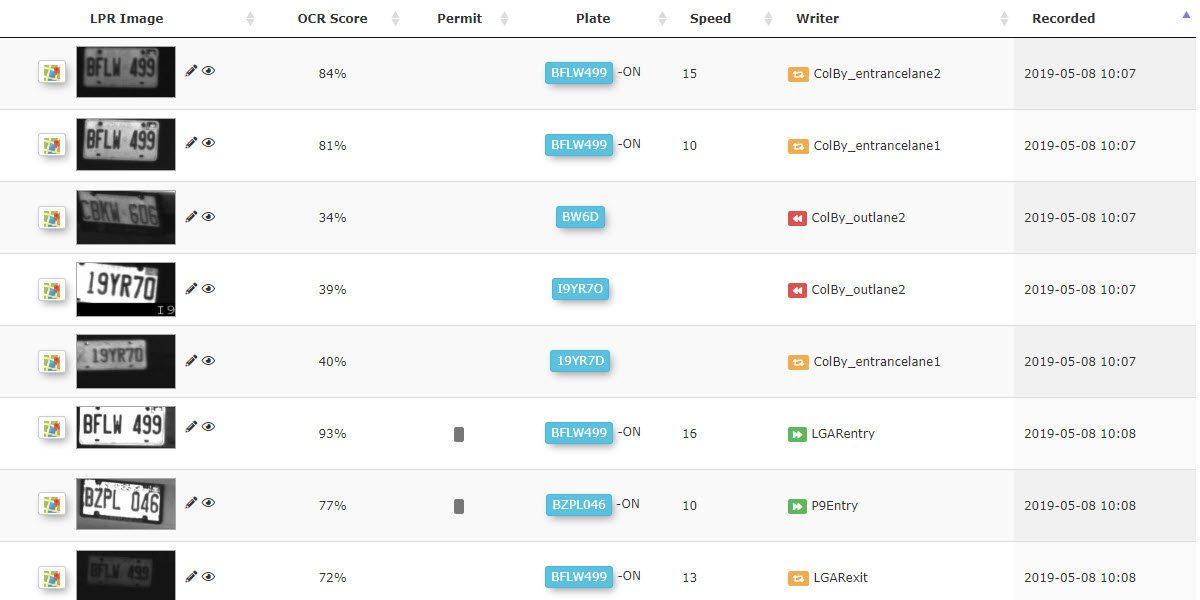
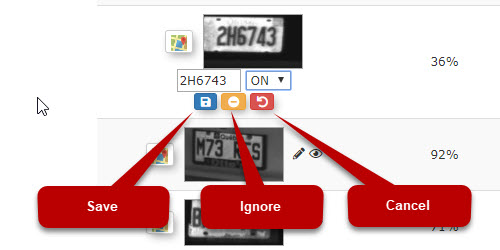
4. To correct the plate number, click on the pencil icon to edit the entry.

5.

6.
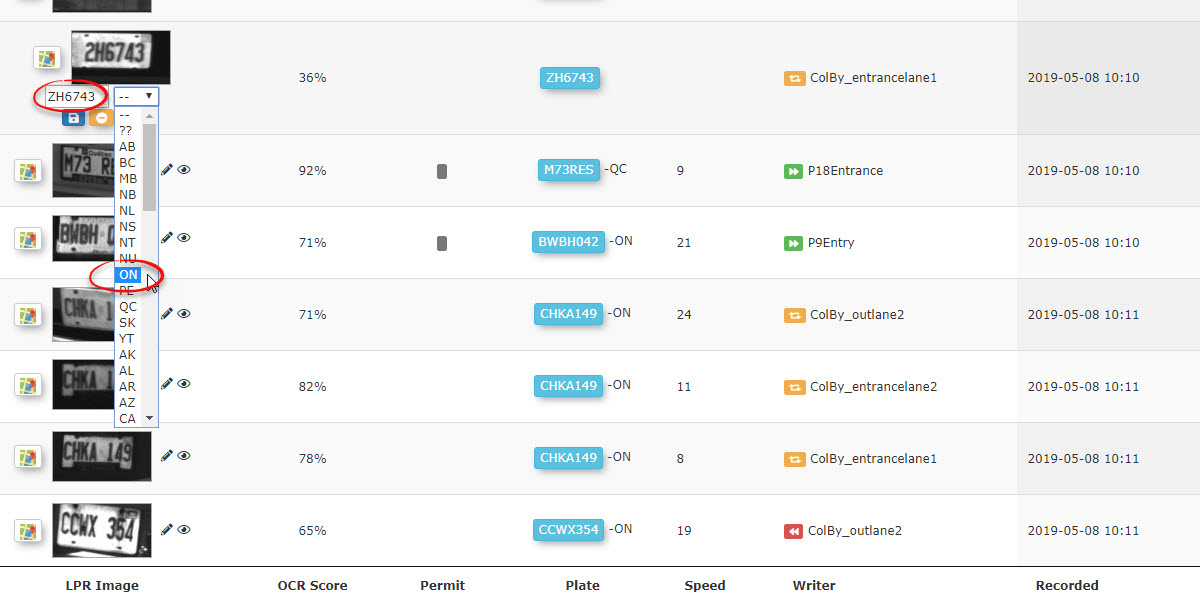
7.
Other Information that can be viewed from this interface.
- Hover over the thumbnail in the record and the full image capture can be displayed.